












AUS Global Registration takes 7 minutes to complete. Enter personal details such as gender, date of birth, and nationality, verify your email, and answer financial questions.
Traders who open an account with this broker can trade with a leverage of up to 1:500 on STP, ECN, Classic, and VIP accounts. The minimum trade amount remains 0.01 lot, consistent among all accounts.
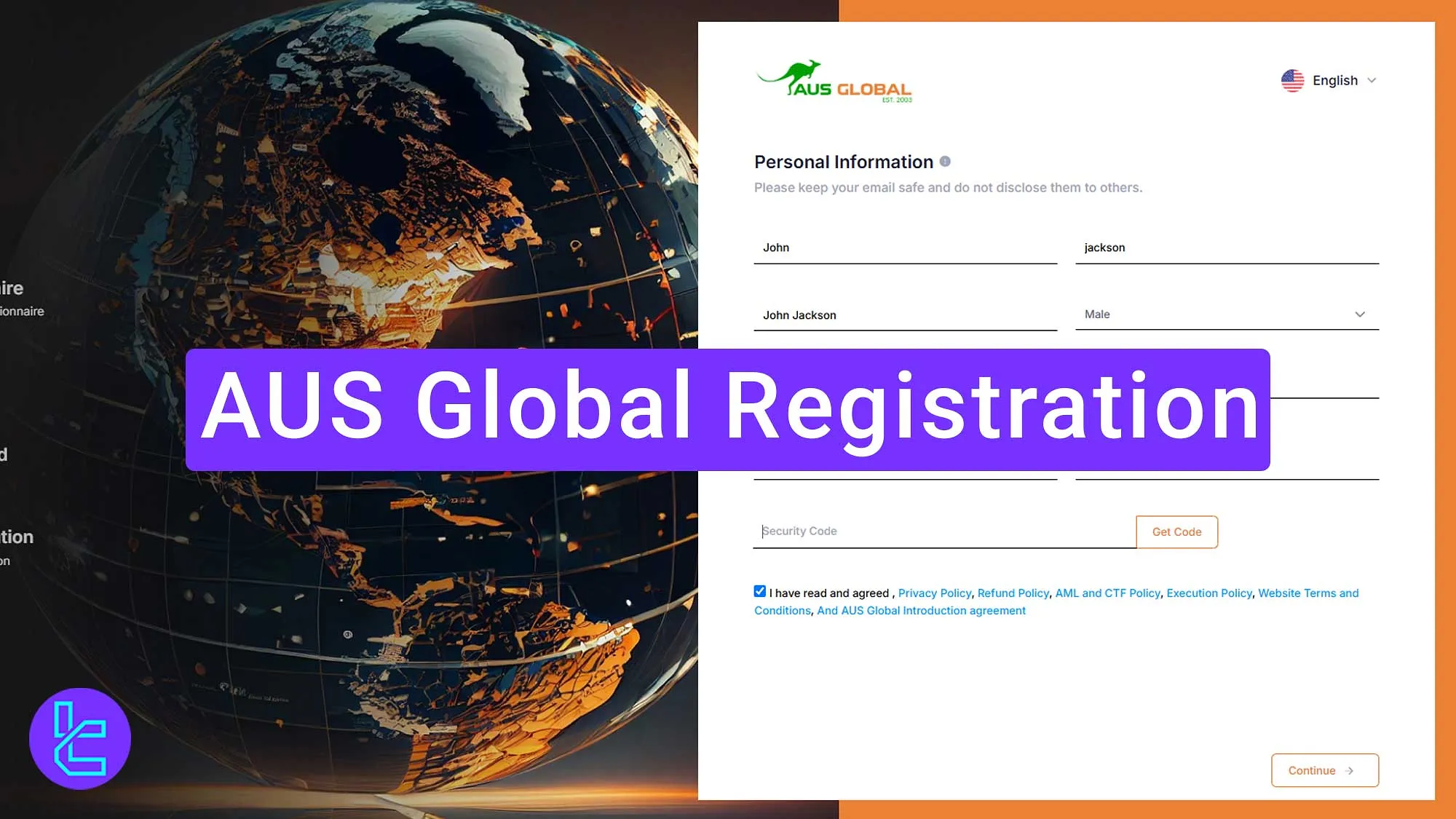
Steps for AUS Global Broker Registration
Signing up for the AUS Global Broker is simple to follow: AUS Global Account Setup Process:
- Access the AUS Global signup page;
- Enter personal details such as name, nationality, and more;
- Verify your email;
- Answer financial questions;
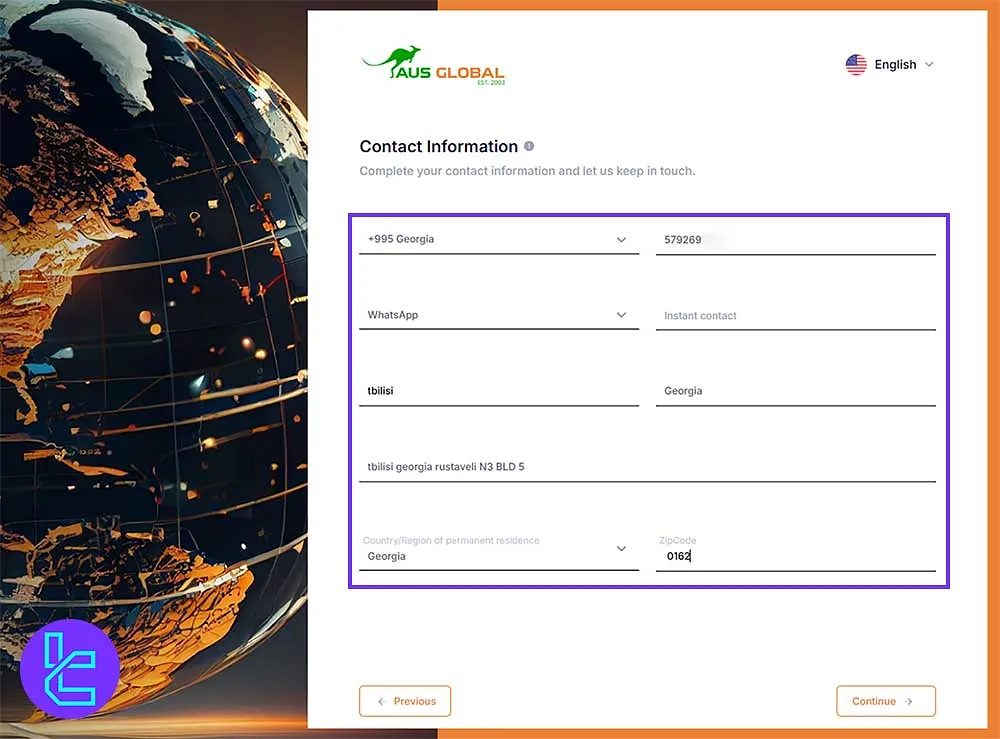
- Enter contact information like your phone and WhatsApp.
Ensure you have all the following information ready before starting the account creation process.
Registration Requirements | Yes/No |
Email Sign-up | Yes |
Phone Number Required | Yes |
Google Account Login | No |
Apple ID Login | No |
Facebook Login | No |
Full Name | Yes |
Country of Residence | Yes |
Date of Birth | Yes |
Address Details | Yes |
Email Verification | Yes |
Phone Number Verification | No |
Financial Status Questionnaire | Yes |
Trading Experience Questionnaire | Yes |
#1 Access the AUS Global Signup Page
To navigate to the registration form, follow these 2 steps:
- Scroll down and click "Open an Account;"
- On the home page, click "Open an Account" to go to the registration page.

#2 Enter your Personal Details in AUS Global
Fill in the required information:
- First name
- Last name (matching your passport)
- Full name in local language
- Gender
- Email address
- Date of birth
- Nationality
- Introducing Broker ID (if available)
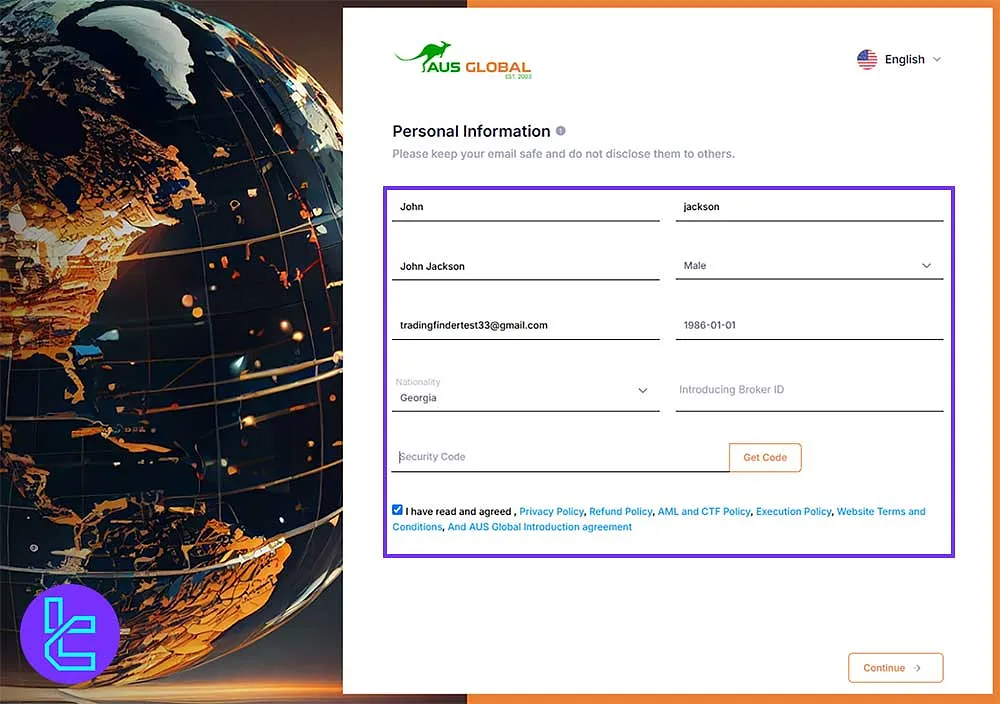
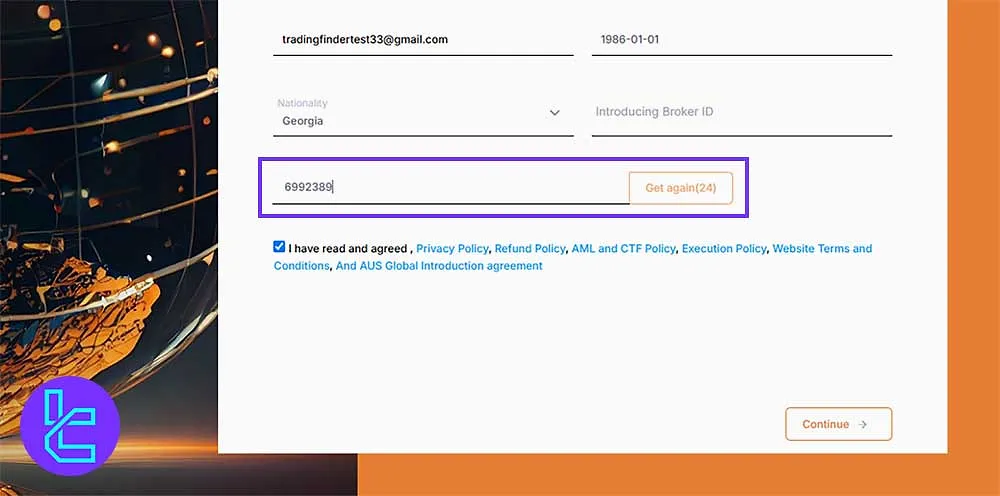
#3 Verify Your Email on AUS Global
Follow these steps to verify your email:
- After entering the details, click "Get Code;”
- Open your email and select the AUS Global verification email;
- Copy the verification code and paste it into the required field;
- Confirm the terms and click "Continue."
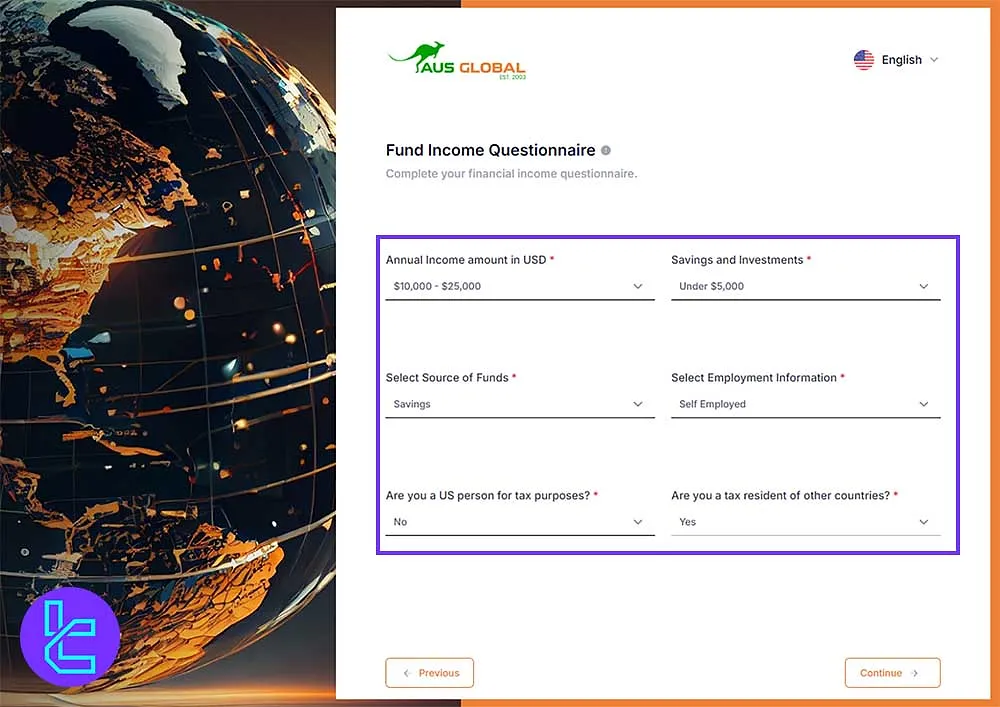
#4 Answer Financial Questions from AUS Global
Provide details regarding your financial status, including Income level, source of funds, and more; After entering the information, click "Continue."
#5 Enter your Contact Information in AUS Global
Fill in your contact details:
- Mobile phone number
- WhatsApp or other communication platform (if applicable)
- City and region
- Full address
- Country of residence
- Zip code
After all, click "Continue" and finish the registration.
AUS Global Signup vs Other Forex Brokers
The table below provides a deep insight into the account creation differences in AUS Global and 3 Other Brokers.
Registration Requirements | AUS Global Broker | |||
Email Sign-up | Yes | Yes | Yes | Yes |
Phone Number Required | Yes | Yes | Yes | No |
Google Account Login | No | No | No | Yes |
Apple ID Login | No | No | No | Yes |
Facebook Login | No | No | No | No |
Full Name | Yes | Yes | Yes | No |
Country of Residence | Yes | Yes | Yes | No |
Date of Birth | Yes | Yes | No | No |
Address Details | Yes | No | No | No |
Email Verification | Yes | No | No | Yes |
Phone Number Verification | No | No | No | No |
Financial Status Questionnaire | Yes | No | No | No |
Trading Experience Questionnaire | Yes | No | No | No |
Conclusion and Final Words
AUS Global Registration is now completed in 5 steps. Provide your first and last name, and contact information such as WhatsApp number, address, zip code, and mobile number.
For the following guidelines, read AUS Global Verification, which is listed on the AUS Global Tutorials page.






