












AccentForex verification is a 3-step process designed to authenticate user identity and unlock full account access. Investors are required to upload both proof of identity (POI) and proof of address (POA) documents.
After verifying your account, you will gain access to a wide variety of payout methods, including Bitcoin, Ethereum, USDT, Visa/MasterCard, and Bank-Wired transfers.
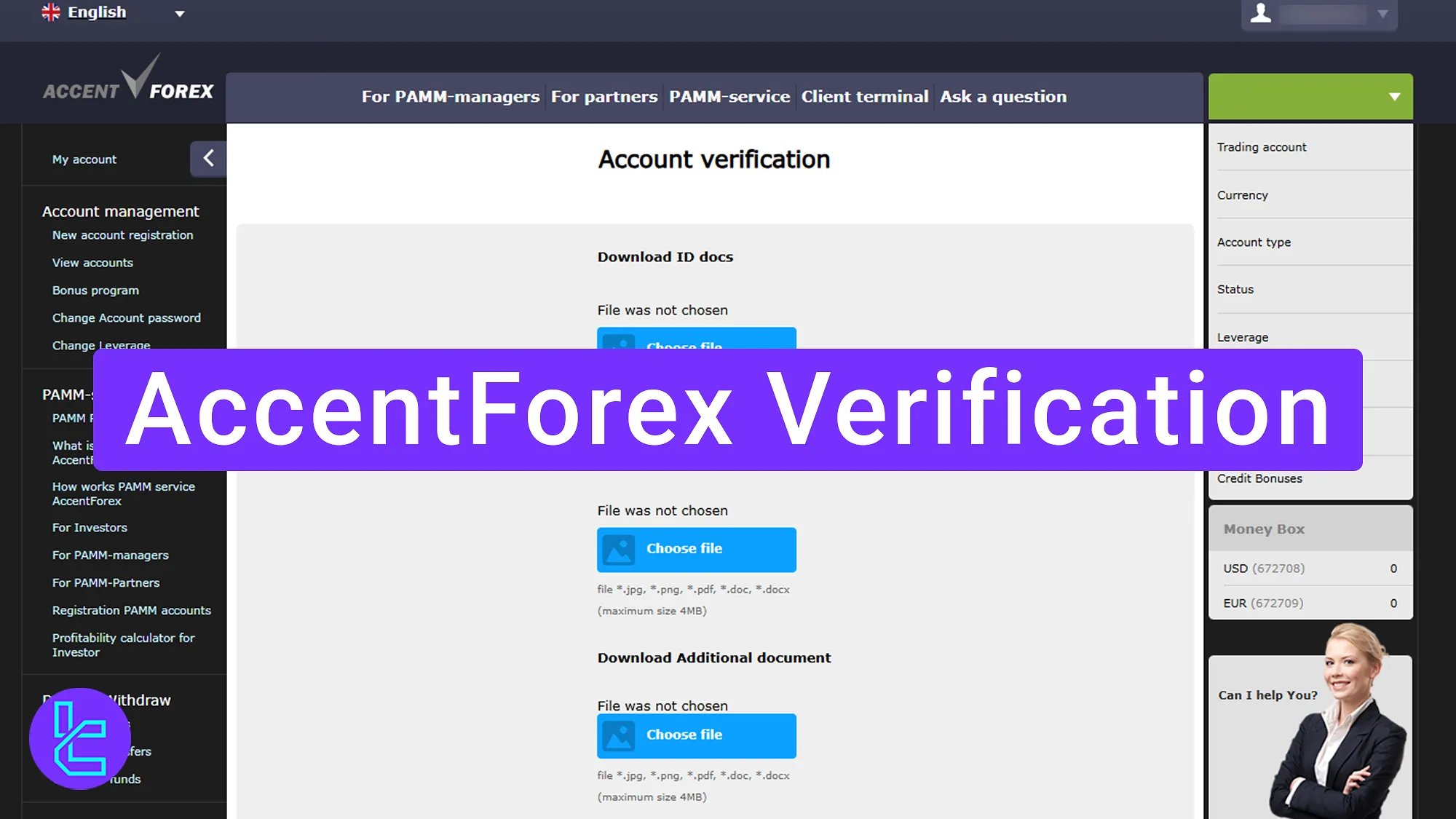
AccentForex User Authentication Process Overview
After completing AccentForex registration, follow these steps to gain full access to deposits, withdrawals, and trading features in the AccentForex broker.
AccentForex verification key steps:
- Access the "Account Verification" section from the dashboard;
- Upload proof of identity and proof of address documents;
- Check the KYC status.
Ensure you have the following documents before initiating the user authentication process.
Verification Requirement | Yes/No |
Full Name | No |
Country of Residence | No |
Date of Birth Entry | No |
Phone Number Entry | No |
Residential Address Details | No |
Phone Number Verification | No |
Document Issuing Country | Yes |
ID Card (for POI) | Yes |
Driver’s License (for POI) | Yes |
Passport (for POI) | Yes |
Residence Permit (for POI or POA) | Yes |
Utility Bill (for POA) | Yes |
Bank Statement (for POA) | Yes |
2-Factor Authentication | No |
Biometric Face Scan | No |
Financial Status Questionnaire | No |
Trading Knowledge Questionnaire | No |
Restricted Countries | Yes |
#1 Accessing the KYC Section
To begin this process, follow these steps:
- Log in to the AccentForex dashboard;
- Click on the "My Profile" option;
- Select "Account Verification" to enter the KYC area.
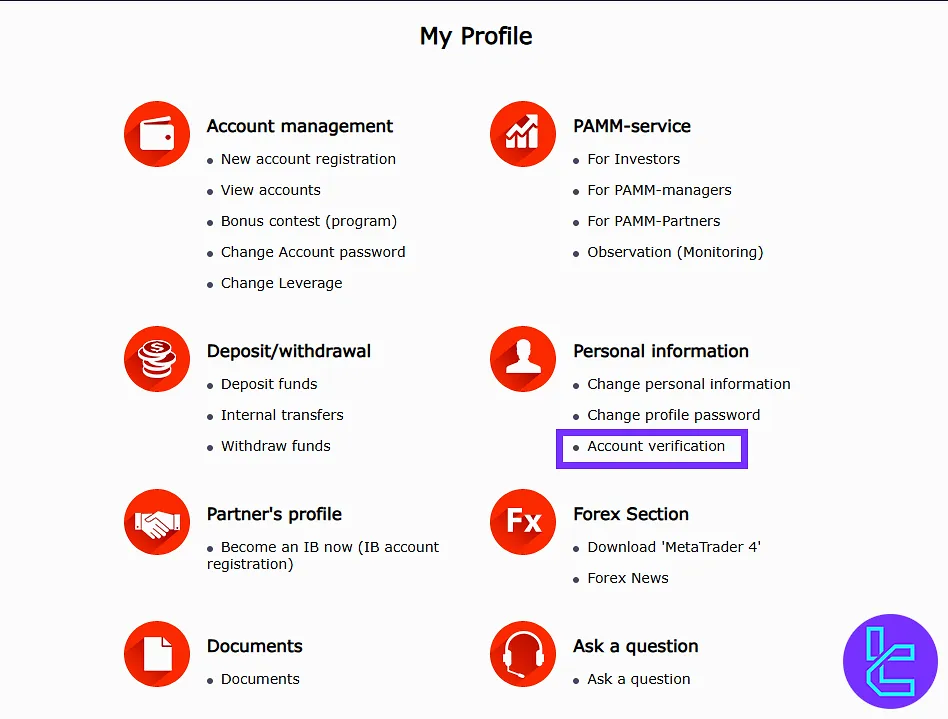
#2 Uploading Proof of Identity and Proof of Address Documents
In the KYC area, click on "Choose File" in the ID card section and upload both front and back photos of the identity document. Accepted documents include:
- National ID card
- Passport
- Driver’s license
In the middle section, upload proof of address documents such as:
- Bank statement
- Utility bill
To provide additional documents, click "Upload File" and submit them as needed. After uploading all required files, click on the "Send" button to submit the documents.
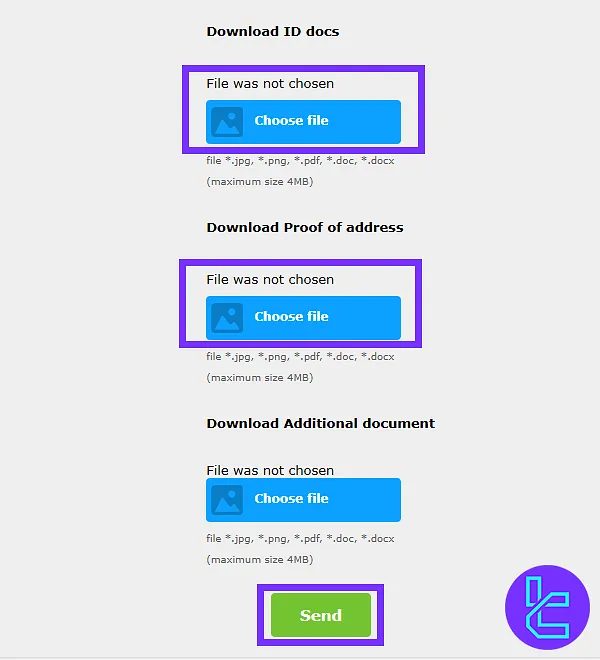
#3 Checking the KYC Status
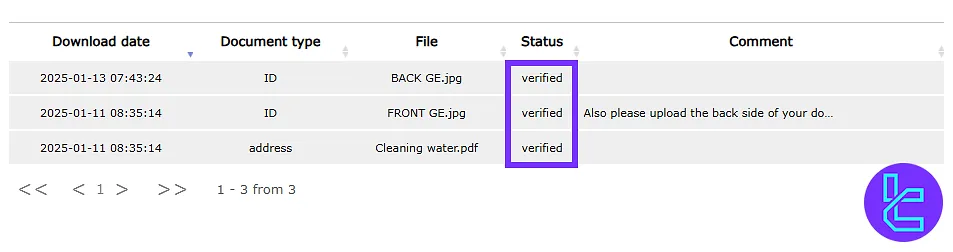
Return to the "Account Verification" section from the dashboard. At the bottom of the page, check the status of the submitted documents.
AccentForex KYC vs Other Brokers
Check the following table to understand the differences in the KYC process of Accent Forex and other Forex brokers.
Verification Requirement | AccentForex Broker | |||
Full Name | No | No | Yes | No |
Country of Residence | No | No | Yes | No |
Date of Birth Entry | No | No | Yes | No |
Phone Number Entry | No | No | No | No |
Residential Address Details | No | No | Yes | No |
Phone Number Verification | No | No | No | No |
Document Issuing Country | Yes | Yes | Yes | Yes |
ID Card (for POI) | Yes | Yes | Yes | Yes |
Driver’s License (for POI) | Yes | Yes | Yes | Yes |
Passport (for POI) | Yes | Yes | Yes | Yes |
Residence Permit (for POI or POA) | Yes | Yes | Yes | Yes |
Utility Bill (for POA) | Yes | Yes | No | Yes |
Bank Statement (for POA) | Yes | Yes | No | Yes |
2-Factor Authentication | No | No | No | No |
Biometric Face Scan | No | No | No | No |
Financial Status Questionnaire | No | No | Yes | Yes |
Trading Knowledge Questionnaire | No | No | No | Yes |
Restricted Countries | Yes | Yes | Yes | Yes |
TF Expert Suggestion
AccentForex verification is simple and fast procedure, often completed within 1 business day. The entire process can be completed in less than 5 minutes if all documents are prepared in advance.
With an activated account, you have access to the AccentForex deposit and withdrawal options to manage your finances. For more information, refer to the AccentForex tutorial page.






