












The BLACKWELL GLOBAL verification process consists of 9 steps.
The procedure includes completing the personal information, employment, and trading experience forms, along with uploading proof of identity and proof of address documents to this Forex broker.
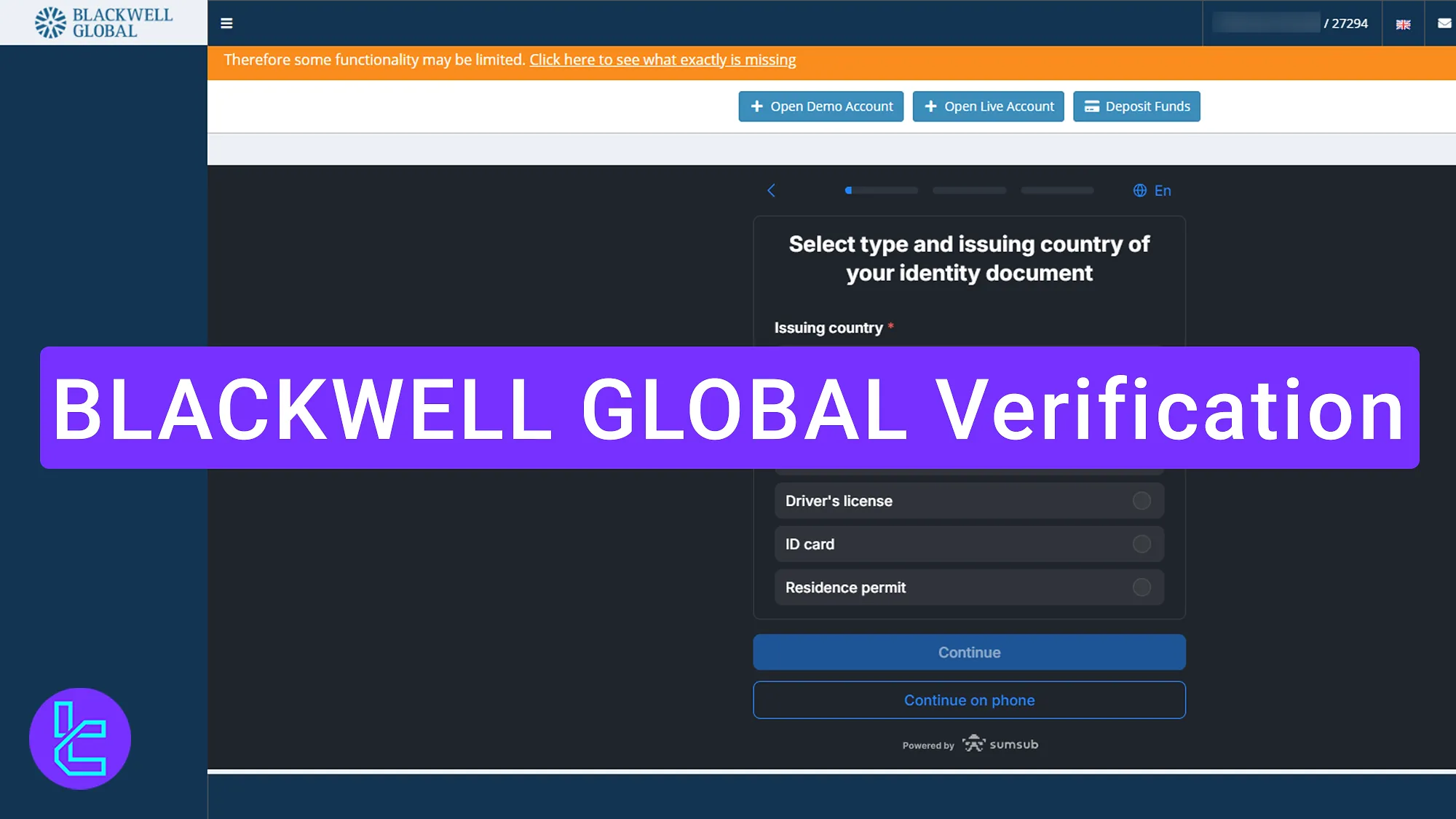
Overview of BLACKWELL GLOBAL Authentication Process
Traders must carefully complete the steps outlined below to verify their account BLACKWELL GLOBAL broker.
BLACKWELL GLOBAL verification:
- Navigate to the KYC section and enter personal information;
- Provide employment and income details;
- Fill out the source of funds, income, and savings declaration;
- Answer trading-related questions;
- Confirm residency and city name;
- Upload identification documents;
- Upload proof of address;
- Take a real-time selfie;
- Review KYC status.
The list below shows what is required to verify your account with BLACKWELL GLOBAL.
Verification Requirement | Yes/No |
Full Name | No |
Country of Residence | Yes |
Date of Birth Entry | Yes |
Phone Number Entry | No |
Residential Address Details | Yes |
Phone Number Verification | No |
Document Issuing Country | Yes |
ID Card (for POI) | Yes |
Driver’s License (for POI) | Yes |
Passport (for POI) | Yes |
Residence Permit (for POI or POA) | Yes |
Utility Bill (for POA) | Yes |
Bank Statement (for POA) | Yes |
2-Factor Authentication | No |
Biometric Face Scan | Yes |
Financial Status Questionnaire | Yes |
Trading Knowledge Questionnaire | Yes |
Restricted Countries | Yes |
#1 Enter Personal Information
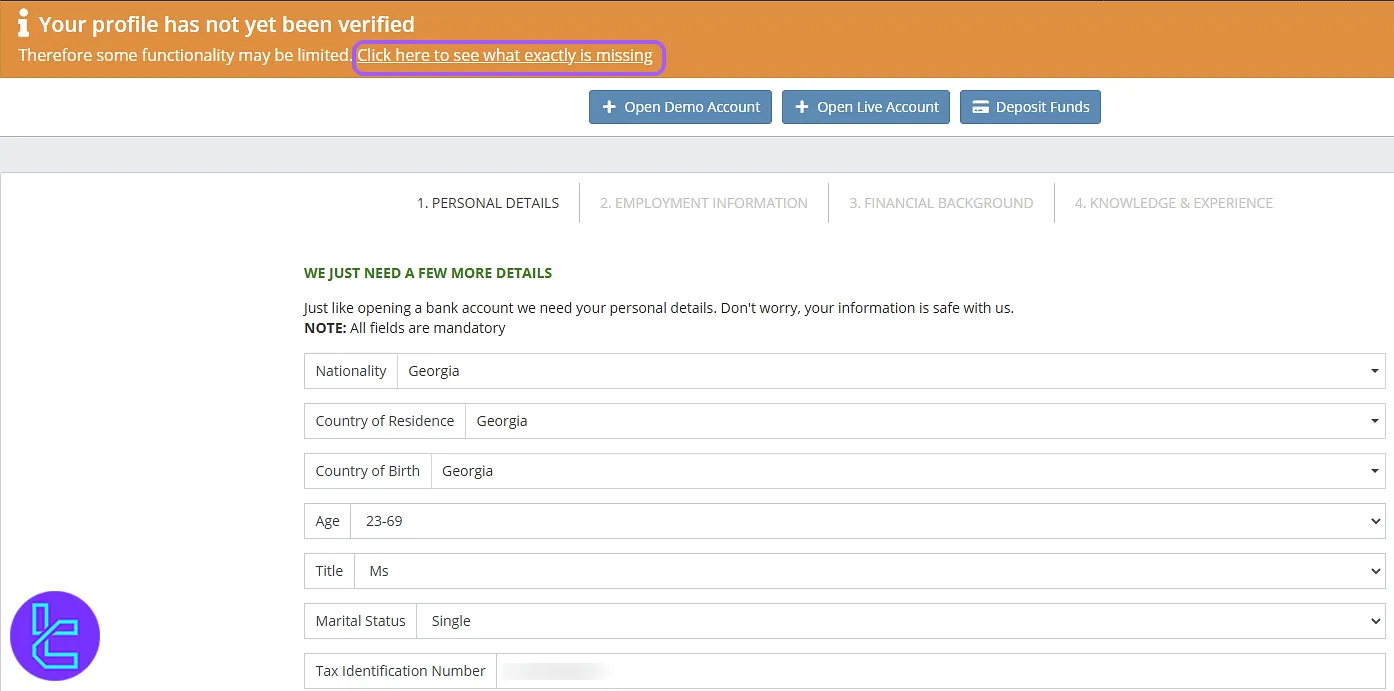
Select "Click here to see what exactly is missing" on the BLACKWELL GLOBAL broker dashboard. Enter details such as:
- Nationality
- Country of residence
- Country of Birth
- Age
- Marital Status
- Tax Identification Number
Then, click "Continue" to proceed.
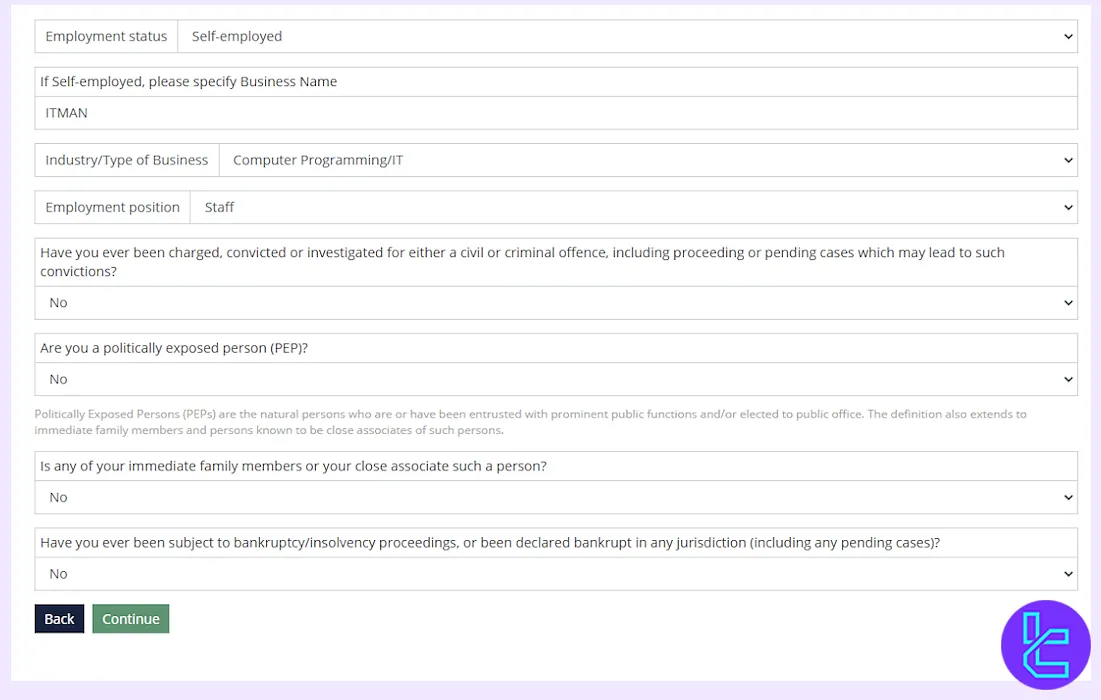
#2 Provide Employment Details
Answer questions about your job type, income source, and other information. Click "Continue" once all information is entered.
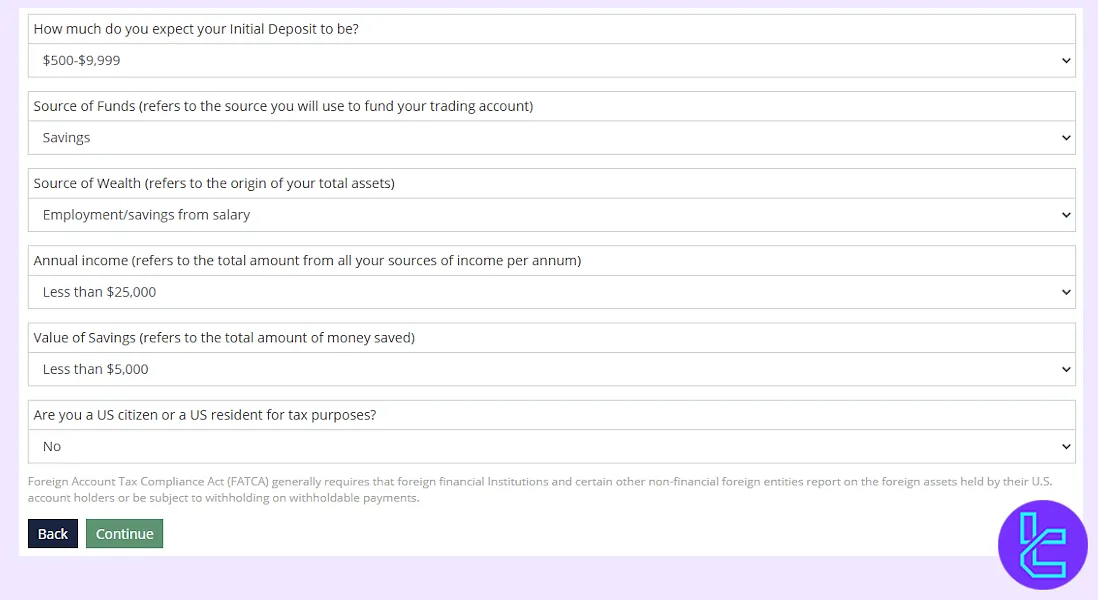
#3 Fill Out Source of Funds, Income, and Savings Declaration
Enter details about your source of funds, monthly income, and savings amount. If you are a U.S. citizen, declare your status accordingly. Click "Continue" once all fields are completed.
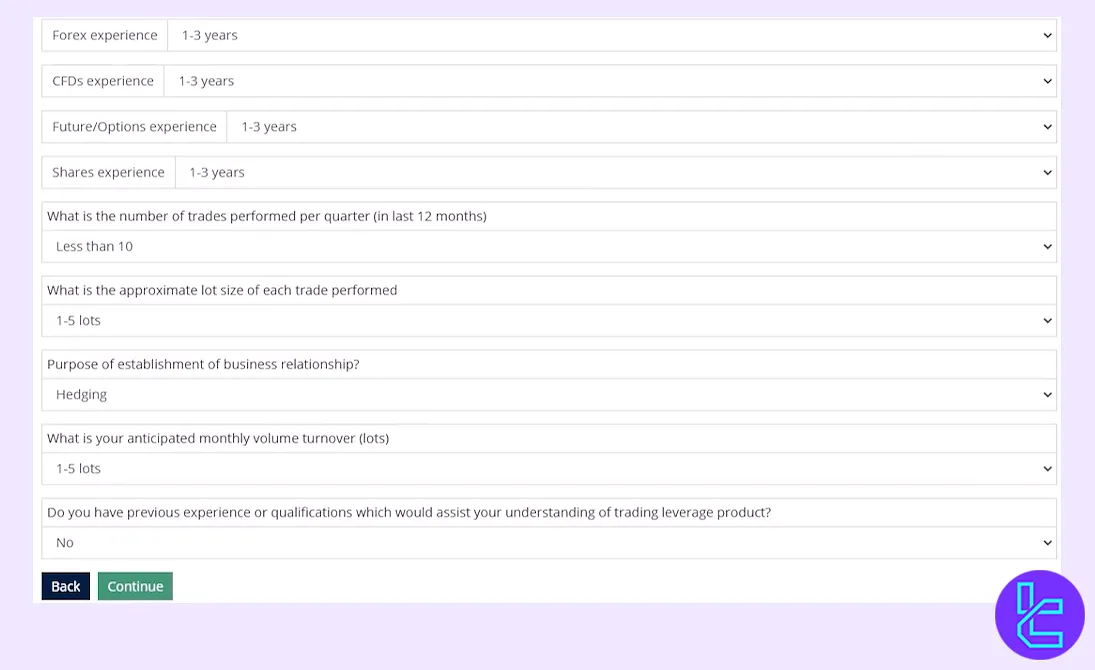
#4 Answer Trading Questions
Complete the trading experience section by selecting the appropriate answers. Then click "Continue" to proceed to the next step.
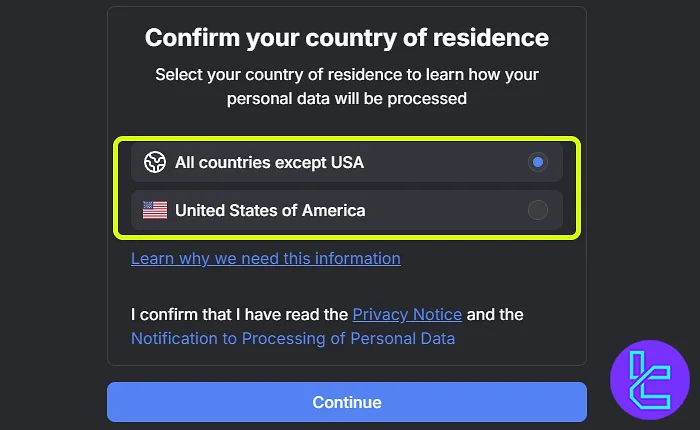
#5 Confirm Residency
Answer whether you are a US citizen or not. Click "Continue" to proceed to the nest step.
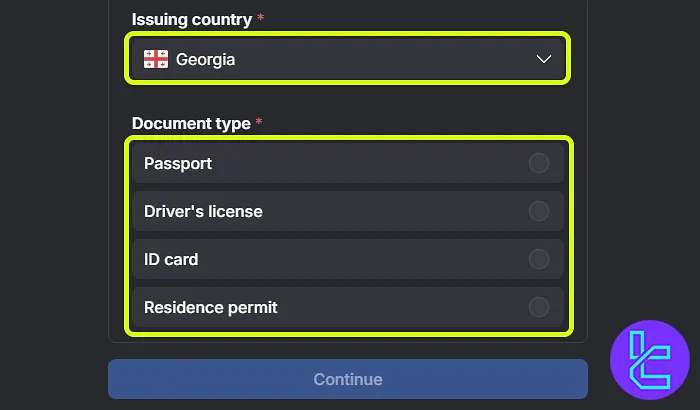
#6 Upload Identification Documents
Select your country and document type. Accepted documents include:
- Passport
- Driver's license
- National ID
- Residence permit
Upload aclear photo of the front and back of your document.
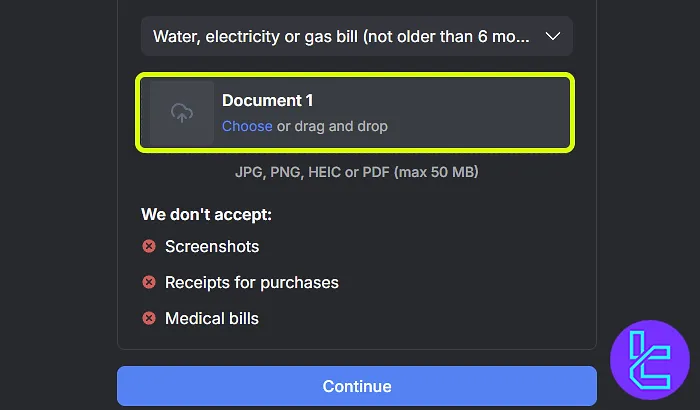
#7 Upload Proof of Address
Choose a document for address authentication, such as a utility bill, bank statement, or official government letter. Before uploading, ensure the document is dated within the last 6 months.
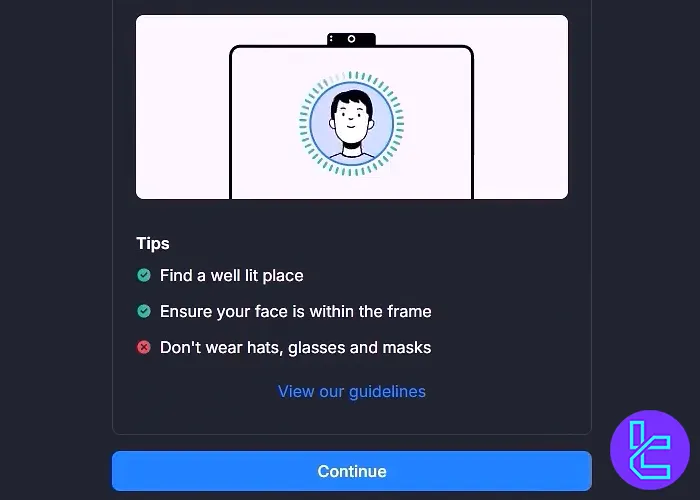
#8 Take a Real-Time Selfie
Use your system's camera to take a real-time selfie. Ensure good lighting and a clear image. After capturing the image, click on the "Continue" button.
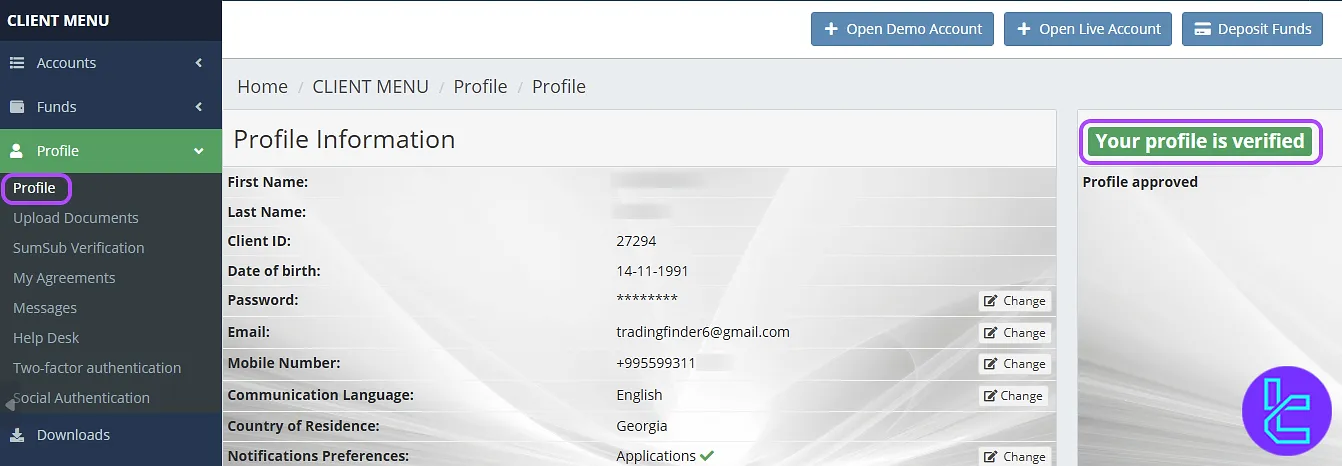
#9 Review user approval Status
Once all documents are uploaded, BLACKWELL GLOBAL will review your authentication request. You can check your KYC status by navigating to the “profile” section.
BLACKWELL GLOBAL Verification Requirements vs Other Brokers
The following table highlights the differences in account verification requirements between BLACKWELL GLOBAL and other Forex brokers.
Verification Requirement | BLACKWELL GLOBAL Broker | |||
Full Name | No | No | Yes | |
Country of Residence | Yes | No | No | Yes |
Date of Birth Entry | Yes | No | No | No |
Phone Number Entry | No | No | No | Yes |
Residential Address Details | Yes | No | No | Yes |
Phone Number Verification | No | No | No | Yes |
Document Issuing Country | Yes | No | No | Yes |
ID Card (for POI) | Yes | Yes | Yes | Yes |
Driver’s License (for POI) | Yes | Yes | Yes | No |
Passport (for POI) | Yes | Yes | Yes | Yes |
Residence Permit (for POI or POA) | Yes | No | No | No |
Utility Bill (for POA) | Yes | Yes | No | No |
Bank Statement (for POA) | Yes | Yes | No | No |
2-Factor Authentication | No | No | No | No |
Biometric Face Scan | Yes | No | No | Yes |
Financial Status Questionnaire | Yes | No | No | No |
Trading Knowledge Questionnaire | Yes | No | No | No |
Restricted Countries | Yes | Yes | Yes | Yes |
TF Expert Suggestion
BLACKWELL GLOBAL verification takes just 15 minutes. Traders are allowed to upload their passport, ID card, residence permit, or driver’s license as POI and a utility bill or bank statement as POA.
Now, you have unlocked BLACKWELL GLOBAL deposit and withdrawal methods, and you can fund your using the most convenient option. For detailed guides on the funding process, refer to the articles on the BLACKWELL GLOBAL tutorial page.






