












FXTM verification is a 5-step process that requires traders to upload proof of ID and proof of address documents (such as a bank statement or utility bill) to verify their accounts.
After completing the user authentication process, traders can use cryptocurrencies, e-wallets, or bank transfers to send thier fund to personal wallets.
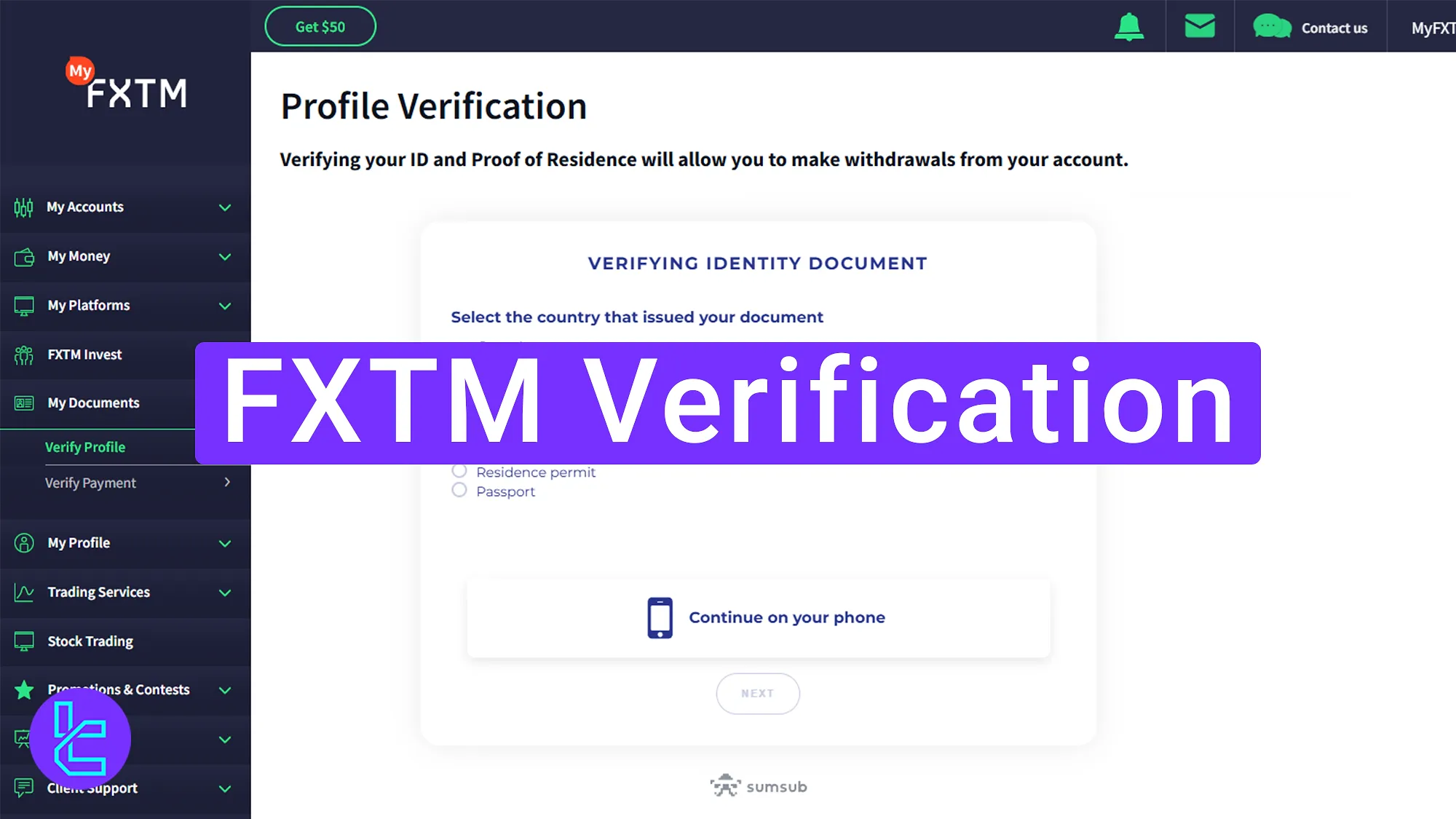
FXTM Verification Steps to Unlock Full Trading Features
To verify your identity and address, follow these 5 steps. FXTM broker verification:
- complete your profile;
- Provide your Identification document and upload a selfie;
- Upload proof of residence;
- Review and modify any incorrect details;
- Wait for document approval.
Here are the required documents to verify your account with the GMI Markets broker.
Verification Requirement | Yes/No |
Full Name | No |
Country of Residence | Yes |
Date of Birth Entry | Yes |
Phone Number Entry | No |
Residential Address Details | Yes |
Phone Number Verification | No |
Document Issuing Country | Yes |
ID Card (for POI) | Yes |
Driver’s License (for POI) | Yes |
Passport (for POI) | Yes |
Residence Permit (for POI or POA) | Yes |
Utility Bill (for POA) | Yes |
Bank Statement (for POA) | Yes |
2-Factor Authentication | No |
Biometric Face Scan | Yes |
Financial Status Questionnaire | Yes |
Trading Knowledge Questionnaire | No |
Restricted Countries | Yes |
#1 Complete Your Profile
To begin the account confirmation process, complete these steps:
- Log into your FXTM trading account;
- Click "Complete Registration".
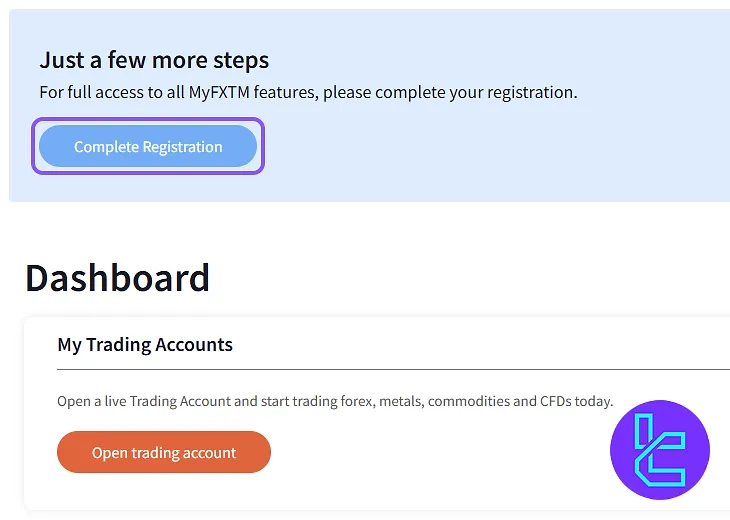
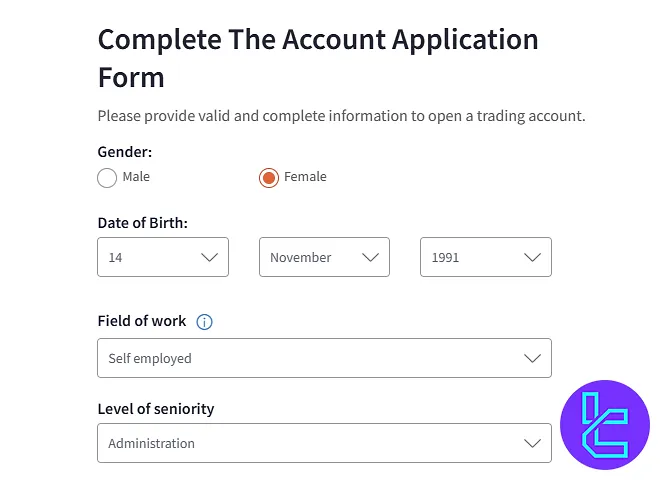
Now, fill in the required fields:
- Date of birth
- Gender
- Field of work
- Level of seniority
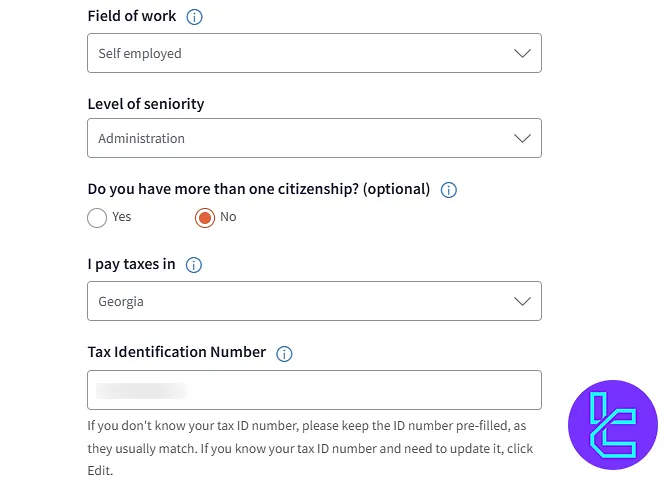
Then, you must enter the number of citizenships, the country where you pay taxes, and your tax identification number.
In the last part, you must enter your residential address, city, and source of funds.
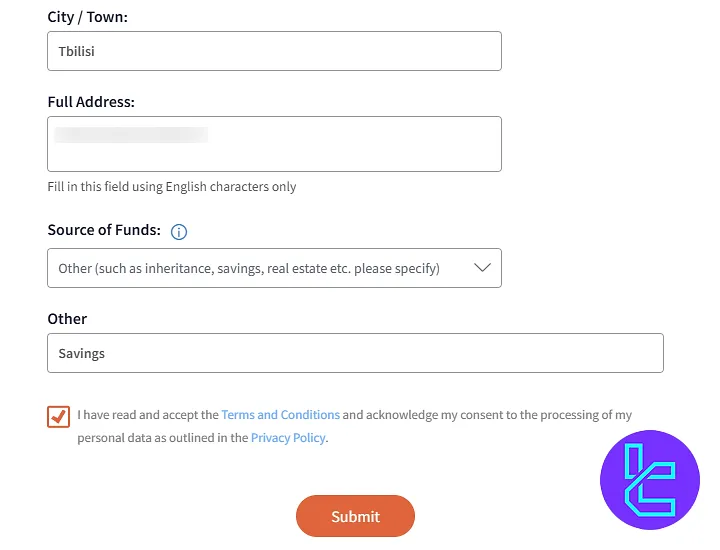
#2 Provide Your ID Card and Your Selfie
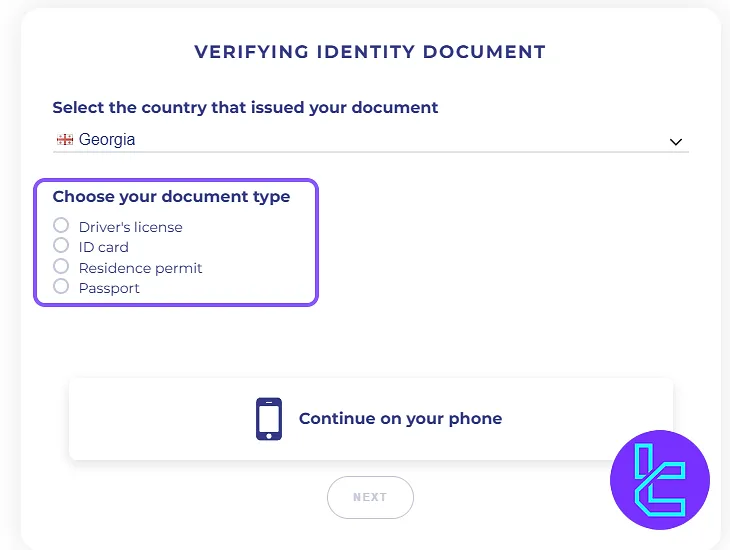
Click on "Upload Documents" in the FXTM dashboard, and answer whether the address on your ID card matches your current address.
Next, choose your country and select the type of document you want to upload:
- Passport
- National ID
- Driver's license
- Residence permit
Now, take a clear photo of yourself to verify your identity. You can use your device's camera to take a selfie in real time or upload an existing photo.
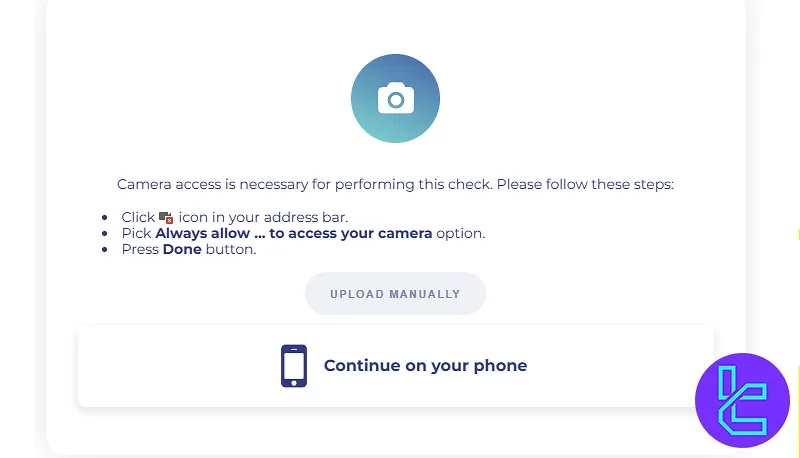
Now upload the front and back images of your proof of identity document.
#3 Upload Proof of Residence
Submit a document, such as a utility bill or bank statement, dated within the last 3 months, showing your full name and address.
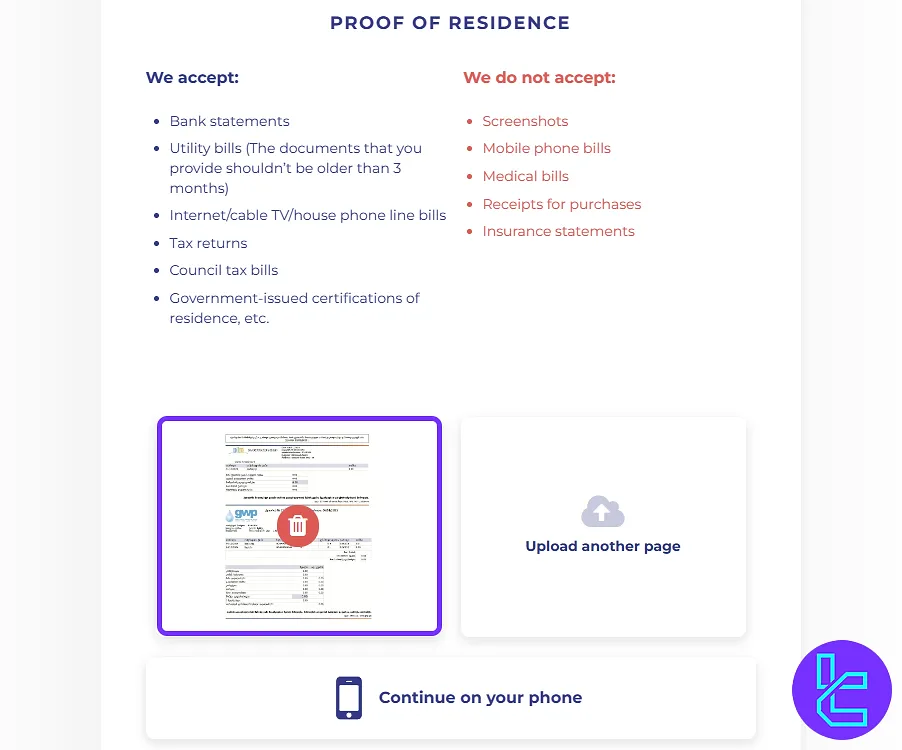
On the next page, you should answer a question confirming whether the proof of address is under your name and then submit it.
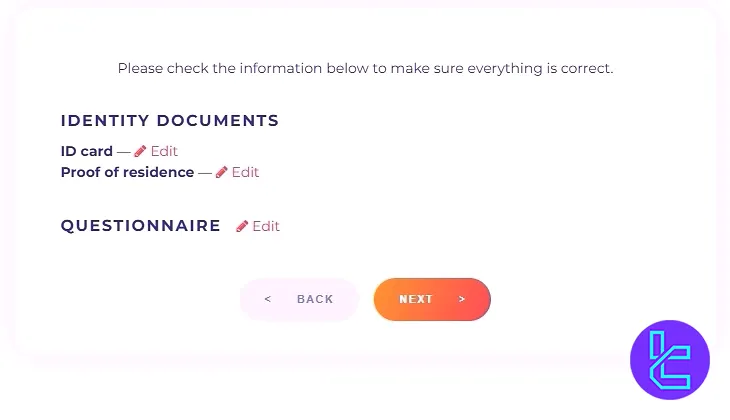
#4 Review and Modify Incorrect Details
If any information or documents need correction, click "Edit" to update your details before submission.
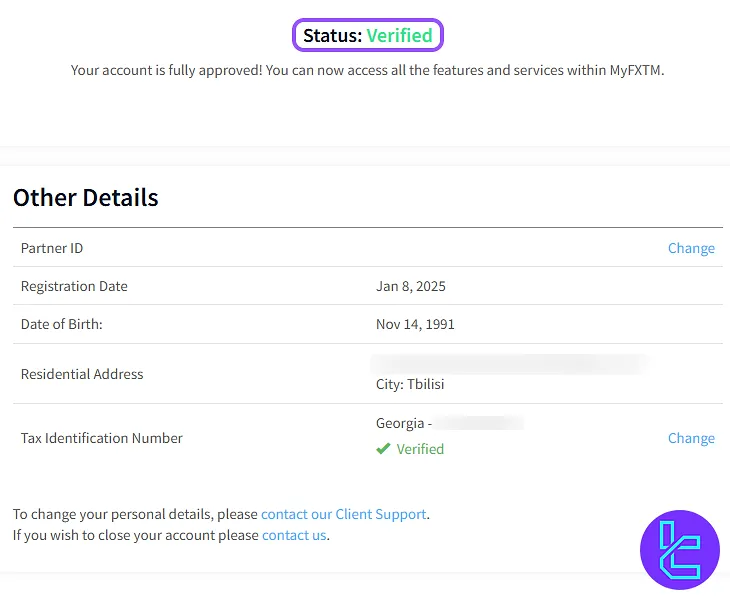
#5 Wait for Approval
Once all documents are submitted, FXTM broker will review them. The process usually takes just a few minutes, and you will receive a confirmation once your account is verified.
FXTM KYC vs Other Brokers
The table below outlines the differences in the account verification process of FXTM and 3 other brokers.
Verification Requirement | FXTM Broker | |||
Full Name | No | No | Yes | No |
Country of Residence | Yes | No | Yes | Yes |
Date of Birth Entry | Yes | No | Yes | No |
Phone Number Entry | No | No | Yes | No |
Residential Address Details | Yes | Yes | No | No |
Phone Number Verification | No | No | No | No |
Document Issuing Country | Yes | No | No | Yes |
ID Card (for POI) | Yes | Yes | No | Yes |
Driver’s License (for POI) | Yes | Yes | No | Yes |
Passport (for POI) | Yes | Yes | No | Yes |
Residence Permit (for POI or POA) | Yes | Yes | No | Yes |
Utility Bill (for POA) | Yes | Yes | No | Yes |
Bank Statement (for POA) | Yes | Yes | No | Yes |
2-Factor Authentication | No | No | Yes | No |
Biometric Face Scan | Yes | No | No | No |
Financial Status Questionnaire | Yes | No | No | Yes |
Trading Knowledge Questionnaire | No | No | No | Yes |
Restricted Countries | Yes | Yes | No | Yes |
TF Expert Suggestion
The entire FXTM verification takes around 5 minutes to complete. To avoid delays, ensure you upload clear photos of your ID (passport, driving license, ID card, or residence permit) and proof of address.
Now, explore the FXTM deposit and withdrawal methods on the FXTM Tutorial page to find the fastest, lowest-commission, and most cost-effective option to fund your verified account.






