












KCM Trade verification is a 3-step identity confirmation process that grants full access to the platform's financial features.
The process includes completing your identity and address information, submitting your ID, proof of address, and bank statement at this Forex broker.
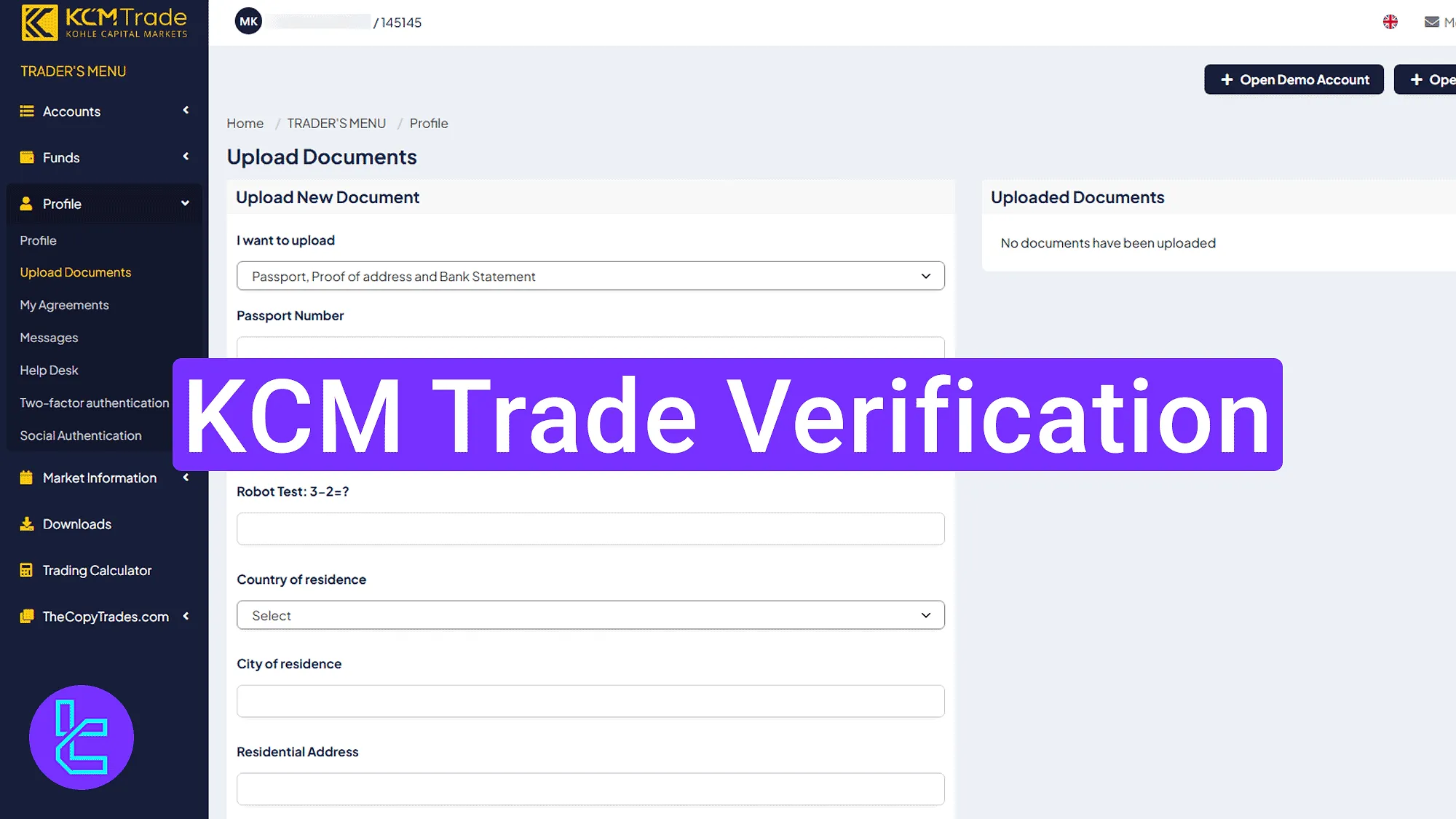
Overview of The KCM Trade Verification Steps
After completing the KCM Trade registration, follow the steps below to unlock full access to all KCM Trade broker features.
KCM Trade verification main steps:
- Enter the "Upload Documents" section and fill in the required personal details;
- Upload your documents, including passport, proof of address, and bank statement;
- Revisit the panel to check the authentication status.
Necessary documents for KCM Trade verification:
Verification Requirement | Yes/No |
Full Name | No |
Country of Residence | Yes |
Date of Birth Entry | No |
Phone Number Entry | No |
Residential Address Details | Yes |
Phone Number Verification | No |
Document Issuing Country | No |
ID Card (for POI) | Yes |
Driver’s License (for POI) | Yes |
Passport (for POI) | Yes |
Residence Permit (for POI or POA) | Yes |
Utility Bill (for POA) | Yes |
Bank Statement (for POA) | Yes |
2-Factor Authentication | No |
Biometric Face Scan | No |
Financial Status Questionnaire | No |
Trading Knowledge Questionnaire | No |
Restricted Countries | Yes |
#1 Filling Out the Identity Information
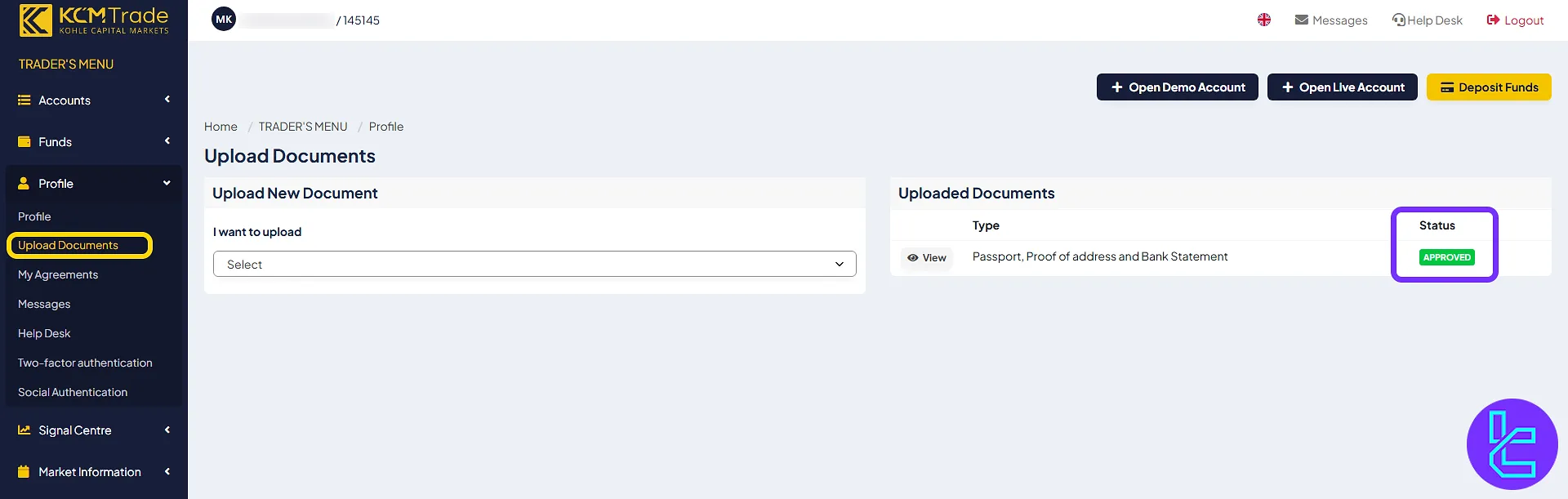
Navigate to the KCM Trade dashboard, click "Profile" in the sidebar menu, and select "Upload Documents".
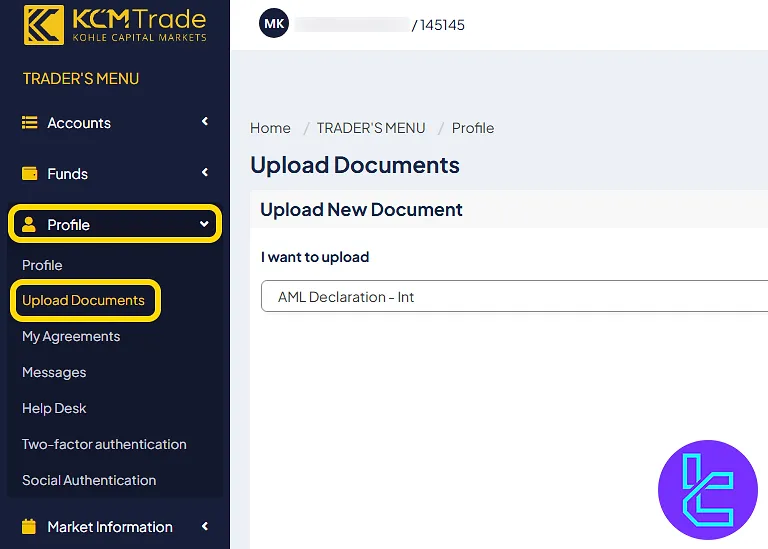
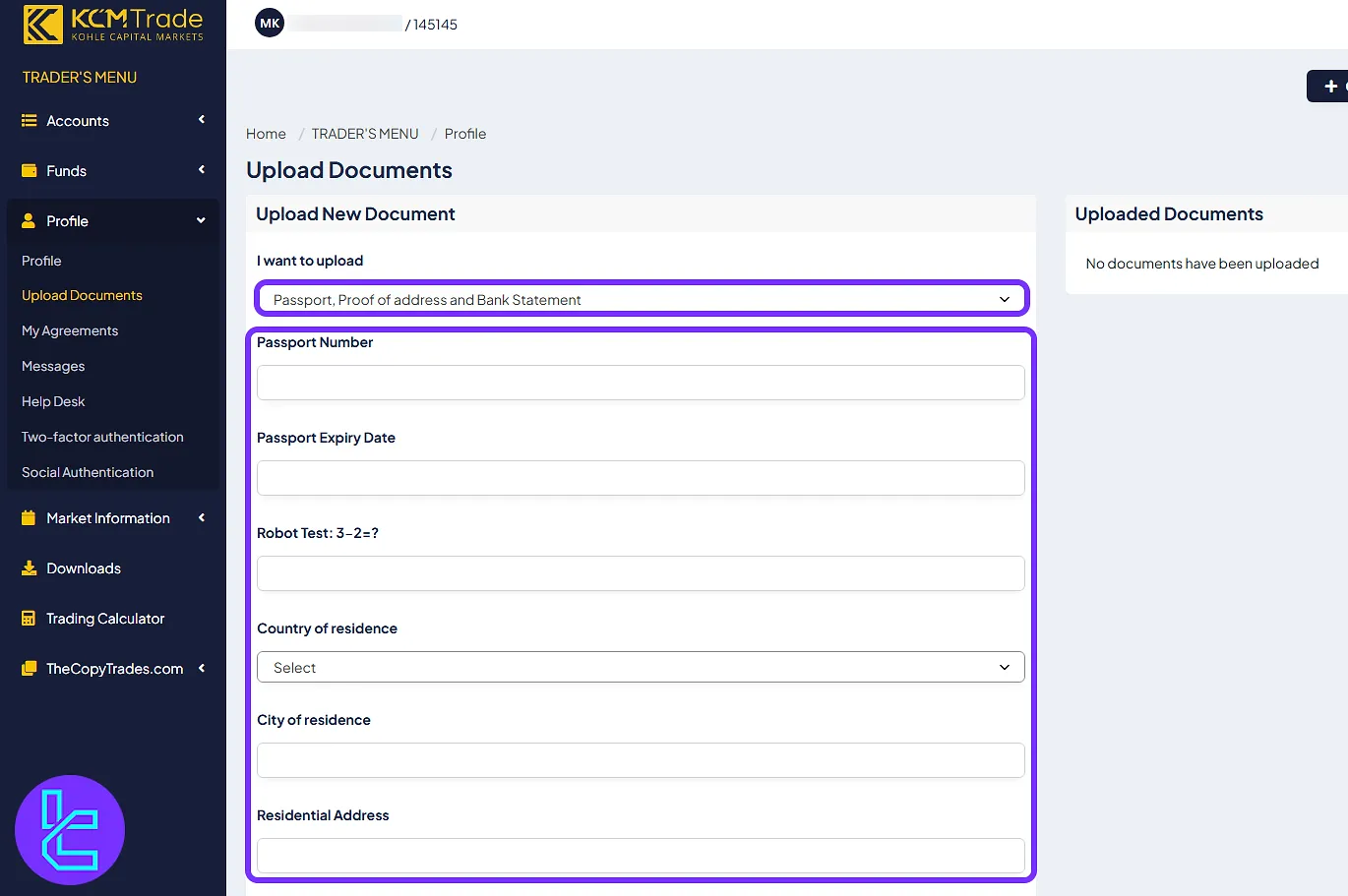
Then complete the following form:
- Select "Passport, Proof of address and Bank Statement" from the dropdown;
- Enter your passport number;
- Set the passport expiry date;
- Complete the robot test;
- Choose your country of residence;
- Enter your city of residence;
- Type your full residential address.
#2 Uploading Your Documents
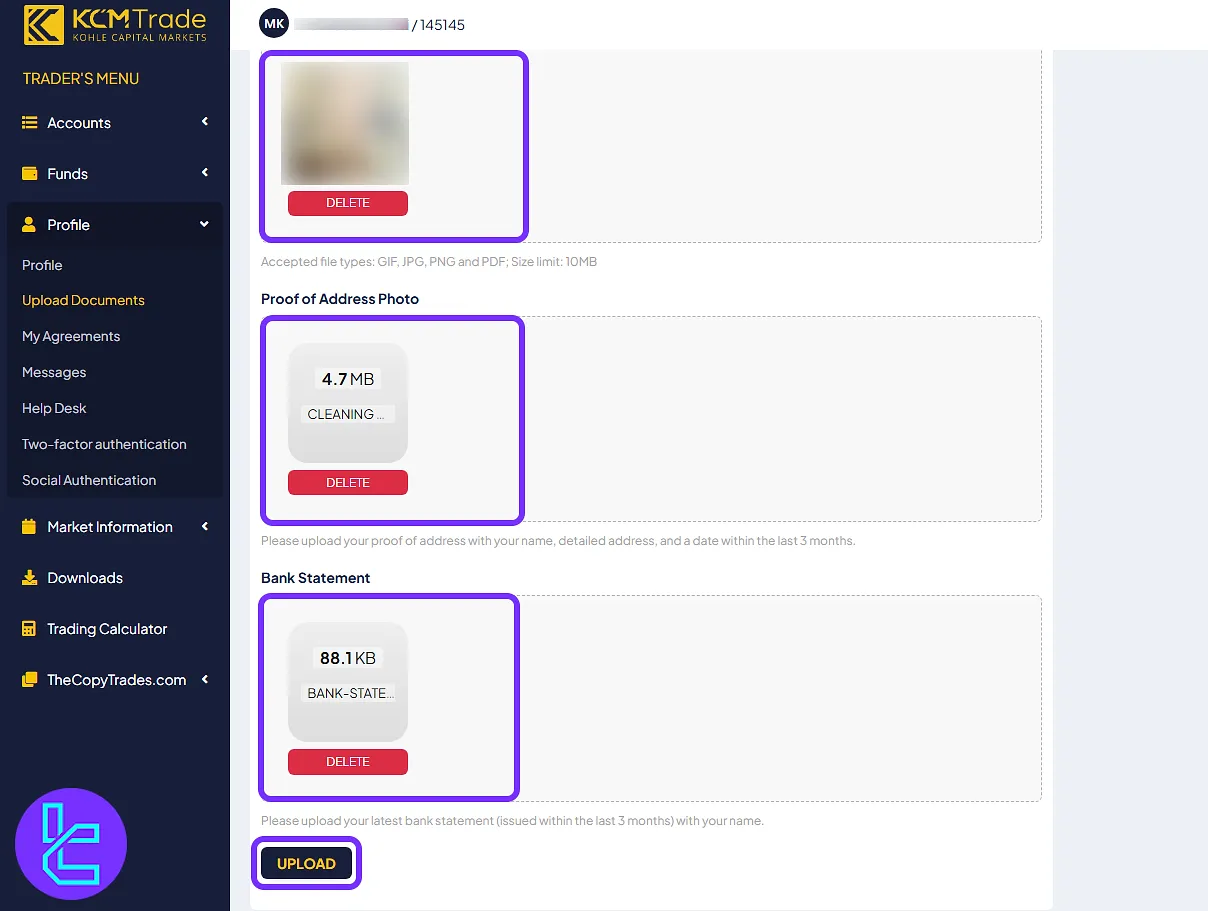
Upload the following files:
- Passport photo (valid ID, max size 10MB)
- Proof of address (utility bill or similar, dated within the last 3 months)
- Bank statement (dated within the last 3 months, with your name visible)
Accepted file formats include GIF, JPG, PNG, and PDF only.
#3 Checking Your KCM Trade Verification Status
Return to the "Upload Documents" panel. Once your documents are approved, the status will display "Approved" in green. The verification usually takes less than 1 working day after submission.
KCM Trade Broker Verification vs Other Forex Brokers
The following table highlights the differences in account verification information between iForex and other Forex brokers.
Verification Requirement | KCM Trade | |||
Full Name | No | No | Yes | Yes |
Country of Residence | Yes | No | Yes | Yes |
Date of Birth Entry | No | No | Yes | Yes |
Phone Number Entry | No | No | No | Yes |
Residential Address Details | Yes | No | Yes | Yes |
Phone Number Verification | No | No | No | No |
Document Issuing Country | No | Yes | No | Yes |
ID Card (for POI) | Yes | Yes | Yes | Yes |
Driver’s License (for POI) | Yes | Yes | Yes | Yes |
Passport (for POI) | Yes | Yes | Yes | Yes |
Residence Permit (for POI or POA) | Yes | No | No | No |
Utility Bill (for POA) | Yes | Yes | No | Yes |
Bank Statement (for POA) | Yes | Yes | No | Yes |
2-Factor Authentication | No | No | No | No |
Biometric Face Scan | No | Yes | No | No |
Financial Status Questionnaire | No | Yes | No | Yes |
Trading Knowledge Questionnaire | No | Yes | No | Yes |
Restricted Countries | Yes | Yes | Yes | Yes |
TF Expert Suggestion
KCM Trade verification process allow traders to verify their accounts in just 1 business day and requires a passport, proof of address dated within 3 months, and a bank statement. All documents must be under 10 MB and submitted in standard formats (GIF, JPG, PNG, PDF).
Now that your trading account is verified, you can use one of KCM Trade deposit and withdrawal methods to fund your account. to learn about the best funding method, visit the KCM Trade tutorial section.






