












Kwakol Markets verification usually takes around 8 minutes to complete. For successful KYC, you must upload proof of ID documents, take a selfie, and upload proof of address.
This process ensures compliance with regulatory standards and enhances account security within this Forex broker.
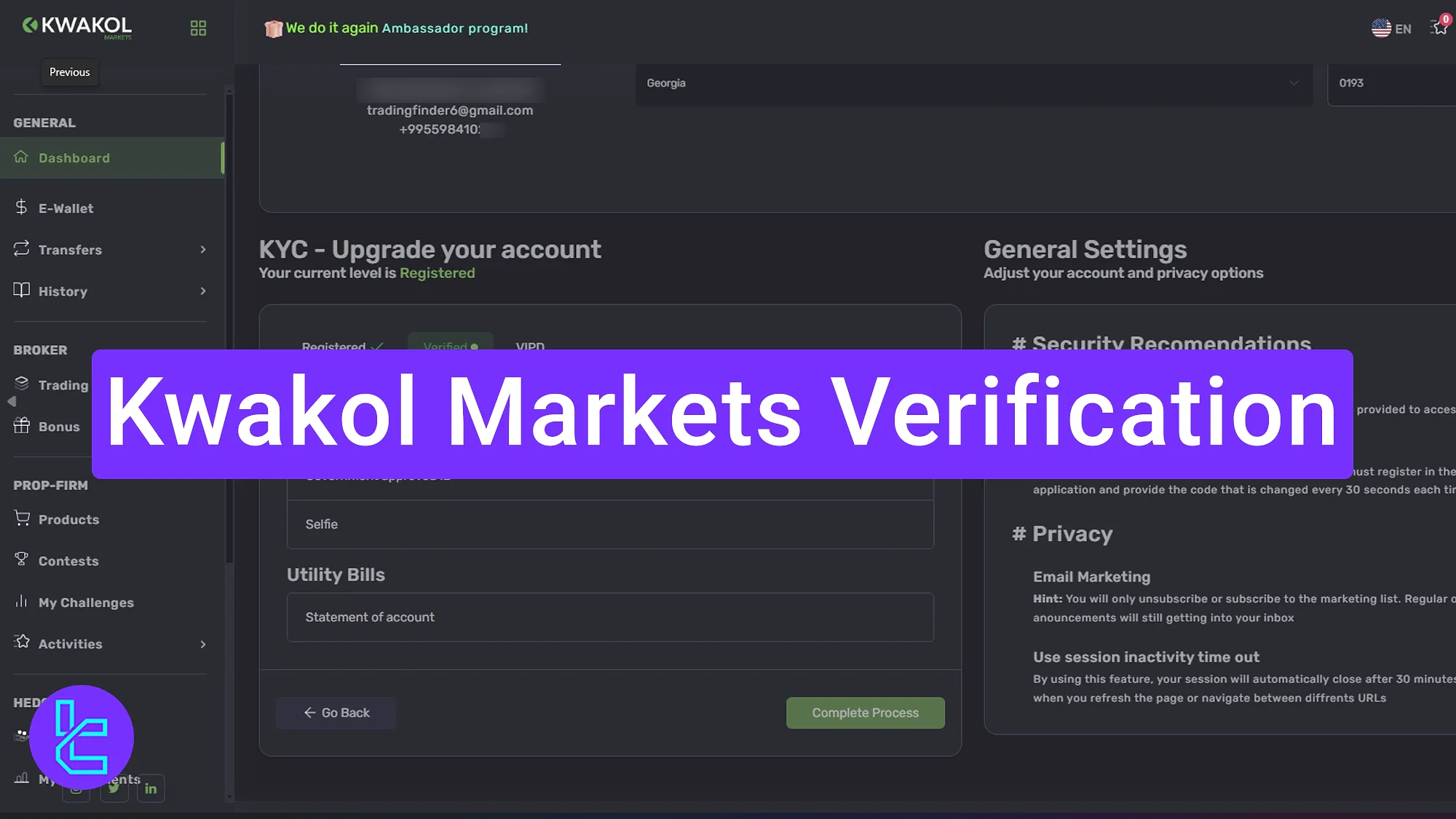
Kwakol Markets Account Approval Overview
Once your Kwakol Markets registration is complete, you’ll be granted full access to the platform’s suite of trading features and financial functionalities by following these steps in the Kwakol Markets broker.
Kwakol Markets verification process:
- Access your account and enter the required details;
- Upload a valid ID card and take a selfie with the ID;
- Provide proof of address (bank statement or bill within 3-6 months);
- Check the status of your approval.
Check the table below to make sure you have all the required information and documents for the Kwakol Markets account verification.
Verification Requirement | Yes/No |
Full Name | Yes |
Country of Residence | Yes |
Date of Birth Entry | Yes |
Phone Number Entry | Yes |
Residential Address Details | Yes |
Phone Number Verification | No |
Document Issuing Country | Yes |
ID Card (for POI) | Yes |
Driver’s License (for POI) | Yes |
Passport (for POI) | Yes |
Residence Permit (for POI or POA) | Yes |
Utility Bill (for POA) | Yes |
Bank Statement (for POA) | Yes |
2-Factor Authentication | No |
Biometric Face Scan | Yes |
Financial Status Questionnaire | No |
Trading Knowledge Questionnaire | No |
Restricted Countries | Yes |
#1 Access Account Settings
Click the profile icon and go to the "Account" section. Fill in the required personal information:
- First name
- Last name
- Phone
- Instagram ID
- Birthday
- Gender
- Street
- City
- Country
- Postal Code
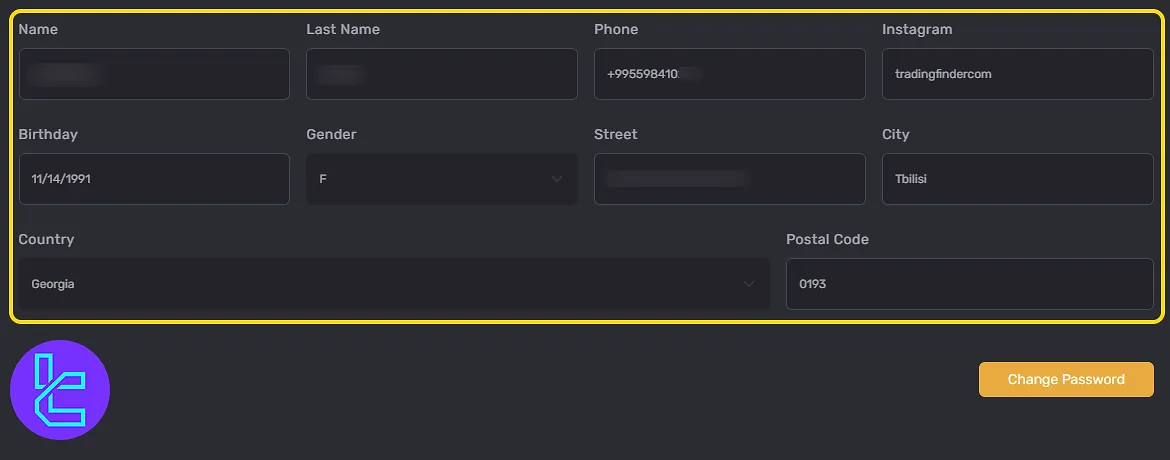
#2 Upload Your ID Card and Take a Selfie
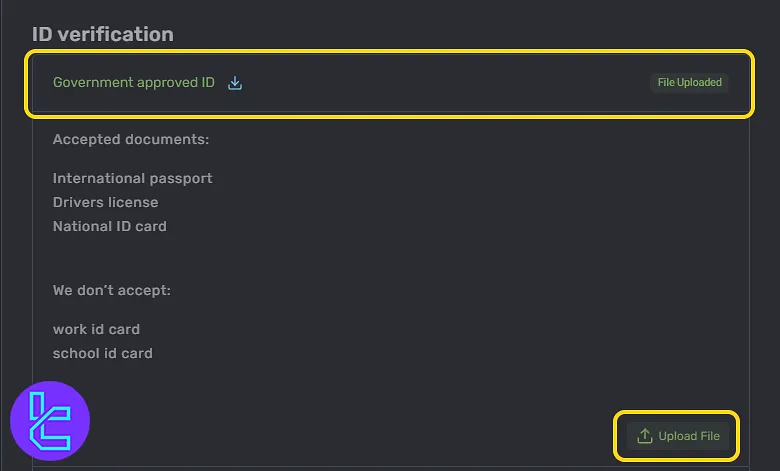
To verify your identity, click "Upgrade" and choose the ID card upload option. Upload a clear image of your government-issued ID.
After uploading your ID, click "Selfie" and take a clear photo of yourself holding the document.
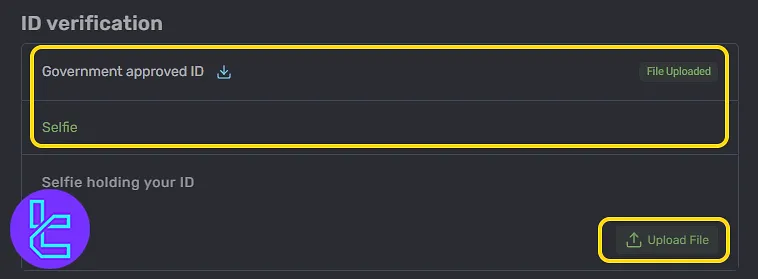
#3 Provide Proof of Address
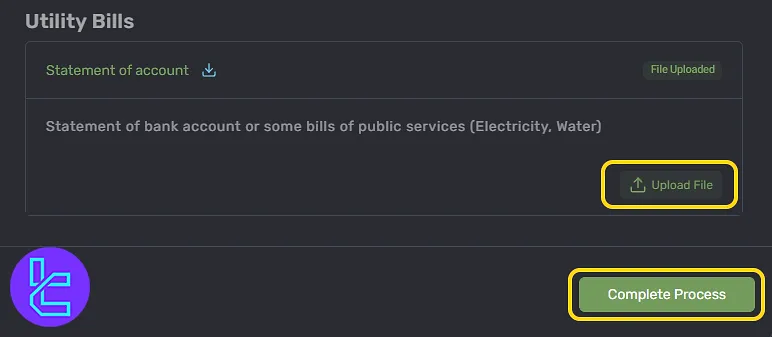
Click "Statement of Account" and upload a bank statement or bill. The document should bethree to six months old. Then, click on "Complete Process" button to finalize the KYC.
#4 Check Your KYC Status
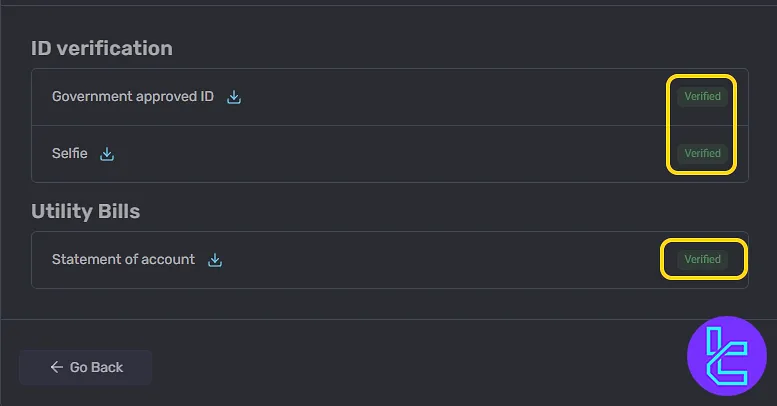
To track your approval status, click on "Account" and scroll to the lower section. If approved, your account will be fully verified.
Kwakol Markets Account Verification vs Other Forex Brokers
The following table gives a detailed comparison of the account verification information and documents required by Kwakol Markets and other Forex brokers.
Verification Requirement | Kwakol Markets Broker | |||
Full Name | Yes | No | Yes | No |
Country of Residence | Yes | No | Yes | Yes |
Date of Birth Entry | Yes | No | Yes | Yes |
Phone Number Entry | Yes | No | Yes | No |
Residential Address Details | Yes | No | Yes | Yes |
Phone Number Verification | No | No | No | No |
Document Issuing Country | Yes | No | Yes | Yes |
ID Card (for POI) | Yes | Yes | Yes | Yes |
Driver’s License (for POI) | Yes | Yes | Yes | Yes |
Passport (for POI) | Yes | Yes | Yes | Yes |
Residence Permit (for POI or POA) | Yes | No | Yes | Yes |
Utility Bill (for POA) | Yes | Yes | Yes | Yes |
Bank Statement (for POA) | Yes | Yes | Yes | Yes |
2-Factor Authentication | No | No | No | No |
Biometric Face Scan | Yes | No | No | Yes |
Financial Status Questionnaire | No | No | Yes | Yes |
Trading Knowledge Questionnaire | No | No | No | Yes |
Restricted Countries | Yes | Yes | Yes | Yes |
TF Expert Suggestion
Kwakol Markets verification is a simple four-step process. To complete your account approval, you must upload a valid ID card, passport, or driver's license as POI. You can also use a utility bill or bank statement dated within the last 3–6 months for POA.
With your Kwakol account now verified, you're all set to explore the Kwakol deposit and withdrawal options and manage your account funds. For more detailed instructions, visit the Kwakol Markets tutorial page.






