












Land Prime Verification is a 3-step identity confirmation process designed to provide traders with full access to trading, deposits, and withdrawals in this Forex broker.
The KYC process includes mobile number validation, uploading proof of identity (POI) and proof of address (POA) documents, and confirming account approval.
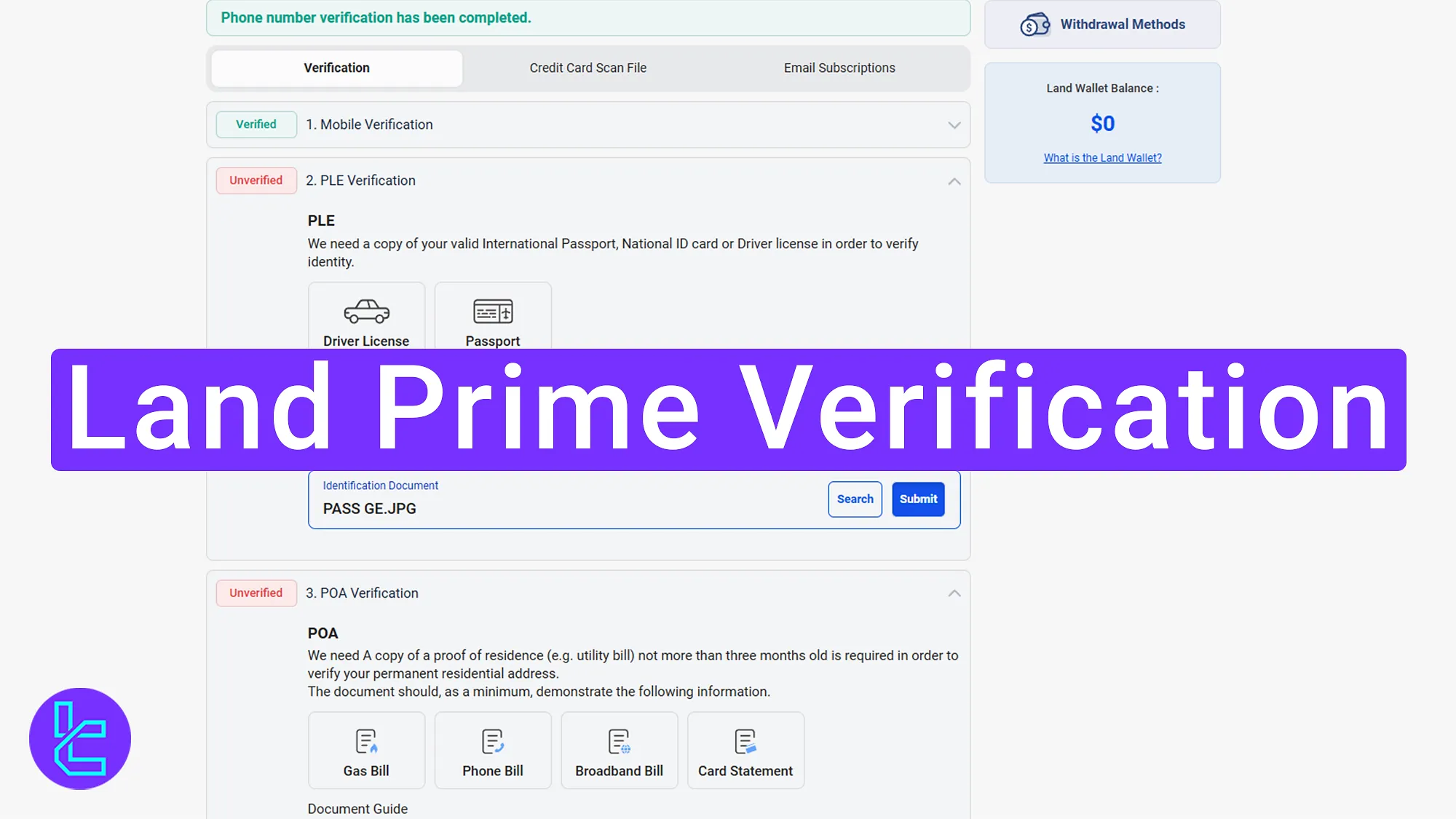
Land Prime KYC Process Overview
After completing the Land Prime registration, full access to all Land Prime broker services is available by completing the following identity authentication steps.
Land Prime Verification steps:
- Verifying Mobile Number in the "Complete Your Verification" Section;
- Uploading identity and address documents for account authentication;
- Reviewing Document Approval Status in the "My Profile".
The Following information and documents are necessary to complete the user authentication process.
Verification Requirement | Yes/No |
Full Name | No |
Country of Residence | No |
Date of Birth Entry | No |
Phone Number Entry | Yes |
Residential Address Details | Yes |
Phone Number Verification | Yes |
Document Issuing Country | Yes |
ID Card (for POI) | Yes |
Driver’s License (for POI) | Yes |
Passport (for POI) | Yes |
Residence Permit (for POI or POA) | Yes |
Utility Bill (for POA) | Yes |
Bank Statement (for POA) | Yes |
2-Factor Authentication | No |
Biometric Face Scan | No |
Financial Status Questionnaire | No |
Trading Knowledge Questionnaire | No |
Restricted Countries | Yes |
#1 Verifying Mobile Number to Begin the Authentication Process
To verify your account in the Land Prime broker, you must first complete these initial steps:
- Log in to your Land Prime dashboard;
- Click on the "Complete Your Verification" button located at the bottom of the page.
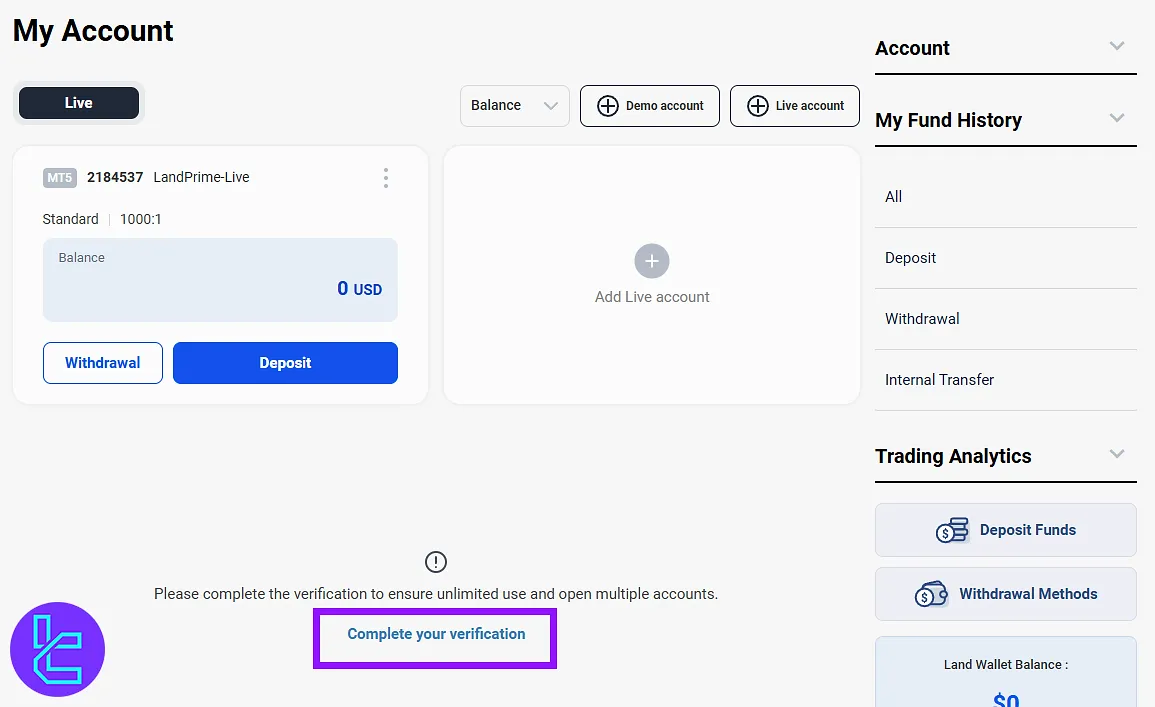
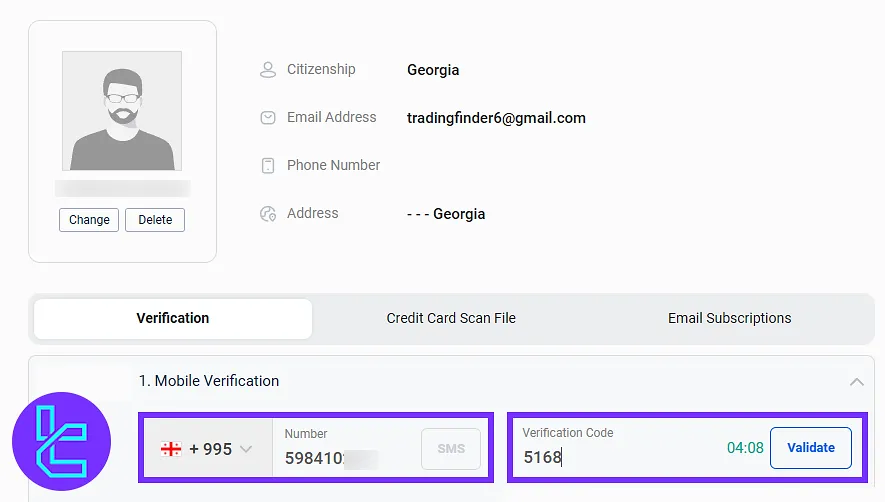
Enter your mobile phone number and click on the "SMS" button. A code will be sent via SMS.
Enter the received code into the designated field and click on the "Validate" button to confirm your mobile number.
#2 Uploading Identity and Address Documents
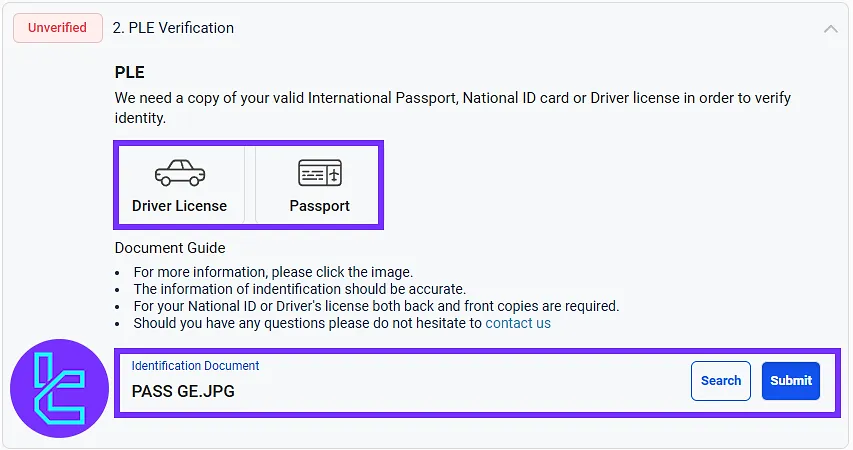
Upload a clear photo of the selected identity document (driver’s license or passport). Click on the "Submit" button after uploading the document.
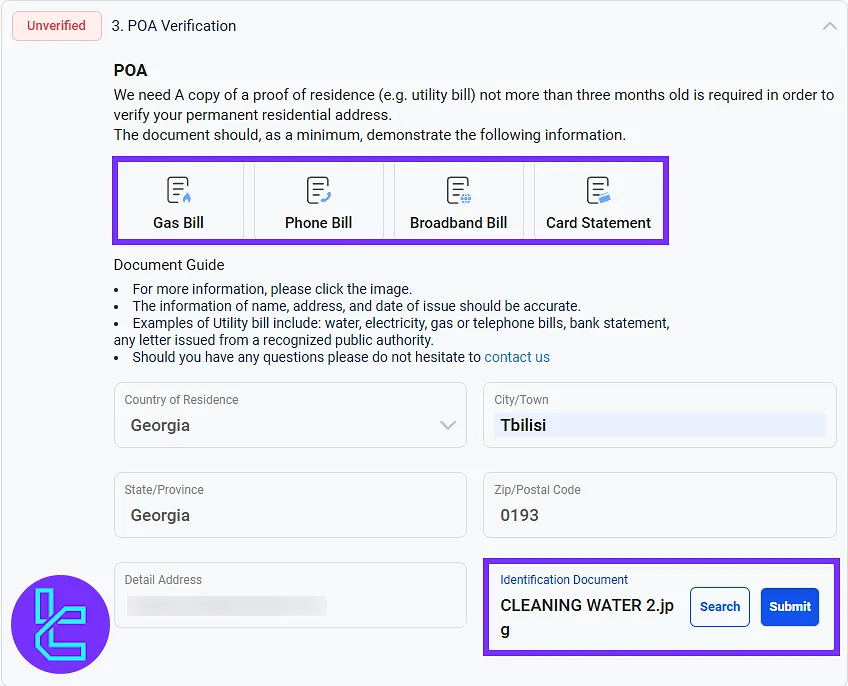
Proceed to upload a valid proof of address (POA) document, such as:
- Gas bill
- Phone bill
- Broadband bill
- Card statement
Enter the full residential address and postal code in the respective fields. Click on the "Submit" button to complete this step. The submitted documents will be reviewed.
#3 Reviewing Document Approval Status
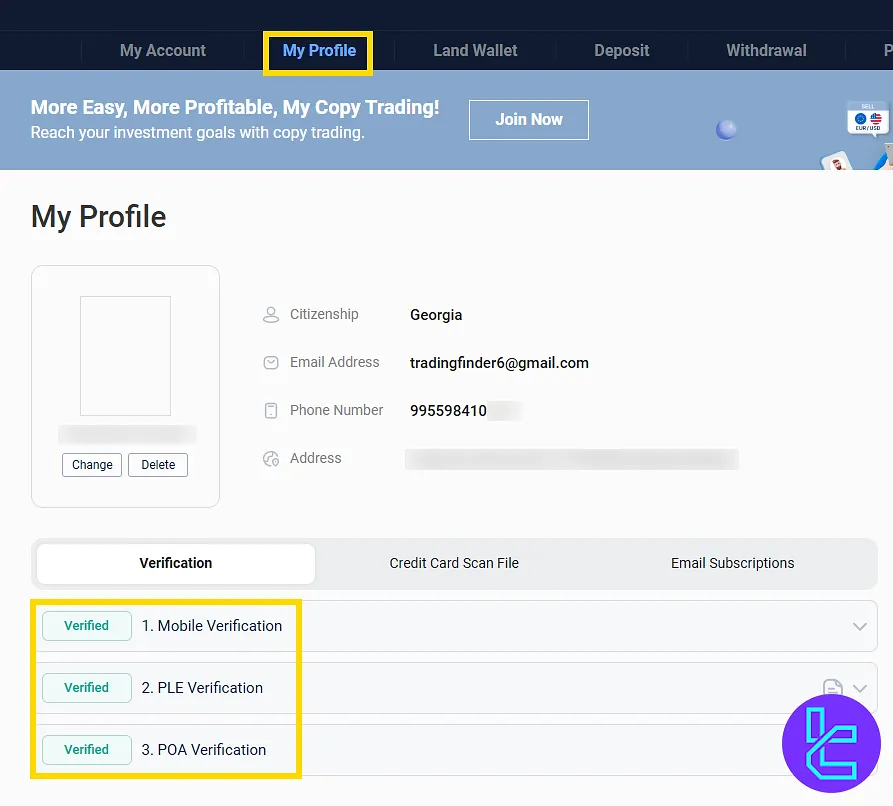
To check the KYC status, access the account dashboard and click on the "My Profile" button to view the current status of document approval.
Land Prime Verification vs Other Brokers
Use the table below to see which documents are required for account verification with Land Prime and three other brokers.
Verification Requirement | Land Prime Broker | |||
Full Name | No | Yes | No | No |
Country of Residence | No | Yes | No | No |
Date of Birth Entry | No | No | No | No |
Phone Number Entry | Yes | Yes | No | No |
Residential Address Details | Yes | Yes | No | No |
Phone Number Verification | Yes | Yes | No | No |
Document Issuing Country | Yes | Yes | No | No |
ID Card (for POI) | Yes | Yes | Yes | Yes |
Driver’s License (for POI) | Yes | No | Yes | Yes |
Passport (for POI) | Yes | Yes | Yes | Yes |
Residence Permit (for POI or POA) | Yes | No | Yes | No |
Utility Bill (for POA) | Yes | No | Yes | Yes |
Bank Statement (for POA) | Yes | No | Yes | Yes |
2-Factor Authentication | No | No | No | No |
Biometric Face Scan | No | Yes | No | No |
Financial Status Questionnaire | No | No | Yes | No |
Trading Knowledge Questionnaire | No | No | Yes | No |
Restricted Countries | Yes | Yes | Yes | Yes |
TF Expert Suggestion
The Land Prime verification process is completed in less than 10 minutes if all required documents are prepared in advance. Traders can use a gas, phone, broadband bill, or a card statement to verify their address in this process.
Now that your account is fully verified, you will gain access to the Land Prime deposit and withdrawal feature. More details are available in the Land Prime tutorial section.






