












Trade Nation verification takes just 5 minutes. This process requires uploading proof of Identity documents and a selfie to ensure secure trading and compliance with financial regulations.
After finalizing the user KYC process, traders can freely trade instruments in 5 different markets, including Forex, commodities, stocks, crypto, and indices.
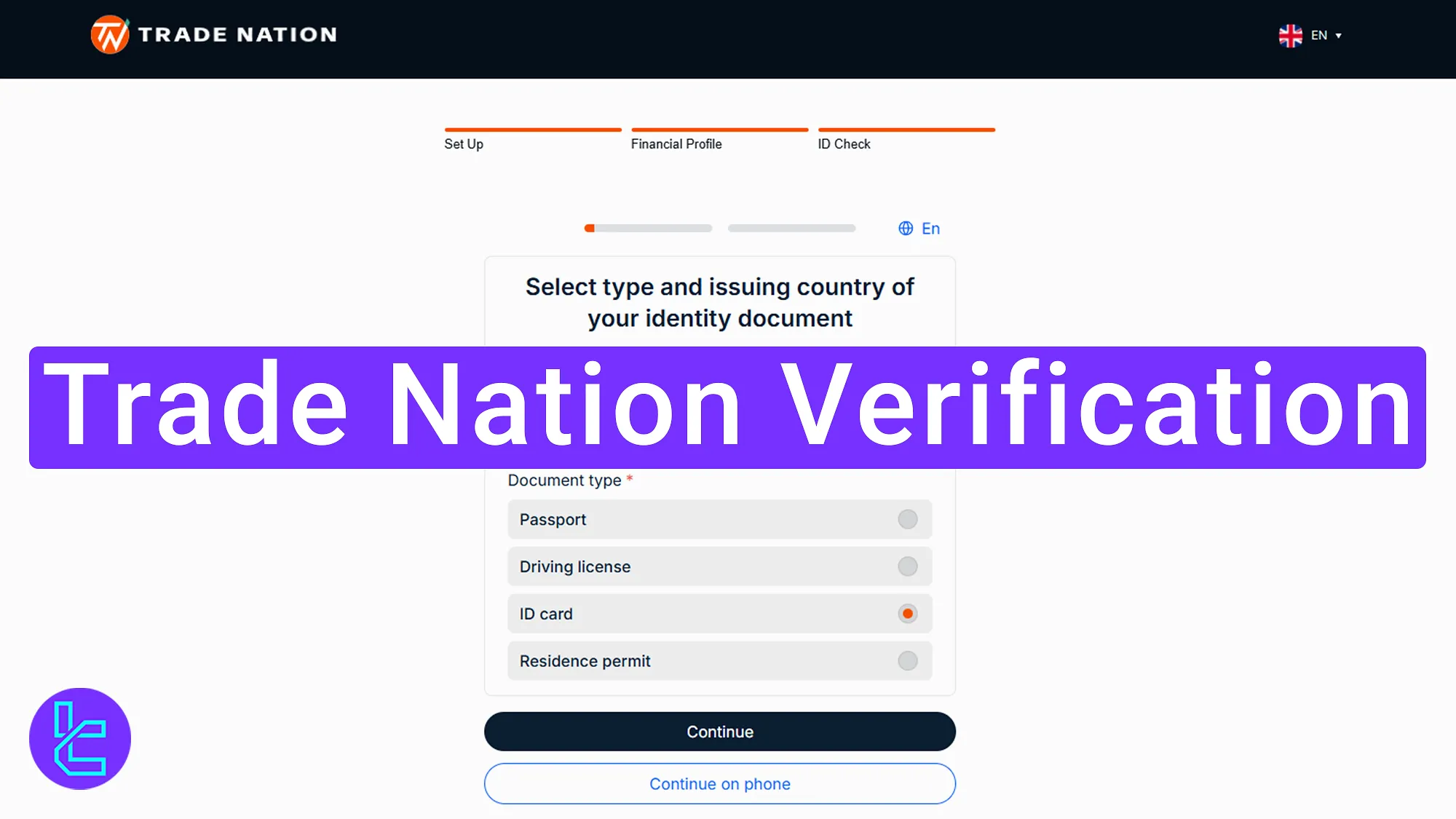
Trade Nation Validation Overview
Traders can easily verify their account with the Trade Nation broker in a 4-step procedure.
Trade Nation verification:
- Select your citizenship and confirm eligibility;
- Choose your country of residence and document type;
- Upload your identity document;
- Take and submit a selfie.
Trade Nation KYC requirements:
Verification Requirement | Yes/No |
Full Name | No |
Country of Residence | No |
Date of Birth Entry | No |
Phone Number Entry | No |
Residential Address Details | No |
Phone Number Verification | No |
Document Issuing Country | Yes |
ID Card (for POI) | Yes |
Driver’s License (for POI) | Yes |
Passport (for POI) | Yes |
Residence Permit (for POI or POA) | Yes |
Utility Bill (for POA) | No |
Bank Statement (for POA) | No |
2-Factor Authentication | No |
Biometric Face Scan | Yes |
Financial Status Questionnaire | No |
Trading Knowledge Questionnaire | No |
Restricted Countries | Yes |
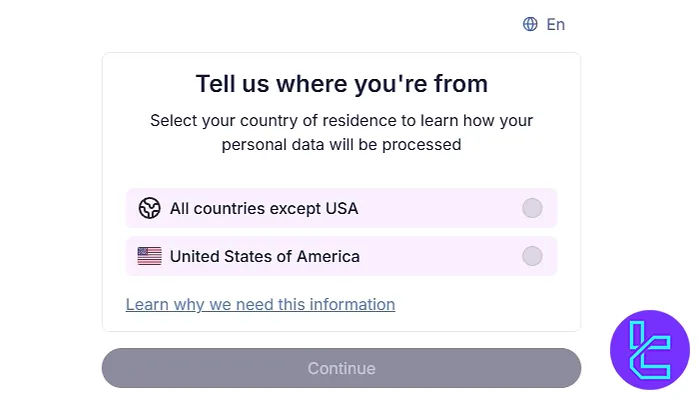
#1 Choose Your Citizenship and Begin KYC
After completing the Trade Nation registration process, traders must follow these steps below to begin verifying their accounts:
- Selecting your citizenship (If you are a S. citizen, choose the corresponding option);
- Click on the "Continue"
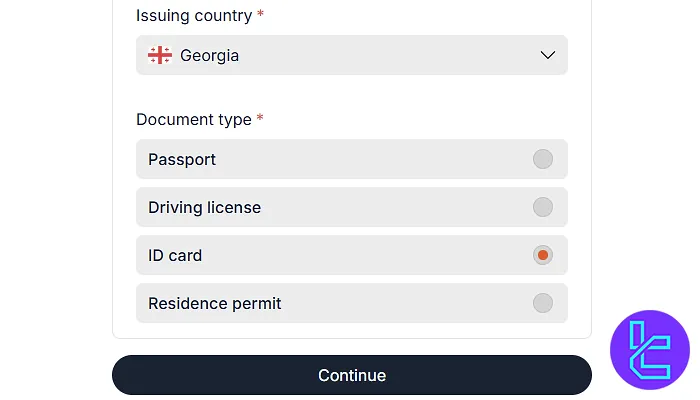
#2 Select Your Country and Document Type
Next, choose your country of residence and select an appropriate approval documents such as:
- Passport
- National ID card
- Driver's license
- Residence permit
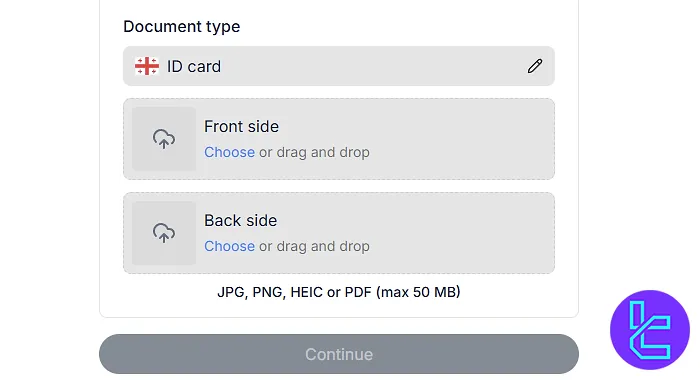
#3 Upload Your Identification Documents
To verify your identity, you must upload explicit images of the front and back of your ID card. Ensure the photos are well-lit and high resolution to avoid rejections due to blurry or incomplete uploads.
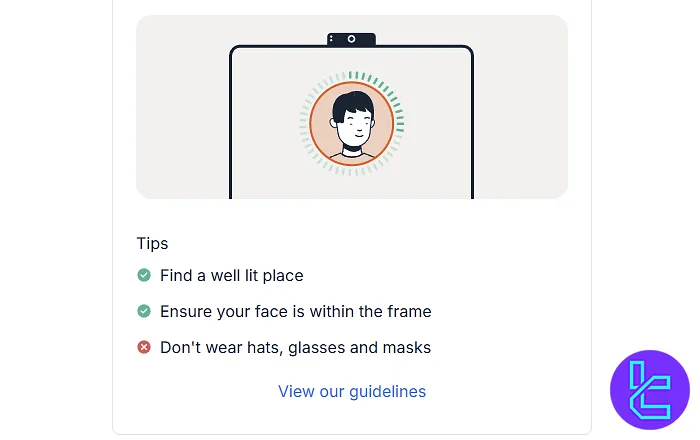
#4 Submit a Selfie for Identity Approval
After uploading your documents, you will be asked to take a selfie using your device's camera. This step helps match your face with the ID provided, preventing identity fraud.
Trade Nation KYC vs Other Forex Brokers
Below is a table showing the key differences in account opening conditions between Esperio and three other Forex brokers.
Verification Requirement | Trade Nation Broker | Pepperstone Broker | IC Markets Broker | |
Full Name | No | Yes | No | No |
Country of Residence | No | No | No | No |
Date of Birth Entry | No | Yes | No | No |
Phone Number Entry | No | No | No | No |
Residential Address Details | No | Yes | No | No |
Phone Number Verification | No | Yes | No | No |
Document Issuing Country | Yes | Yes | Yes | Yes |
ID Card (for POI) | Yes | Yes | Yes | Yes |
Driver’s License (for POI) | Yes | Yes | Yes | Yes |
Passport (for POI) | Yes | Yes | Yes | Yes |
Residence Permit (for POI or POA) | Yes | Yes | Yes | Yes |
Utility Bill (for POA) | No | No | Yes | Yes |
Bank Statement (for POA) | No | No | Yes | Yes |
2-Factor Authentication | No | No | No | No |
Biometric Face Scan | Yes | No | No | No |
Financial Status Questionnaire | No | Yes | No | No |
Trading Knowledge Questionnaire | No | Yes | No | No |
Restricted Countries | Yes | Yes | Yes | Yes |
TF Expert Suggestion
Trade Nation Verification takes just 5 minutes and requires you to upload a passport, ID card, residence permit, or driver's license.
Now that your account is verified, you can transfer funds using Trade Nation deposit and withdrawal methods to begin trading with this broker.
Detailed guides of the payment options are available on the Trade Nation tutorial page.






