












Accuindex verification is a 3-step process that grants full access to trading, deposits, and withdrawals. To complete this process, traders must upload proof of identity (POI) and proof of address (POA) documents.
After verifying your account, various payout methods become available with this Forex broker, including e-wallets, bank-wired transfers, and credit/debit cards.
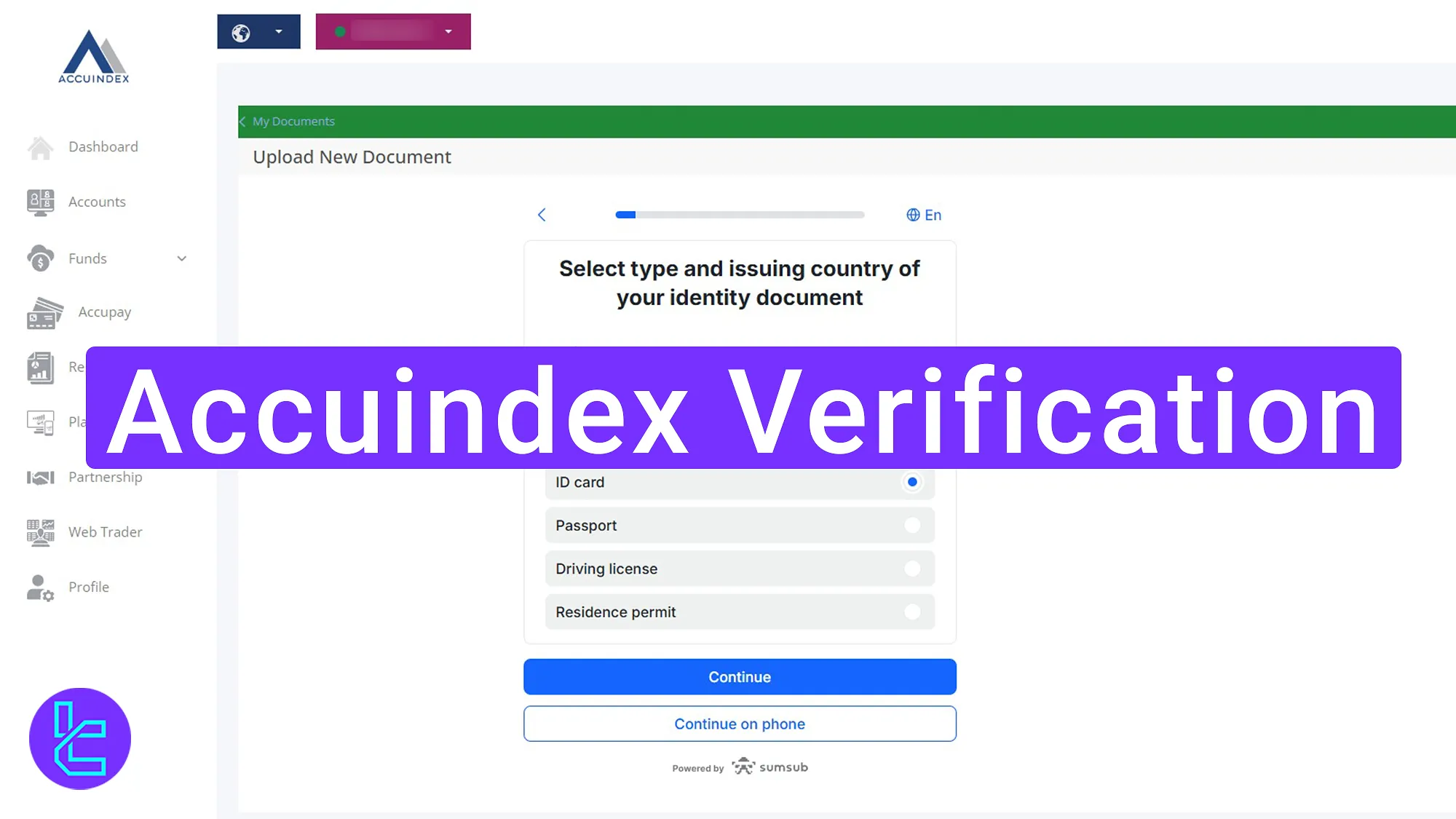
Accuindex Verification Process Overview
Follow these 3 mandatory steps to complete your identity authentication on the Accuindex broker. Accuindex verification process:
- Enter the Accuindex KYC area;
- Provide proof of identity documents;
- Submit address proof and check approval status.
Ensure you have the following information ready before initiating the account authentication process.
Verification Requirement | Yes/No |
Full Name | No |
Country of Residence | No |
Date of Birth Entry | No |
Phone Number Entry | No |
Residential Address Details | No |
Phone Number Verification | No |
Document Issuing Country | Yes |
ID Card (for POI) | Yes |
Driver’s License (for POI) | Yes |
Passport (for POI) | Yes |
Residence Permit (for POI or POA) | Yes |
Utility Bill (for POA) | Yes |
Bank Statement (for POA) | Yes |
2-Factor Authentication | No |
Biometric Face Scan | No |
Financial Status Questionnaire | No |
Trading Knowledge Questionnaire | No |
Restricted Countries | Yes |
#1 Entering the Accuindex Verification Area
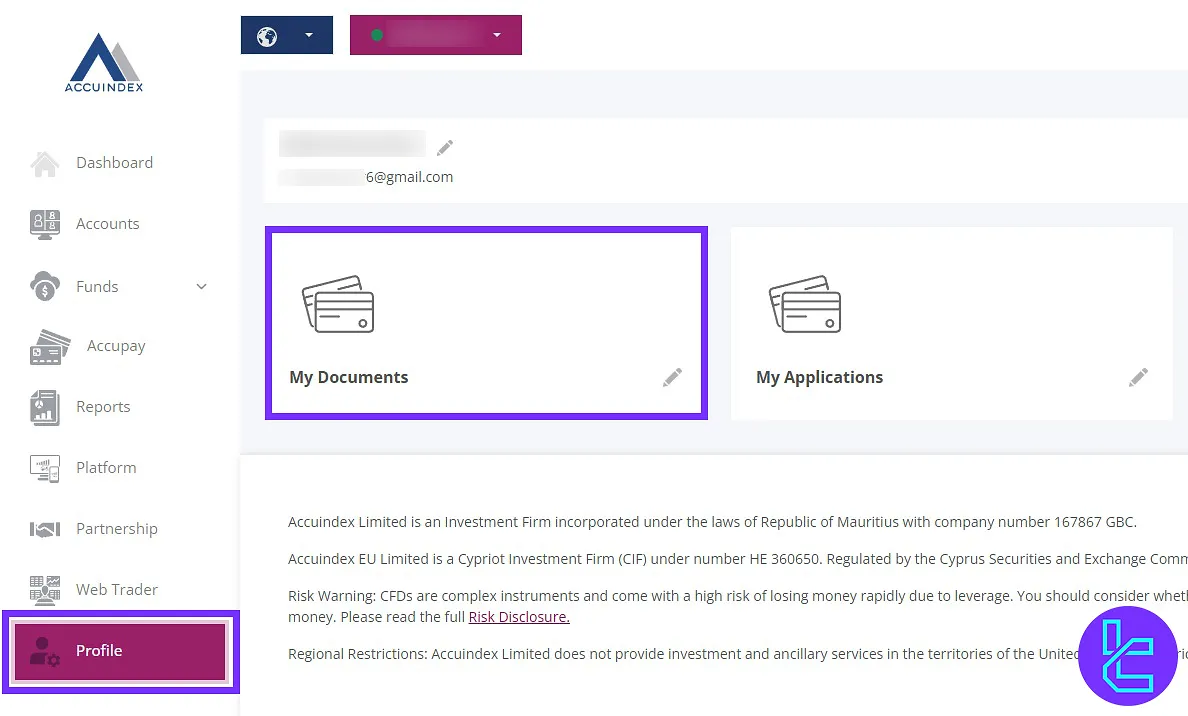
To begin the authentication process:
- Log in to your Accuindex account;
- From the dashboard, click on the "Profile" menu;
- Select "My Documents".
Agree to the terms and conditions by selecting the checkbox and clicking "Continue".
#2 Providing Proof of Identity Documents
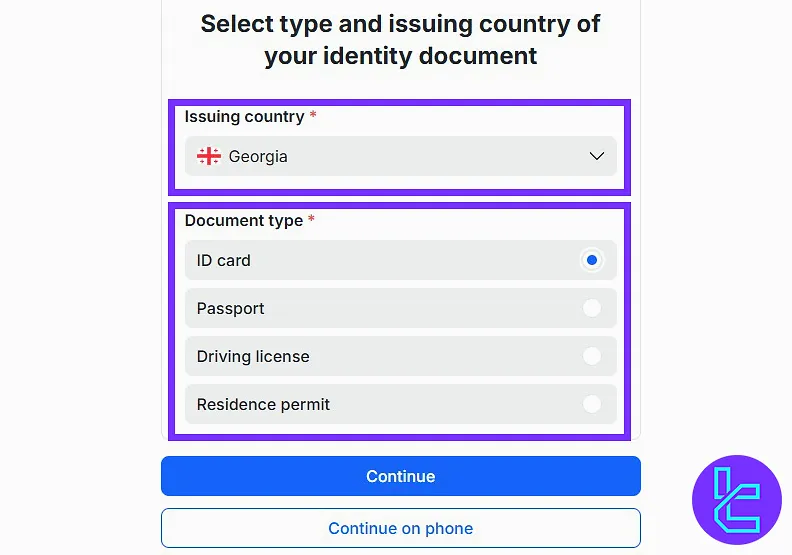
Select your country and document type. You can use one of the following options:
- Passport
- National ID
- Driver’s license
- Residence permit
Then click "Continue".
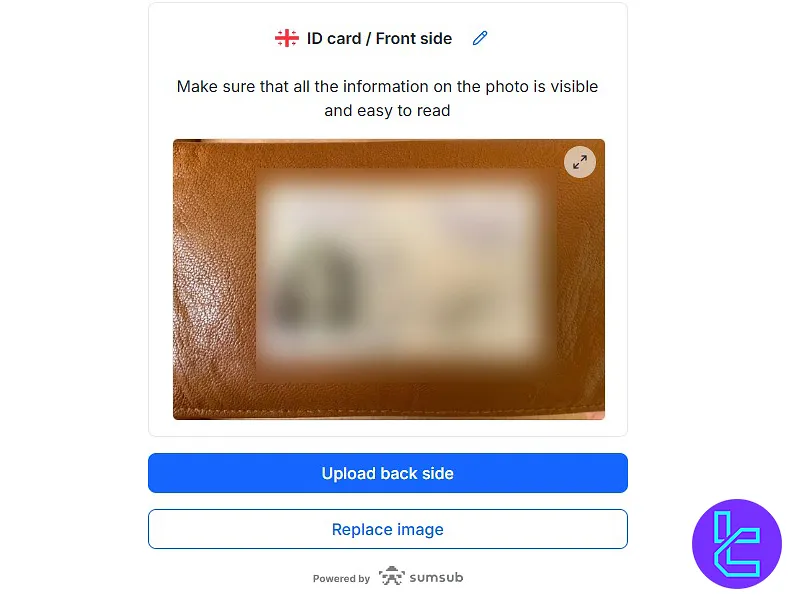
Upload the front side of your document by granting camera access or manually uploading an image. Then, upload the back side. Click "Continue" to finalize document submission.
#3 Submitting Address Proof and Checking Verification Status
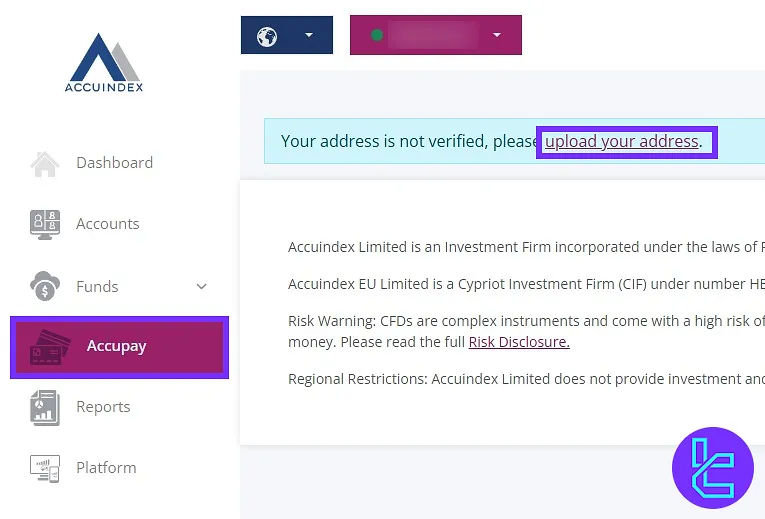
Go to the "Accupay" menu and navigate to "Upload Your Address".
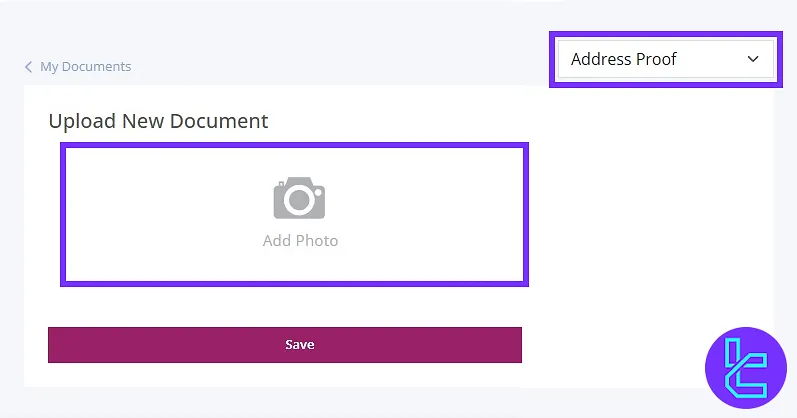
Choose "Address Proof" and upload a valid document such as:
- Utility bill
- Bank statement
- Rental agreement
Documents must be issued within the last 6 months.
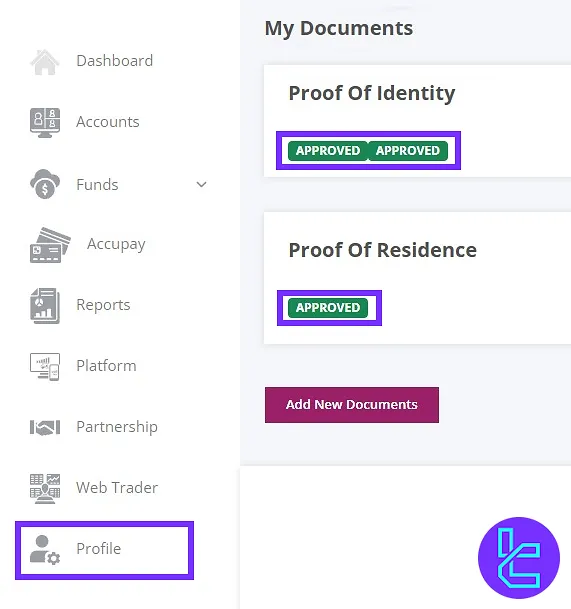
To check the document review status, revisit the "Profile" menu and select "My Documents".
Accuindex KYC vs Other Brokers
The following table provides a comparison of the required documents to verify your account with the Accuindex and 3 other brokers.
Verification Requirement | Accuindex Broker | |||
Full Name | No | Yes | Yes | No |
Country of Residence | No | No | Yes | No |
Date of Birth Entry | No | Yes | Yes | No |
Phone Number Entry | No | No | No | No |
Residential Address Details | No | Yes | No | No |
Phone Number Verification | No | No | No | No |
Document Issuing Country | Yes | No | Yes | Yes |
ID Card (for POI) | Yes | Yes | Yes | Yes |
Driver’s License (for POI) | Yes | Yes | Yes | Yes |
Passport (for POI) | Yes | Yes | Yes | Yes |
Residence Permit (for POI or POA) | Yes | No | Yes | Yes |
Utility Bill (for POA) | Yes | No | Yes | Yes |
Bank Statement (for POA) | Yes | No | Yes | Yes |
2-Factor Authentication | No | No | No | No |
Biometric Face Scan | No | No | No | No |
Financial Status Questionnaire | No | Yes | Yes | No |
Trading Knowledge Questionnaire | No | No | No | No |
Restricted Countries | Yes | Yes | Yes | Yes |
TF Expert Suggestion
Accuindex verification takes less than 10 minutes, and the document review is finalized within a few minutes if you submit clear images of your proof of identity (ID card or passport) and proof of address documents.
After completing the KYC process, explore the Accuindex deposit and withdrawal methods on the Accuindex tutorial page to fund your verified account.






