











CGS International registration is a quick 3-step process.
You can create an account with this broker by filling out the personal details form, declaring your residency status, and ensuring you meet the minimum age requirement of 21 years with this Forex broker.
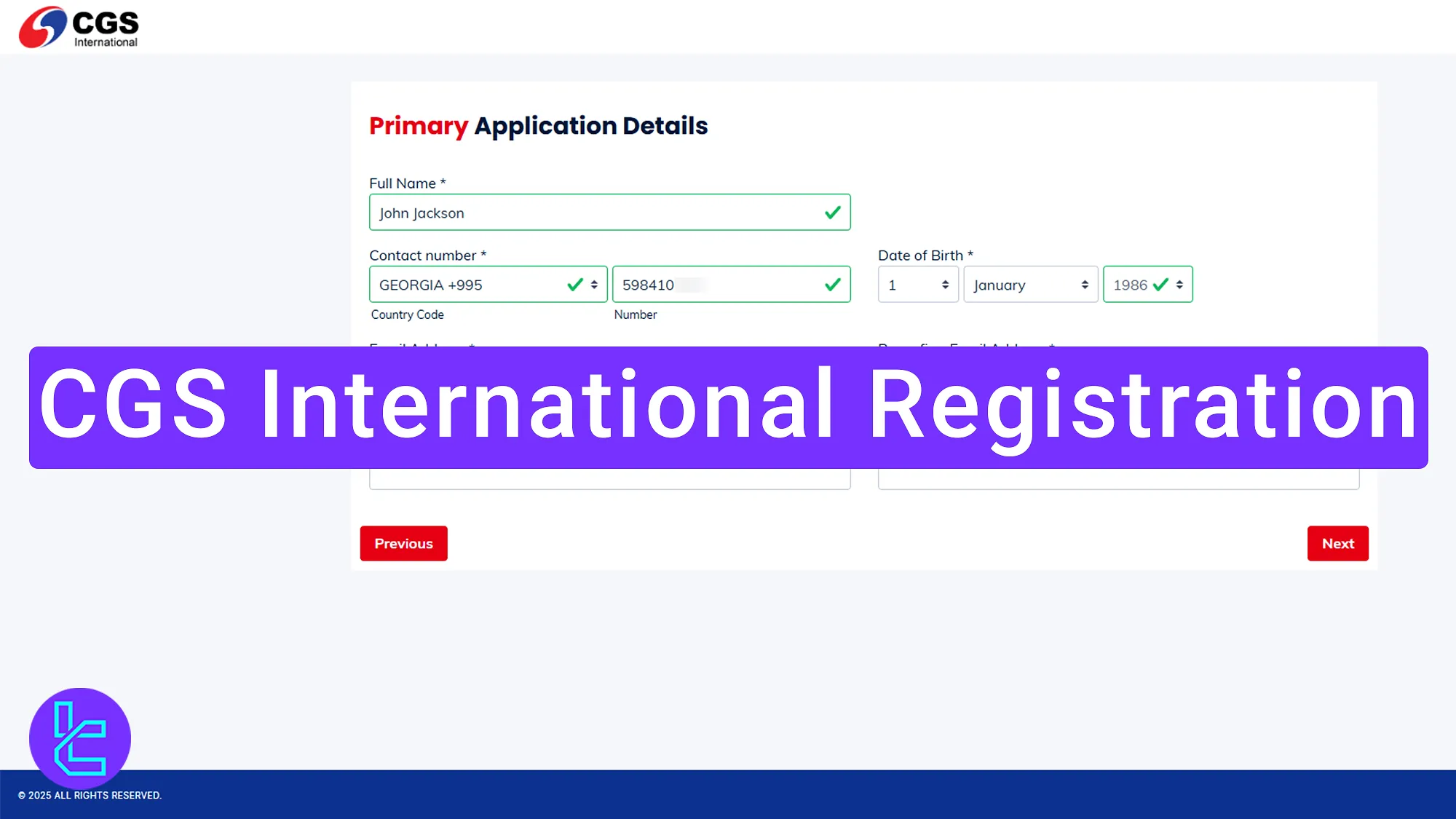
Overview of the CGS International Account Creation Process
Before diving into the details, here is a quick overview of the steps required to complete the CGS International broker account setup process.
CGS International registration steps:
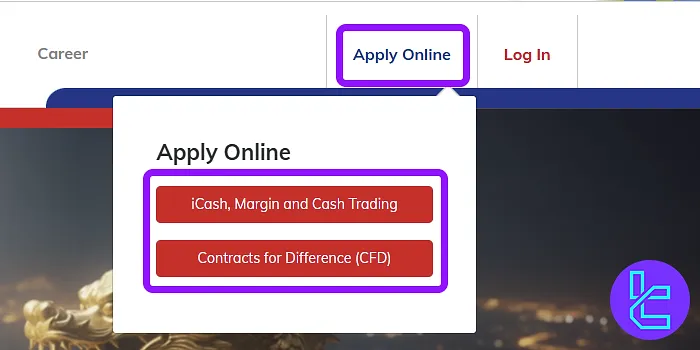
- Visit the CGS International website and click on “Apply Online”;
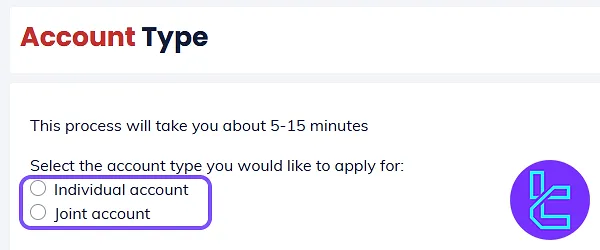
- Choose your account type and provide residential details;
- Complete the account opening form with personal details.
Here is what you need to prepare before opening an account with CGS International.
Registration Requirements | Yes/No |
Email Sign-up | Yes |
Phone Number Required | Yes |
Google Account Login | No |
Apple ID Login | No |
Facebook Login | No |
Full Name | Yes |
Country of Residence | Yes |
Date of Birth | Yes |
Address Details | No |
Email Verification | No |
Phone Number Verification | No |
Financial Status Questionnaire | No |
Trading Experience Questionnaire | No |
#1 Enter to the CGS International official website
To begin this beginner-friendly procedure:
- Click on the purple "Open an Account" button in the bottom of this page;
- Choose"Apply Online", and select the CFD or margin and cash trading.
Ensuring you meet the eligibility requirements:
- Be at least 21 years old
- Reside outside of the United States
- Have no prior bankruptcy history
#2 Choose Your Account Type
After clicking "Apply Now", choose your account type and proceed by clicking "Next".
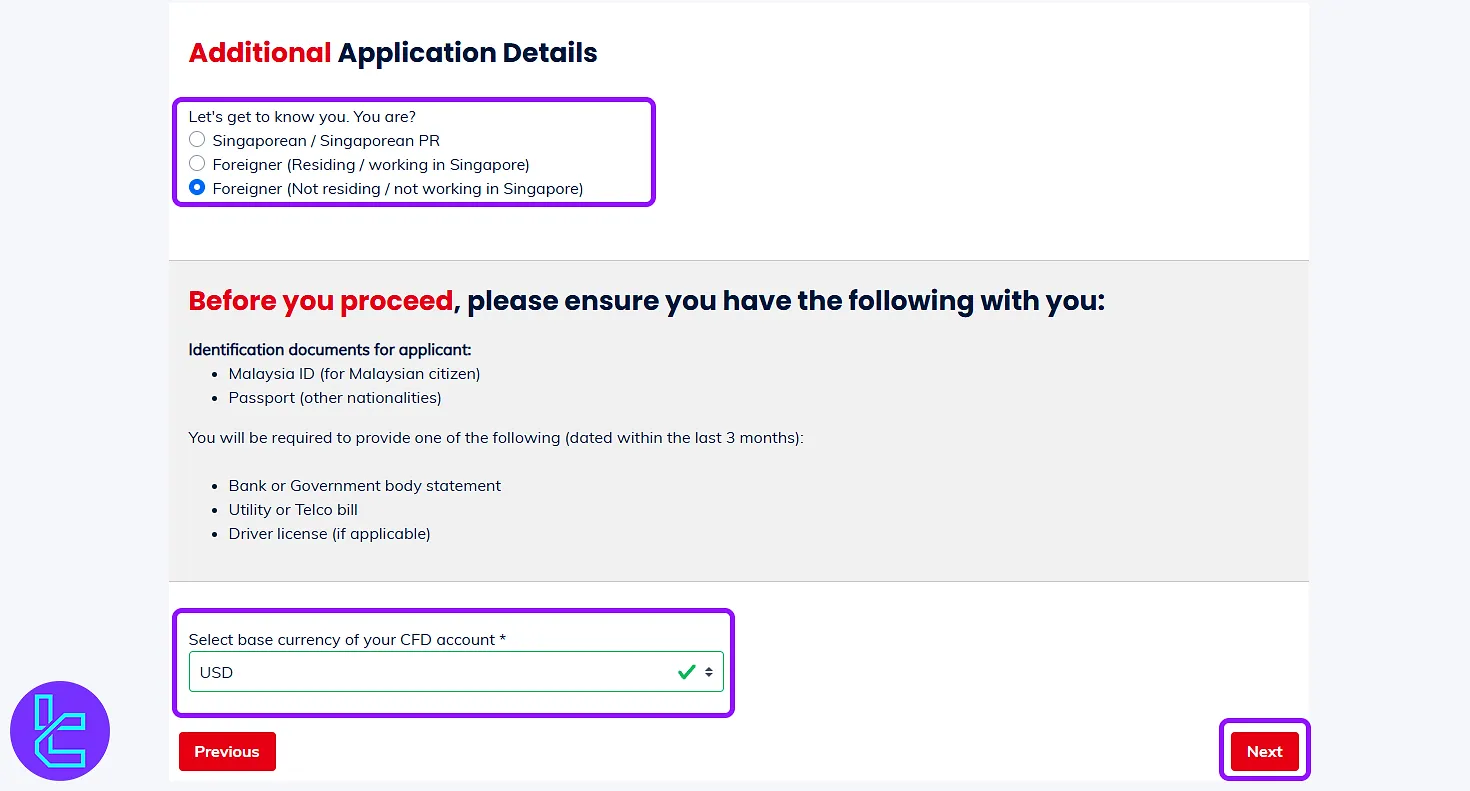
In the next section, you will confirm your residency details:
- If residing in Singapore, enter details in the two designated fields;
- If living outside Singapore, select "Foreigner (Not Residing)".
Then, enter your trading account base currency and click "Next".
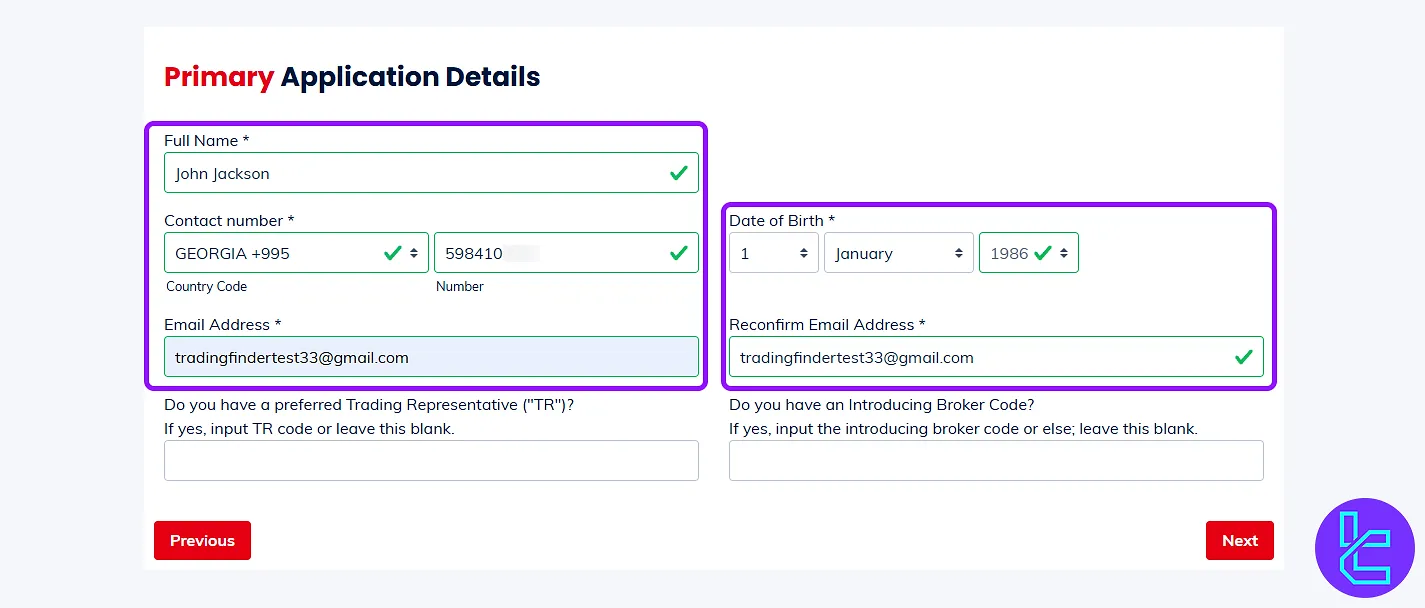
#3 Complete the Account Opening Form
In the application details form, enter the following details:
- First and last name
- Mobile phone number
- Date of birth
- Email address
- Introduce Broker code
If you don't have an IB Code, contact TradingFinder support to request one.
CGS International Signup vs Other Brokers
The following table highlights the differences in account opening information between CGS International and other Forex brokers.
Registration Requirements | CGS International Broker | |||
Email Sign-up | Yes | Yes | Yes | Yes |
Phone Number Required | Yes | Yes | Yes | Yes |
Google Account Login | No | No | No | No |
Apple ID Login | No | No | No | No |
Facebook Login | No | No | No | No |
Full Name | Yes | Yes | Yes | Yes |
Country of Residence | Yes | Yes | Yes | Yes |
Date of Birth | Yes | No | No | No |
Address Details | No | No | No | No |
Email Verification | No | Yes | No | Yes |
Phone Number Verification | No | No | No | No |
Financial Status Questionnaire | No | No | No | Yes |
Trading Experience Questionnaire | No | No | No | No |
TF Expert Suggestion
Completing your CGS International registration is a three-step process. You must enter your first and last name, email, password, and date of birth and declare that you are a Singapore citizen, resident, or foreigner.
To continue your journey on this broker, read the CGS International verification guide on the CGS International tutorial page.






