












Taurex registration is a fast and structured process, completed in 3 steps. Traders must provide personal and financial information and confirm their email using a verification code to access their account dashboard instantly.
After opening an account with the Taurex broker, traders can begin trading Forex, commodities, indices, cryptocurrencies, metals, and shares with leverage of up to 1:2000.
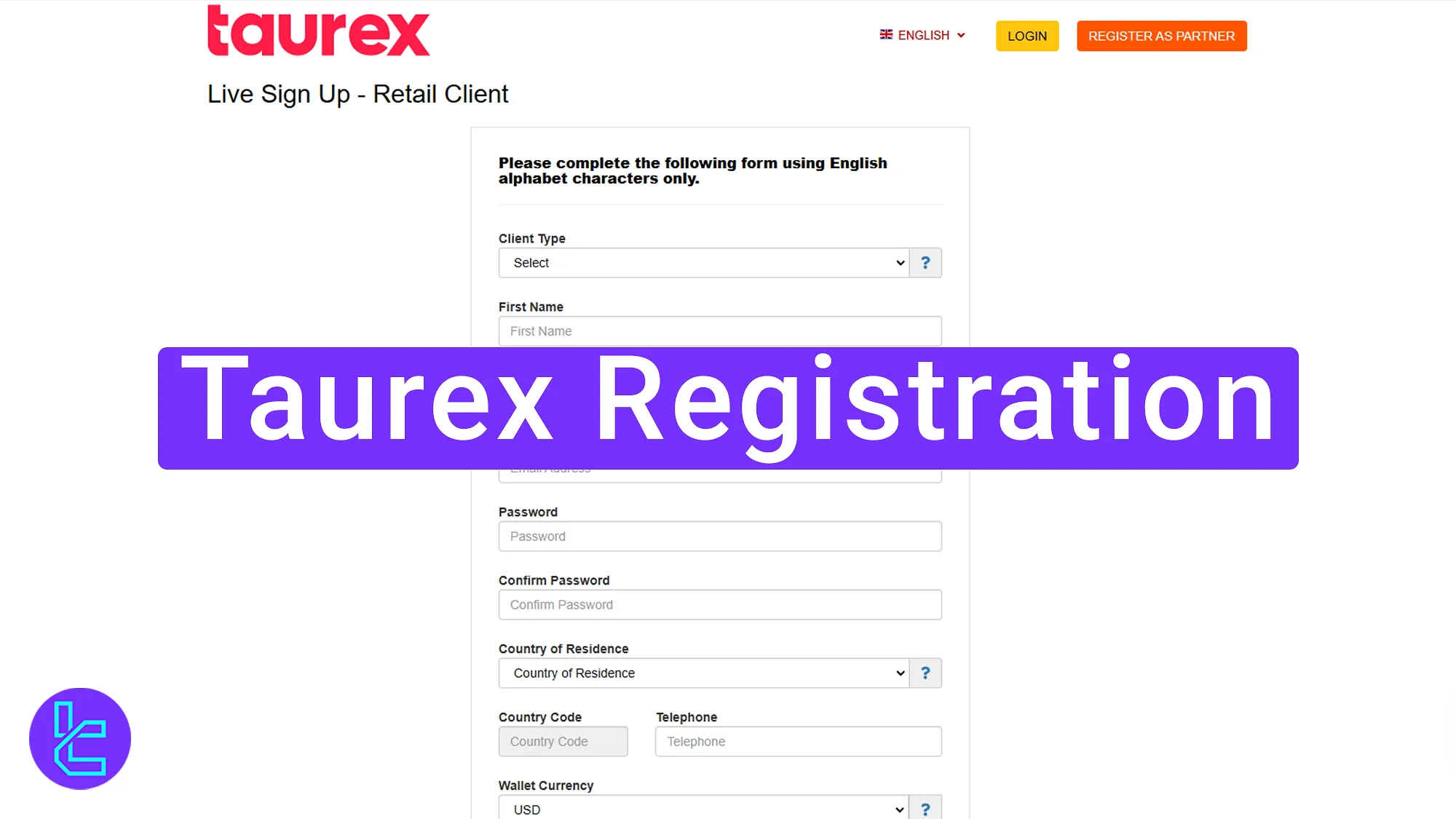
Taurex Sign-up Step-By-Step Guide
Opening an account with the Taurex broker is simple and provides instant access to the dashboard.
Taurex registration overview:
- Access the Taurex website and open the sign-up page;
- Complete the account opening form with personal details;
- Verify your email and finalize the process.
The following table provides the necessary information to open an account with Taurex.
Registration Requirements | Yes/No |
Email Sign-up | Yes |
Phone Number Required | Yes |
Google Account Login | No |
Apple ID Login | No |
Facebook Login | No |
Full Name | Yes |
Country of Residence | Yes |
Date of Birth | No |
Address Details | No |
Email Verification | Yes |
Phone Number Verification | No |
Financial Status Questionnaire | Yes |
Trading Experience Questionnaire | No |
#1 Visit the Taurex Website and Access the Registration Page
To begin this process, follow these steps:
- Click on the "Open an Account" button at the bottom of this page;
- On the broker’s website, select the "Open Account" option to start creating your account.

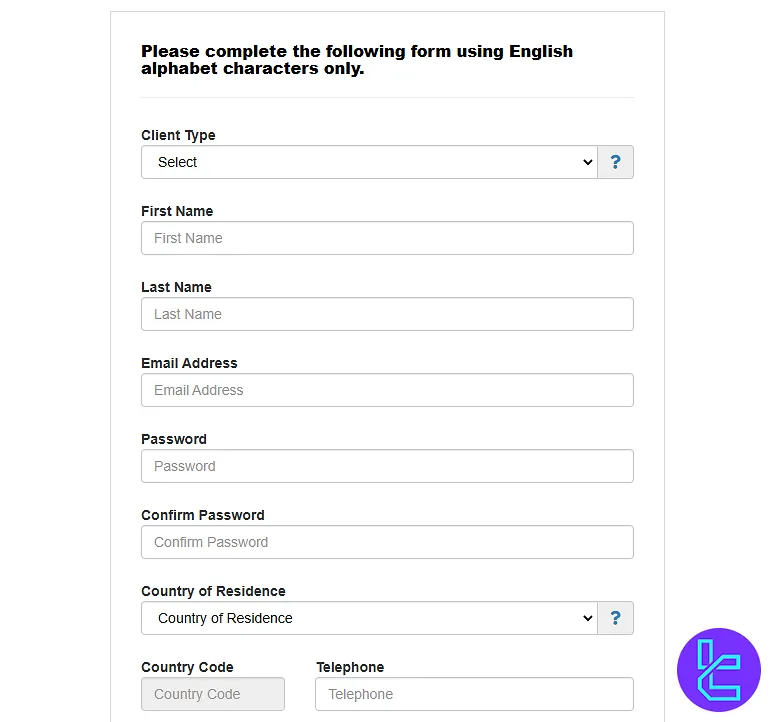
#2 Completing the Registration Form
In this step:
- Select your account type;
- Enter your full name, email address, and password;
- Repeat your password to confirm it;
- Select your country of residence;
- Enter your mobile phone number, and choose your preferred currency.
Confirm the website’s terms and click on the "Register Now" button.
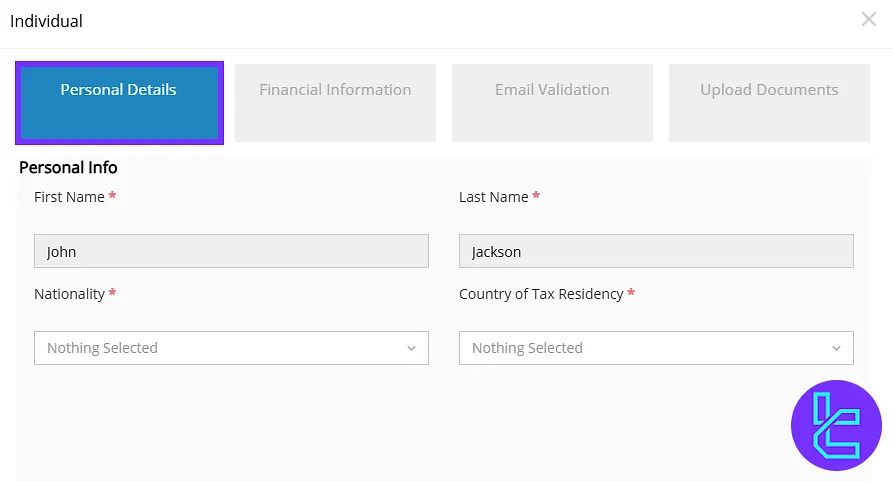
#3 Completing the Registration in the Dashboard
Enter your first name and last name again, select your nationality, and provide your tax country details. Click on the "Next" button to continue.
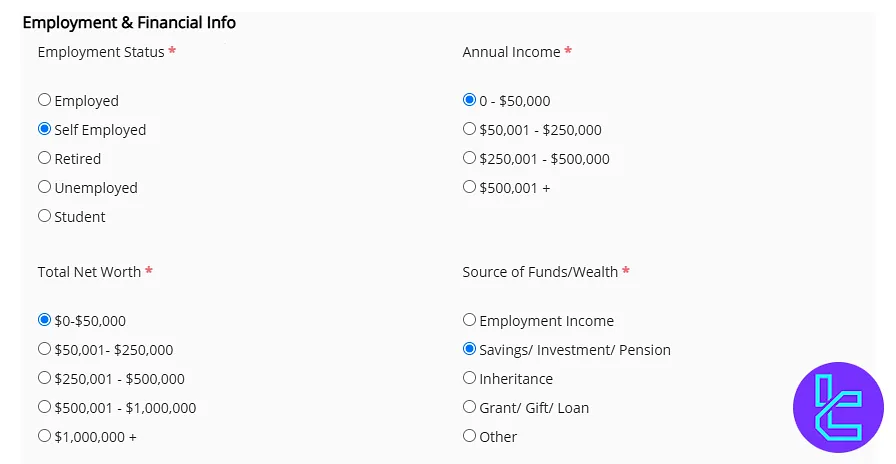
Enter your employment details and financial information. Then, click "Next".
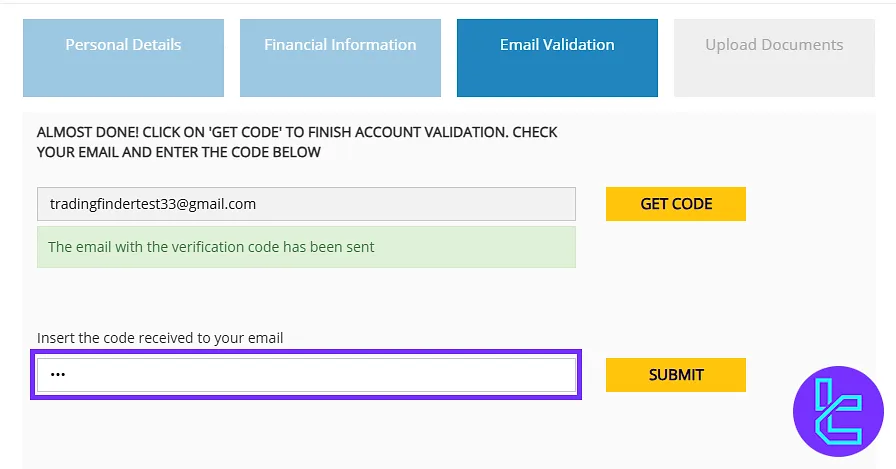
Click on "Get Code" to receive a 3-digit code in your email. Copy the code and enter it into the designated field. Then, click "Submit".
Taurex Signup Process vs Other Brokers
In the following table, you can see how the sign-up process in Taurex differs from other brokers.
Registration Requirements | ||||
Email Sign-up | Yes | Yes | Yes | Yes |
Phone Number Required | Yes | Yes | Yes | Yes |
Google Account Login | No | No | No | No |
Apple ID Login | No | No | No | No |
Facebook Login | No | No | No | Yes |
Full Name | Yes | Yes | Yes | Yes |
Country of Residence | Yes | Yes | Yes | Yes |
Date of Birth | No | No | No | No |
Address Details | No | No | No | No |
Email Verification | Yes | Yes | No | Yes |
Phone Number Verification | No | No | No | No |
Financial Status Questionnaire | Yes | No | No | No |
Trading Experience Questionnaire | No | No | No | No |
TF Expert Suggestion
The Taurex registration process takes about 7 to 10 minutes. No phone number verification is needed during this process. However, traders are required to enter their name, country of residence, nationality, and email address.
Now that the registration is completed, you can proceed to the Taurex verification. A detailed guide for KYC is available on the Taurex tutorial page.






