












Decode Global registration is a simple process that takes only 8 minutes. You will need to fill out various forms, including personal details, account preferences, and occupation information.
By opening an account with this broker, traders can begin using its Forex trading services by depositing at least $100.
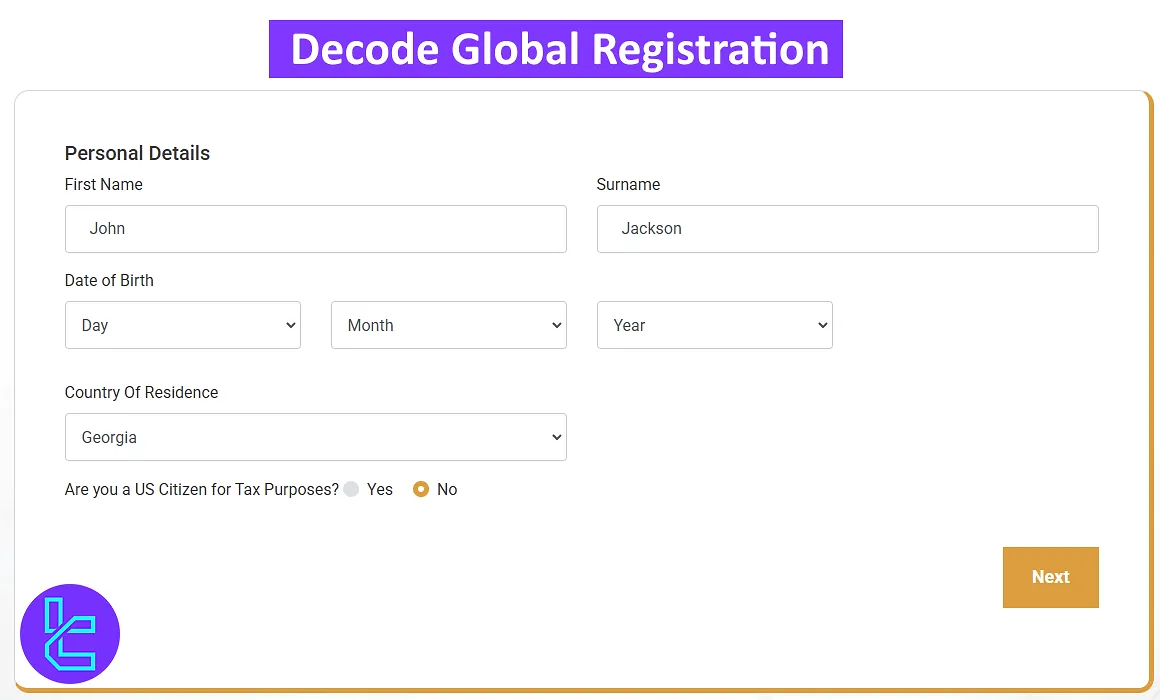
Overview of the Decode Global Registration Steps
Creating an account with Decode Global broker is easy and can be done in 5 steps. Decode Global sign-up:
- Visit the Decode Global website;
- Fill in your details;
- Enter more personal information (country of residence, date of birth);
- Set up your account preferences;
- Provide additional details.
To open an account with Decode Global, you will need the following documents and information.
Registration Requirements | Yes/No |
Email Sign-up | Yes |
Phone Number Required | Yes |
Google Account Login | No |
Apple ID Login | No |
Facebook Login | No |
Full Name | Yes |
Country of Residence | Yes |
Date of Birth | Yes |
Address Details | No |
Email Verification | No |
Phone Number Verification | No |
Financial Status Questionnaire | Yes |
Trading Experience Questionnaire | Yes |
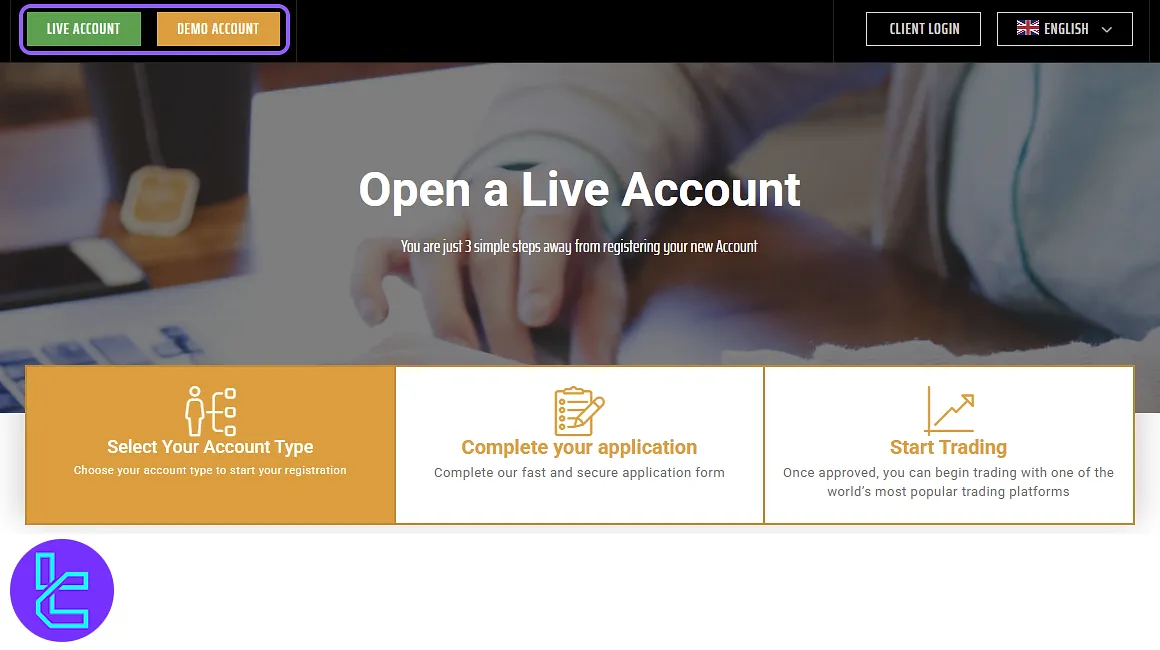
#1 Visit the Decode Global Website and Select an Account Type
To begin your Decode Global registration, search for the Decode Global website and enter it. At the top of the page, you will find two options:
- Click "Demo Account" to open a practice account;
- Click "Live Account" to register a real trading account.
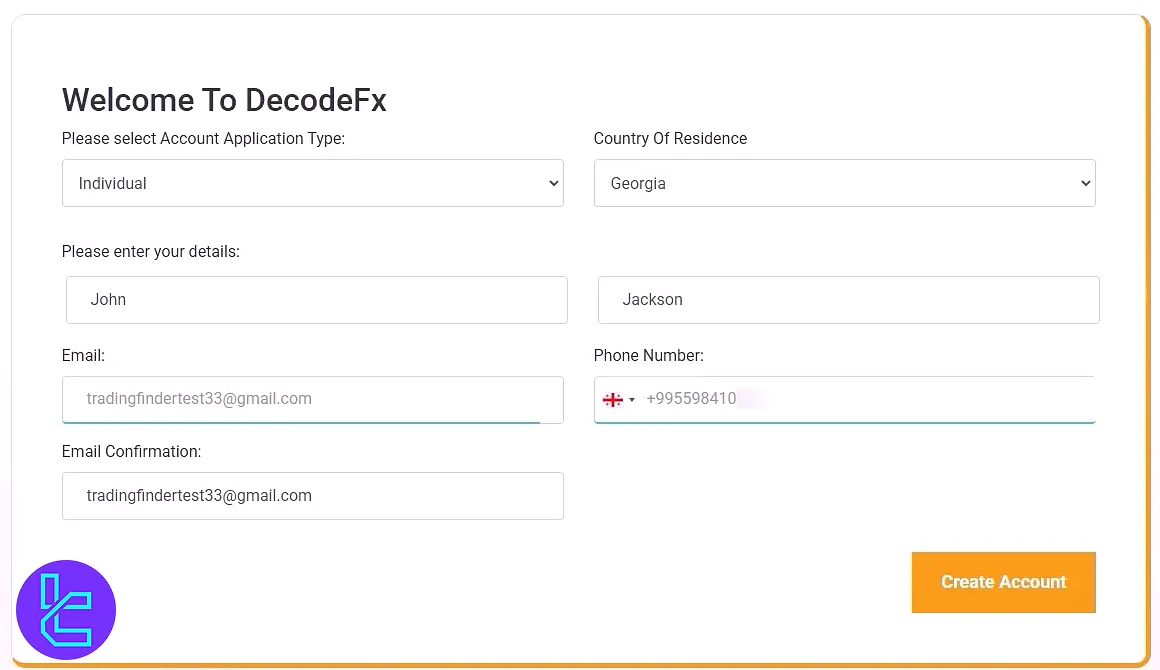
#2 Enter Your Personal Information
Choose your account type (individual or corporate) and fill in your details:
- First and last name
- Country of residence
- Email address (enter twice for confirmation)
- Mobile phone number
After entering this information, click "Create Account".
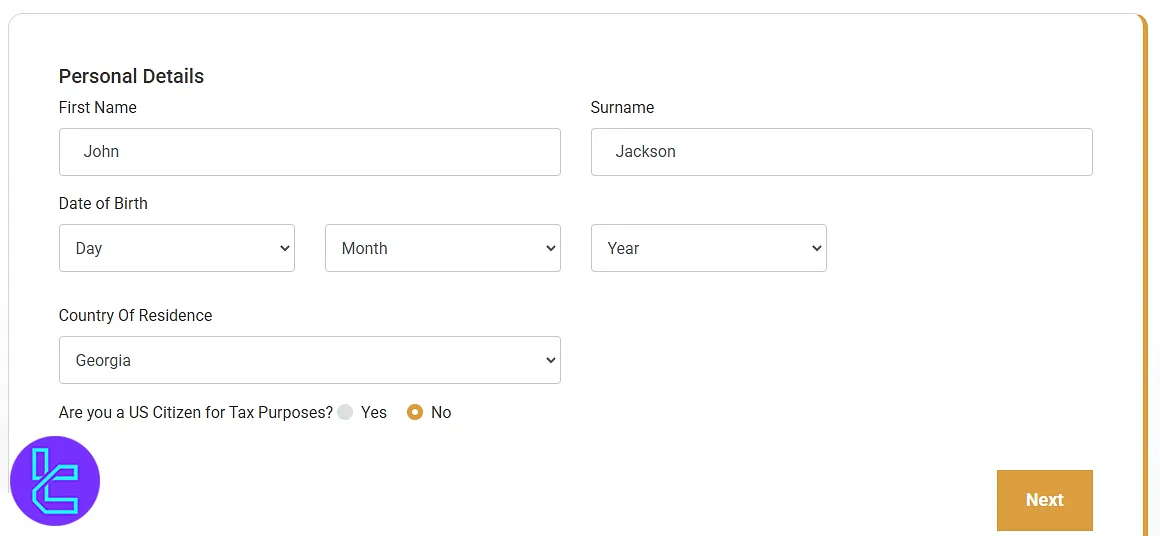
#3 Provide Additional Details
After creating your account, you will be prompted to re-enter your first and last name, date of birth, and country of residence. Click "Next" to continue.
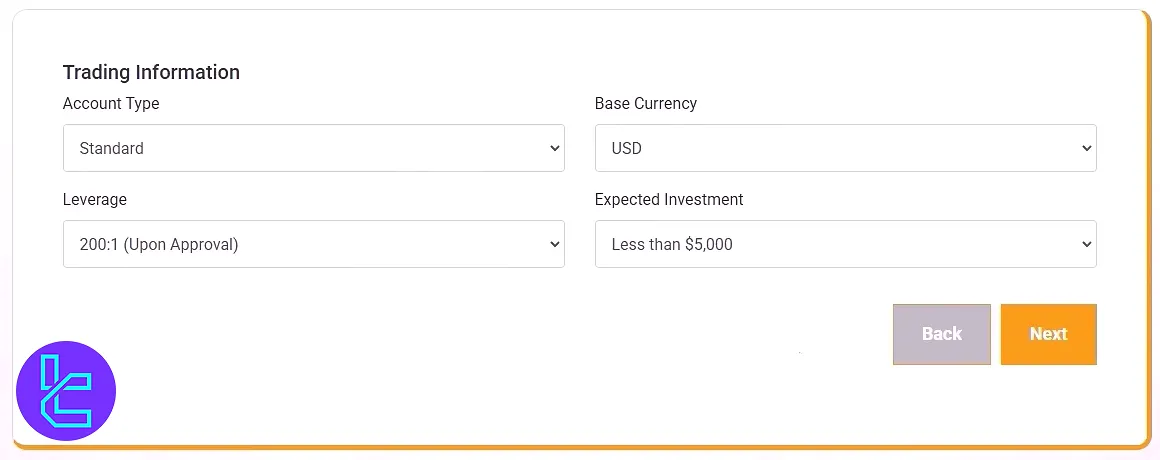
#4 Select Account Preferences
Choose your account type, then set:
- Currency (USD, EUR, etc.)
- Leverage (e.g., 1:100, 1:200, up to 1:500)
- Expected investment amount
Click "Next" to proceed.
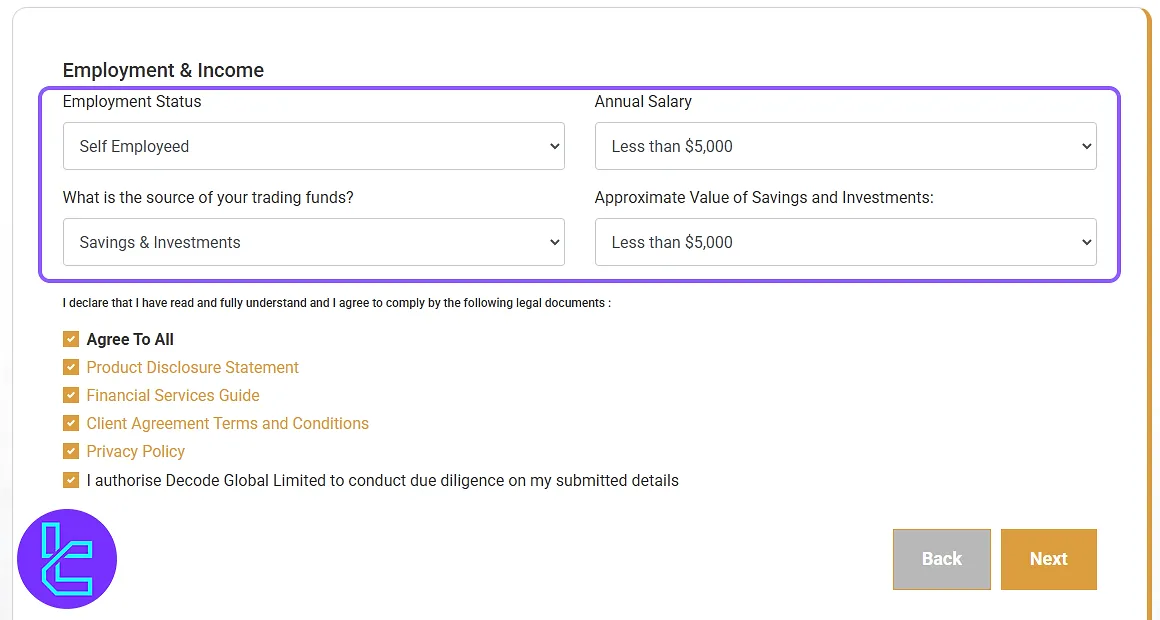
#5 Enter Employment and Financial Information
You must enter details about your employment status, income range, source of funds, and the value of your investments and savings. After entering this information, check the confirmation box and click "Next".
Decode Global Registration in Comparison to Other Forex Brokers
Traders can check the differences in the account opening process of Decode Global and 3 other brokers.
Registration Requirements | Decode Global Broker | |||
Email Sign-up | Yes | Yes | Yes | Yes |
Phone Number Required | Yes | Yes | Yes | Yes |
Google Account Login | No | Yes | Yes | No |
Apple ID Login | No | No | No | No |
Facebook Login | No | Yes | No | No |
Full Name | Yes | No | Yes | Yes |
Country of Residence | Yes | Yes | No | Yes |
Date of Birth | Yes | No | Yes | Yes |
Address Details | No | No | Yes | Yes |
Email Verification | No | No | Yes | No |
Phone Number Verification | No | No | No | No |
Financial Status Questionnaire | Yes | No | Yes | No |
Trading Experience Questionnaire | Yes | No | No | No |
TF Expert Suggestion
Decode Global registration can be completed in 5 steps. During sign-up, you must enter your first name, last name, country of residence, account type, leverage, and base currency.
To learn how to complete the Decode Global verification process and explore different Decode Global deposit and withdrawal methods, visit the Decode Global tutorial page.






