












Doo Prime Registration allows you to access a live trading environment in just 3 minutes. The process requires basic information like your full name, country, email, and mobile number.
After creating an account with the D Prime broker, traders can begin trading +10000 instruments, in multiple markets including Forex, commodities, metals, crypto, indices, and stocks.
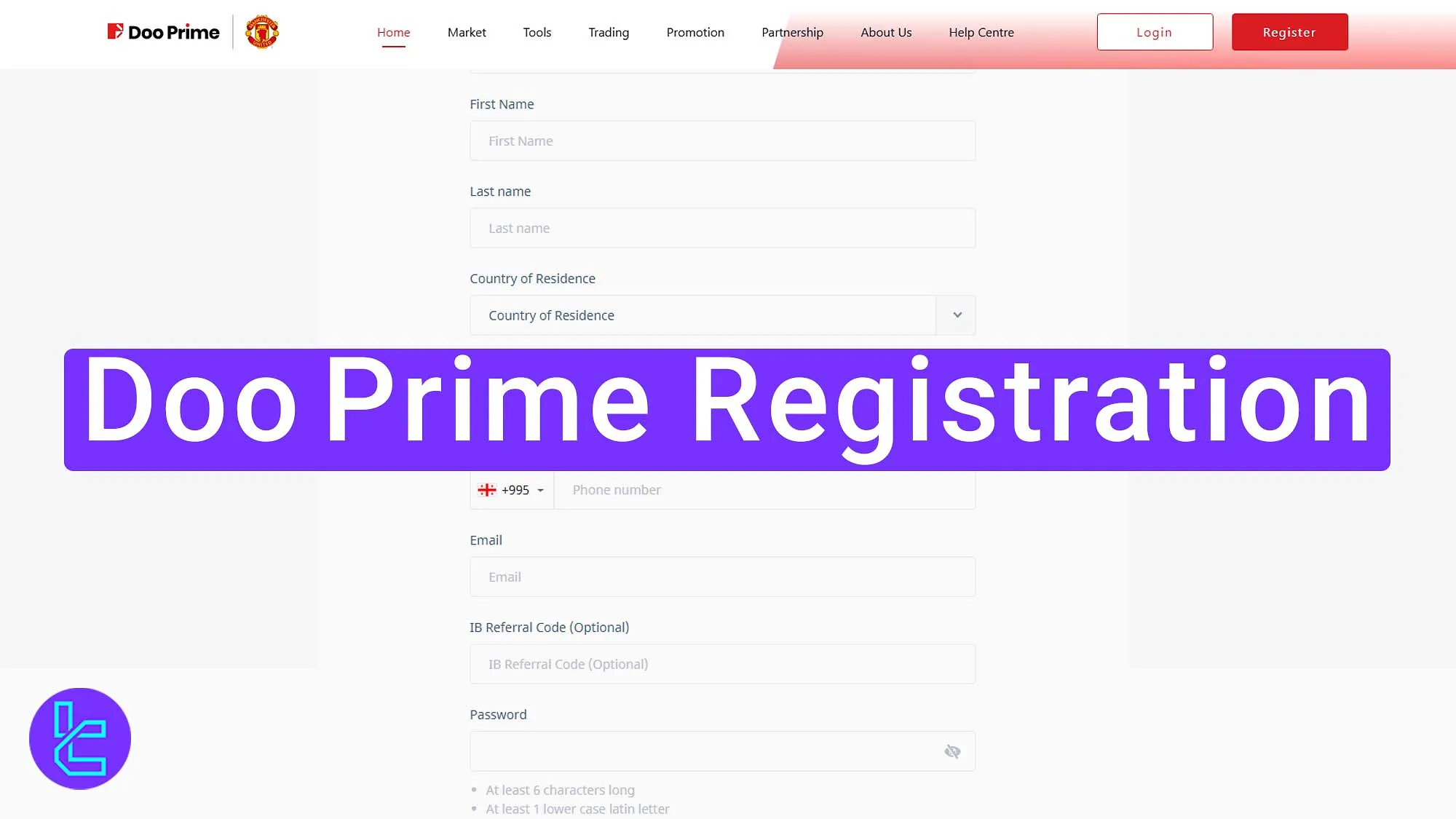
Steps for Doo Prime Registration
Creating an account on Doo Prime Broker is simple;Doo Prime Signup Process:
- Access the Doo Prime Signup Page;
- Choose an account, enter personal and contact details;
- Enter the Email Verification Code.
Here's what you need to open an account with the D Prime broker:
Registration Requirements | Yes/No |
Email Sign-up | Yes |
Phone Number Required | Yes |
Google Account Login | No |
Apple ID Login | No |
Facebook Login | No |
Full Name | Yes |
Country of Residence | Yes |
Date of Birth | No |
Address Details | No |
Email Verification | Yes |
Phone Number Verification | No |
Financial Status Questionnaire | No |
Trading Experience Questionnaire | No |
#1 Access the Doo Prime Signup Page
Follow these 2 steps to start the signup process:
- Scroll down and click "Open an Account;"
- On the home page, click “Register.”

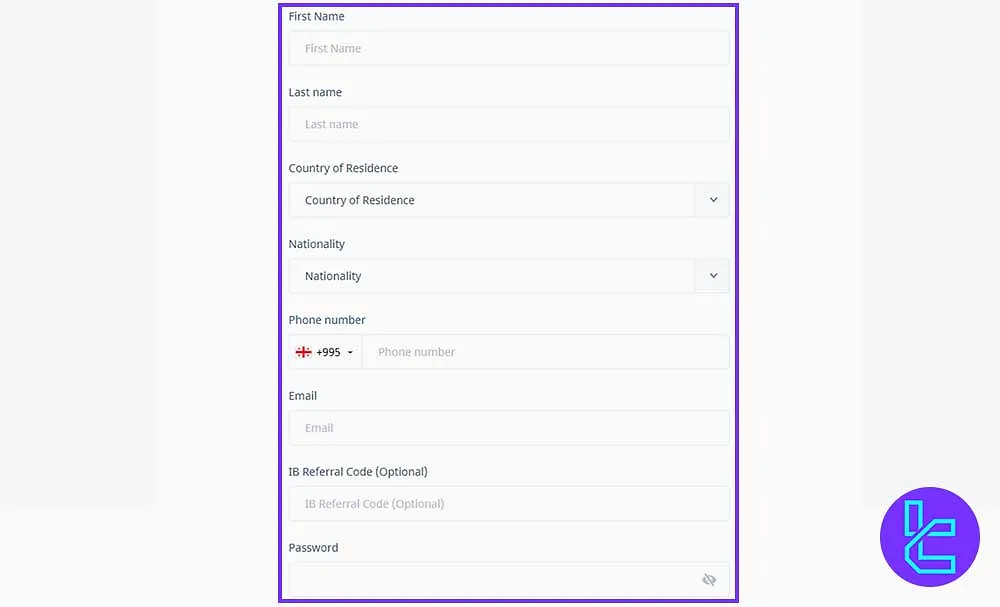
#2 Complete the Doo Prime Signup Form
Select your account type (Individual) and enter the required information; Required Details for Doo Prime Signup:
- First name
- Last name
- Country of residence
- Nationality
- Mobile phone number
- Email address
- Referral code (optional)
- Password
The password must be at least 6 characters and include uppercase, lowercase, numbers, and symbols. After all, tick the box to agree with the terms and click “Continue.”
#3 Enter the Doo Prime Verification Code
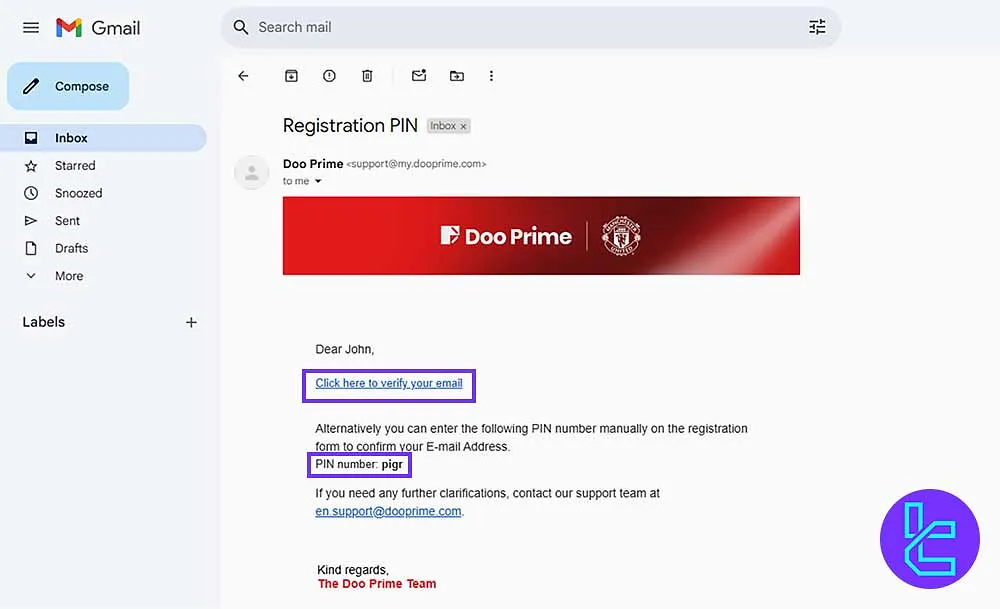
You will receive a code via email; copy the code and paste it in the verification field, then click “Continue” to complete the signup.
You can also simply click the link included in the email to verify.
D Prime Account Opening Process vs Other Brokers
Registration Requirements | Doo Prime Broker | |||
Email Sign-up | Yes | Yes | Yes | Yes |
Phone Number Required | Yes | No | Yes | No |
Google Account Login | No | Yes | No | No |
Apple ID Login | No | No | No | No |
Facebook Login | No | No | No | No |
Full Name | Yes | Yes | Yes | No |
Country of Residence | Yes | Yes | Yes | Yes |
Date of Birth | No | Yes | Yes | No |
Address Details | No | Yes | No | No |
Email Verification | Yes | No | No | Yes |
Phone Number Verification | No | No | No | No |
Financial Status Questionnaire | No | No | No | No |
Trading Experience Questionnaire | No | No | No | No |
Conclusion and Final Words
Doo Prime Registration is now completed in 3 steps. Enter your contact details, nationality, and set a password (at least 6 characters.)
To move forward, read Doo Prime Verification from our guides listed on the Doo Prime Tutorials page.






