












Doo Prime verification takes just 10 minutes and requires both proof of identity and proof of address documents uploaded through the “Profile” section.
After completing the user authentication process, traders can use various methods, including cryptocurrencies, bank-wired, e-wallets, and local bank transfers to cashout thier profits.
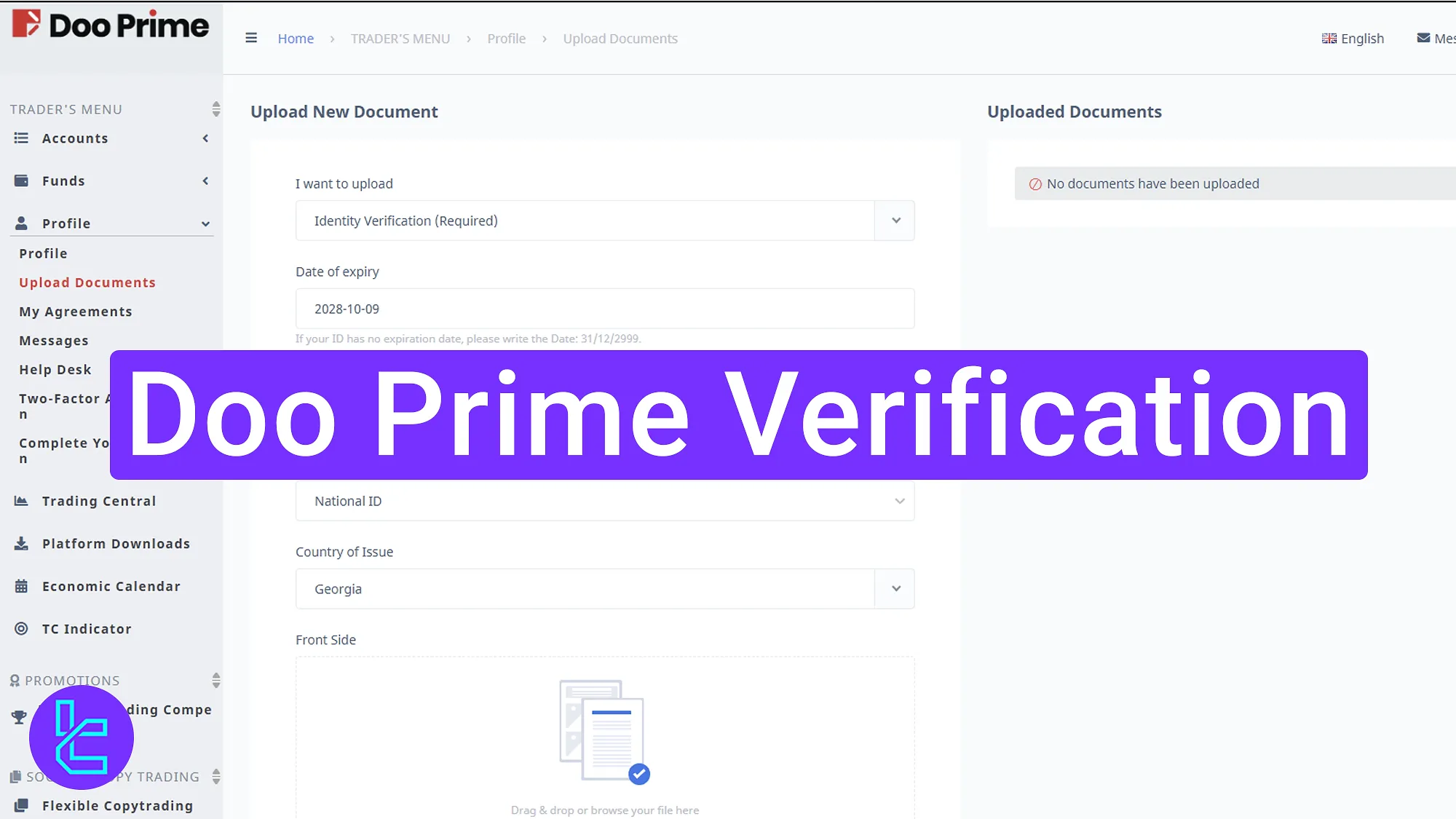
Step-by-step Doo Prime KYC process
By using the steps below, you can complete Doo Prime broker KYC in minutes. Doo Prime verification:
- Accessing the “Profile” and “Upload Documents” sections;
- Submitting ID card information and document type selection;
- Choosing and uploading proof of address document;
- Checking the KYC account status.
The following documents are required during the account authentication process.
Verification Requirement | Yes/No |
Full Name | No |
Country of Residence | Yes |
Date of Birth Entry | No |
Phone Number Entry | No |
Residential Address Details | Yes |
Phone Number Verification | No |
Document Issuing Country | Yes |
ID Card (for POI) | Yes |
Driver’s License (for POI) | Yes |
Passport (for POI) | Yes |
Residence Permit (for POI or POA) | Yes |
Utility Bill (for POA) | Yes |
Bank Statement (for POA) | Yes |
2-Factor Authentication | No |
Biometric Face Scan | No |
Financial Status Questionnaire | No |
Trading Knowledge Questionnaire | No |
Restricted Countries | Yes |
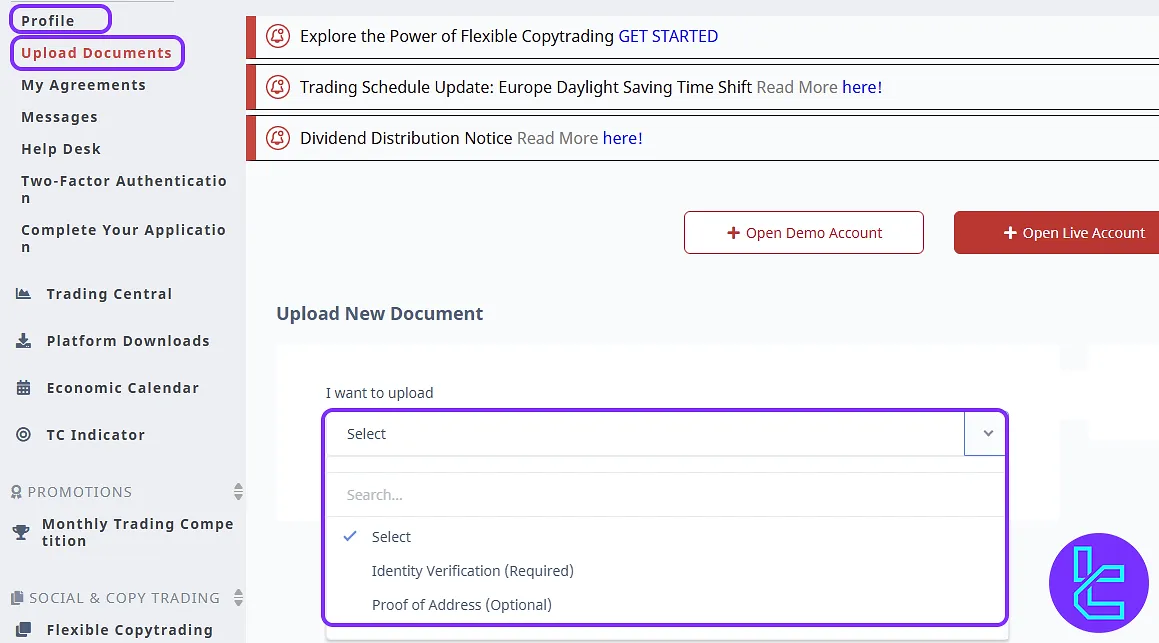
#1 Enter “Profile” and Select “Upload Documents”
To begin this process, follow the steps below:
- Navigate to your Doo Prime dashboard;
- Click on "Upload Documents" to begin the Doo Prime validation
#2 Upload the Proof of ID Document
Provide the necessary details:
- Document number
- Expiration date
- Document type
- Country of Issue
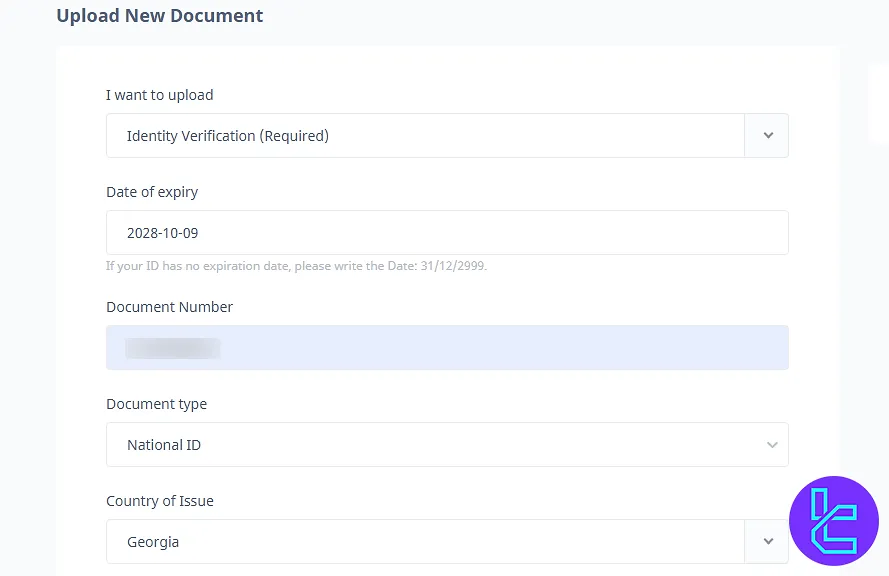
Traders can use one of the following documents to verify their accounts:
- National ID
- Passport
- Driver’s license
- Residence permit
- Social security card
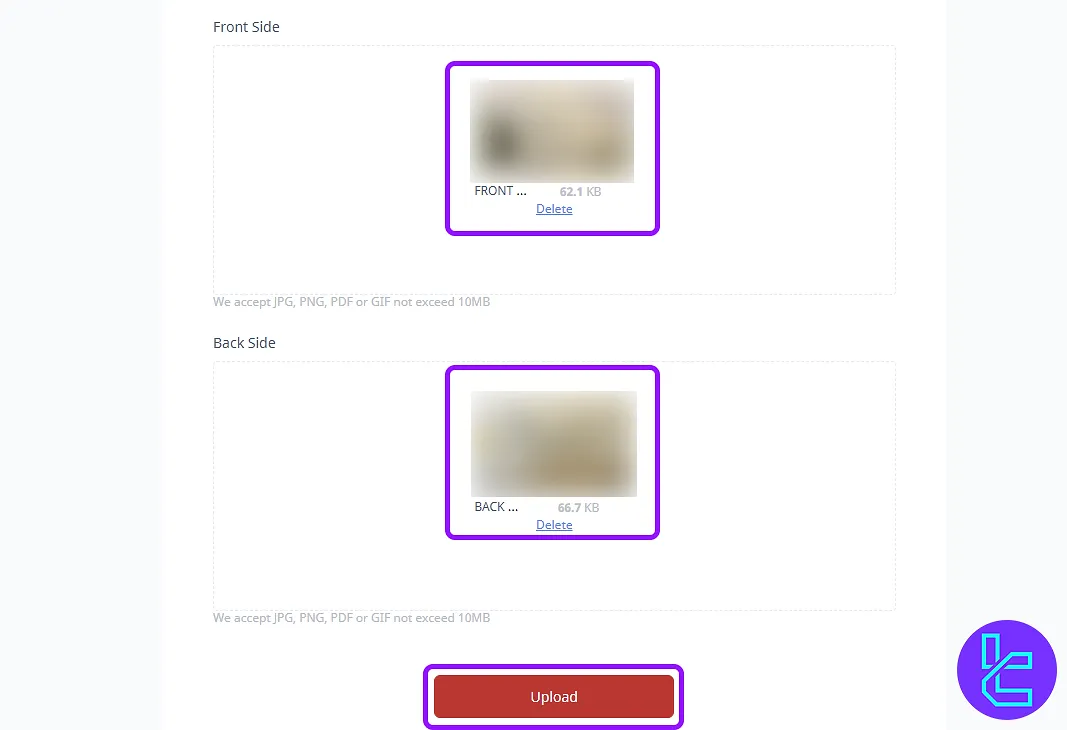
Click on the “Upload” buttons to submit high-quality photos of your documents front and back. Make sure the images are clear and readable. Then, click on the "Upload" button.
#3 Select Proof of Address
Return to the upload section and choose "Proof of Address". Select the appropriate document (e.g., utility bill), and enter your country, city, and your full address with postal code.
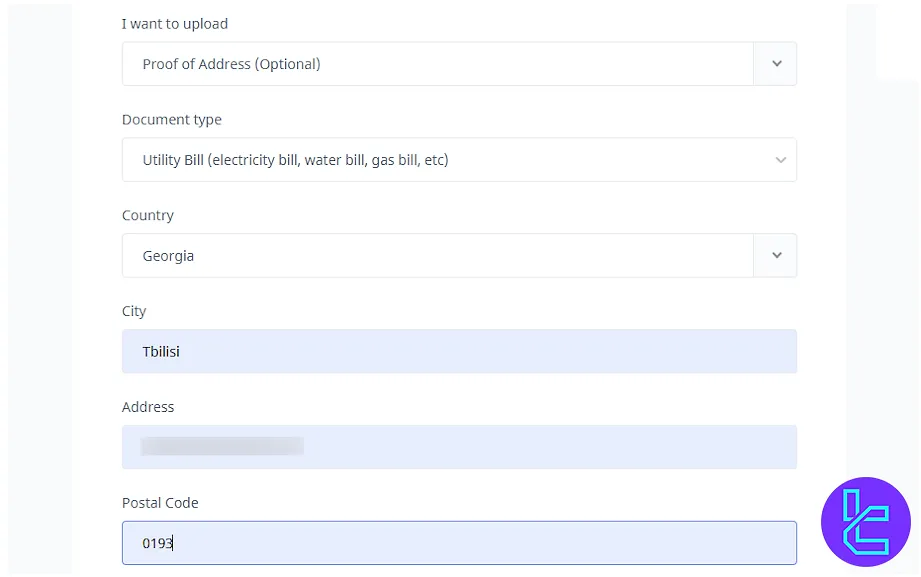
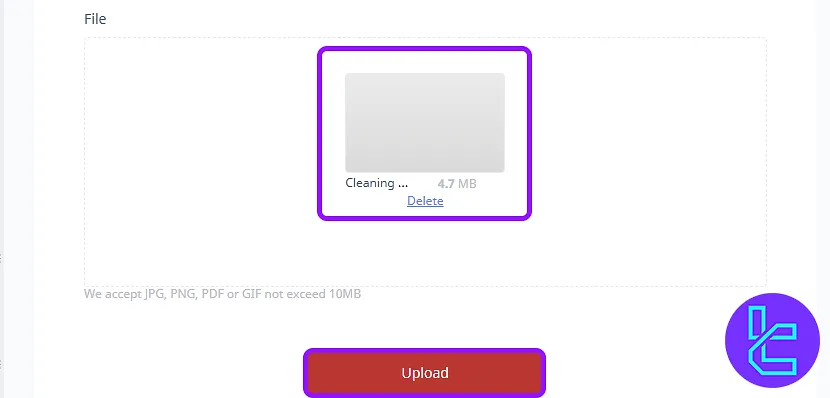
Now upload a document that proves your address (must be dated within the last 6 months). Then click on the "Upload" button.
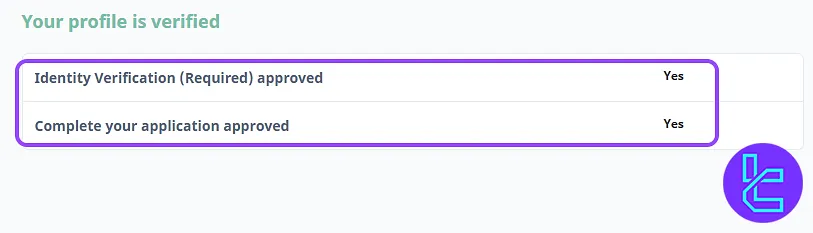
#4 Check KYC Status in Profile
Return to the profile section to check if your documents are under review. The broker generally reviews your documents within 1 hour
Doo Prime Verification in Comparison to Other Brokers
The table below outlines the defferences in the required documents to verify your account with Doo Prime and 3 other brokers.
Verification Requirement | Doo Prime Broker | |||
Full Name | No | Yes | Yes | No |
Country of Residence | Yes | No | Yes | No |
Date of Birth Entry | No | Yes | Yes | No |
Phone Number Entry | No | No | No | No |
Residential Address Details | Yes | Yes | Yes | No |
Phone Number Verification | No | Yes | No | No |
Document Issuing Country | Yes | Yes | Yes | No |
ID Card (for POI) | Yes | Yes | Yes | Yes |
Driver’s License (for POI) | Yes | Yes | Yes | Yes |
Passport (for POI) | Yes | Yes | Yes | Yes |
Residence Permit (for POI or POA) | Yes | Yes | Yes | No |
Utility Bill (for POA) | Yes | No | Yes | Yes |
Bank Statement (for POA) | Yes | No | Yes | Yes |
2-Factor Authentication | No | No | No | No |
Biometric Face Scan | No | No | Yes | No |
Financial Status Questionnaire | No | Yes | No | Yes |
Trading Knowledge Questionnaire | No | Yes | Yes | No |
Restricted Countries | Yes | Yes | Yes | Yes |
TF Expert Suggestion
Doo Prime verification can be completed in just 4 simple steps using valid identification and residential documents.
Accepted POI documents include a passport, driving license, residence permit, social security card, or national ID, After completing KYC, you can check the different types of Doo Prime deposit and withdrawal methods by visiting the Doo Prime tutorial page to fund your account.






