












FXCess verification is a mandatory 4-step process that unlocks full access to deposits, withdrawals, and trading. Users need to upload valid proof of identity (POI) and proof of address (POA) documents.
Verifying your FXCess account also provides access to PMAM accounts, which allows you to control multiple accounts on the MetaTrader 4 at the same time.
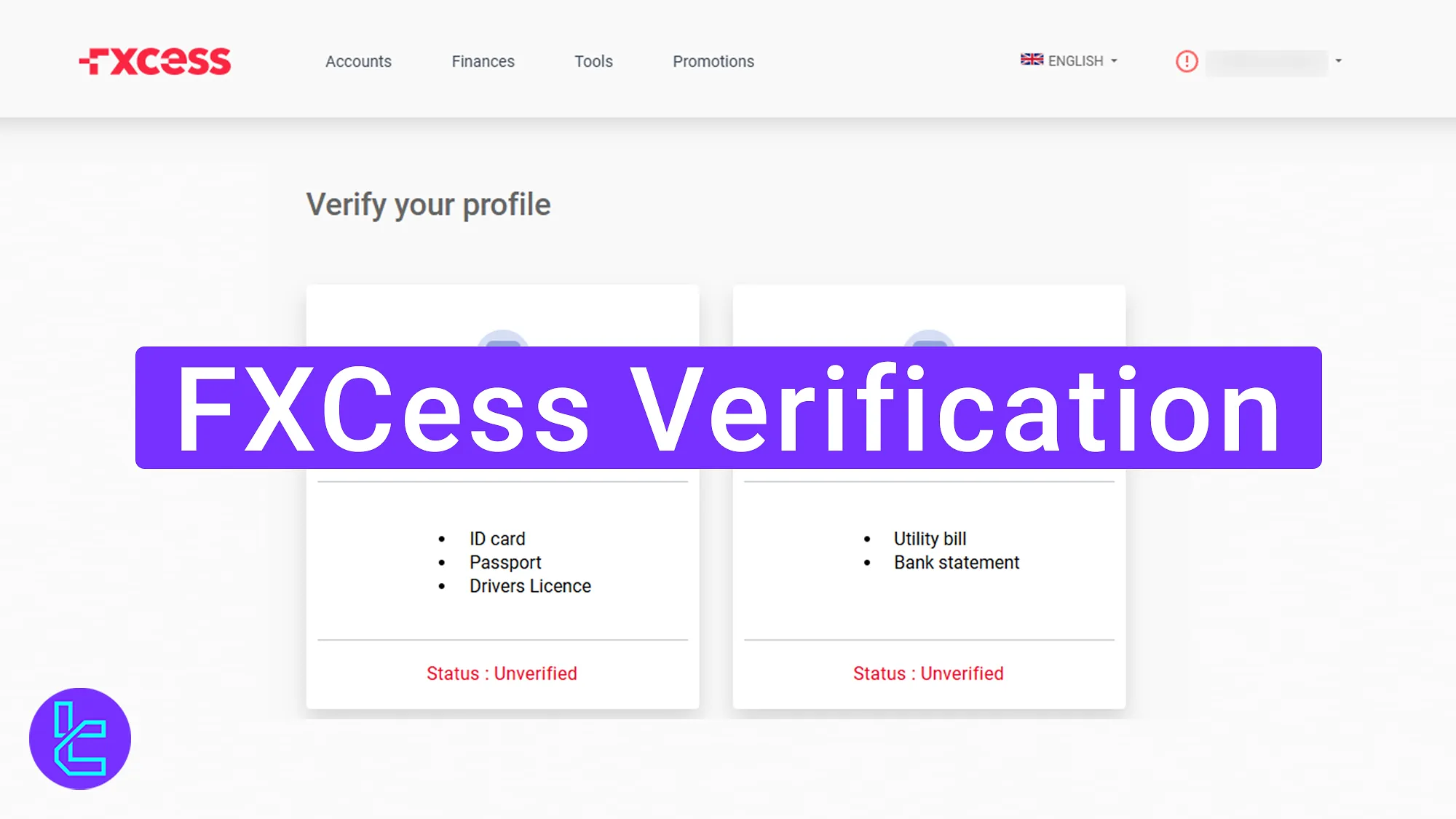
FXCess KYC Process Overview
After completing the FXCess registration, follow these four essential steps to activate all financial features in the FXCess broker.
FXCess Verification key steps:
- Access the "Verify Profile" section;
- Upload identity confimation documents;
- Provide proof of address documents;
- Check account status via the "Client Status".
Ensure you have the following documents to experience a seamless user authentication process.
Verification Requirement | Yes/No |
Full Name | Yes |
Country of Residence | Yes |
Date of Birth Entry | Yes |
Phone Number Entry | No |
Residential Address Details | Yes |
Phone Number Verification | No |
Document Issuing Country | Yes |
ID Card (for POI) | Yes |
Driver’s License (for POI) | Yes |
Passport (for POI) | Yes |
Residence Permit (for POI or POA) | Yes |
Utility Bill (for POA) | Yes |
Bank Statement (for POA) | Yes |
2-Factor Authentication | No |
Biometric Face Scan | No |
Financial Status Questionnaire | No |
Trading Knowledge Questionnaire | No |
Restricted Countries | Yes |
#1 Accessing the FXCess KYC Section
To begin this process, follow these steps:
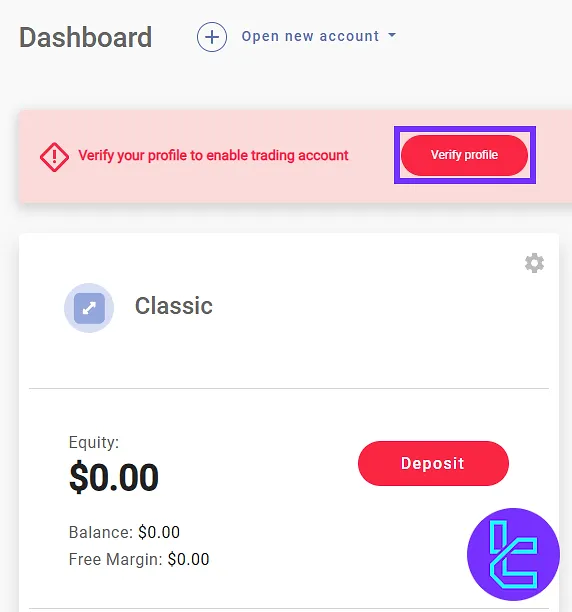
- Log in to the FXCess dashboard;
- Click on the "Verify Profile".
#2 Uploading Identity Confirmation Documents
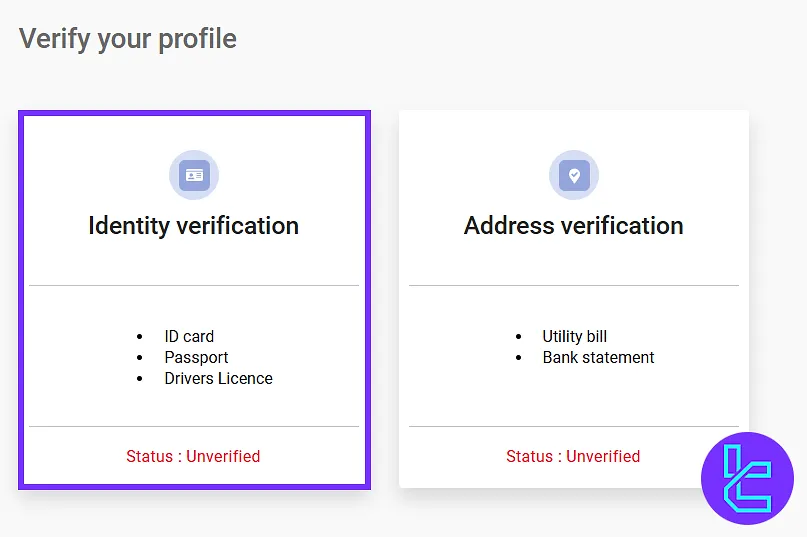
First, click on the "Identity Verification" section to provide personal details.
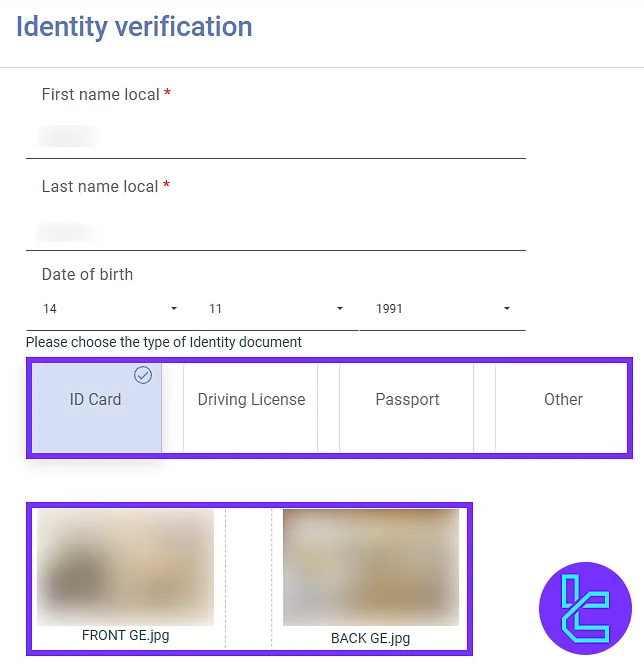
Enter your first and last name in your local language, your date of birth, and select the document type. Accepted identity documents include:
- National ID card
- Passport
- Driver’s license
Upload a clear image of your selected identity document to proceed.
#3 Uploading Proof of Address Documents
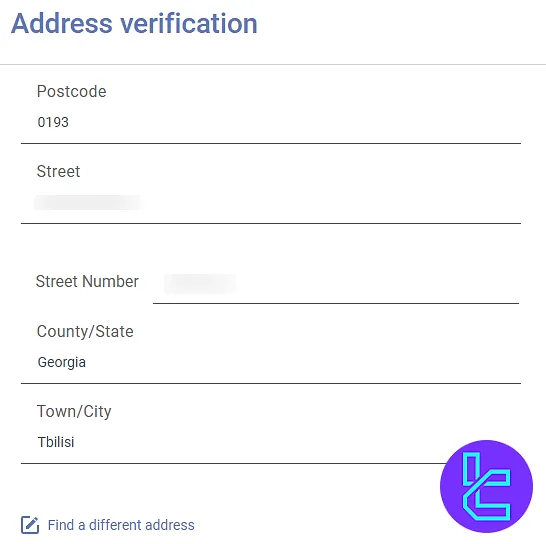
Click on "Address Verification" option to proceed to address confirmation. Enter your full address, including street number, house number, postal code, etc.
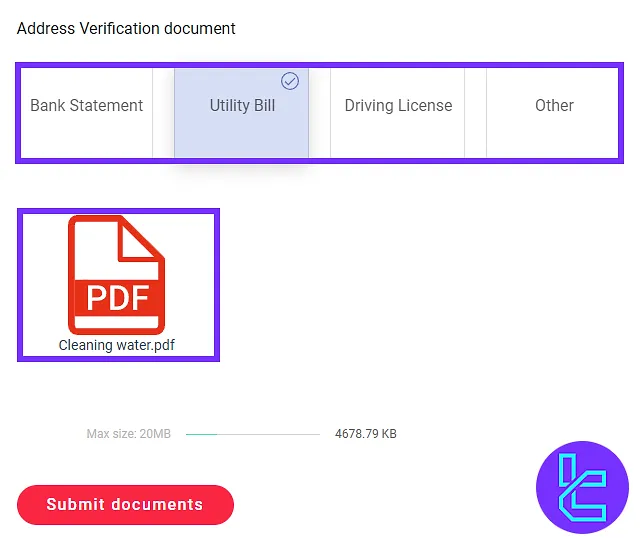
Next, select the proof of address document from the following options:
- Utility bill
- Bank statement
- Driver’s license
- Additional valid documents
Upload the selected document and click "Submit Documents".
#4 Checking FXCess Authentication Status
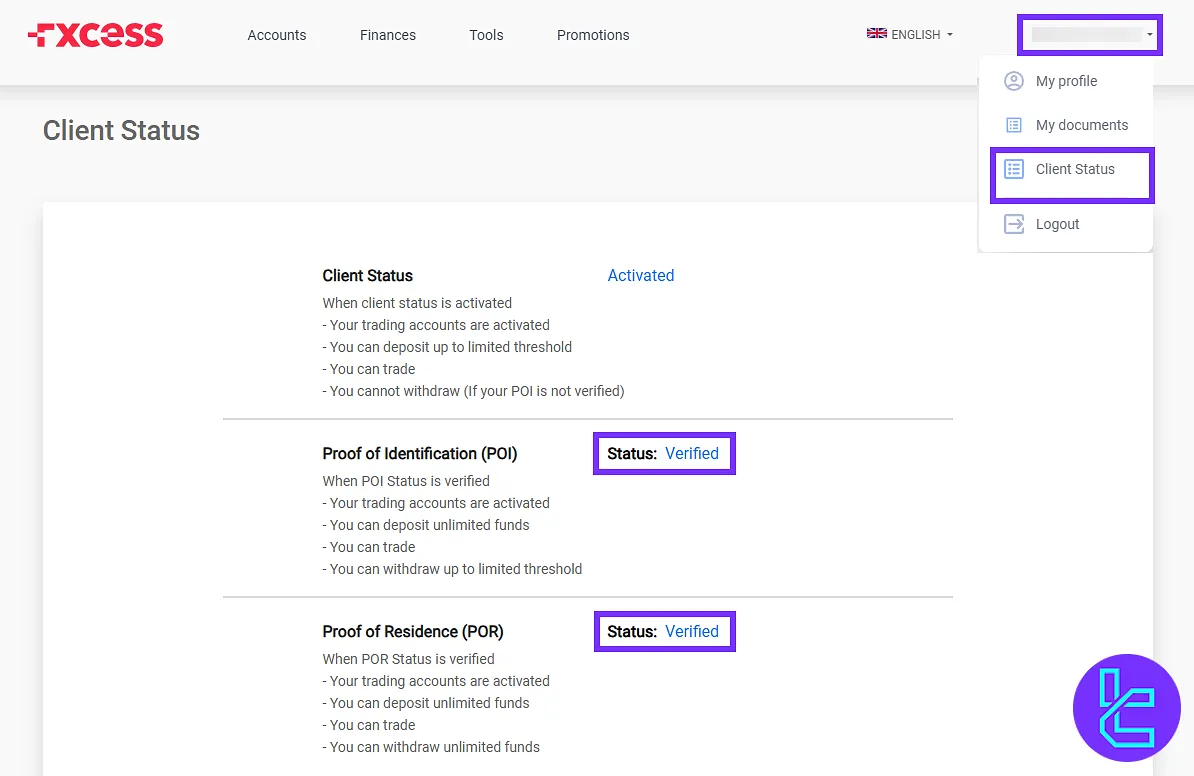
After submitting documents, go to the dashboard and click on "Profile". Then, select "Client Status" to check the authentication status and confirm account approval.
FXCess KYC vs Other Forex Brokers
The following table offers a comparison of the required documents during the KYC process in FXCess and 3 other brokers.
Verification Requirement | FXCess Broker | |||
Full Name | Yes | Yes | No | Yes |
Country of Residence | Yes | Yes | No | No |
Date of Birth Entry | Yes | Yes | No | No |
Phone Number Entry | No | Yes | No | No |
Residential Address Details | Yes | Yes | No | No |
Phone Number Verification | No | No | No | No |
Document Issuing Country | Yes | Yes | Yes | No |
ID Card (for POI) | Yes | Yes | Yes | Yes |
Driver’s License (for POI) | Yes | Yes | Yes | Yes |
Passport (for POI) | Yes | Yes | Yes | Yes |
Residence Permit (for POI or POA) | Yes | Yes | Yes | Yes |
Utility Bill (for POA) | Yes | No | Yes | Yes |
Bank Statement (for POA) | Yes | No | Yes | Yes |
2-Factor Authentication | No | No | No | No |
Biometric Face Scan | No | No | No | No |
Financial Status Questionnaire | No | Yes | No | No |
Trading Knowledge Questionnaire | No | Yes | No | No |
Restricted Countries | Yes | Yes | Yes | Yes |
TF Expert Suggestion
The FXCess verification process takes less than 10 minutes when users have their documents prepared in advance.
The required documents include a proof of identity (ID card, passport, or driver’s license) and proof of residence (utility bill, bank statement, or driver’s license), dated within the last 3-6 months.
With a fully approved account, users can manage their funds by utilizing various FXCess deposit and withdrawal methods. Comprehensive instructions for these financial transactions are available on the FXCess tutorial page.






