












OnFin verification takes approximately 1 working day and involves verifying identity, address, and payment method. An ID card and a recent bank statement or utility bill are required for proof of residence.
After verification, traders can use various cryptocurrencies, such as Bitcoin and USDT (on TRC-20, ERC-20, plus local payment options to cash out their profits.
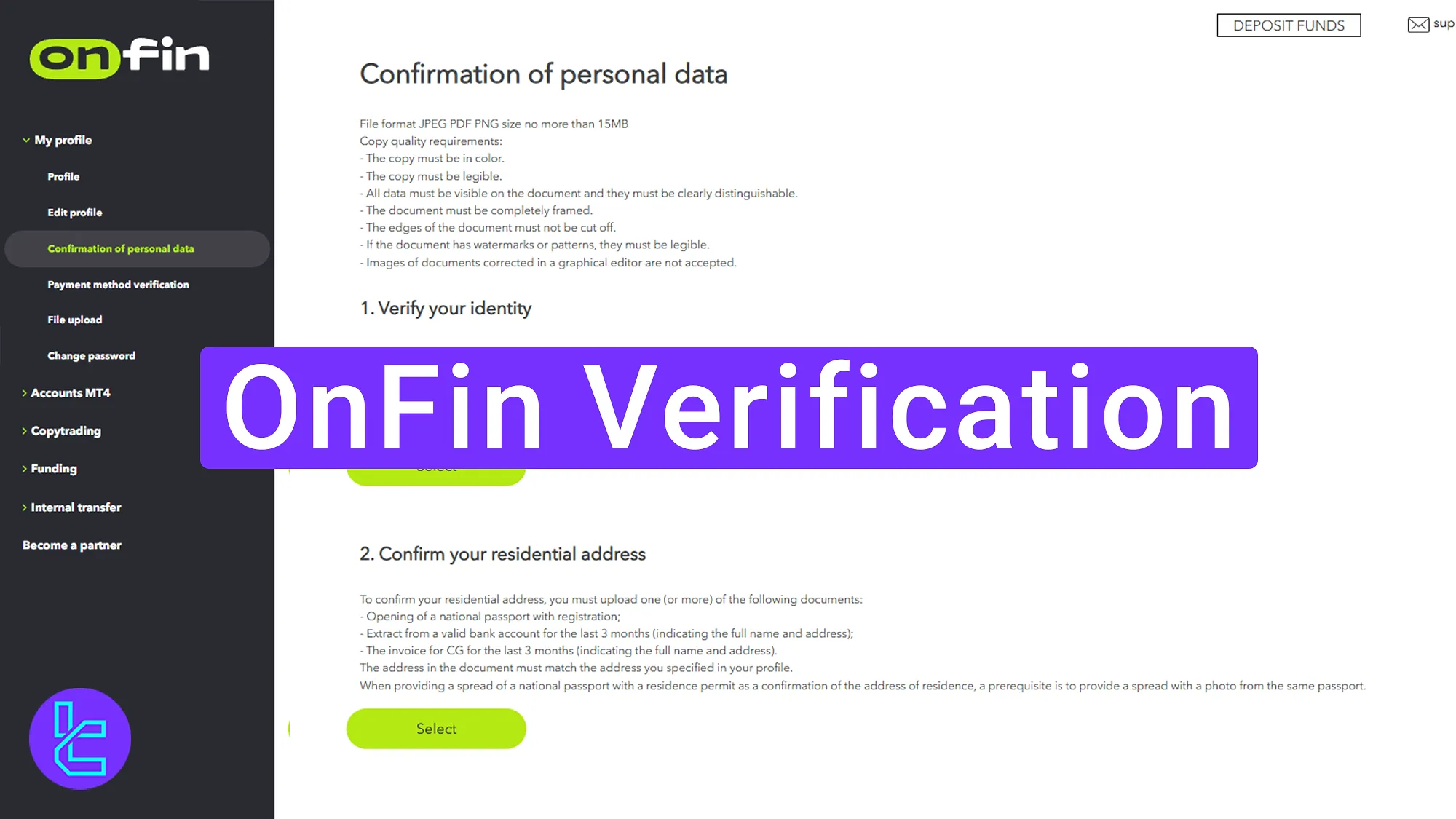
OnFin User Authentication Process: Step-by-Step Guide
OnFin broker KYC is a mandatory process that traders must complete to become eligible for deposits and withdrawals.
OnFin KYC overview:
- Accessing the verification section in the dashboard;
- Submitting identity and address authentication documents;
- Confirming the payment method.
Here's what you need to verify your account in the OnFin broker.
Verification Requirement | Yes/No |
Full Name | Yes |
Country of Residence | No |
Date of Birth Entry | No |
Phone Number Entry | No |
Residential Address Details | No |
Phone Number Verification | No |
Document Issuing Country | No |
ID Card (for POI) | Yes |
Driver’s License (for POI) | Yes |
Passport (for POI) | Yes |
Residence Permit (for POI or POA) | Yes |
Utility Bill (for POA) | Yes |
Bank Statement (for POA) | Yes |
2-Factor Authentication | No |
Biometric Face Scan | No |
Financial Status Questionnaire | No |
Trading Knowledge Questionnaire | No |
Restricted Countries | Yes |
#1 Accessing the Verification Section
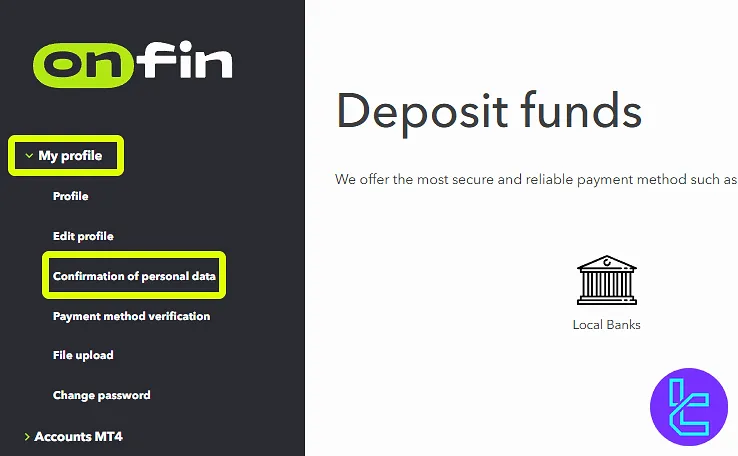
Navigate to the profile section in the OnFin dashboard and click on "Confirmation of Personal Data" to start the KYC process.
#2 Upload Identity and Address Documents
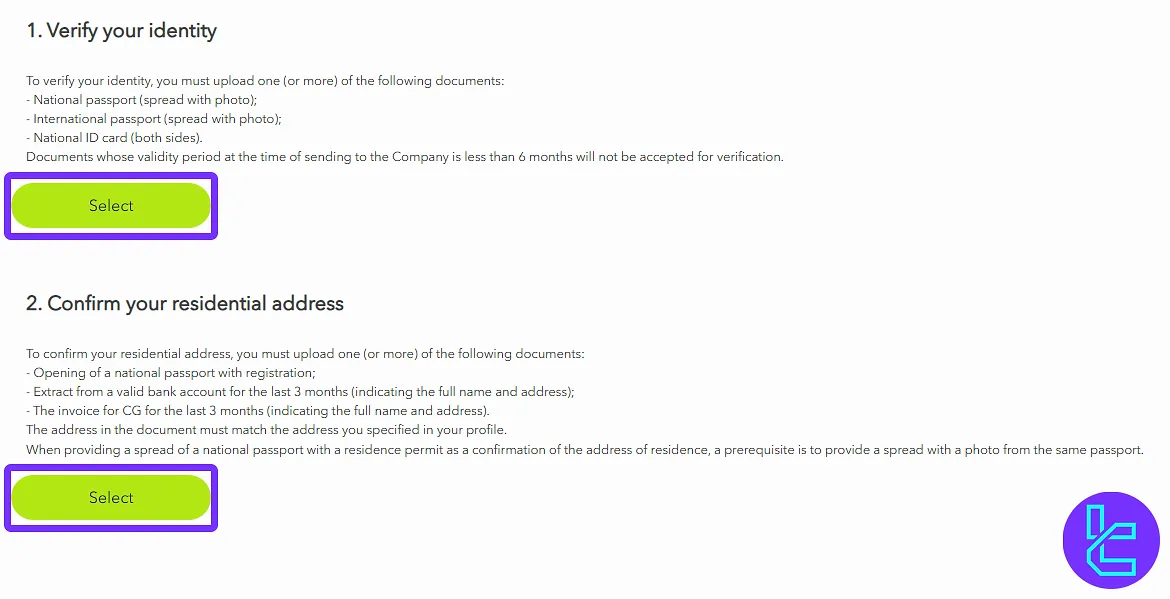
To complete identity verification, upload a clear front and back photo of the ID card.
For address confirmation, submit a bank statement or utility bill issued within the last 3 months and click "Submit for Review".
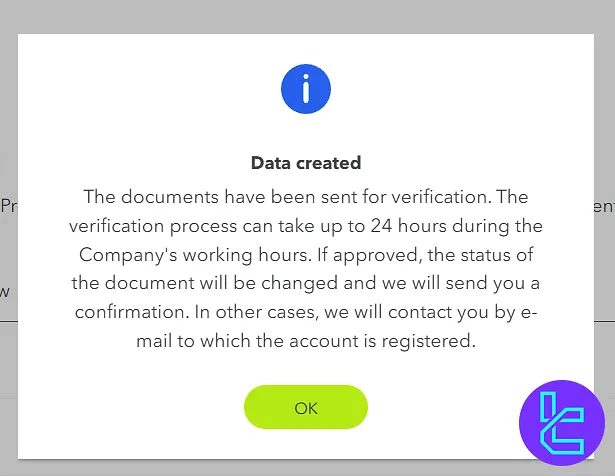
Once submitted, a notification will confirm that the documents are under review.
#3 Confirm Payment Method
Go to the payment method verification section and select "Electronic Wallet Verification". Upload a screenshot of the e-wallet and click "Submit for Review".
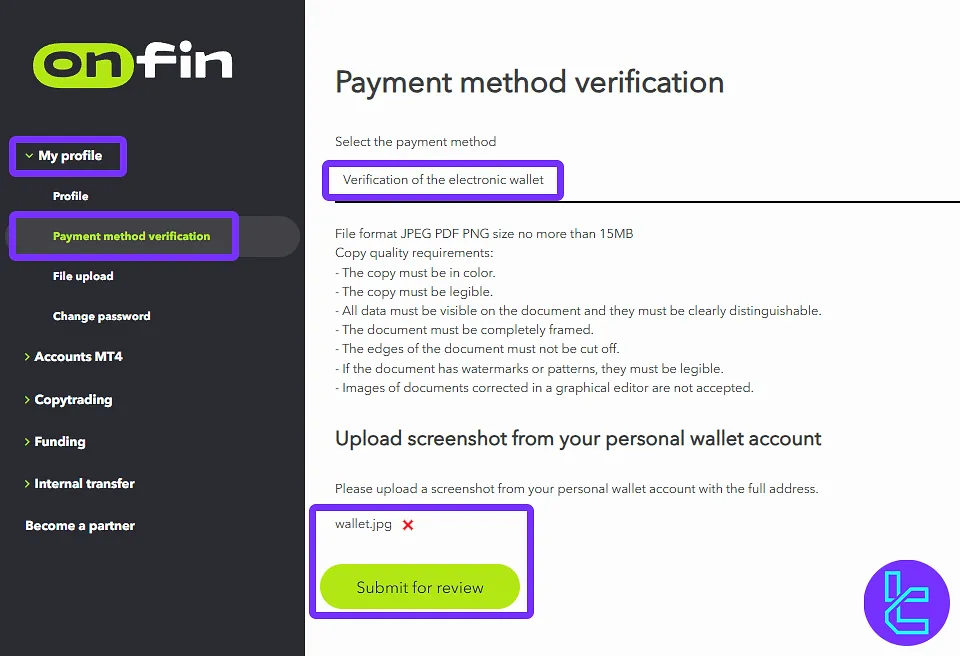
Once submitted, a notification will confirm that the payment authentication request is being reviewed. After successful verification, the OnFin dashboard will display "Verified Account Status".

OnFin Account Verification Documents vs Other Brokers
Traders can understand what are the differences in the required documents for account verification in OnFin and 3 other brokers.
Verification Requirement | OnFin Broker | |||
Full Name | Yes | Yes | No | No |
Country of Residence | No | Yes | No | No |
Date of Birth Entry | No | No | No | No |
Phone Number Entry | No | No | No | No |
Residential Address Details | No | No | Yes | No |
Phone Number Verification | No | No | No | No |
Document Issuing Country | No | Yes | Yes | Yes |
ID Card (for POI) | Yes | Yes | Yes | Yes |
Driver’s License (for POI) | Yes | Yes | Yes | Yes |
Passport (for POI) | Yes | Yes | Yes | Yes |
Residence Permit (for POI or POA) | Yes | Yes | Yes | Yes |
Utility Bill (for POA) | Yes | Yes | Yes | Yes |
Bank Statement (for POA) | Yes | Yes | Yes | Yes |
2-Factor Authentication | No | No | No | No |
Biometric Face Scan | No | No | No | No |
Financial Status Questionnaire | No | No | No | No |
Trading Knowledge Questionnaire | No | No | Yes | No |
Restricted Countries | Yes | Yes | Yes | Yes |
TF Expert Suggestion
The OnFin verification process consists of 3 essential steps, including identity confirmation, address verification, and payment method confirmation.
Documents must be issued within the last 3 months to avoid rejection. The final step requires submitting electronic wallet details to complete the process.
Now that you have a verified account, you can use one of the OnFin deposit and withdrawal methods to fund your account. For more information, visit the OnFin tutorial page.






