












FXGlobe verification process takes just 10 minutes to complete. Fill in your personal and contact information, upload a valid proof of identity and proof of address, and wait for the broker to review your documents and verify your account.
Besides increasing your account security, completing the FXGlobe account authentication allows you to access multiple withdrawal methods, including SEPA, SWIFT, MasterCard, Visa, cryptocurrencies, Skrill, and Neteller.
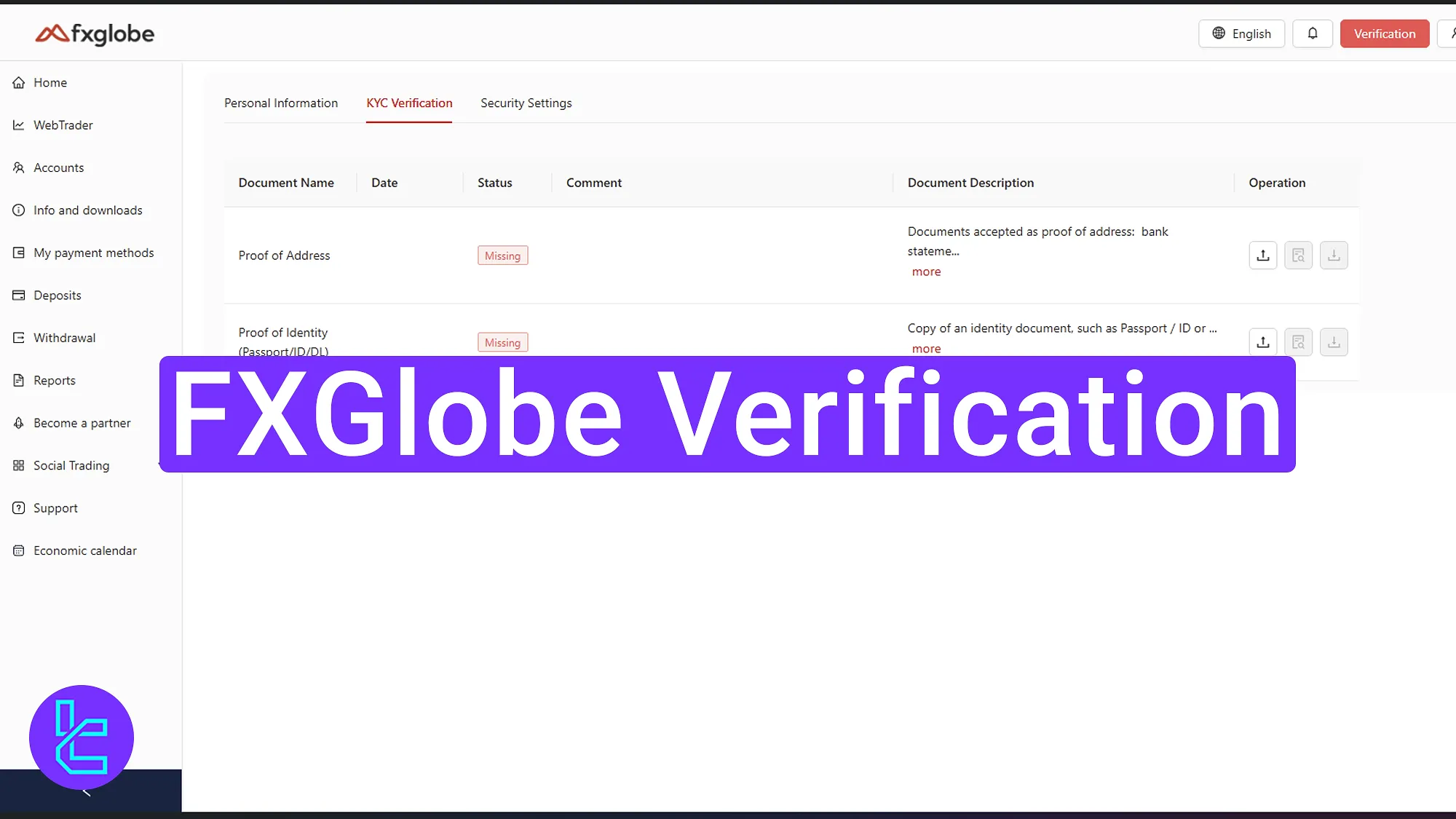
Overview of the FXGlobe User Approval Process
After completing your FXGlobe registration, you must provide the necessary documents to verify your FXGlobe broker account.
FXGlobe verification steps:
- Log in and access to the KYC section;
- Enter personal details;
- Upload a valid ID card and proof of address;
- Check the validation status.
Use the following table to confirm that you have all the necessary documents and information to verify your FXGlobe account.
Verification Requirement | Yes/No |
Full Name | Yes |
Country of Residence | Yes |
Date of Birth Entry | Yes |
Phone Number Entry | Yes |
Residential Address Details | Yes |
Phone Number Verification | No |
Document Issuing Country | Yes |
ID Card (for POI) | Yes |
Driver’s License (for POI) | Yes |
Passport (for POI) | Yes |
Residence Permit (for POI or POA) | Yes |
Utility Bill (for POA) | Yes |
Bank Statement (for POA) | Yes |
2-Factor Authentication | No |
Biometric Face Scan | No |
Financial Status Questionnaire | Yes |
Trading Knowledge Questionnaire | No |
Restricted Countries | Yes |
#1 Start Your FXGlobe Validation Process
Begin this process by following the steps below:
- log in to your FXGlobe dashboard;
- Click on the "Verification" option;
- Select "Address and personal info".
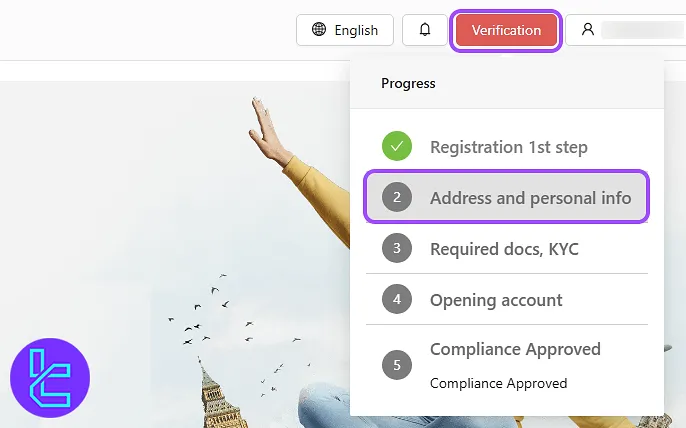
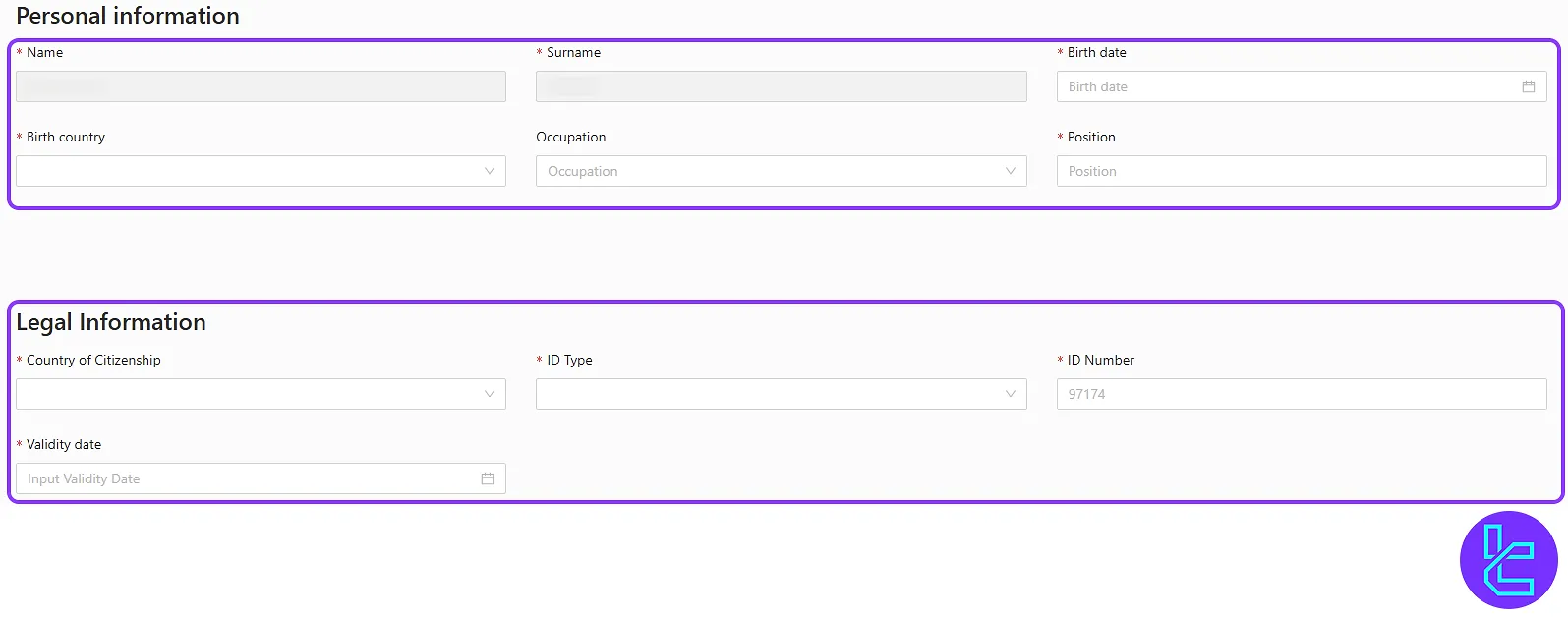
#2 Fill in Personal Information
In this step, rnter the personal information listed below:
- First name
- Last name
- Date of birth
- Country of birth
- Occupation
- Employment status
Then, select the document type you will upload from the available options, such as a government-issued ID card, driver’s license, or passprt. Input the country of residence, the ID number, and the expiration date, and double-check all details to avoid delays.
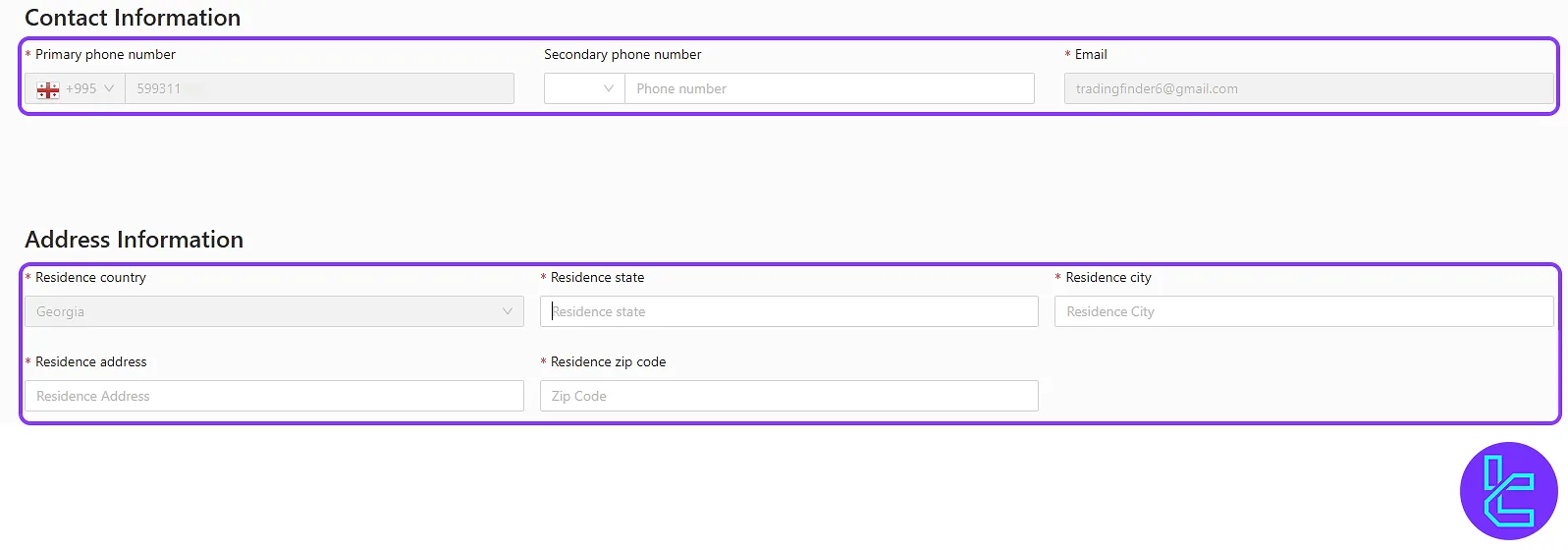
In the last part, enter the contact number, including primary and secondary phone numbers, email, and complete address.
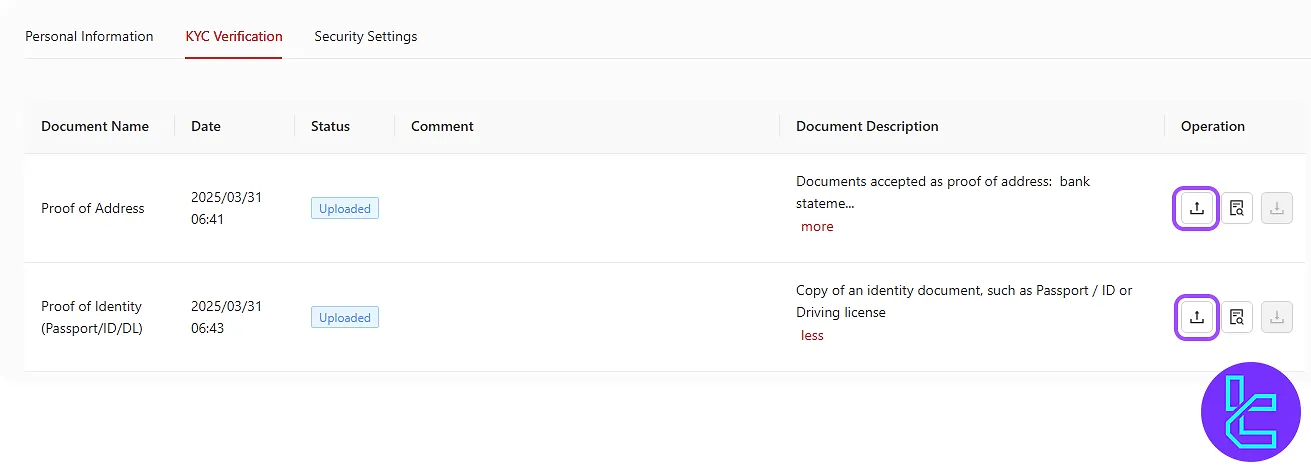
#3 Upload Proof of Address
In the "KYC Verification" section, upload one of the following documents:
- bank statement
- Utility bill
The document must be dated within the last six months. Finally, upload a clear photo of the front and back of your chosen ID card.
#4 Track Your Authentication Status
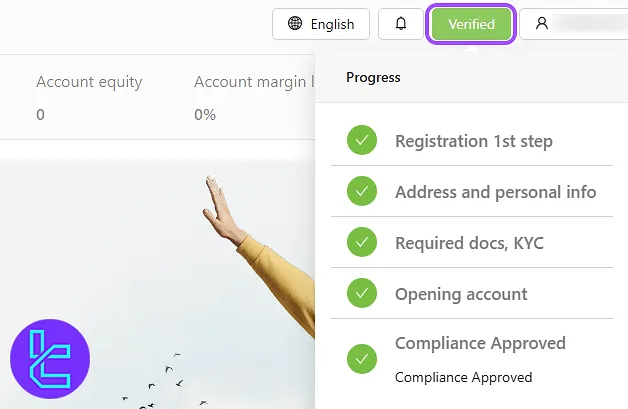
Once you've submitted your documents, you can easily check the progress of your application by navigating to the "Verification" tab.
FXGlobe KYC vs Other Forex Brokers
Below, you can find a comparison of the documents needed to open an account with FXGlobe and other Forex brokers.
Verification Requirement | FXGlobe Broker | |||
Full Name | Yes | Yes | No | No |
Country of Residence | Yes | Yes | Yes | No |
Date of Birth Entry | Yes | Yes | Yes | No |
Phone Number Entry | Yes | Yes | No | No |
Residential Address Details | Yes | Yes | Yes | Yes |
Phone Number Verification | No | No | No | No |
Document Issuing Country | Yes | Yes | Yes | No |
ID Card (for POI) | Yes | Yes | Yes | Yes |
Driver’s License (for POI) | Yes | Yes | Yes | Yes |
Passport (for POI) | Yes | Yes | Yes | Yes |
Residence Permit (for POI or POA) | Yes | Yes | Yes | Yes |
Utility Bill (for POA) | Yes | Yes | Yes | Yes |
Bank Statement (for POA) | Yes | Yes | Yes | Yes |
2-Factor Authentication | No | No | No | No |
Biometric Face Scan | No | No | No | No |
Financial Status Questionnaire | Yes | Yes | Yes | No |
Trading Knowledge Questionnaire | No | No | Yes | No |
Restricted Countries | Yes | Yes | Yes | Yes |
TF Expert Suggestion
FXGlobe verification is a secure, 4-step process that allows traders to verify their identity by uploading a valid passport, national ID card, or driver’s license (POI), and submitting a utility bill or bank statement for proof of address (POA).
Traders can now fund their account using FXGlobe deposit and withdrawal methods mentioned in the FXGlobe tutorial page.






