












IC Markets EU Registration takes about 10 minutes to complete. Provide your Account type, Date of birth, Full address, City, region, postal code, Nationality, and Tax ID Number.
Choose your Platform, Currency, and set a Security question to easily open an account with this broker and trade over 2850 instruments in various markets, such as Forex, stocks, cryptocurrencies, commodities, and indices.
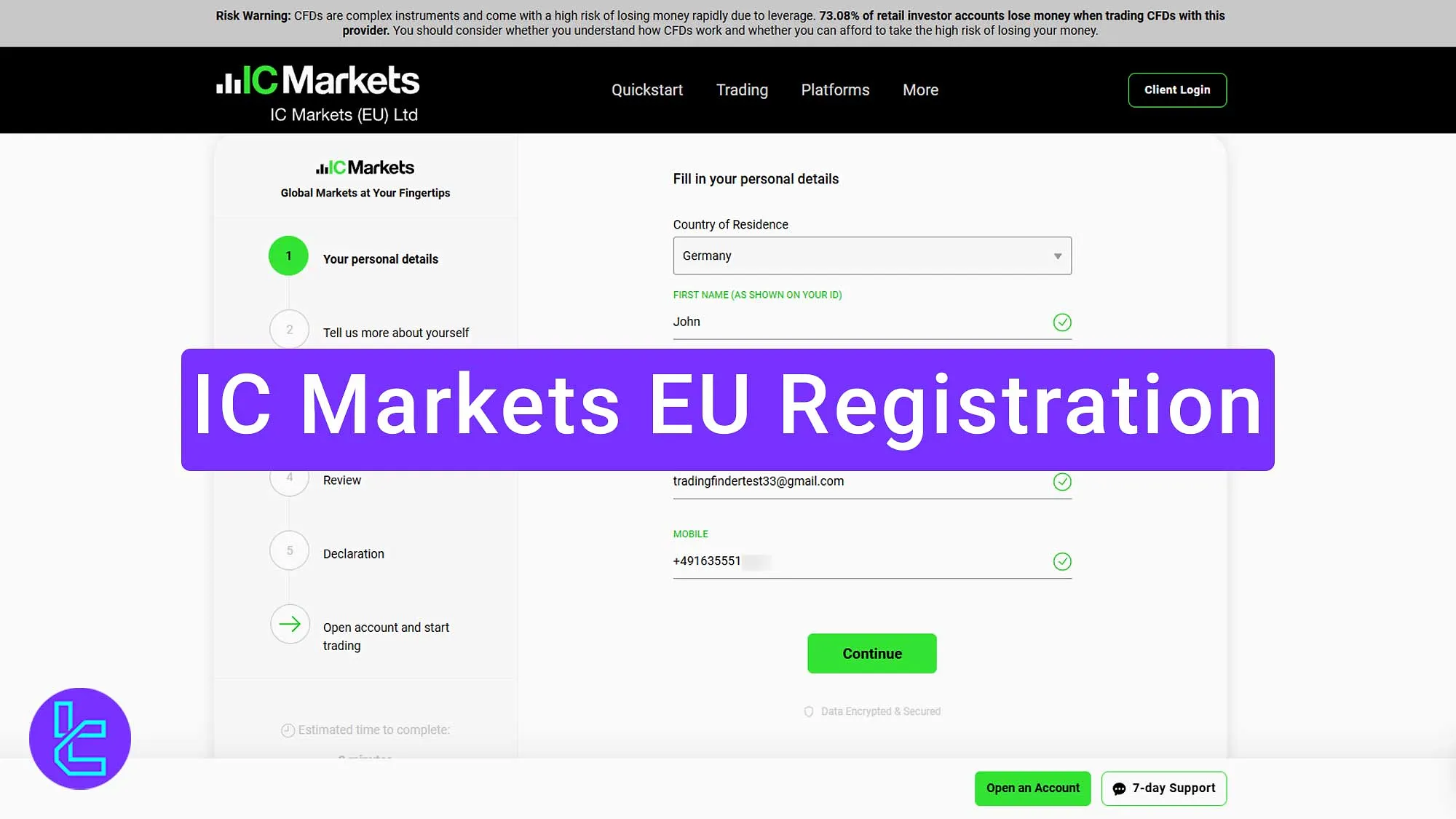
Steps for IC Markets EU Registration
Creating an account for IC Markets EU Broker is simple; IC Markets Signup Process:
- Access the IC Markets signup page;
- Provide your personal information;
- Provide more about yourself (nationality, date of birth, TIN, etc.)
- Set up account preferences (platform, account type, and currency;)
- Review your information;
- Set a security question and confirm terms;
- Choose a password for your account.
The table below helps you understand the information and documents necessary to open an account with IC Markets EU.
Registration Requirements | Yes/No |
Email Sign-up | Yes |
Phone Number Required | Yes |
Google Account Login | No |
Apple ID Login | No |
Facebook Login | No |
Full Name | Yes |
Country of Residence | Yes |
Date of Birth | Yes |
Address Details | Yes |
Email Verification | No |
Phone Number Verification | No |
Financial Status Questionnaire | No |
Trading Experience Questionnaire | No |
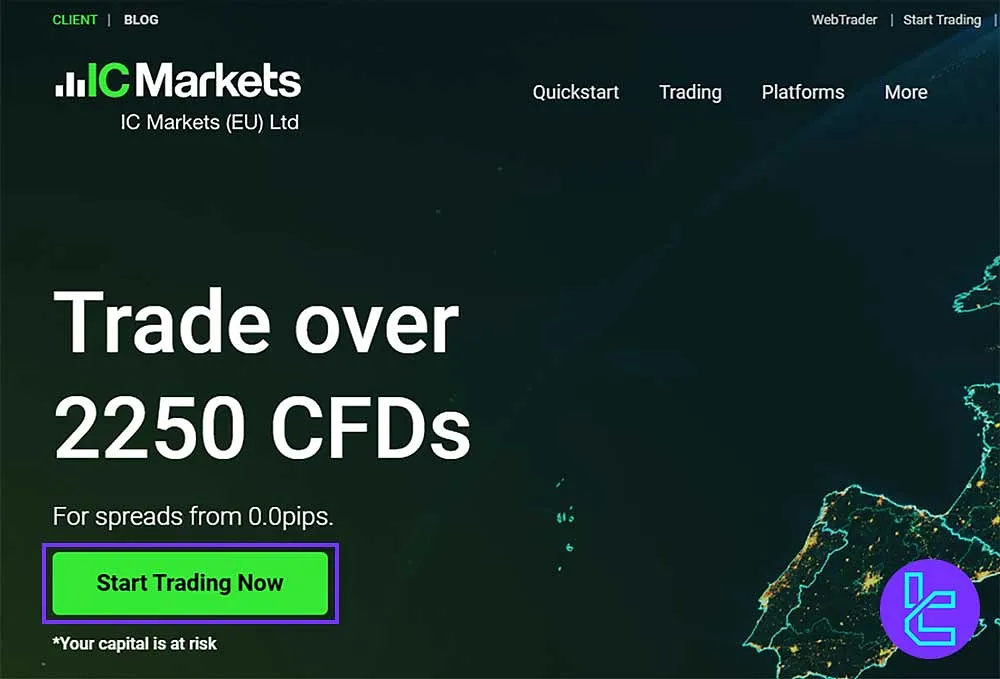
#1 Access the IC Markets Signup Page
Follow these 2 steps and navigate to the registration form:
- Scroll down and click "Open an Account;"
- On the home page, click "Start Trading Now."
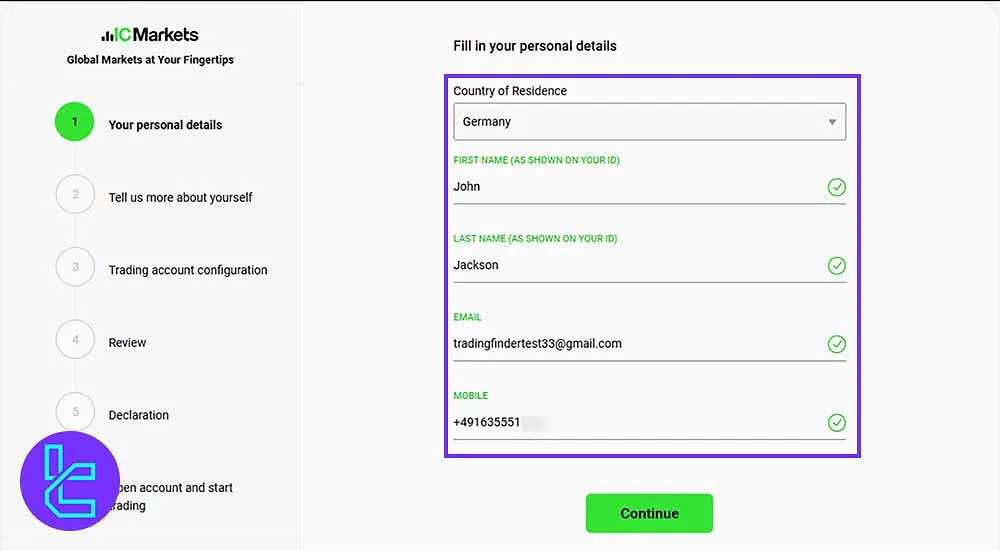
#2 Provide Your Personal Information in IC Markets
In the second step, you need to enter the items below:
- Country
- First and last name
- Email address
- Phone number
Then, click "Continue."
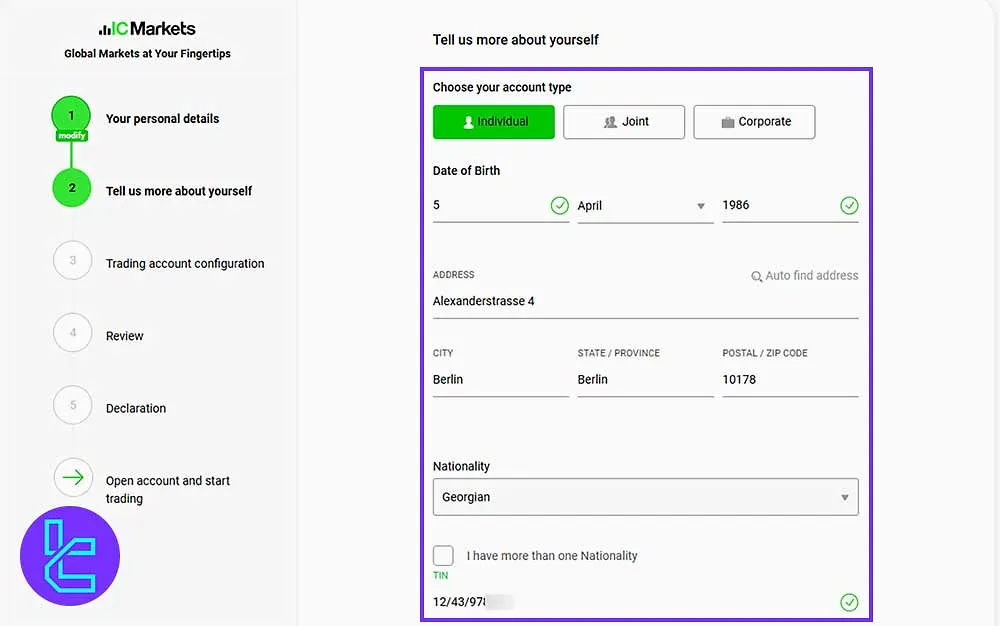
#3 Provide More About Yourself for IC Markets
After that, you should enter the following:
- Account type
- Date of birth
- Full address, city, region, and postal code
- Nationality
- Tax ID Number
Once done, click "Continue."
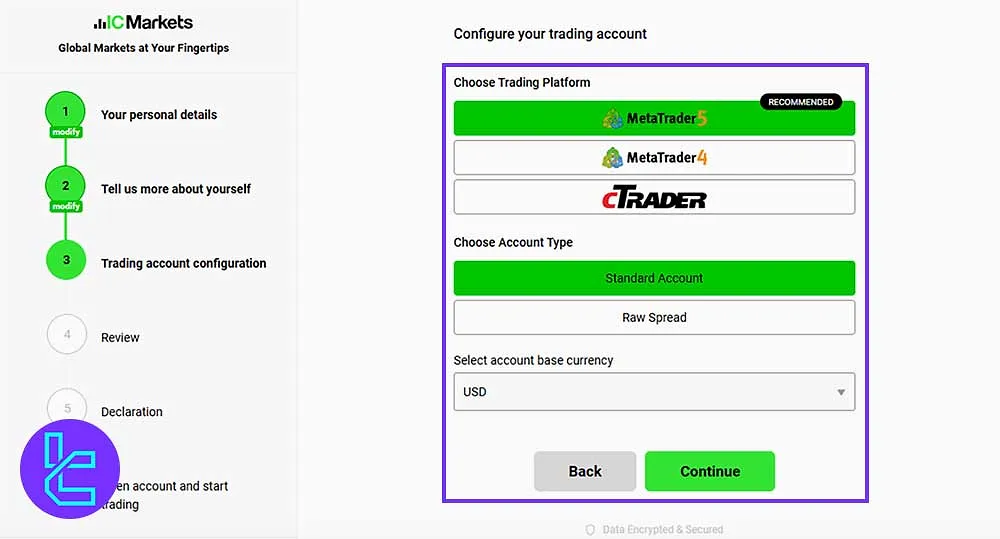
#4 Set Up Your IC Markets Account Preferences
Select your platform, account type, and the currency you are working with. Then, click "Continue."
#5 Review Your Information on IC Markets
Carefully review all the information you have entered. After confirming the details, click "Continue."
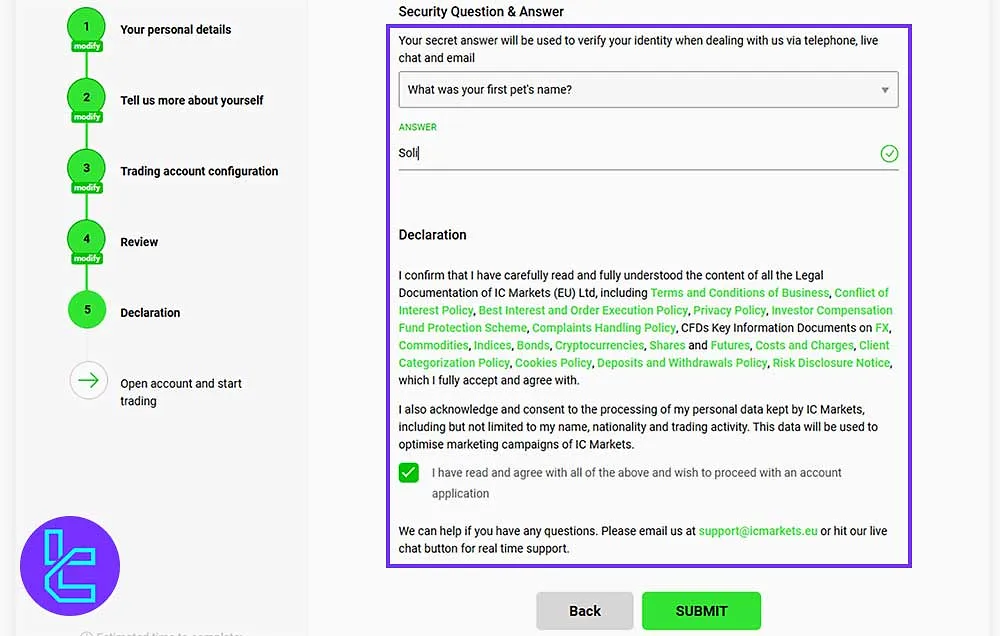
#6 Set a Security Question and Confirm IC Markets Terms
In this step, set a security question for your account, confirm the website's terms by checking the box, and then click "Submit;" Your account login information will be sent to your email.
#7 Secure Your IC Markets Account
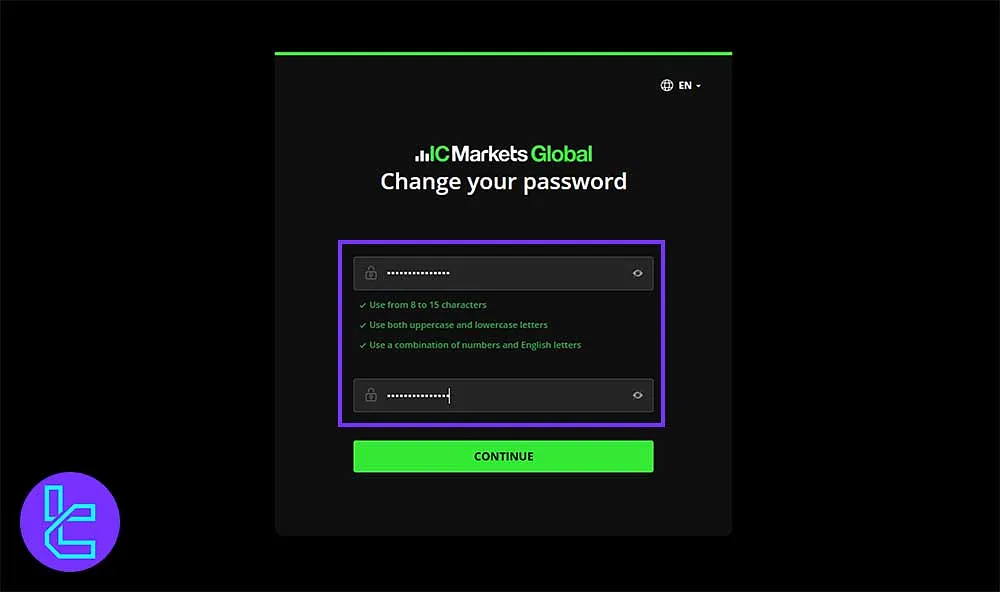
Go to your email, open the message from IC Markets, and click on "Secure Client Area" and follow the instructions:
- Choose a password for your account (it’s recommended to use 8-15 characters including uppercase letters, lowercase letters, numbers, and symbols for security;)
- Confirm the password and click "Continue."
Finally, click "Login" and enter your account by inserting the required information.
IC Markets EU Registration vs Other Brokers
The table below provides a comparison of the necessary information to open an account with IC Markets EU in comparison to other brokers.
Registration Requirements | IC Markets Broker EU | Vantage Broker | Pepperstone Broker | |
Email Sign-up | Yes | Yes | Yes | Yes |
Phone Number Required | Yes | No | Yes | Yes |
Google Account Login | No | Yes | No | No |
Apple ID Login | No | No | No | No |
Facebook Login | No | No | No | No |
Full Name | Yes | Yes | Yes | Yes |
Country of Residence | Yes | Yes | Yes | Yes |
Date of Birth | Yes | Yes | Yes | Yes |
Address Details | Yes | Yes | No | No |
Email Verification | No | No | Yes | Yes |
Phone Number Verification | No | No | No | No |
Financial Status Questionnaire | No | No | No | No |
Trading Experience Questionnaire | No | No | No | No |
Conclusion and Final Words
IC Markets EU Registration is a quick 7-step process. Enter details like Country, First and last name, Email address, and Phone number.
Secure your account through the Secure Client Area by setting a strong 8 to 15-character password with Uppercase letters, Lowercase letters, Numbers, and Symbols.
To move forward, check out the IC Markets EU Verification from our listed guides on the IC Markets EU Tutorials.






