












A MarketsVox Tether TRC20 deposit requires 8 minutes to complete. Open the cash-in section, choose the trading account, pick the currency and USDT option, copy the wallet, and confirm the transaction status.
Once your account top-up is successful, you can begin trading on more than 100 instruments and support trading through MetaTrader 5 (MT5) or WebTrader, which provides features such as social trading/copy trading, MAM/PAMM accounts, and Islamic accounts.
Overview of MarketsVox Tether TRC20 Top-up Steps
Adding funds to your MarketsVox broker account using Tether (USDT) on the Tron network is fast and suitable for beginners.
MarketsVox Tether TRC20 deposit process:
- Open your dashboard and go to the cash-in section;
- Enter the amount and select the currency;
- Choose the crypto option and pick your preferred trading account;
- Select USDT via the TRC20 network;
- Transfer the funds by scanning the QR code or copying the wallet address.
Before using this method, explore the other available funding options.
Payment Method | Tether (TRC20) | Tether (ERC20) | Bitcoin (BTC) | Debit/Credit Card | Bank Transfer | Skrill | Netteler |
Availability | Yes | Yes | Yes | Yes | Yes | Yes | Yes |
Minimum Deposit | $10 | $25 | 0.0001 BTC | $5 | $100 | $5 | $5 |
#1 Access the Funding Section
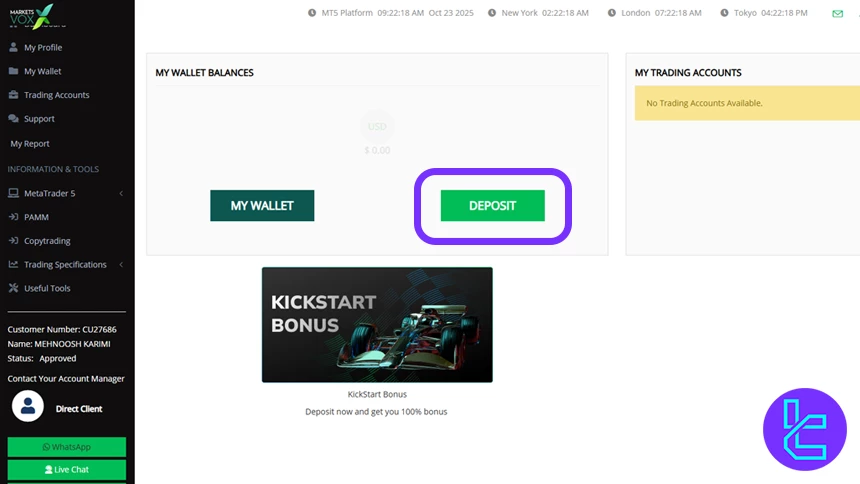
To begin the MarketsVox Tether TRC20 fund process in this MarketsVox tutorial, log in to your trading account and open the main dashboard.
Then, click the "Deposit" option on the platform. This opens the funding page where you can start entering your transaction details.
#2 Select the Currency and Amount
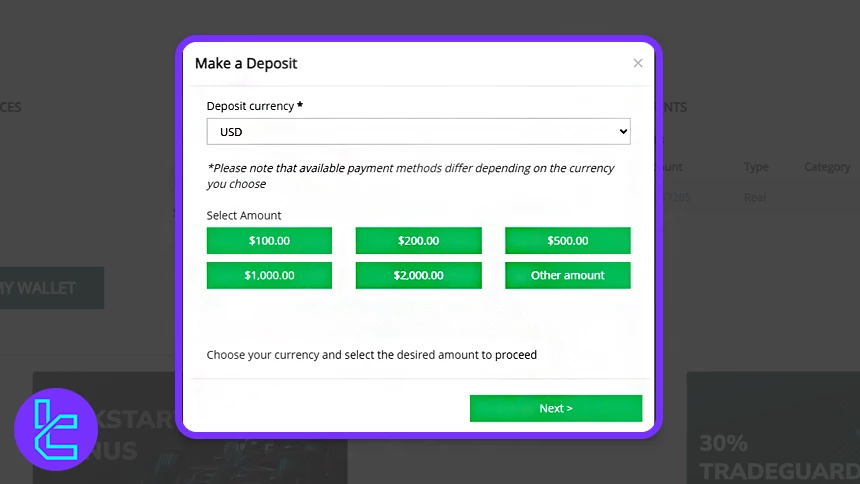
Choose USD as your primary cryptocurrency, then enter the desired amount, such as 100 USDT or any other amount.
#3 Choose Payment Method and Your Trading Account
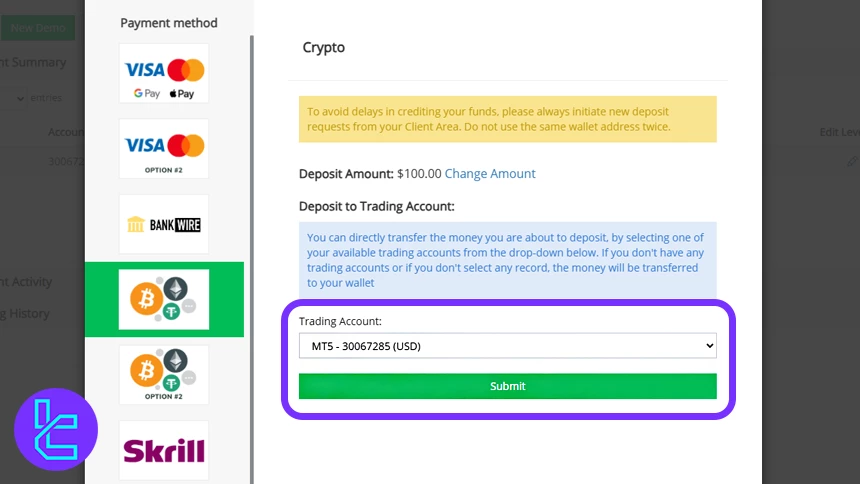
Select a cryptocurrency as the payment method and the trading account you want to fund. This is especially important for users with multiple accounts.
#4 Select USDT and Tron Network
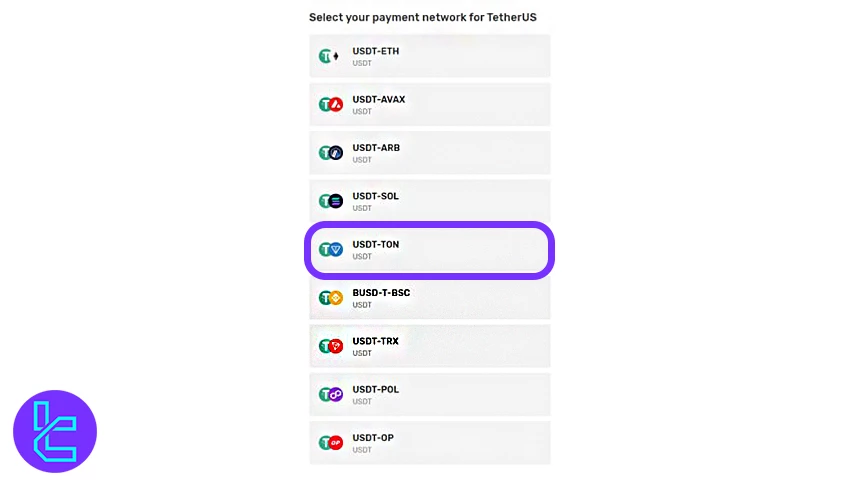
Choose USDT from the list of options. Then, select TRC20 (Tron), which is known for low fees and fast confirmations, making funds efficient. After selection, continue to the payment provider page.
#5 Scan QR or Copy Wallet Address
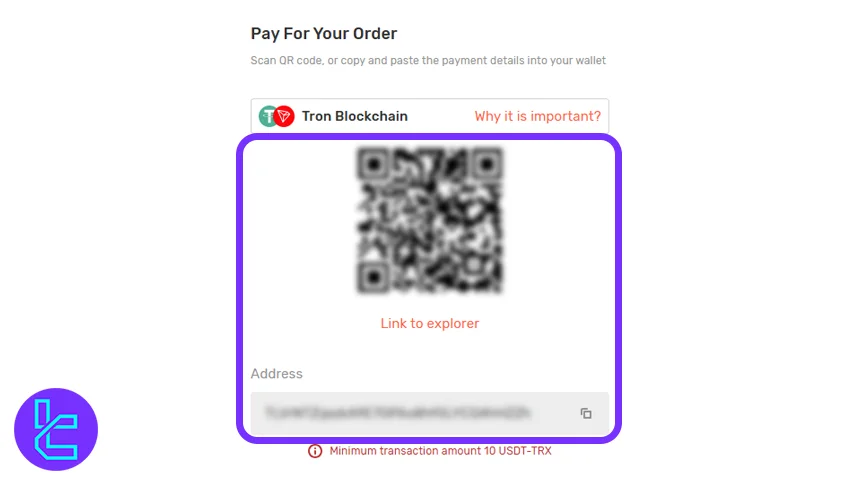
Use your crypto wallet to scan the QR code or copy the wallet address. Complete the transfer through your wallet app. After a few minutes, the transaction will appear as "Accepted".
Can I Top up Funds via Tether on the TRC20 Network with Other Brokers?
Absolutely. A wide range of reputable Forex brokers also provide this funding option.
Payment Method | MarketsVox Broker | |||
Availability | Yes | Yes | Yes | Yes |
Minimum Amount | $10 | $100 | $50 | $50 |
TF Expert Suggestion
The MarketsVox tether (TRC20) deposit can be completed in just 5 steps. Keep in mind that the minimum amount is $10, and you can confirm your transaction within a few minutes.
For more funding options, users can load their accounts via a MarketsVox tether ERC20 deposit, bank wire, or Skrill or Neteller, and take advantage of copy-trading tools to enhance their trading efficiency.






