












MarketsVox verification is a 3-step identity authentication process that provides full access to trading, deposits, and withdrawals. Traders must submit proof of identity (POI), and proof of address (POA), and complete a financial profile.
After verification, traders can use Bitcoin, USDT, SEPA, Skrill, Neteller, SticPay, Visa, or MasterCard to cash out their profits with $0 fees.
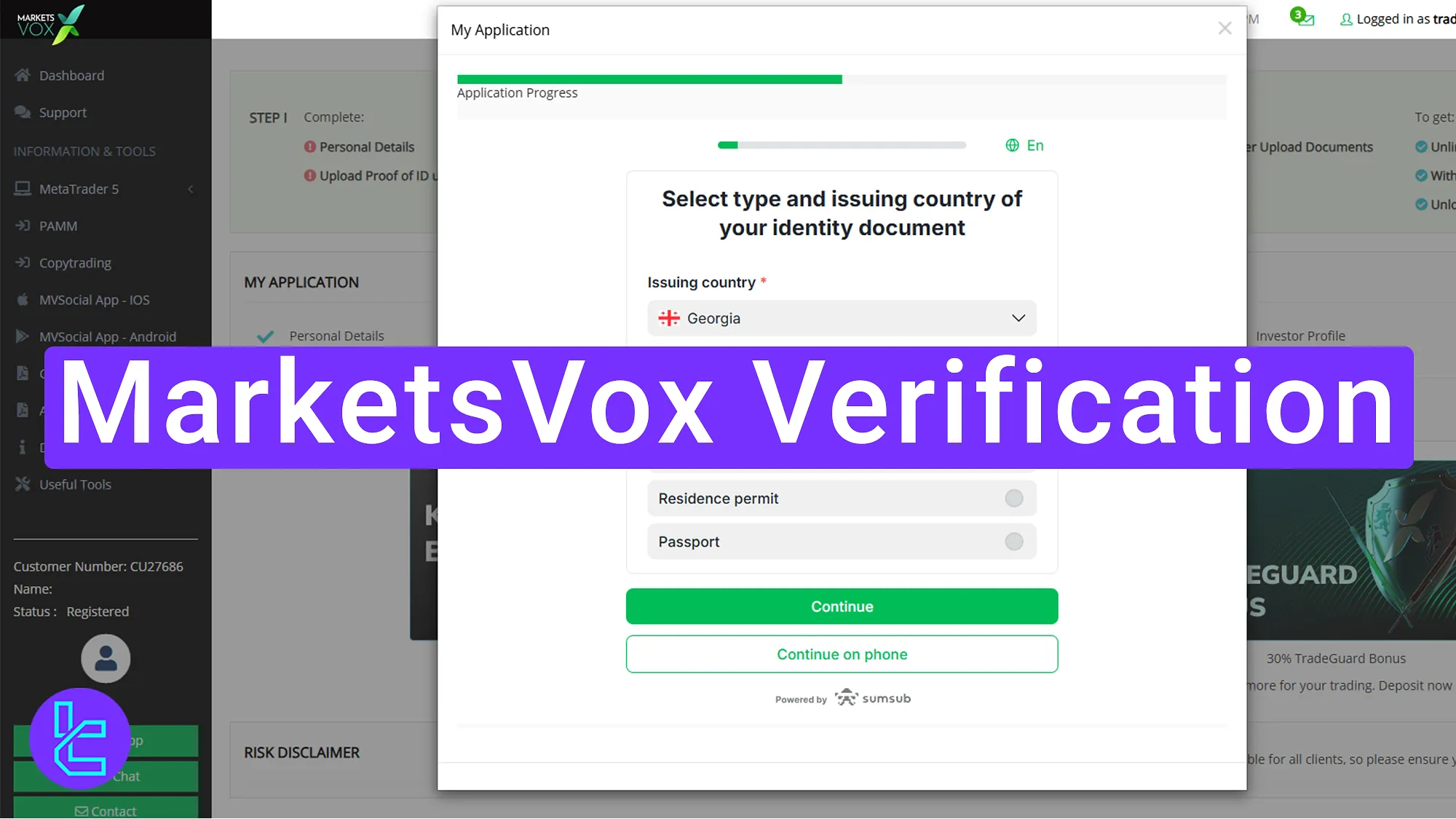
MarketsVox KYC Overview
Once the MarketsVox registration is completed, proceed with the KYC steps in the MarketsVox broker to activate full access to the platform’s features.
MarketsVox Verification steps:
- Access the user authentication section;
- Upload identity and address documents;
- Complete your financial profile and review the KYC status.
The following documents and information are required during the user authentication process.
Verification Requirement | Yes/No |
Full Name | No |
Country of Residence | No |
Date of Birth Entry | No |
Phone Number Entry | No |
Residential Address Details | No |
Phone Number Verification | No |
Document Issuing Country | Yes |
ID Card (for POI) | Yes |
Driver’s License (for POI) | Yes |
Passport (for POI) | Yes |
Residence Permit (for POI or POA) | Yes |
Utility Bill (for POA) | Yes |
Bank Statement (for POA) | Yes |
2-Factor Authentication | No |
Biometric Face Scan | No |
Financial Status Questionnaire | Yes |
Trading Knowledge Questionnaire | Yes |
Restricted Countries | Yes |
#1 Accessing the KYC Section and Starting the Process
Begin this easy process by following these steps:
- Log in to your MarketsVox account dashboard;
- Click on the "Resume My Application" button to start the identity confirmation process.
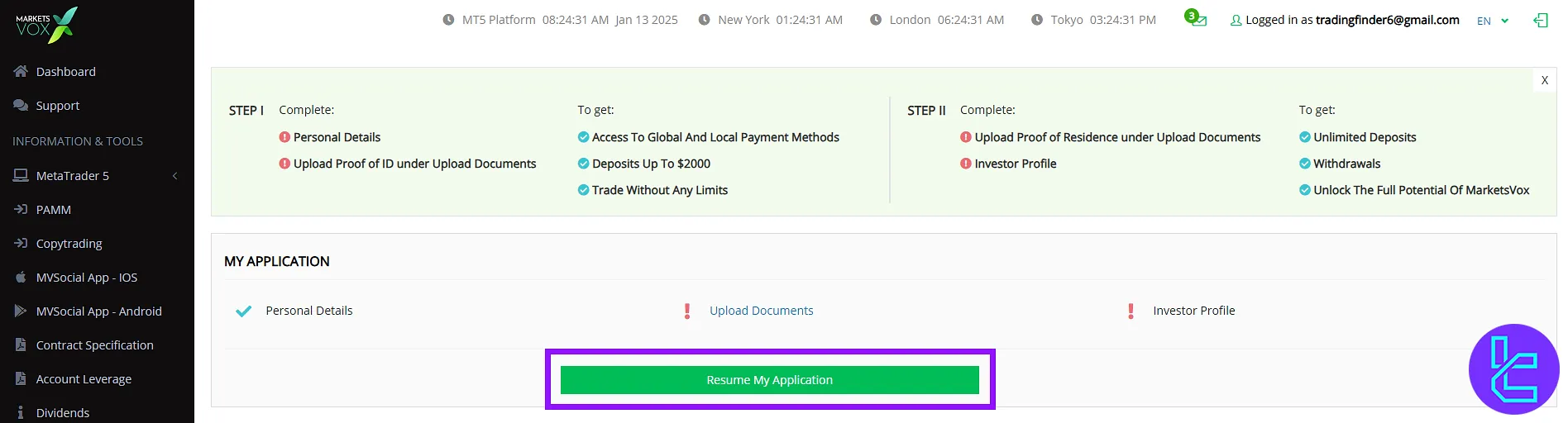
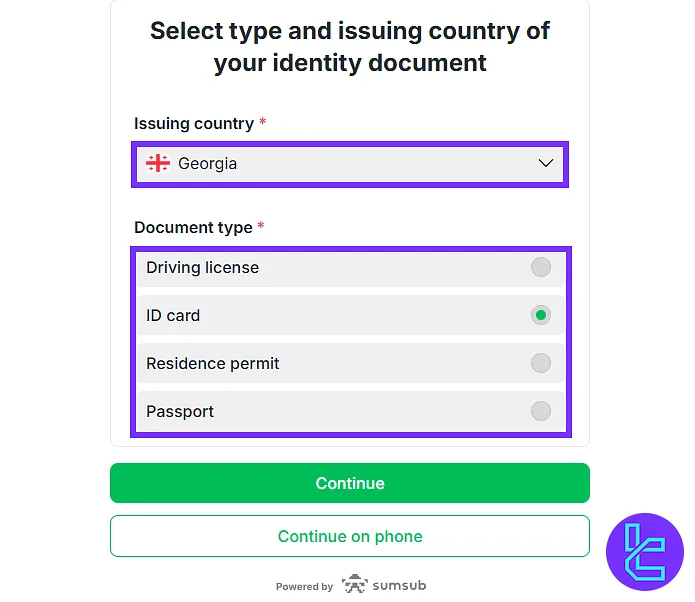
#2 Submitting Proof of Identity and Address Documents
Choose your country and select one of the following document types:
- Passport
- National ID
- Driver’s license
- Residence permit
Upload clear images of the front and back of your ID document. Click on the "Continue" button to proceed.
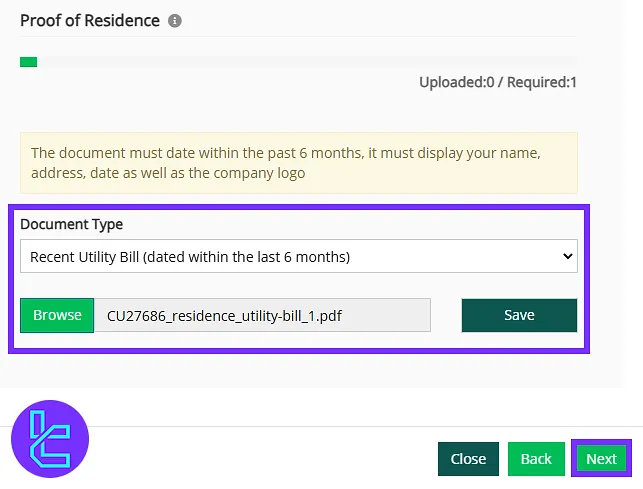
Next, submit your proof of address by clicking "Browse" and uploading a utility bill, bank statement, or any government-issued document containing your name, address, and company logo (issued within the last 6 months).
Click "Save" to confirm the submission.
#3 Completing the Financial Profile and Reviewing Account Status
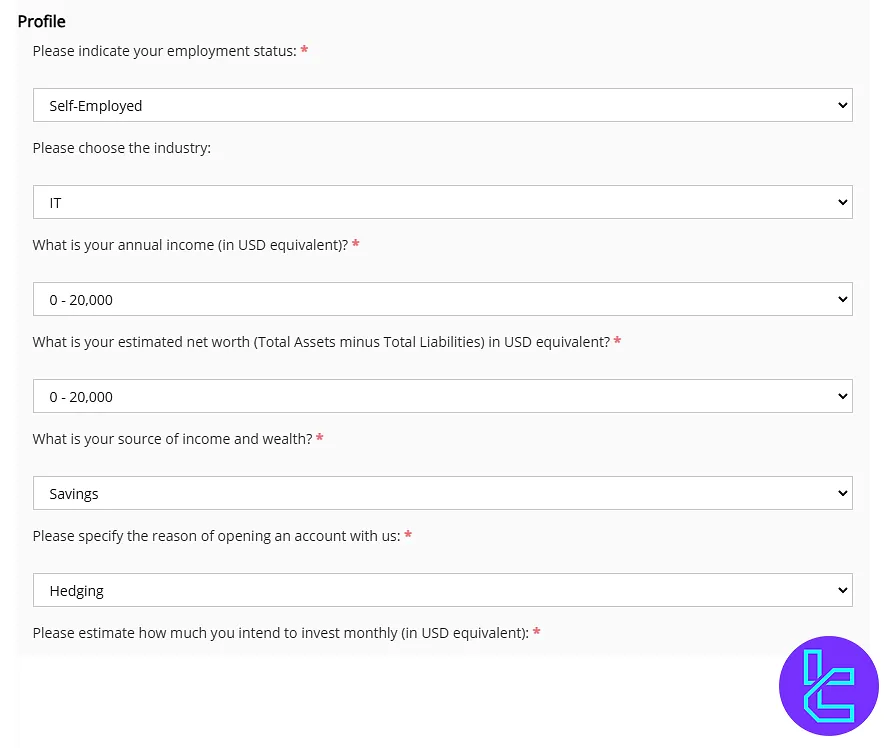
Enter information about your job status, education level, and trading experience to complete the financial profile. Click "Next" to submit the information.
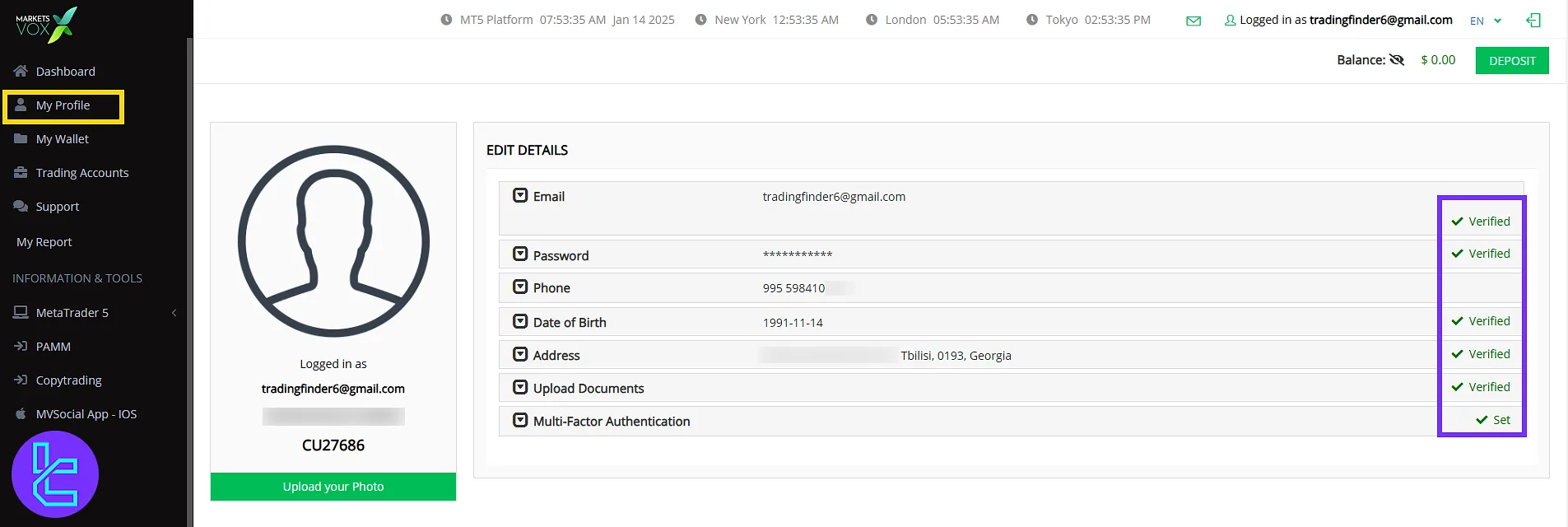
To check the approval status, go to "My Profile" from the dashboard. Review whether identity and address authentication documents have been approved.
MarketsVox Verification in Comparison to Other Brokers
The following table offers a detailed comparison of the account verfication requirements in MarketsVox and 3 other brokers.
Verification Requirement | ||||
Full Name | No | No | Yes | Yes |
Country of Residence | No | No | Yes | Yes |
Date of Birth Entry | No | No | Yes | No |
Phone Number Entry | No | No | No | No |
Residential Address Details | No | No | Yes | Yes |
Phone Number Verification | No | No | No | No |
Document Issuing Country | Yes | Yes | Yes | Yes |
ID Card (for POI) | Yes | Yes | Yes | Yes |
Driver’s License (for POI) | Yes | Yes | Yes | Yes |
Passport (for POI) | Yes | Yes | Yes | Yes |
Residence Permit (for POI or POA) | Yes | Yes | Yes | Yes |
Utility Bill (for POA) | Yes | Yes | No | Yes |
Bank Statement (for POA) | Yes | Yes | No | No |
2-Factor Authentication | No | No | No | No |
Biometric Face Scan | No | No | No | No |
Financial Status Questionnaire | Yes | No | Yes | No |
Trading Knowledge Questionnaire | Yes | No | No | No |
Restricted Countries | Yes | Yes | Yes | Yes |
TF Expert Suggestion
The MarketsVox verification process is designed to be completed in less than 10 minutes if all documents are prepared beforehand. In this process, the submitted documents are reviewed within a few hours.
Once the documents are approved, users can manage their funds using the MarketsVox deposit and withdrawalmethods. Detailed instructions are provided on the MarketsVox tutorial page.






