












MarketsVox registration is a quick 5-minute process that consists of entering your personal details, verifying your email, and completing your application.
After signing up with MarketsVox, traders can choose between 3 different account types, including Cent, Standard, and ECN, to trade with low spreads from 0.0 pips and high leverage of up to 1:2000.
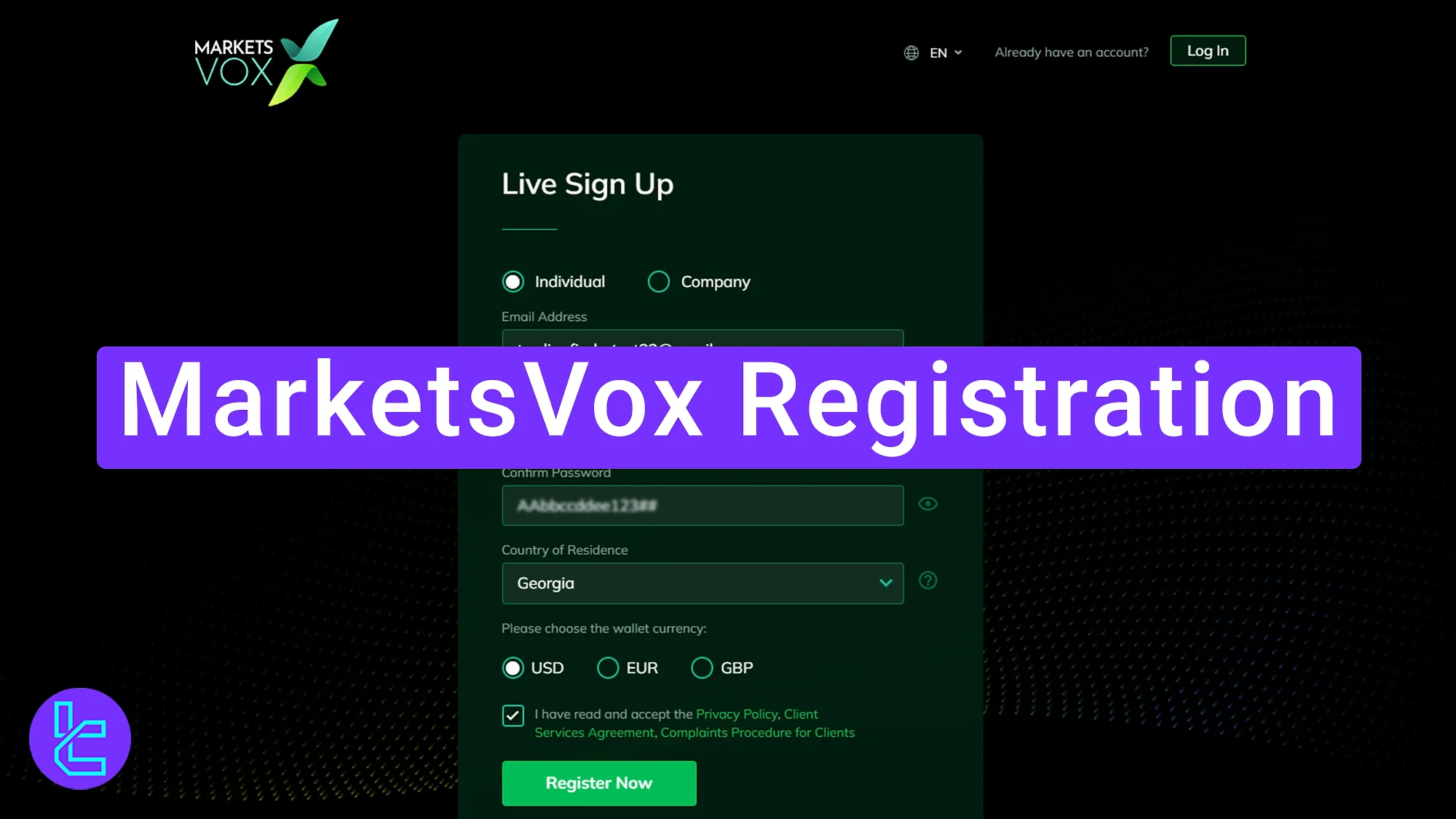
MarketsVox Sign Up Tutorial
By completing these 3 steps, you will gain access to your personal dashboard and some of the basic features provided by MarketsVox Forex broker.
MarketsVox broker registration steps:
- Navigating to the Sign-Up Section;
- Providing Personal Information & Email Verification;
- Completing the Trader Application Form.
The table below lists all the required information you need to provide during the registration process.
Registration Requirements | Yes/No |
Email Sign-up | Yes |
Phone Number Required | Yes |
Google Account Login | No |
Apple ID Login | No |
Facebook Login | No |
Full Name | Yes |
Country of Residence | Yes |
Date of Birth | Yes |
Address Details | Yes |
Email Verification | Yes |
Phone Number Verification | No |
Financial Status Questionnaire | No |
Trading Experience Questionnaire | No |
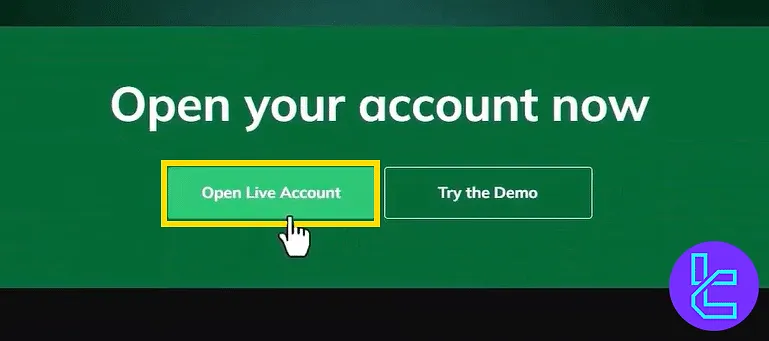
#1 Navigating to the Sign-Up Section
To create an account with MarketsVox, enter its official website and click on “Open Live Account”.
#2 Providing Personal Information & Email Verification
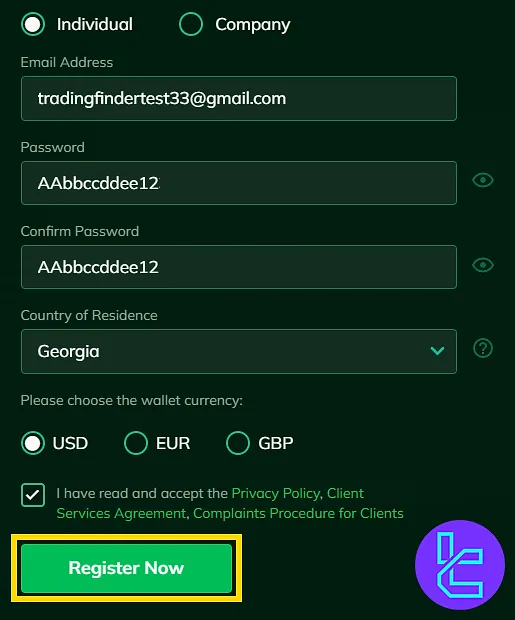
Once you see the sign-up form, follow this process:
- Select your account type (individual or corporate);
- Enter your email address;
- Create a secure password (uppercase and lowercase letters, numbers, and symbols);
- Re-enter the password for confirmation;
- Choose your country;
- Select your preferred base currency.
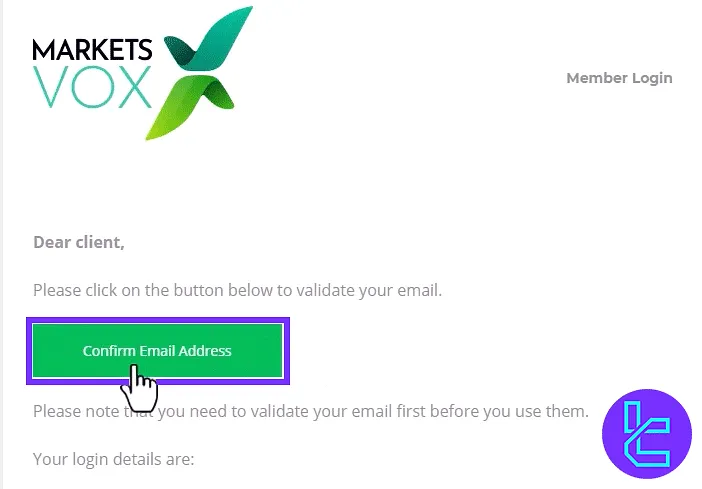
After submitting the form, you will receive an email with a confirmation link. Open the email and click on "Confirm Email Address" to activate your account.
#3 Completing the Trader Application Form
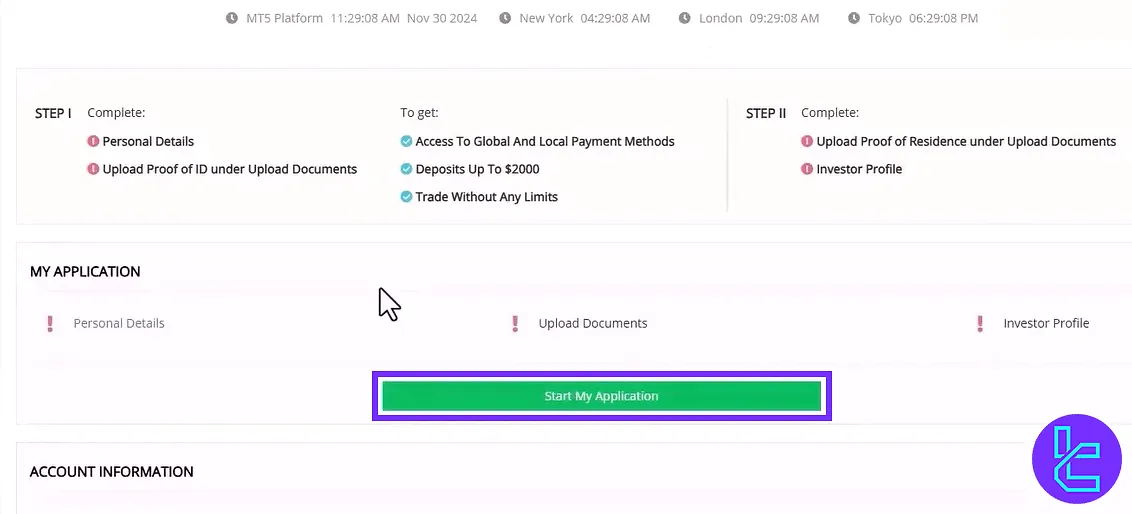
Once your email is verified, log into your MarketsVox account dashboard and click on "Start My Application".
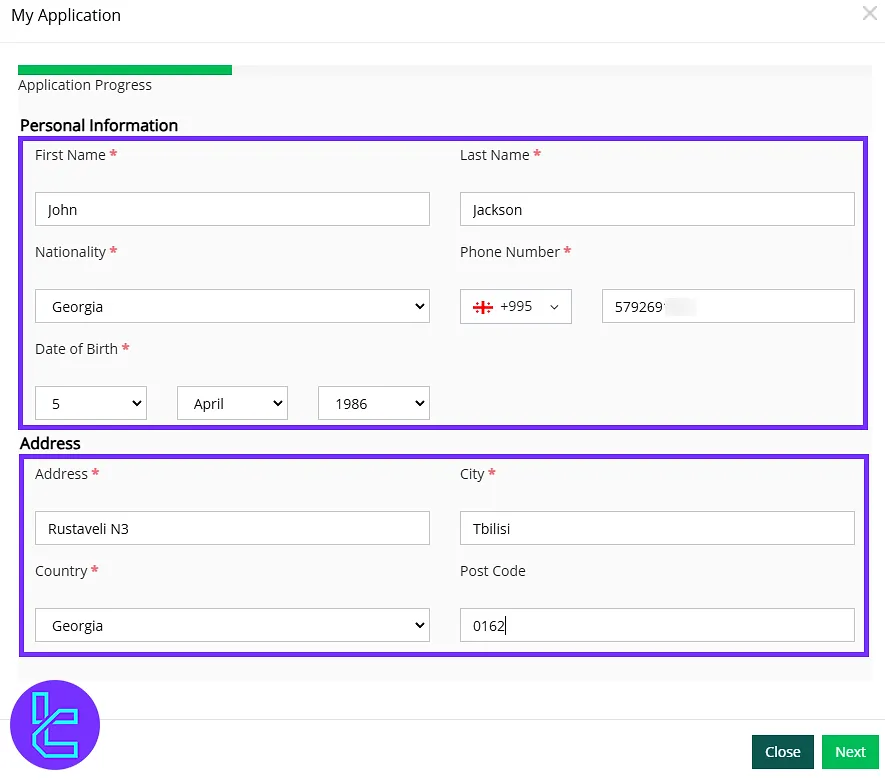
Now, you must enter your first name, last name, nationality, mobile phone number, date of birth, and full address. Then, click "Next" to finalize the process.
MarketsVox Signup vs Other Forex Brokers
The table below outlines the differences in the information required to sign up with MarketsVox and 3 Other Brokers.
Registration Requirements | MarketsVox Broker | |||
Email Sign-up | Yes | Yes | Yes | Yes |
Phone Number Required | Yes | Yes | Yes | Yes |
Google Account Login | No | No | No | Yes |
Apple ID Login | No | No | No | Yes |
Facebook Login | No | No | No | Yes |
Full Name | Yes | No | No | Yes |
Country of Residence | Yes | No | Yes | Yes |
Date of Birth | Yes | No | Yes | Yes |
Address Details | Yes | No | No | No |
Email Verification | Yes | Yes | Yes | Yes |
Phone Number Verification | No | No | No | No |
Financial Status Questionnaire | No | No | No | No |
Trading Experience Questionnaire | No | No | No | Yes |
TF Expert Suggestion
The MarketsVox registration process is a 3-step procedure that involves entering the sign-up section, providing personal information and verifying your email.
Once your account is set up, you can proceed with the MarketsVox verification process, which requires document submission for account KYC. For more about this process, visit the MarketsVox tutorial page.






