












The OnEquity verification takes less than 5 minutes. You must enter the authentication section, upload proof of identification and address, and wait for document review.
Providng the necessary documents and verifying your OnEquity account allows you to use the PAMM account features of this broker and copy the strategies of experienced traders.
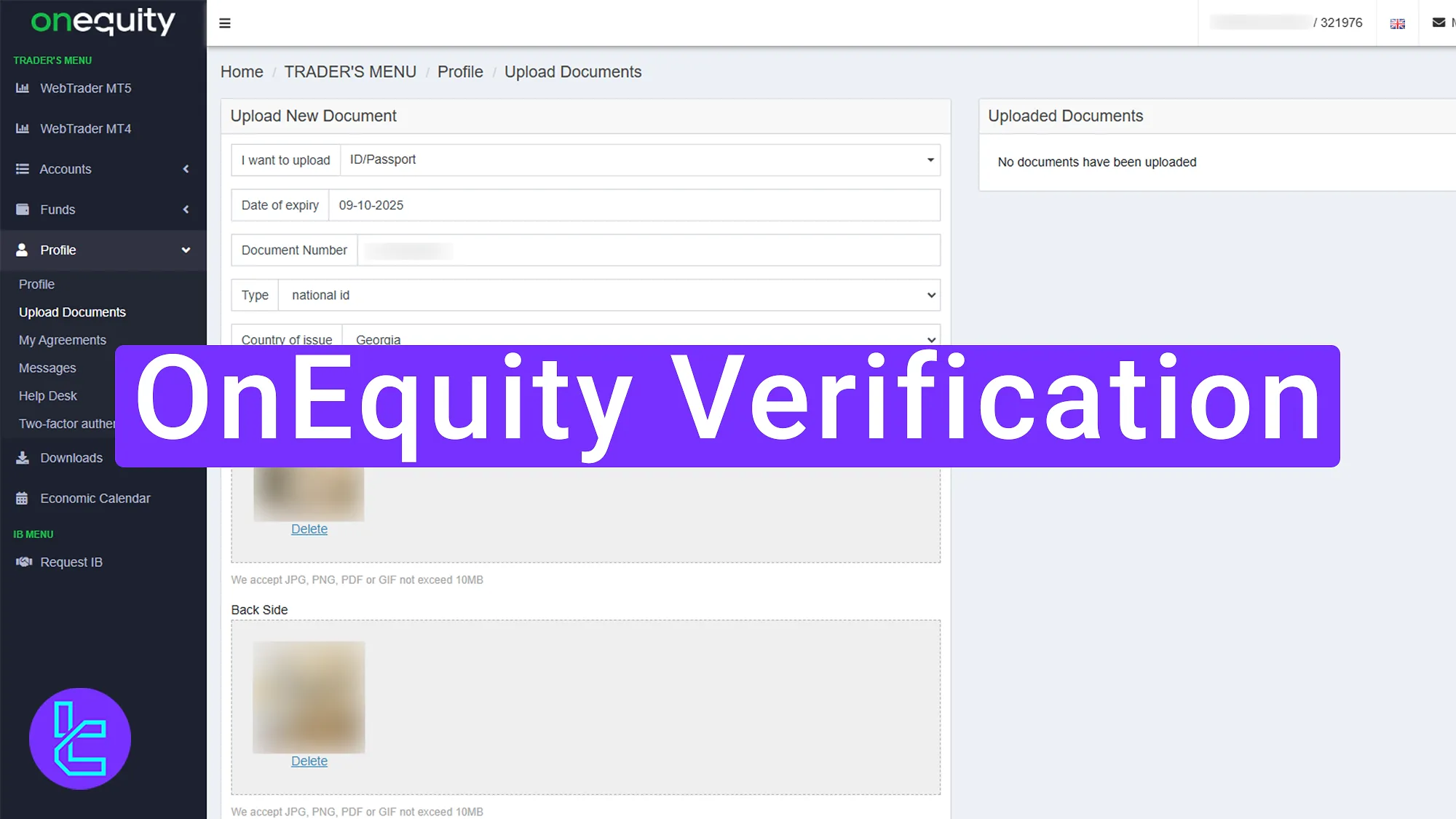
Overview of OnEquity KYC Steps
Verifying your account in the OnEquity broker is a simple 4-step process allowing traders to access all their account features.
OnEquity verification:
- Login and access the KYC section;
- Upload your ID and provide the necessary details;
- Submit proof of address;
- Wait for approval.
OnEquity user KYC requirements:
Verification Requirement | Yes/No |
Full Name | No |
Country of Residence | No |
Date of Birth Entry | No |
Phone Number Entry | No |
Residential Address Details | Yes |
Phone Number Verification | No |
Document Issuing Country | Yes |
ID Card (for POI) | Yes |
Driver’s License (for POI) | Yes |
Passport (for POI) | Yes |
Residence Permit (for POI or POA) | Yes |
Utility Bill (for POA) | Yes |
Bank Statement (for POA) | Yes |
2-Factor Authentication | No |
Biometric Face Scan | No |
Financial Status Questionnaire | No |
Trading Knowledge Questionnaire | No |
Restricted Countries | Yes |
#1 Login and Access the KYC Section
To start the OnEquity user approval process:
- Log into your OnEquity dashboard;
- Choose “Click here to see what exactly is missing”.
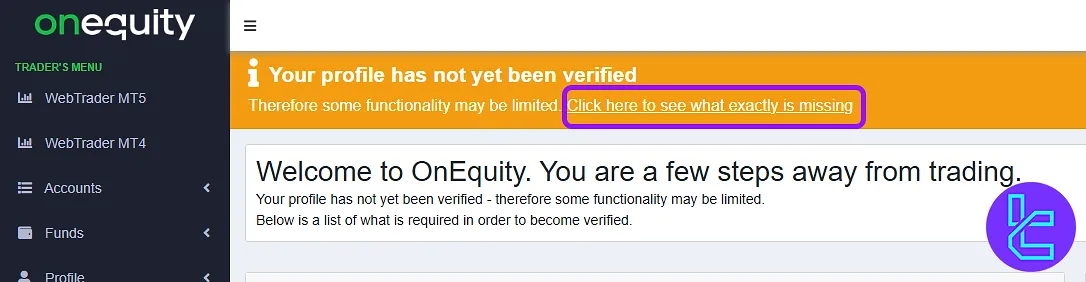
#2 Upload Your ID and Provide Required Information
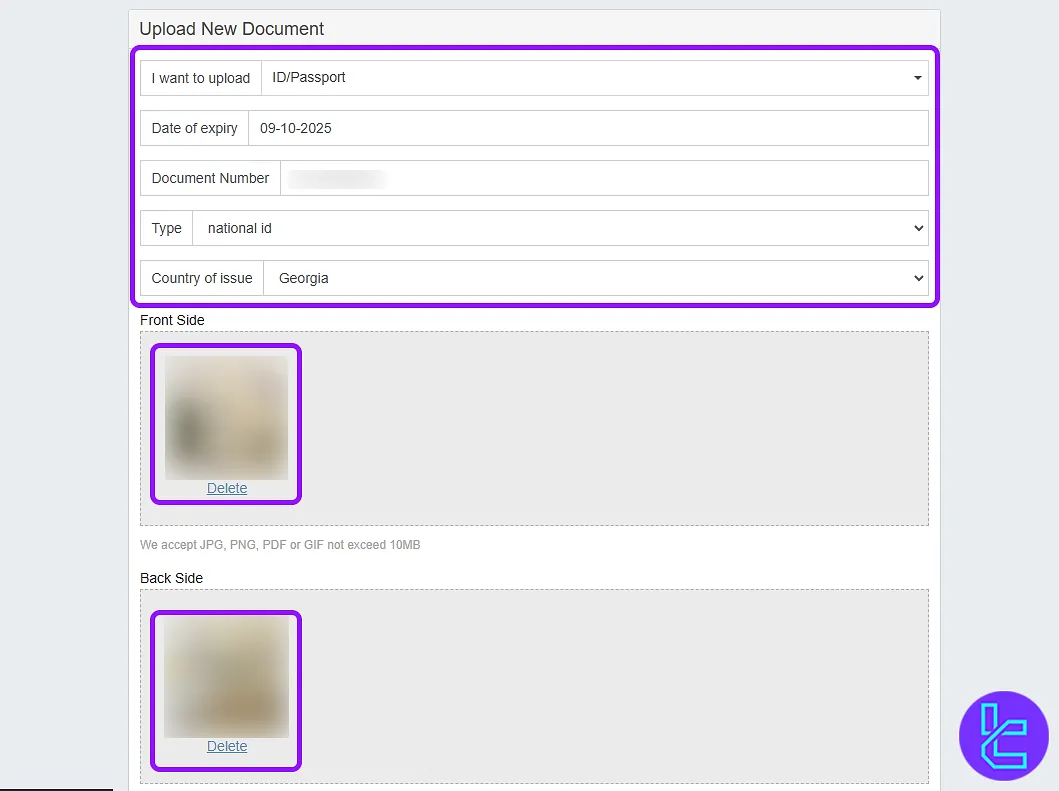
Select the type of document you want to use for KYC. Accepted option include:
- Passport
- Driving License
- ID Card
Enter the ID number, expiration date, and country of issue, and upload the front and back side of your ID card.
#3 Submit Proof of Address with Correct Information
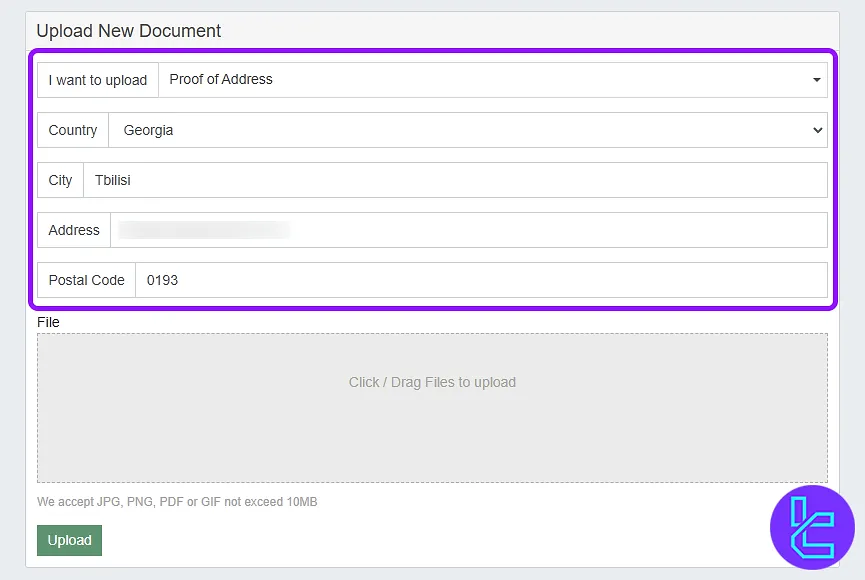
Now, navigate to the proof of address document upload. Enter the following information:
- Country
- City
- Complete address
- Postal code
Upload a document that is no older than 6 months. After submitting your documents, click "Upload" and wait for review.
#4 Wait for User approval and Start Trading
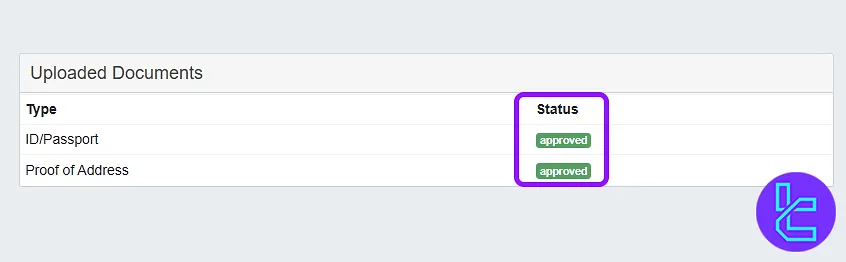
The OnEquity KYC process usually takes less than 5 minutes. Once approved, you will receive a confirmation message.
OnEquity KYC vs Other Brokers
This table helps compare the information required to verify an account with OnEquity and other Forex brokers.
Verification Requirement | OnEquity Broker | |||
Full Name | No | No | No | No |
Country of Residence | No | No | No | Yes |
Date of Birth Entry | No | No | No | Yes |
Phone Number Entry | No | No | No | No |
Residential Address Details | Yes | No | No | Yes |
Phone Number Verification | No | No | No | No |
Document Issuing Country | Yes | No | Yes | Yes |
ID Card (for POI) | Yes | Yes | Yes | Yes |
Driver’s License (for POI) | Yes | Yes | Yes | Yes |
Passport (for POI) | Yes | Yes | Yes | Yes |
Residence Permit (for POI or POA) | Yes | No | Yes | Yes |
Utility Bill (for POA) | Yes | Yes | Yes | Yes |
Bank Statement (for POA) | Yes | Yes | Yes | Yes |
2-Factor Authentication | No | No | No | No |
Biometric Face Scan | No | No | No | Yes |
Financial Status Questionnaire | No | No | No | Yes |
Trading Knowledge Questionnaire | No | No | No | Yes |
Restricted Countries | Yes | Yes | Yes | Yes |
TF Expert Suggestion
OnEquity verification document review and approval takes only 5 minutes. To complete the process, upload a passport, driving license, or ID card for proof of identity (POI) and a utility bill or bank statement for proof of address (POA).
To learn more about the fastest OnEquity deposit and withdrawal methods to fund your newly verified account, visit the OnEquity tutorial page.






