












Switch Markets verification is a simple 3-step process that allows users to confirm their identity and access all account features. Users must submit identity and address documents to complete the process.
After verifying your account, you'll gain access to 1000+ tradable instruments in multiple markets, including Forex, ETFs, indices, crypto, commodities, and stocks.
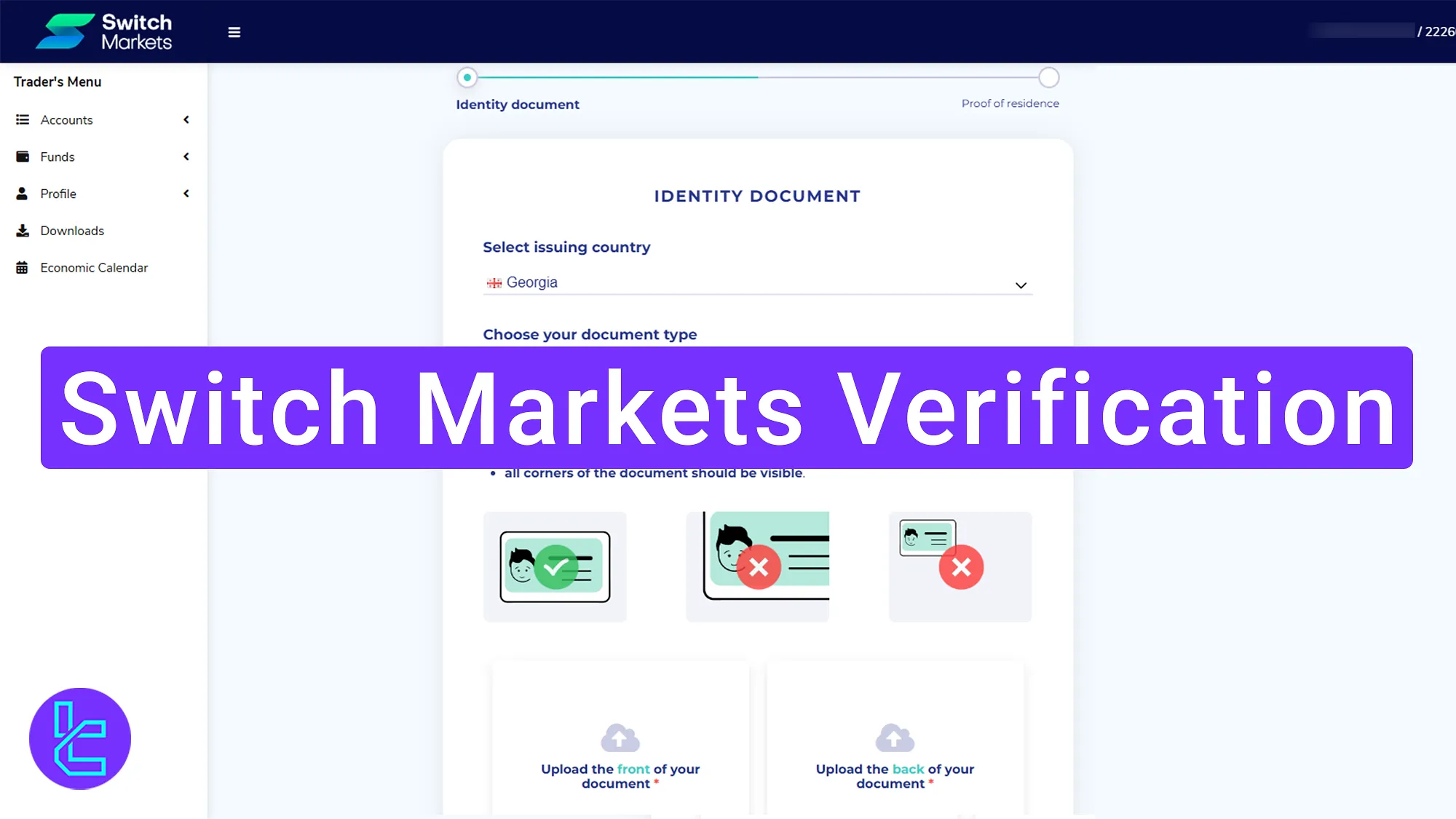
Switch Markets KYC Steps
After completing Switch Markets registration, follow these simple steps to unlock full access to trading, deposits, and withdrawals in Switch Markets broker.
Switch Markets verification overview:
- Access the "Profile" section and "Request verification";
- Upload identity and proof of address documents;
- Check the KYC status through the profile dashboard.
Traders must provide the following information and documents to verify their Switch Markets account.
Verification Requirement | Yes/No |
Full Name | No |
Country of Residence | No |
Date of Birth Entry | No |
Phone Number Entry | No |
Residential Address Details | No |
Phone Number Verification | No |
Document Issuing Country | Yes |
ID Card (for POI) | Yes |
Driver’s License (for POI) | Yes |
Passport (for POI) | Yes |
Residence Permit (for POI or POA) | Yes |
Utility Bill (for POA) | Yes |
Bank Statement (for POA) | Yes |
2-Factor Authentication | No |
Biometric Face Scan | No |
Financial Status Questionnaire | No |
Trading Knowledge Questionnaire | No |
Restricted Countries | Yes |
#1 Accessing the Authentication Section
Begin this process by following the steps written below:
- Log in to the Switch Markets dashboard;
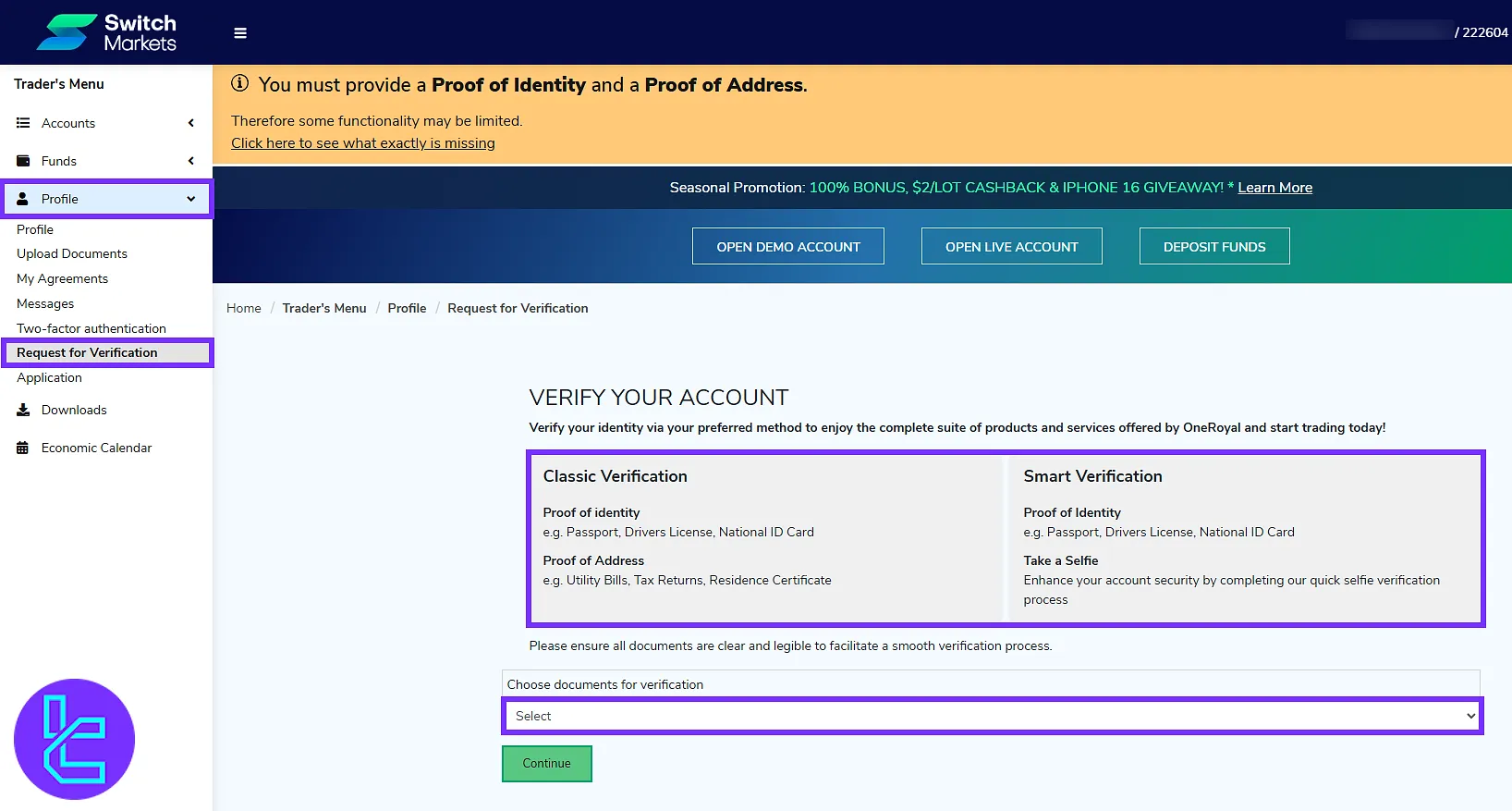
- Navigate to the "Profile" section and click on "Request for Verification".
- Two user authentication methods are offered by this broker; This guide covers the classic method.
#2 Uploading Identity and Address Documents
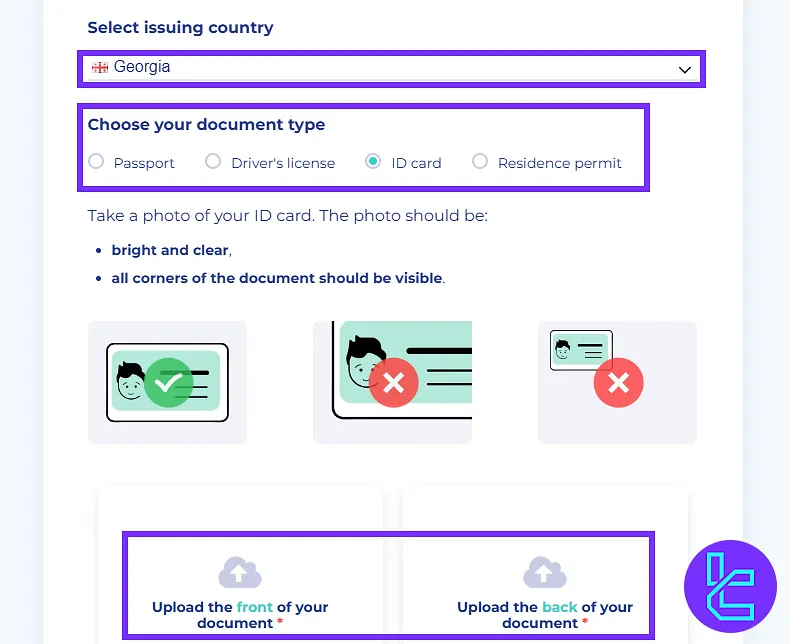
Select your country and document type. Accepted document types include:
- Passport
- Driver’s license
- ID card
- Residence permit
Upload a clear photo of both the front and back of your selected identity document.
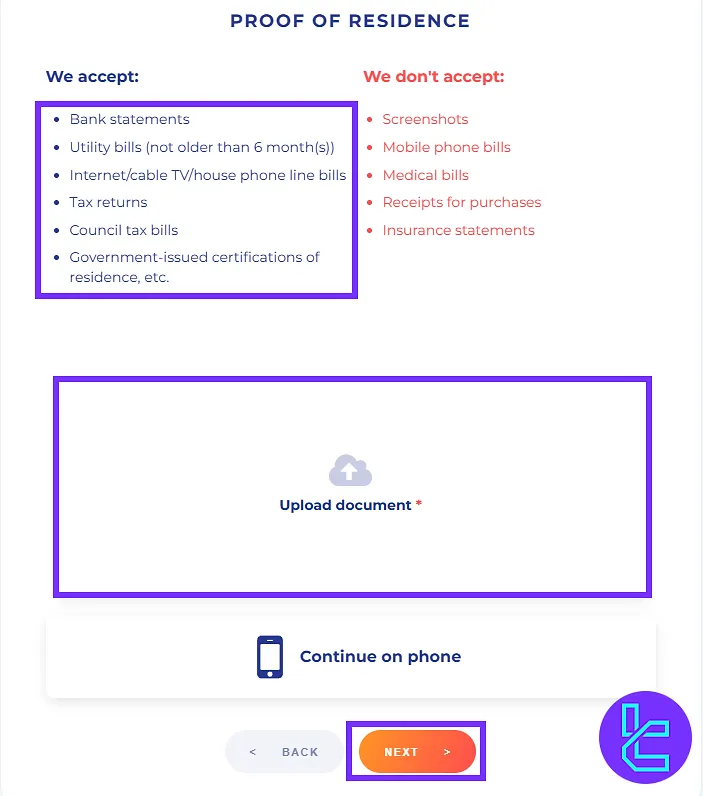
Next, upload a valid proof of address document. Accepted documents include:
- Bank statements
- Utility bills (not older than 6 months)
- Internet/cable TV/house phone line bills
- Tax returns
- Council tax bills
- Government-issued certifications of residence
Confirm the document’s accuracy and click "Next".
#3 Reviewing the KYC Status
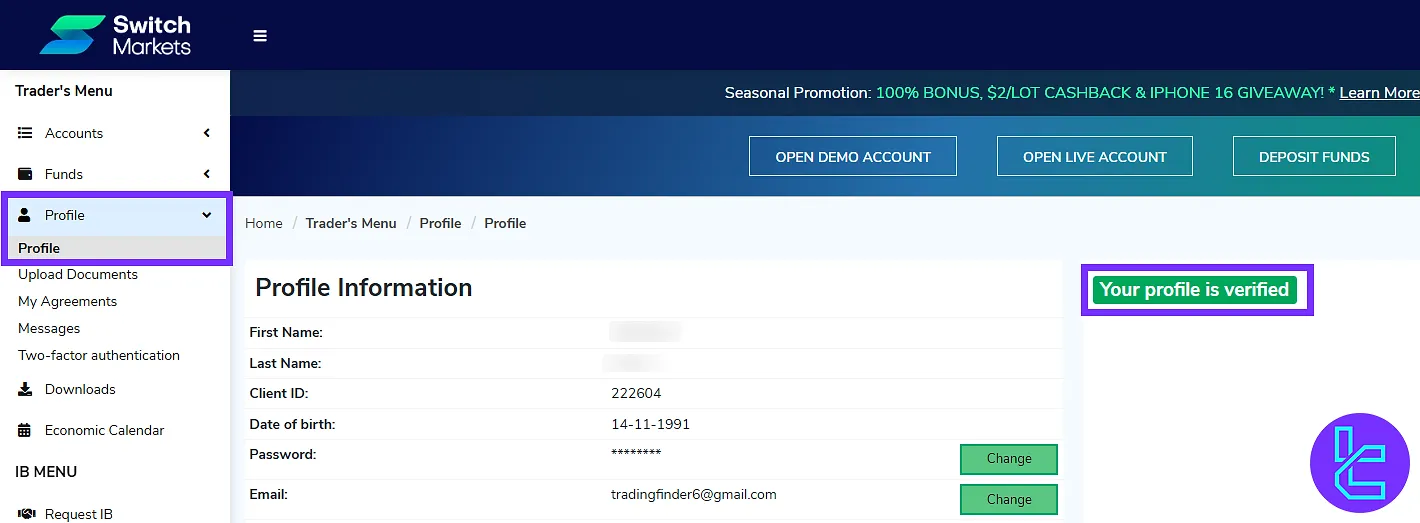
After document submission, navigate back to the "Profile" section and select "Profile" again to check your account status.
Switch Markets KYC vs Other Brokers
The following table compares Switch Markets' account opening requirements with those of three other Forex brokers.
Verification Requirement | Switch Markets Broker | |||
Full Name | No | Yes | No | No |
Country of Residence | No | No | No | Yes |
Date of Birth Entry | No | Yes | No | No |
Phone Number Entry | No | No | No | No |
Residential Address Details | No | Yes | No | Yes |
Phone Number Verification | No | Yes | No | No |
Document Issuing Country | Yes | Yes | No | No |
ID Card (for POI) | Yes | Yes | Yes | Yes |
Driver’s License (for POI) | Yes | Yes | Yes | Yes |
Passport (for POI) | Yes | Yes | Yes | Yes |
Residence Permit (for POI or POA) | Yes | Yes | No | No |
Utility Bill (for POA) | Yes | No | Yes | Yes |
Bank Statement (for POA) | Yes | No | Yes | Yes |
2-Factor Authentication | No | No | No | No |
Biometric Face Scan | No | No | Yes | No |
Financial Status Questionnaire | No | Yes | No | Yes |
Trading Knowledge Questionnaire | No | Yes | No | No |
Restricted Countries | Yes | Yes | Yes | Yes |
TF Expert Suggestion
Switch Markets verification is quick and secure, typically completed in less than 10 minutes. Users must complete the POI and POA sections to get full access to the Switch Markets deposit and withdrawal option.
For faster transactions, visit Switch Markets Tether TRC20 Deposit from the listed articles on the Switch Markets tutorial page.






