












XS.com registration is a 3-step process that requires you to provide personal information, confirm your email address, and complete your trading profile.
After completing the account opening process, traders can begin to trade in 7 markets, including Forex, indices, ETFs, stocks, cryptocurrencies, metals, commodities, and Futures.
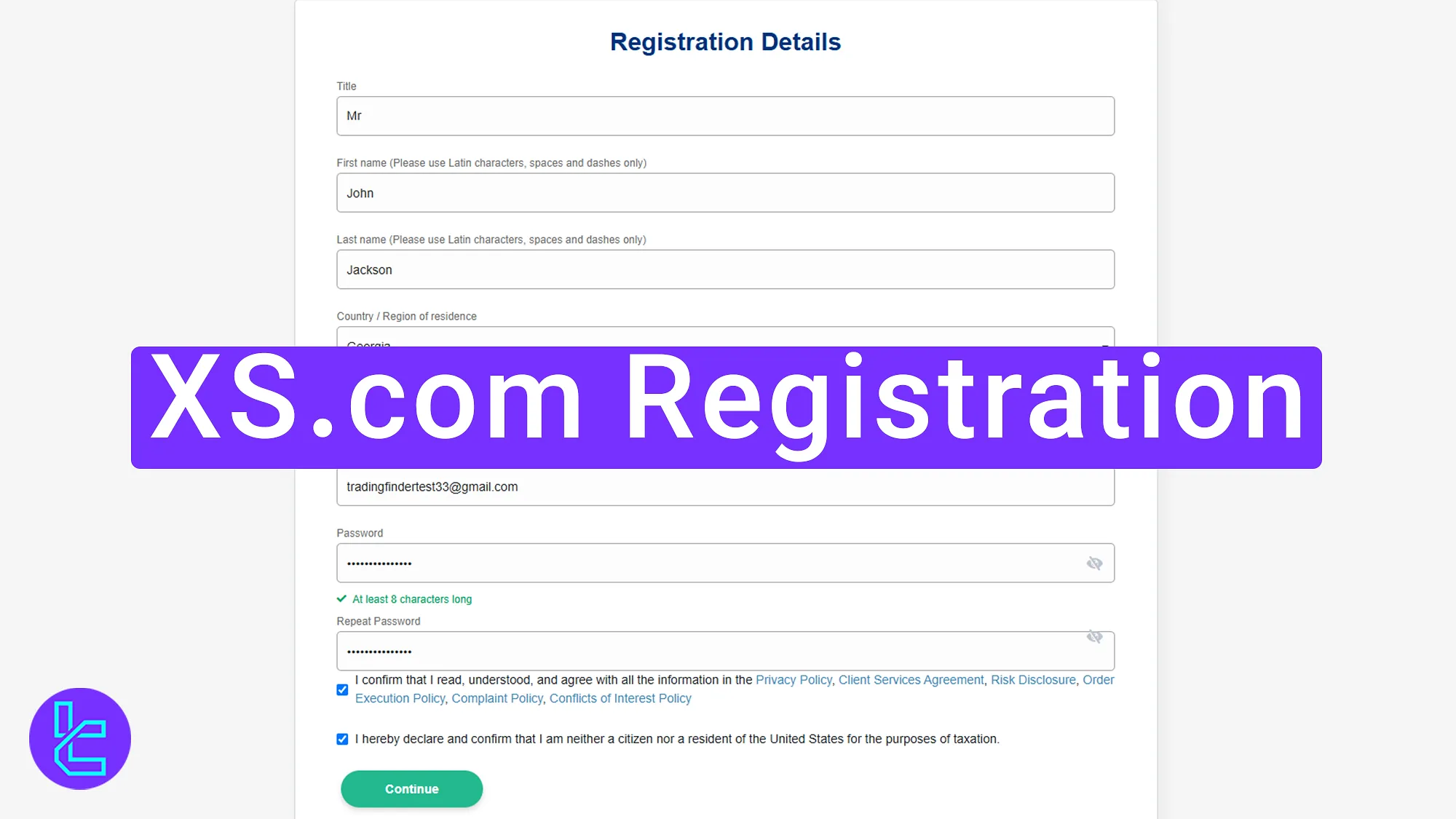
Step-By-Step Guide to XS.com Account Opening Process
To begin trading with XS.com broker, traders must follow simple and beginner-friendly steps.
XS.com registration:
- Visit the XS.com website and Fill in the account opening form;
- Verify your email address;
- Complete your profile information.
The following information is required during the account creation process.
Registration Requirements | Yes/No |
Email Sign-up | Yes |
Phone Number Required | Yes |
Google Account Login | No |
Apple ID Login | No |
Facebook Login | No |
Full Name | Yes |
Country of Residence | Yes |
Date of Birth | Yes |
Address Details | No |
Email Verification | Yes |
Phone Number Verification | No |
Financial Status Questionnaire | Yes |
Trading Experience Questionnaire | Yes |
#1 Opening an Account and Filling in the Registration Form
To begin this process, follow these steps:
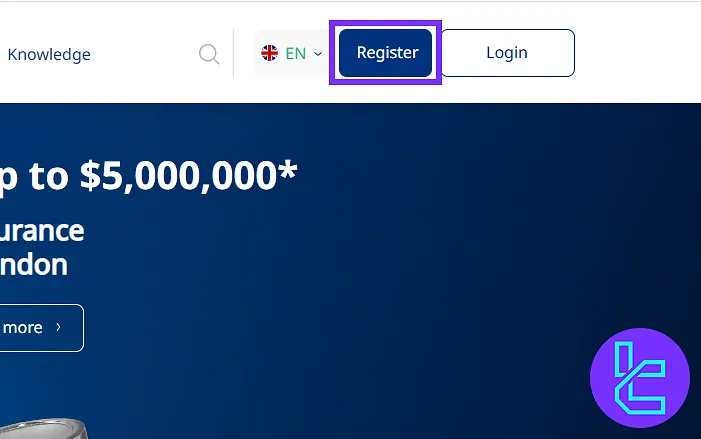
- Visit the XS.com website;
- Click on the "Register".
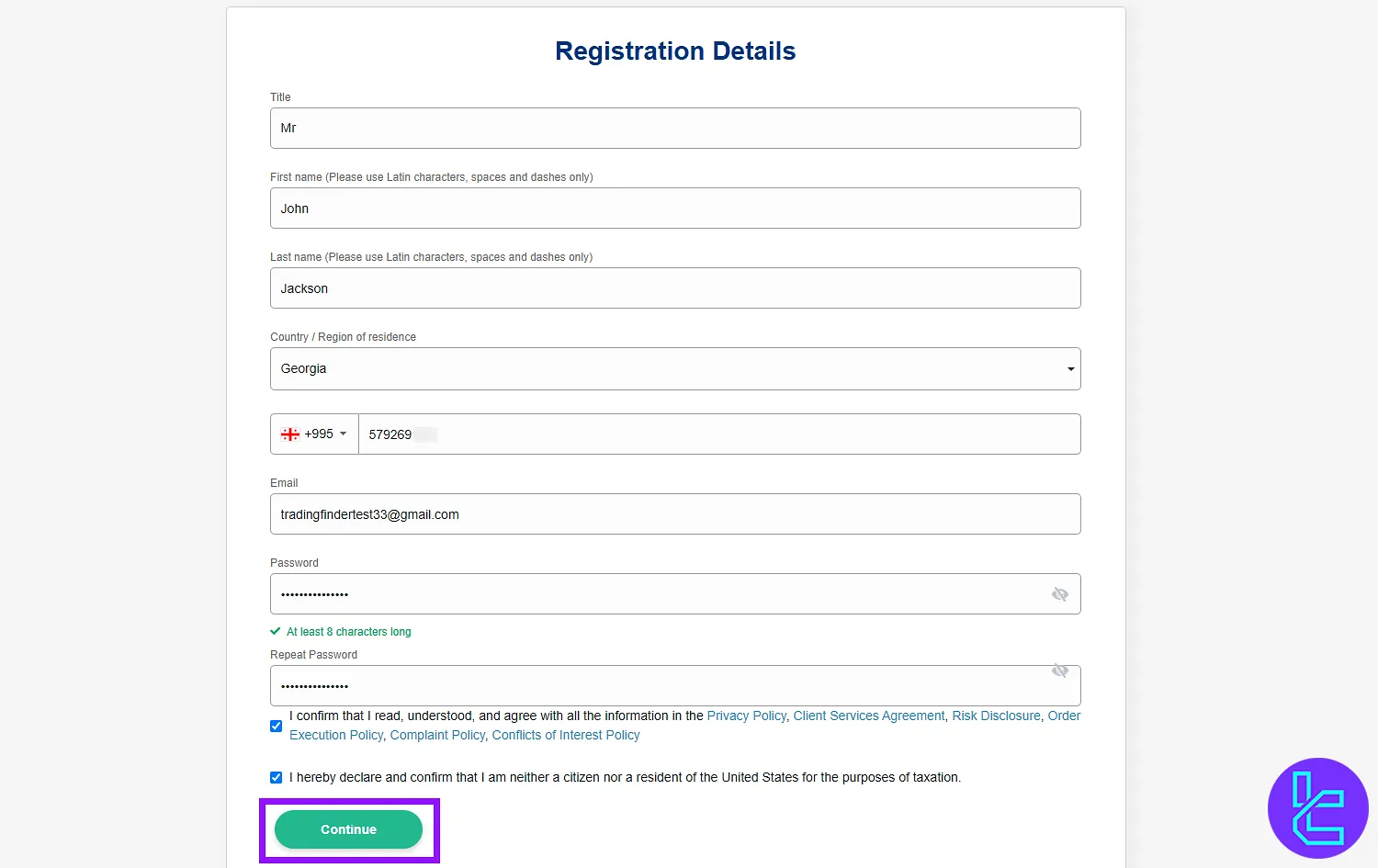
Fill out the form with the required personal details:
- Title (Mr./Ms.)
- First and last name
- Country of residence
- Phone number
- Email address
- Password
Agree to the terms and conditions by checking the required box. Confirm the password and click "Continue" to proceed.
#2 Verifying Your Email Address
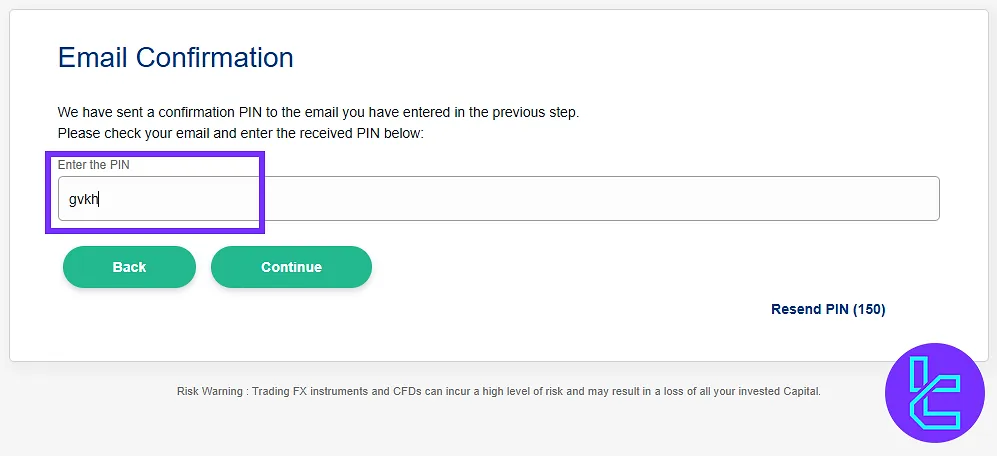
After submitting the account creation form, check your email inbox for a message from XS.com containing a verification code.
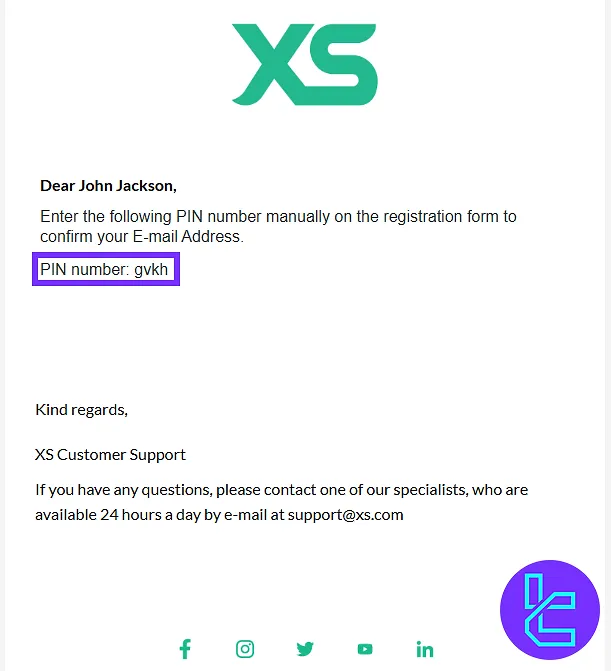
Paste the code into the designated field on the sign-up page. Click "Continue" to move to the next step.
#3 Completing Your Profile Information
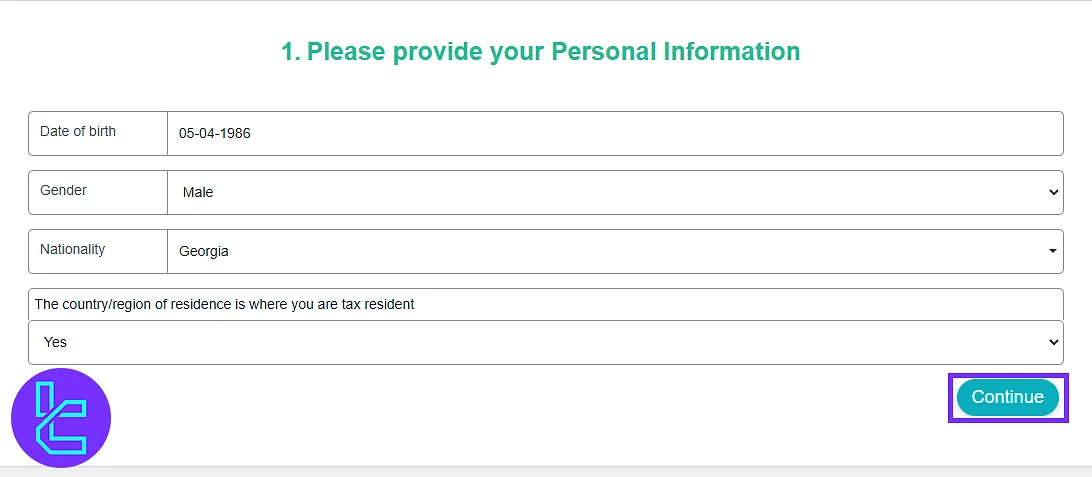
In this step, provide additional personal and financial details to finalize your profile:
- Date of birth
- Gender
- Nationality
- Country of tax residency
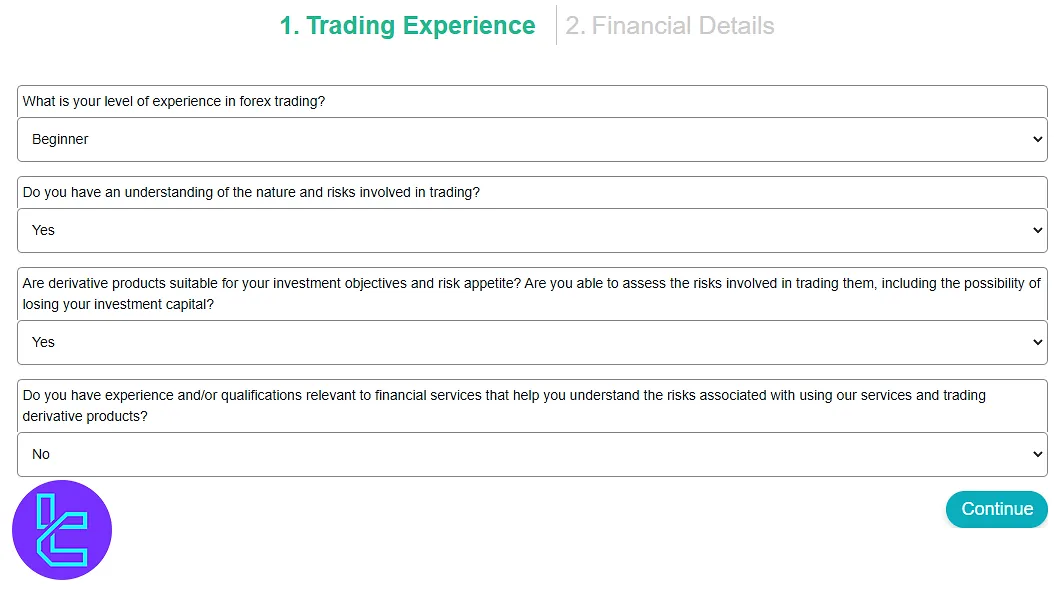
Answer multiple-choice questions about your trading experience.
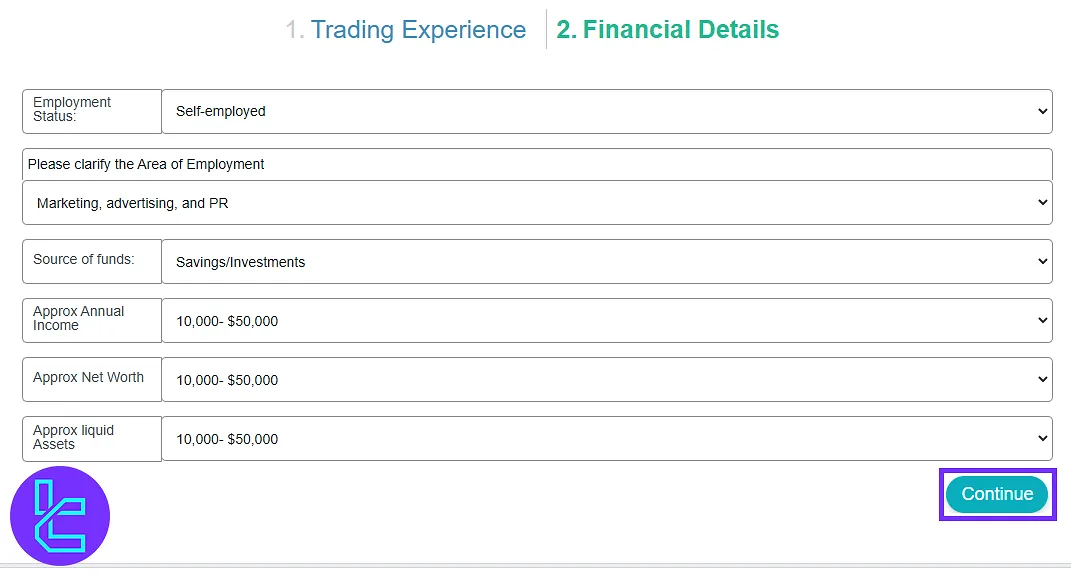
Then, provide financial information such as employment status, and income details. Click "Continue" to move forward.
XS.com Registration in Comparison to Other Forex Brokers
Check the table below to see how the account creation procedure in XS.com differs from other brokers.
Registration Requirements | XS.com Broker | |||
Email Sign-up | Yes | Yes | Yes | Yes |
Phone Number Required | Yes | Yes | Yes | Yes |
Google Account Login | No | No | No | Yes |
Apple ID Login | No | No | No | No |
Facebook Login | No | No | No | Yes |
Full Name | Yes | Yes | Yes | Yes |
Country of Residence | Yes | Yes | Yes | Yes |
Date of Birth | Yes | No | No | No |
Address Details | No | No | No | No |
Email Verification | Yes | No | Yes | No |
Phone Number Verification | No | No | No | No |
Financial Status Questionnaire | Yes | No | Yes | No |
Trading Experience Questionnaire | Yes | No | No | No |
TF Expert Suggestion
The XS.com registration process is quick and typically takes 5 to 7 minutes. To avoid any complications during the XS.com verification process, enter your name, gender, and nationality exactly as they appear on your ID card.
To learn more about the authentication process, check the XS.com tutorial page.






