












The Yadix verification requires just 3 steps. Traders must upload proof of identity (POI) and proof of address to verify their account in the Yadix broker.
After finalizing account verification, traders can use the full features of all 3 account types in this broker, including Classic, Scalper, and Pro, and use leverage of up to 1:500.
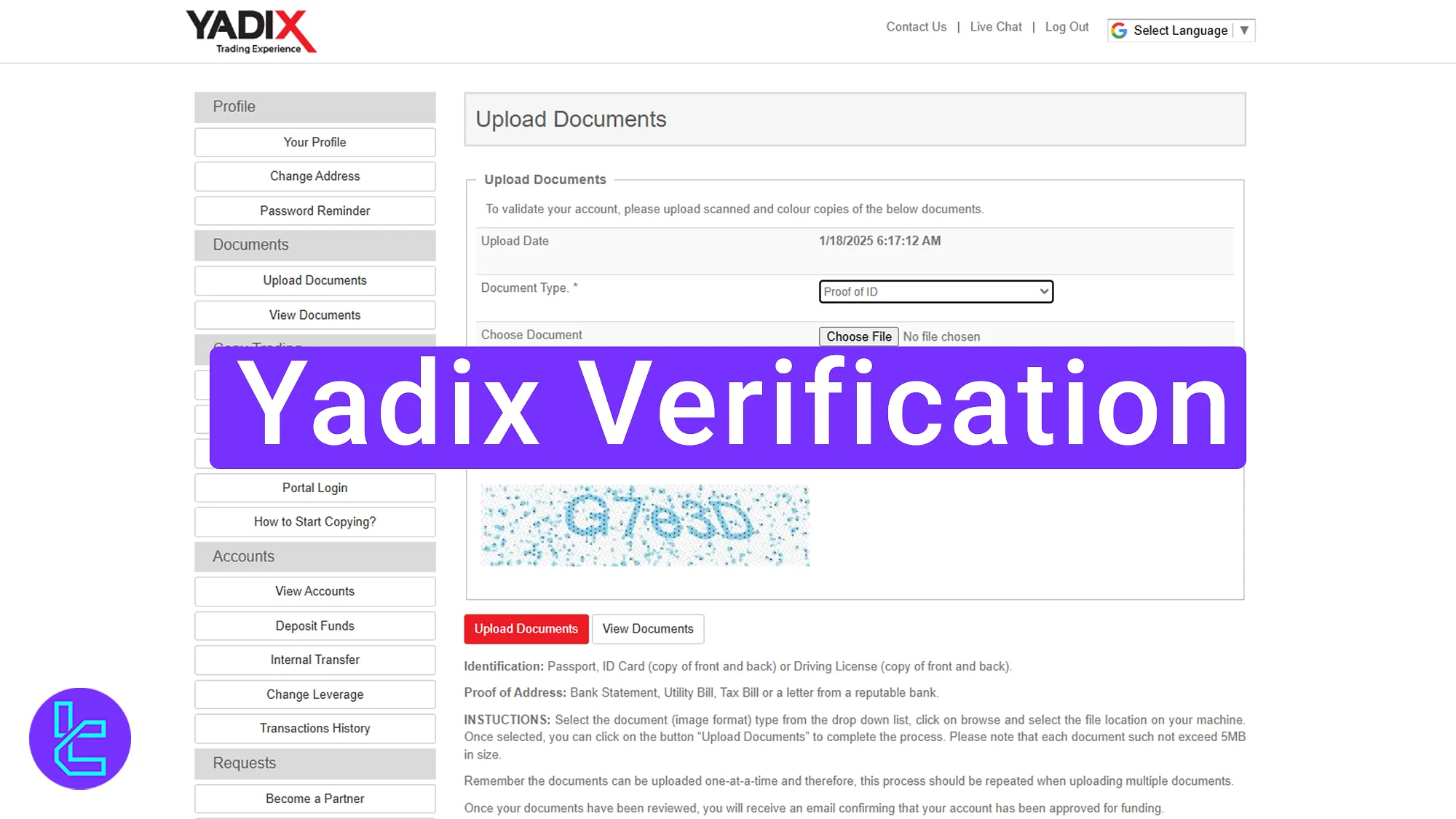
Overview of the Yadix Validation Steps
Traders can complete the KYC process by following a 3-step process. Yadix verification:
- Enter the “Upload Documents” section and provide proof of identity (Front & Back);
- Provide proof of address (Utility bill or bank statement);
- Check the approval status in your profile.
The table below provides an overview of the account verification documents required by Decode Global and three competing brokers.
Verification Requirement | Yes/No |
Full Name | No |
Country of Residence | No |
Date of Birth Entry | No |
Phone Number Entry | No |
Residential Address Details | No |
Phone Number Verification | No |
Document Issuing Country | No |
ID Card (for POI) | Yes |
Driver’s License (for POI) | Yes |
Passport (for POI) | Yes |
Residence Permit (for POI or POA) | No |
Utility Bill (for POA) | Yes |
Bank Statement (for POA) | Yes |
2-Factor Authentication | No |
Biometric Face Scan | No |
Financial Status Questionnaire | No |
Trading Knowledge Questionnaire | No |
Restricted Countries | Yes |
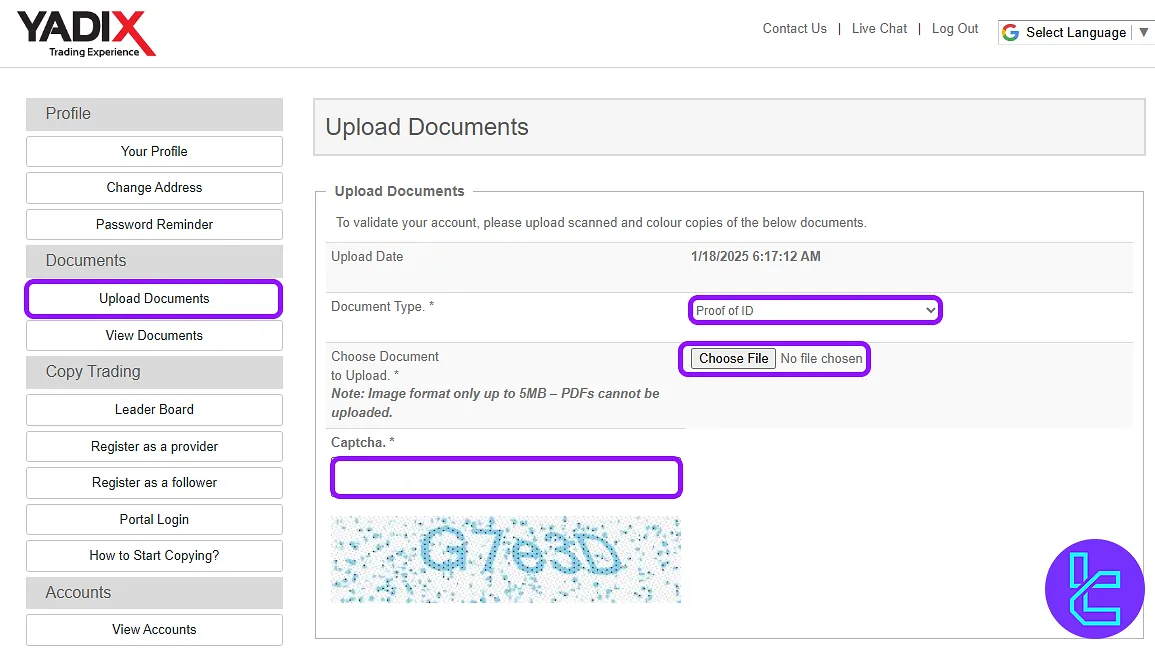
#1 Upload an ID Card for Yadix Approval
To begin, log into your Yadix broker dashboard and follow these steps:
- Click “Upload Documents” in the KYC section;
- Select the document type as a proof of ID (passport, driver’s license, national ID);
- Upload clear images of both the front and back of your document;
- Enter the provided captcha code;
- Click “Upload Documents” to submit documents.
#2 Provide Proof of Address
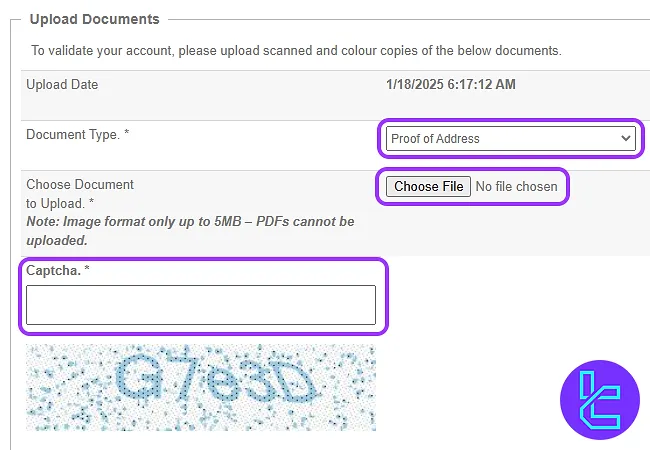
To verify your address, you need to upload an accepted document, such as a utility bill or bank statement. to complete this step, follow this guide below:
- Navigate to the Upload Documents section;
- Choose “Proof of Address” from the list;
- Click “Choose File” to upload a valid document;
- Ensure the document is dated within 3 to 6 months;
- Enter the captcha code and click “Upload Documents”.
#3 Check Approval Status on Yadix
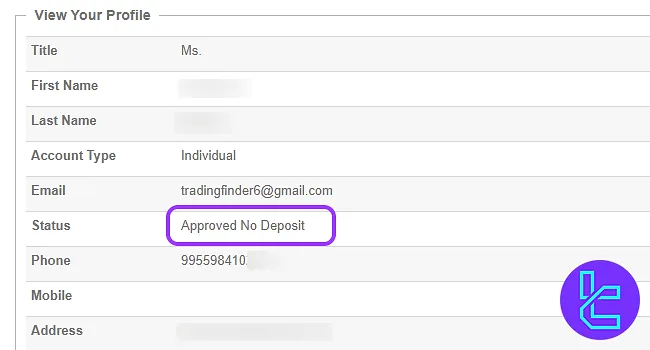
Once your documents are submitted, the Yadix team will review them. To check your KYC status:
- Navigate to your profile;
- Locate the “Status” section.
- If successful, you’ll see “Approved”.
The validation process typically takes a few hours, but in some cases, it may extend to 24 hours, depending on the volume of requests.
Yadix KYC vs Other Forex Brokers
The table below illustrates the differences in minimum account opening requirements between Esperio and three other Forex brokers.
Verification Requirement | Yadix Broker | |||
Full Name | No | No | No | No |
Country of Residence | No | No | No | No |
Date of Birth Entry | No | Yes | No | No |
Phone Number Entry | No | No | No | No |
Residential Address Details | No | Yes | No | No |
Phone Number Verification | No | No | No | No |
Document Issuing Country | No | Yes | No | No |
ID Card (for POI) | Yes | Yes | Yes | Yes |
Driver’s License (for POI) | Yes | Yes | Yes | Yes |
Passport (for POI) | Yes | Yes | Yes | Yes |
Residence Permit (for POI or POA) | No | Yes | Yes | Yes |
Utility Bill (for POA) | Yes | Yes | Yes | Yes |
Bank Statement (for POA) | Yes | Yes | Yes | Yes |
2-Factor Authentication | No | No | No | No |
Biometric Face Scan | No | No | No | No |
Financial Status Questionnaire | No | Yes | No | No |
Trading Knowledge Questionnaire | No | No | No | No |
Restricted Countries | Yes | Yes | Yes | Yes |
TF Expert Suggestion
The Yadix verification process takes around 5 minutes to complete. By using a passport, national ID, driver’s license for POI and a utility bill or bank statement to prove your address, you can gain full access to Yadix trading features.
Visit the Yadix tutorial page to learn about Yadix deposit and withdrawal methods to fund your newly verified account.






