












HFM verification is a mandatory3-step process that includes uploading proof of identity (POI) and proof of address (POA) documents.
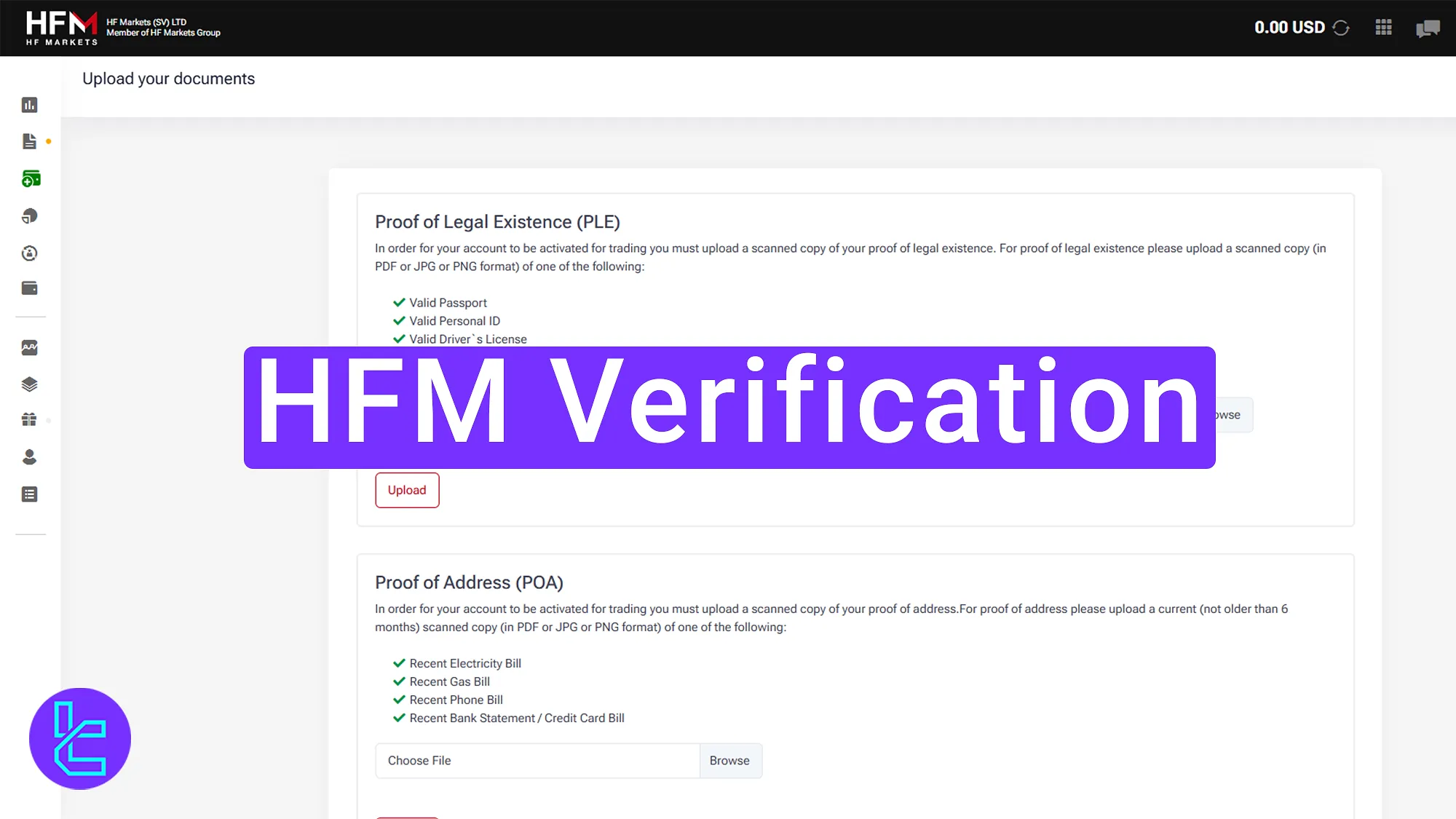
HFM Verification Process Overview
After the HFM registration, by following these three straightforward steps you can access all features in the HFM broker.
HFM verification:
- Complete the registration and financial profile;
- Upload Proof of Identity (POI) documents;
- Upload Proof of Address (POA) documents.
Review the following table to see if you are missing any documents required for BelleoFX account verification.
Verification Requirement | Yes/No |
Full Name | Yes |
Country of Residence | Yes |
Date of Birth Entry | No |
Phone Number Entry | No |
Residential Address Details | Yes |
Phone Number Verification | No |
Document Issuing Country | Yes |
ID Card (for POI) | Yes |
Driver’s License (for POI) | Yes |
Passport (for POI) | Yes |
Residence Permit (for POI or POA) | No |
Utility Bill (for POA) | Yes |
Bank Statement (for POA) | Yes |
2-Factor Authentication | No |
Biometric Face Scan | No |
Financial Status Questionnaire | Yes |
Trading Knowledge Questionnaire | No |
Restricted Countries | Yes |
#1 Completing Registration and Financial Profile
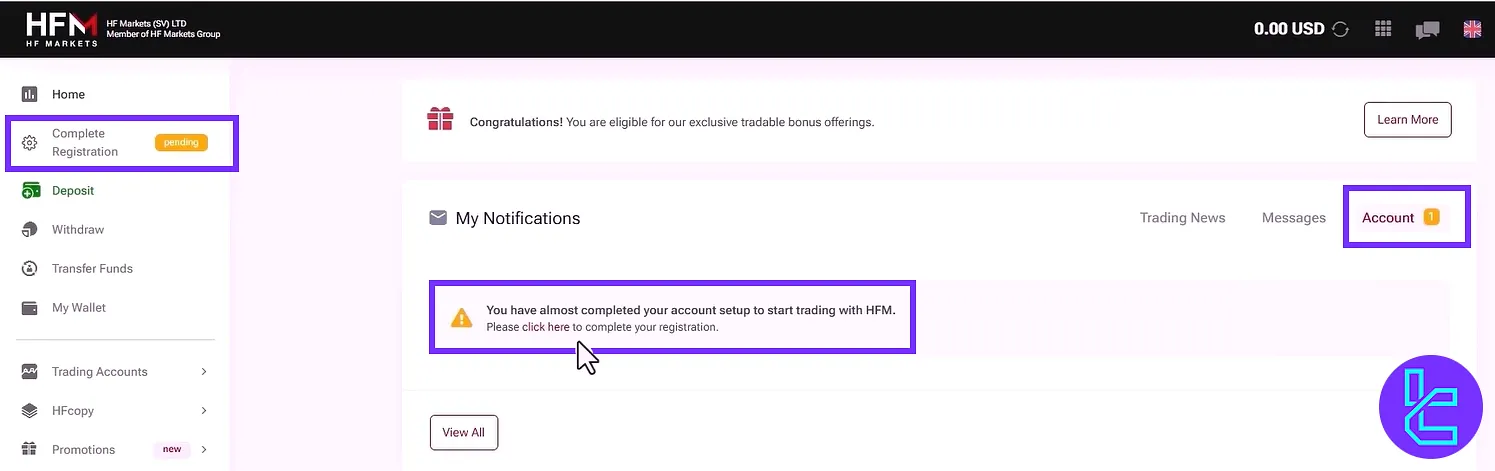
After registering on the HF Markets broker and confirming your email, the trading cabin will display a prompt to finalize the account opening process. To do so follow these steps:
- Click the "Complete Registration" button;
- Select "Account";
- Choose "Click Here" option in the message shown.
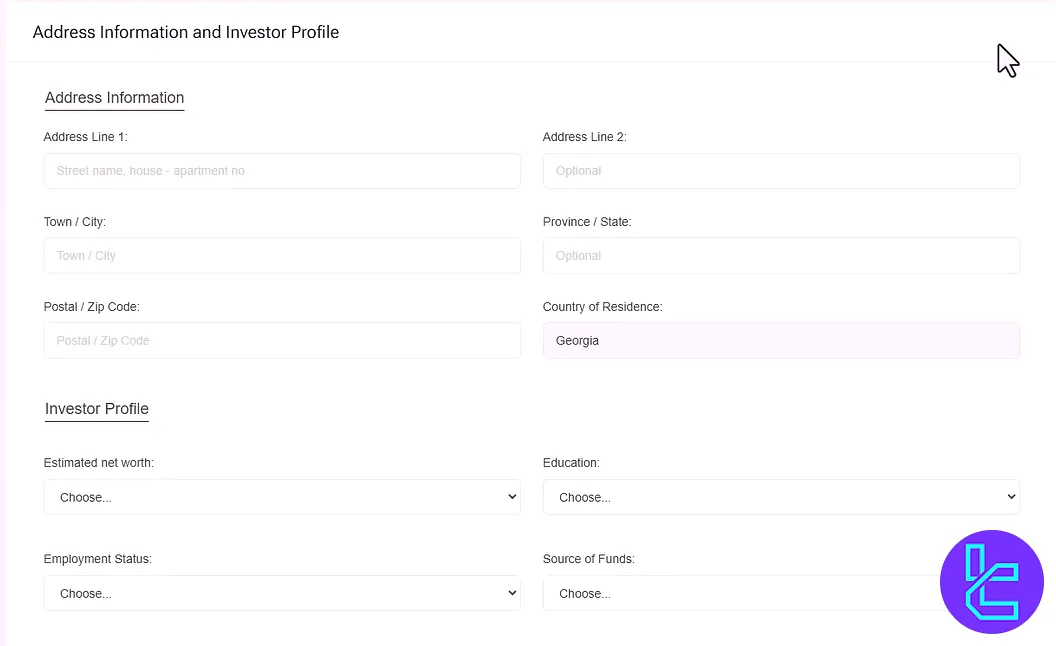
Fill in the required personal details, including address and investment information. After completing the fields, click "Continue".
#2 Uploading Proof of Identity (POI)
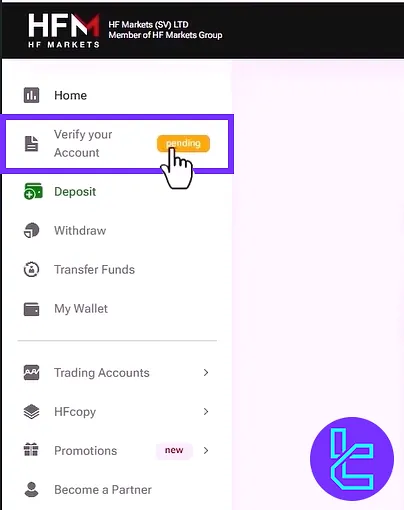
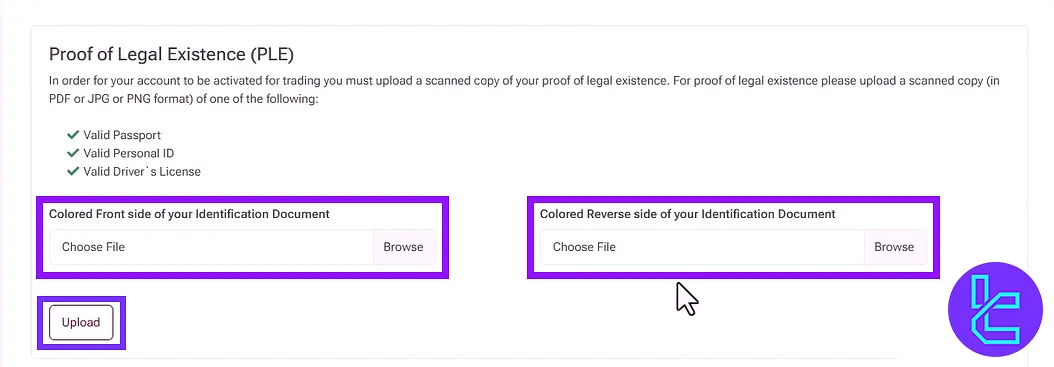
Click on the "Verify Your Account" button in the main dashboard to begin uploading identification documents.
Acceptable POI documents include:
- Passport
- National ID
- Driver’s license
Upload the front side of the ID in the first section and the back side in the second section by clicking "Browse" and then "Upload".
#3 Uploading Proof of Address (POA)
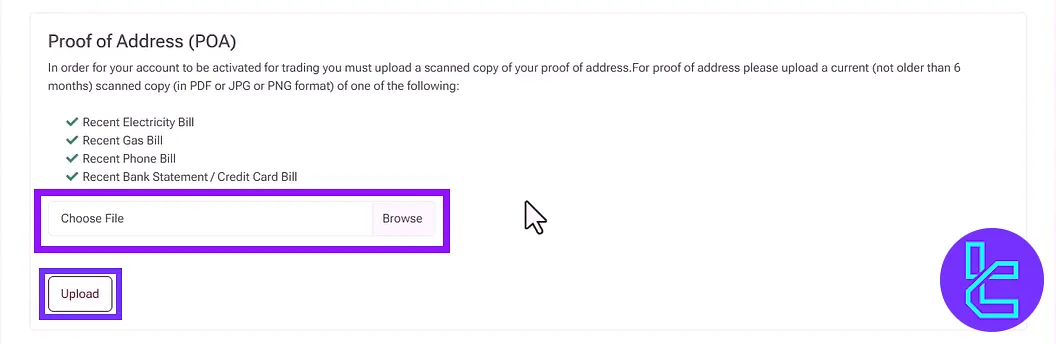
Acceptable POA documents include:
- Electricity bill
- Gas bill
- Mobile phone bill
- Bank/Credit card statement
These documents must display your full name, address, date, and the institution’s name. Click "Upload" to submit the document.
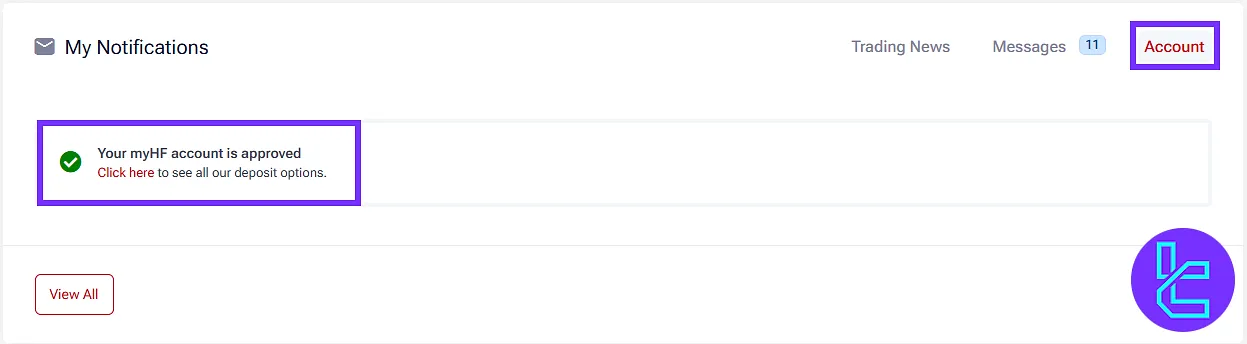
After submission, return to the "Account" section of the dashboard to check the document review status.
HFM Verification in Comparison to Other Brokers
Use the table below to see which documents are required for account verification with Decode Global and three other brokers.
Verification Requirement | HFM Broker | |||
Full Name | Yes | No | No | Yes |
Country of Residence | Yes | No | No | No |
Date of Birth Entry | No | No | No | Yes |
Phone Number Entry | No | No | No | No |
Residential Address Details | Yes | No | No | Yes |
Phone Number Verification | No | No | No | No |
Document Issuing Country | Yes | No | Yes | No |
ID Card (for POI) | Yes | Yes | Yes | Yes |
Driver’s License (for POI) | Yes | Yes | Yes | Yes |
Passport (for POI) | Yes | Yes | Yes | Yes |
Residence Permit (for POI or POA) | No | No | No | No |
Utility Bill (for POA) | Yes | Yes | No | No |
Bank Statement (for POA) | Yes | Yes | No | No |
2-Factor Authentication | No | No | No | No |
Biometric Face Scan | No | No | No | No |
Financial Status Questionnaire | Yes | Yes | No | Yes |
Trading Knowledge Questionnaire | No | No | No | No |
Restricted Countries | Yes | Yes | Yes | Yes |
TF Expert Suggestion
The HFM verification process is fast and requires only 5 to 7 minutes to complete. Ensure you submit a passport, National ID, or driver’s license as POI and utility bill, gas bill, or bank statement as proof of residence.
Once the KYC is approved, all the HFM deposit and withdrawal services will be fully accessible on your account. For detailed instructions on fund management, refer to the HFM tutorial page.






