












XMTrading registration is a 3-step process that requires only your country, email address, and a secure password. No documents or phone confirmation are required during the sign-up.
After finalizing the account opening process, traders can choose between different account types, including Micro, Standard, KAWAMI, and Zero to start trading with spreads as low as 0.0 pips.
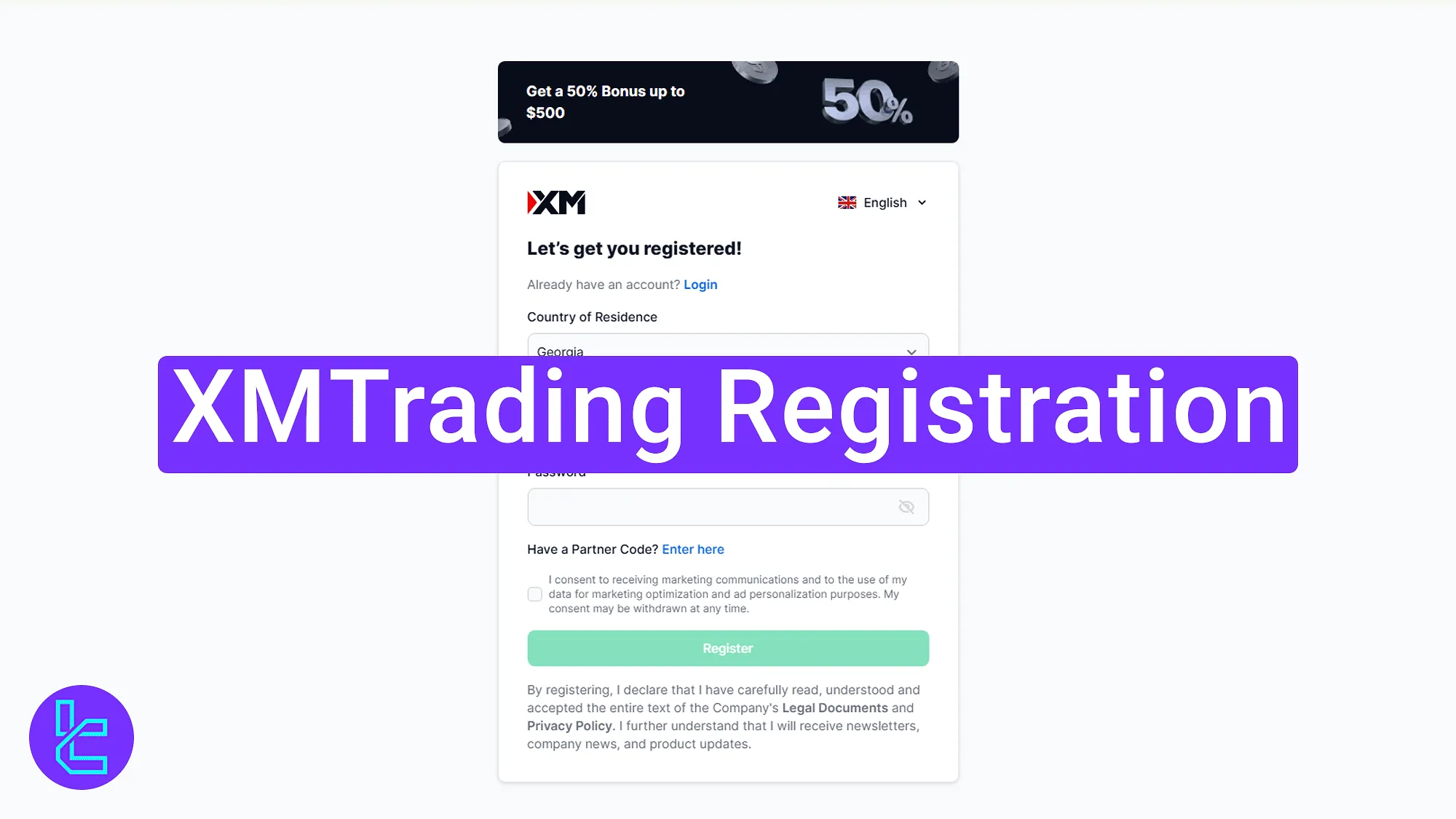
XMTrading Sign-Up Overview
Opening an account with the XMTrading broker is fast and hassle-free, requiring only email verification.
XMTrading registration steps:
- Go to the XMTrading site and open the sign-up form;
- Enter your personal details;
- Verify your email and access the dashboard.
Here is what you need to prepare before opening an account with XMTrading.
Registration Requirements | Yes/No |
Email Sign-up | Yes |
Phone Number Required | No |
Google Account Login | No |
Apple ID Login | No |
Facebook Login | No |
Full Name | No |
Country of Residence | Yes |
Date of Birth | No |
Address Details | No |
Email Verification | Yes |
Phone Number Verification | No |
Financial Status Questionnaire | No |
Trading Experience Questionnaire | No |
#1 Visiting the XMTrading Website and Accessing the Sign-Up Page
To begin this process, follow these steps:
- Click on the "Go to Website" button at the bottom of this page;
- On the XMTrading homepage, click on the "Get Started" button to access the registration form.

#2 Filling Out the Form and Registering Your Account
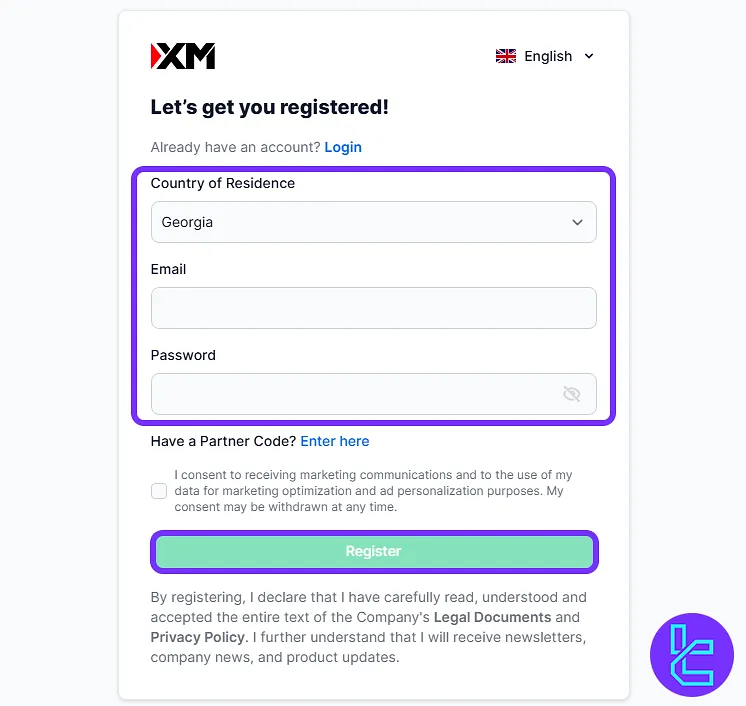
Select your country of residence, enter a valid email address, and create a strong password. If you have a promo code, click the field to enter it. Check the box to accept the broker’s terms and click on the "Register" button to continue.
#3 Verifying Email and Accessing Your Dashboard
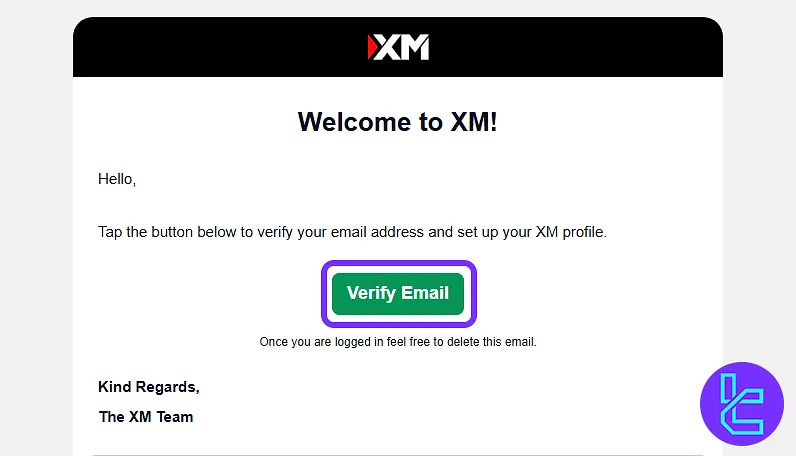
An email will be sent to your inbox. Open the message from XMTrading and click on "Verify Email" to confirm your account setup.
Once your email is verified, you can access your XMTrading dashboard immidiatly.
XMTrading Signup vs 3 Other Brokers
Use the table below to compare the account opening requirements of XMTrading with those of other Forex brokers.
Registration Requirements | Yes/No | |||
Email Sign-up | Yes | Yes | Yes | Yes |
Phone Number Required | No | Yes | Yes | Yes |
Google Account Login | No | No | No | No |
Apple ID Login | No | No | No | No |
Facebook Login | No | No | No | No |
Full Name | No | Yes | Yes | Yes |
Country of Residence | Yes | Yes | Yes | Yes |
Date of Birth | No | No | Yes | Yes |
Address Details | No | No | Yes | Yes |
Email Verification | Yes | Yes | Yes | No |
Phone Number Verification | No | No | No | No |
Financial Status Questionnaire | No | No | Yes | No |
Trading Experience Questionnaire | No | No | Yes | No |
TF Expert Suggestion
The XMTrading registration process takes less than 5 minutes to complete. Activating the account requires verifying your email using the exclusive link sent to your email address.
Now, you must complete the XMTrading verification process utilizing the articles TradingFinder XMTrading tutorial to access all account features






