












Demo accounts are test environments for traders to practice their trading skills or backtest specific strategies and approaches without risking real money. This type of account operates based on virtual funds, which are available on a limit, or rechargeable indefinitely.
The shortlist below contains some of the best brokerages for those interested in demo trading options.
 | AMARKETS | |||
 | FUSION MARKETS | |||
 | TICKMILL | |||
| 4 |  | FXGT | ||
| 5 |  | MONETA MARKETS | ||
| 6 |  | fxcm | ||
| 7 |  | eToro | ||
| 8 |  | deriv |
Trustpilot Ratings in Select Brokerages
Users submit reviews and ratings on Trustpilot; the platform examines the authenticity and genuineness of them, and publishes them. The table below ranks mentioned brokers based on these scores.
Broker Name | Trustpilot Rating | Number of Reviews |
3,557 | ||
6,267 | ||
FXCM | 860 | |
Moneta Markets | 468 | |
Deriv | 70,609 | |
FXGT | 1,492 | |
eToro | 30,622 | |
Tickmill | 1,083 |
Trading Spreads in Demo Account Brokers
The table below ranks mentioned brands based on the trading spreads charged by the broker.
Broker Name | Min. Spread |
FOREX.com | 0 Pips |
Moneta Markets | 0 Pips |
Interactive Brokers | 0 Pips |
0 Pips | |
eToro | 0 Pips |
0 Pips | |
FXCM | 0.2 Pips |
Saxo | 0.4 Pips |
Account Types and Leverage Limitations in Brokerages
The table in this section demonstrates the provided account types in addition to the maximum available leverage for each brand.
Broker Name | Account Types | Max. Leverage |
Interactive Brokers | Individual, Joint, Trust, Retirement, Institutional, Non-Professional Advisor | 1:1000 |
FXGT | Standard+, ECN Zero, Mini Optimus, Pro | 1:5000 |
CFD account, Active Trader account, Corporate account | 1:1000 | |
eToro | Personal, Professional, Corporate, Islamic | 1:400 |
Saxo | Classic, Platinum, VIP, Pro | 1:66 |
Direct, Prime, Ultra | 1:1000 | |
XTB | Standard, Islamic | 1:500 |
Tickmill | Classic, Raw | 1:1000 |
Tradable Instruments Offered by the Brokers
The last, but not least, table of the first part of this article ranks mentioned brokers based on the number of available assets for trading.
Broker Name | Number of Instruments |
Saxo | 71,000+ |
IG | 17,000+ |
FXCM | 13,000+ |
7,000+ | |
Interactive Brokers | 4,900+ |
FXGT | 2,800+ |
Tickmill | 600+ |
200+ |
Top 6 Demo Account Brokers in Detail
The following sections will briefly review six of the mentioned brokerages in addition to an overview of noteworthy benefits and drawbacks for each.
AMarkets
Founded in 2007, AMarkets serves over 2 million clients globally and operates under multiple offshore jurisdictions, including Saint Vincent and the Grenadines, the Cook Islands, and Mwali (Comoros). The broker is also an official member of The Financial Commission, offering up to €20,000 compensation coverage.
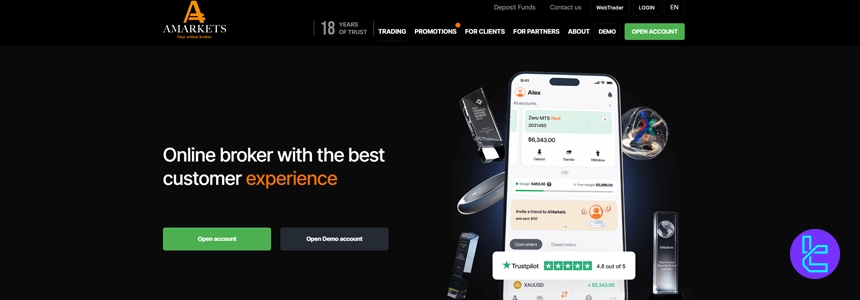
AMarkets provides five account types, including Standard, ECN, Fixed, Crypto, and a fully functional Demo account. With minimum deposits starting at $100 (or 10 MBT for Crypto), leverage up to 1:3000, and order sizes from 0.01 lots, the broker accommodates both entry-level and high-volume strategies.
To learn about the brokerage’s various funding methods, check out our AMarkets deposits and withdrawals page.
Demo accounts at AMarkets mirror real-market conditions across MetaTrader 4 and MetaTrader 5, allowing traders to test spreads from 0 pips (ECN), execution models (Instant/Market), and margin parameters without capital risk. This structure makes it suitable for backtesting automated systems or discretionary strategies.
The broker supports Forex, stocks, indices, commodities, ETFs, bonds, and crypto CFDs, with up to 44-48 currency pairs and over 400 stock CFDs. Monthly audits by Verify My Trade reinforce execution transparency, a critical factor when transitioning from demo to live trading. The table below summarizes specifics.
Account Types | Standard, ECN, Fixed, Crypto, Demo |
Regulating Authorities | FSA, FSC, Misa, FinaCom |
Minimum Deposit | $100 |
Deposit Methods | Credit/Debit Cards, Crypto, Bank Transfer |
Withdrawal Methods | Credit/Debit Cards, Crypto, Bank Transfer |
Maximum Leverage | 1:3000 |
Trading Platforms & Apps | Mt4, Mt5, Mobile Proprietary App |
AMarkets Pros & Cons
Before going through with AMarkets registration, it is important to evaluate the broker’s regulatory structure, leverage policy (up to 1:3000), offshore licensing model, and compensation framework under The Financial Commission, especially for traders prioritizing capital protection and execution transparency.
Pros | Cons |
Over 15 years of operational history (since 2007) | Not regulated by top-tier authorities such as FCA or ASIC |
Member of The Financial Commission (€20,000 coverage) | Offshore regulatory framework |
Demo account closely aligned with live market conditions | ECN account requires $200 minimum deposit |
High leverage up to 1:3000 with multiple account options | Withdrawal fees (0.5%–1.8%) depending on method |
Fusion Markets
Fusion Markets operates under a dual regulatory structure through Australian Securities and Investments Commission (ASIC) and Vanuatu Financial Services Commission (VFSC).
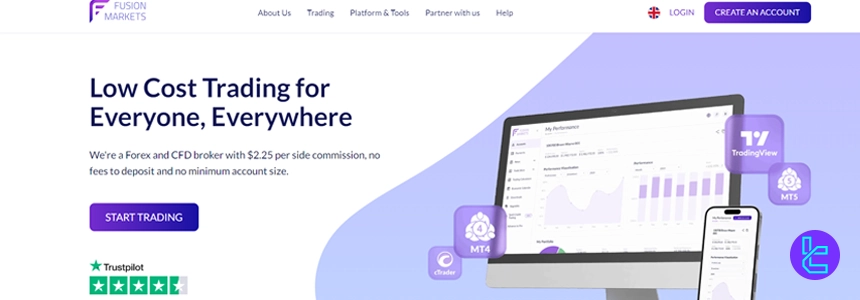
Registered as Gleneagle Securities Pty Limited (Company No. 40256), the broker combines Tier-1 and offshore oversight, offering structured compliance for international demo and live account traders.
Founded by Phil Horner, Fusion Markets provides access to 250+ instruments across Forex, indices, commodities, metals, US share CFDs, and cryptocurrencies. Traders can start with a $0 minimum deposit, 0.01 lot sizing, and leverage up to 1:500 (VFSC) or 1:30 (ASIC), depending on jurisdiction.
For demo account users, Fusion Markets offers Zero, Classic, and Swap-Free accounts, alongside unlimited demo access for strategy testing. Platforms include MetaTrader 4, MetaTrader 5, TradingView, and cTrader, all supported by ultra-fast execution (~0.02ms) and VPS hosting for latency-sensitive strategies.
You can read our Fusion Markets dashboard review to learn about the broker’s user interface and cabinet features.
Spreads start from 0.0 pips on the Zero account with a $4.5 commission per lot, while the Classic account provides spreads from 0.9 pips with zero commission. Client funds are held in segregated accounts with HSBC and National Australia Bank (NAB), reinforcing operational transparency.
Table of Specifications
Account Types | Zero, Classic, Swap-Free |
Regulating Authorities | ASIC, VFSC |
Minimum Deposit | $0 |
Deposit Methods | VISA, MasterCard, PayPal, Perfect Money, PayID, Bank Wire, Crypto, Skrill, Neteller, etc. |
Withdrawal Methods | PayPal, Perfect Money, Bank Wire, Crypto, Skrill, Neteller, etc. |
Maximum Leverage | 1:500 |
Trading Platforms & Apps | MetaTrader 4, MetaTrader 5, TradingView, cTrader |
Fusion Markets Pros & Cons
Fusion Markets combines ultra-low trading costs, institutional backing, and broad platform availability. However, certain limitations, such as the absence of an investor compensation scheme under VFSC and limited proprietary research tools, should be considered before choosing this broker for demo-to-live transition.
Pros | Cons |
Ultra-low spreads from 0.0 pips (Zero account) | No investor compensation scheme (ASIC/VFSC) |
$0 minimum deposit and no deposit/withdrawal fees | Limited proprietary research & analytics tools |
Multi-platform support (MT4, MT5, cTrader, TradingView) | No proprietary trading platform |
Segregated client funds with HSBC & NAB | Some geo-restrictions (e.g., U.S., Japan) |
FXCM
Founded in 1999, FXCM (Forex Capital Markets) is a globally recognized Forex and CFD broker operating for over two decades. Headquartered in London, the firm has built a multi-entity structure across the UK, EU, Australia, South Africa, and Israel under respected regulatory oversight.
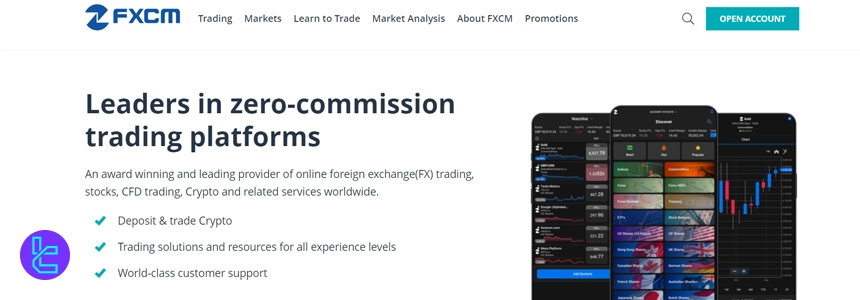
FXCM operates under top-tier authorities including the Financial Conduct Authority, Australian Securities and Investments Commission, and Cyprus Securities and Exchange Commission (License No. 392/20). Additional supervision comes from FSCA and ISA, reinforcing its multi-jurisdictional compliance framework and investor protection standards.
The broker provides three primary account types, including CFD, Active Trader, and Corporate, with minimum deposits starting from $50. Traders can access platforms such as MetaTrader 4, TradingView, and TradeStation, with leverage reaching up to 1:1000 depending on jurisdiction.
FXCM’s demo account is particularly relevant for beginners and strategy testers, offering $20,000–$50,000 in virtual funds with real-time 24/5 market data. Combined with spreads from 0.2 pips and zero commission on CFDs, it positions FXCM as a practical environment for risk-free market simulation.
After transitioning from the demo account, you can participate in the FXCM rebate program for reduced fees and spreads. Here’s a summary of the broker’s parameters.
Account Types | CFD account, Active Trader account, Corporate account |
Regulating Authorities | FCA, ASIC, CySEC, ISA, FSCA |
Minimum Deposit | $50 |
Deposit Methods | Visa/MasterCard, Bank wired, Neteller, Skrill |
Withdrawal Methods | Visa/MasterCard, Bank wired, Neteller, Skrill |
Maximum Leverage | 1:1000 |
Trading Platforms & Apps | MT4, TradingView, TradeStation |
FXCM Pros & Cons
Despite past regulatory setbacks and a 2017 corporate restructuring under Jefferies Financial Group, FXCM continues to operate as a globally regulated broker with structured compliance safeguards. Below is a balanced overview of its key strengths and limitations.
Pros | Cons |
Regulated by FCA, ASIC, CySEC, FSCA, and ISA | 2017 bankruptcy and past regulatory fines |
Demo account with up to $50,000 virtual funds | $50 annual inactivity fee |
Multiple advanced platforms (MT4, TradingView, Trading Station) | $40 bank wire withdrawal fee |
Investor compensation up to £85,000 (UK FSCS) | Limited Forex pairs compared to top-tier competitors |
Moneta Markets
Founded in 2020 and headquartered in Johannesburg, Moneta Markets operates under FSCA regulation (License No. 47490) and maintains international registration in Saint Lucia. The broker previously functioned under Vantage International Group before becoming an independent entity, strengthening its brand positioning in the global CFD market.

Moneta Markets provides access to 1,000+ tradable instruments across Forex, indices, commodities, stocks, bonds, ETFs, and cryptocurrencies. Clients can trade via MT4, MT5, Pro Trader (TradingView-integrated), and App Trader, ensuring multi-device compatibility and advanced charting functionality for demo and live users alike.
You may check out our Moneta Markets dashboard review to learn more about the broker’s user interface and personal cabinet features.
Three core accounts, including Direct (STP), Prime (ECN), and Ultra (ECN), are available with a minimum deposit of $50 and leverage up to 1:1000. Spreads start from 0.0 pips on ECN accounts, while the Direct account remains commission-free. Islamic swap-free options and demo accounts are supported.
Execution models include STP and ECN, with margin call/stop-out levels set at 80%/50%. The broker supports copy trading, PAMM accounts, and multiple base currencies (USD, EUR, GBP, AUD, SGD, CAD, JPY, HKD, BRL), positioning it as a flexible choice for both retail and advanced traders.
Specifics and Features
Account Types | Direct, Prime, Ultra |
Regulating Authorities | FSCA, FSRA |
Minimum Deposit | $50 |
Deposit Methods | Wire transfer, Visa/MasterCard, Fasapay, Stickpay, JCB |
Withdrawal Methods | Wire transfer, Visa/MasterCard, Fasapay, Stickpay, JCB |
Maximum Leverage | 1:1000 |
Trading Platforms & Apps | MT4, MT5, Pro Trader, App Trader |
Moneta Markets Pros & Cons
Before going through Moneta Markets registration, reviewing its operational strengths and limitations provides a clearer view of its trading conditions, regulatory environment, and platform infrastructure.
Pros | Cons |
Access to 1,000+ tradable instruments | Regulated primarily by Tier-2 authority (FSCA) |
Low $50 minimum deposit | Not available to US traders |
Multiple platforms (MT4, MT5, Pro Trader, App Trader) | Ultra account requires $20,000 deposit |
0.0 pip spreads on ECN accounts | Limited Tier-1 regulatory coverage |
Deriv
Founded in 1999 as Binary.com and rebranded in 2020, Deriv is part of the Regent Markets Group. The broker serves 2.5M+ users, executes 187M+ monthly trades, and processes over $650B in trading volume, positioning it among high-activity multi-asset CFD providers.
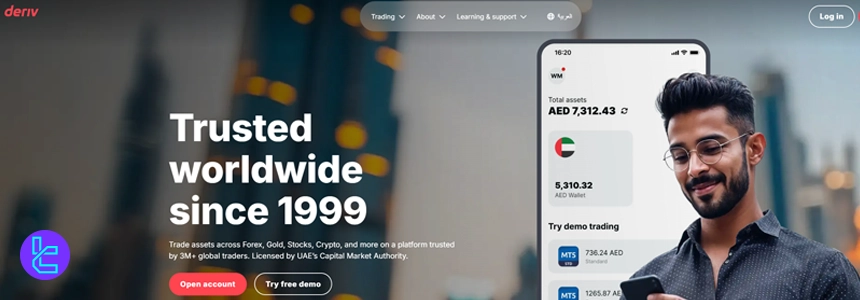
Deriv offers derivative products including Options and Multipliers across Forex, Stocks, Indices, Commodities, Cryptocurrencies, and ETFs. Spreads start from 0.24 pips with zero commissions on most accounts. A free demo account is available on MT5 and Deriv Trader for risk-free practice.
You can read our Deriv dashboard review for information about the broker’s user interface and cabinet features.
The broker operates under multiple regulators such as the Malta Financial Services Authority (MFSA), Labuan Financial Services Authority (FSA), Vanuatu Financial Services Commission (VFSC), and British Virgin Islands Financial Services Commission (FSC). EU clients benefit from up to €20,000 investor protection under ICF.
With a $5 minimum deposit, leverage up to 1:1000 (entity-dependent), 0.01 lot minimum order size, and platforms like MT5, cTrader, and Deriv X, Deriv supports flexible trading. However, 70.78% of retail CFD accounts lose money, reflecting the high-risk nature of leveraged derivatives.
Remember that to access full features and services, you should pass the Deriv verification process. The broker’s specifications are summarized below.
Account Types | Standard, Financial, Swap-Free |
Regulating Authorities | MFSA, FSA, VFSC, BVI |
Minimum Deposit | $5 |
Deposit Methods | Credit/Debit Cards, Online Banking, Mobile Payments, E-Wallets, Crypto, Voucher, Deriv P2P |
Withdrawal Methods | Credit/Debit Cards, Online Banking, Mobile Payments, E-Wallets, Crypto, Voucher, Deriv P2P |
Maximum Leverage | 1:1000 |
Trading Platforms & Apps | MT5, cTrader, Deriv X |
Deriv Pros & Cons
Before choosing Deriv as a demo account broker, traders should evaluate its regulatory structure, leverage conditions, and complex derivative offerings. Below is a balanced overview of the broker’s key strengths and limitations.
Pros | Cons |
Free demo account on MT5 and Deriv Trader | No Tier-1 regulators like FCA or ASIC |
Spreads from 0.24 pips with $0 commission | High-risk derivative products (70.78% loss rate) |
Low $5 minimum deposit | Limited phone support |
Multi-entity regulation with segregated funds & NBP | No PAMM/MAM account options |
FXGT
Founded in 2019, FXGT has positioned itself as a multi-asset broker offering high-leverage trading and crypto-friendly funding options. With over 185 tradable instruments across Forex, indices, stocks, metals, energies, and digital assets, it targets traders seeking diversified exposure under a multi-entity regulatory structure.
FXGT operates through regulated entities including Cyprus Securities and Exchange Commission (CySEC), Financial Sector Conduct Authority (FSCA), Financial Services Authority Seychelles (FSA), and Vanuatu Financial Services Commission (VFSC).
Institutional clients under CySEC may benefit from ICF coverage up to €20,000, while all entities provide segregated funds and negative balance protection.
The broker offers five account types, including Mini, Standard+, Pro, ECN Zero, and Optimus, with spreads from 0 pips and commissions from $3 per side on FX pairs under ECN Zero. Leverage reaches up to 1:5000 (offshore entities), while minimum deposits start from just $5. You can participate in FXGT rebate program for discounts on trading costs.
Trading is conducted via MetaTrader 4 and MetaTrader 5, supporting one-click execution, algorithmic trading, and copy trading. Demo accounts are available, making FXGT relevant for traders testing strategies before deploying capital in live market conditions.
FXGT Pros and Cons
FXGT combines low entry barriers, flexible leverage, and multi-jurisdictional regulation, but it also has limitations such as restricted countries and a relatively short operating history. Below is a structured overview of its main advantages and disadvantages.
Pros | Cons |
Low minimum deposit ($5) | Limited number of tradeable symbols (~185 vs larger brokers) |
High leverage up to 1:5000 (offshore entities) | Does not accept US and several EU clients |
Multi-entity regulation (CySEC, FSCA, FSA, VFSC) | No traditional investment accounts (no PAMM/managed funds) |
Raw spreads from 0 pips on ECN Zero | Relatively new broker (established 2019) |
How did We Choose Each Broker?
Choosing the best demo account Forex brokers requires more than surface-level comparisons. At TradingFinder, our evaluation is built on a 19-metric review framework designed to measure transparency, execution quality, and trader protection.
Since demo accounts simulate real-market conditions, we assess how accurately they reflect live trading environments.
The foundation of our broker review methodology begins with Regulations and Licenses. We verify oversight by top-tier authorities such as the FCA, ASIC, CySEC, and other international regulators. Investor protection mechanisms, segregated client funds, and negative balance protection are carefully reviewed to ensure capital safety.
Next, we analyze Account Types Variety, demo-to-live transition structure, tradable symbols (Forex pairs, indices, commodities, ETFs, CFDs), spreads, commissions, swap fees, and non-trading costs.
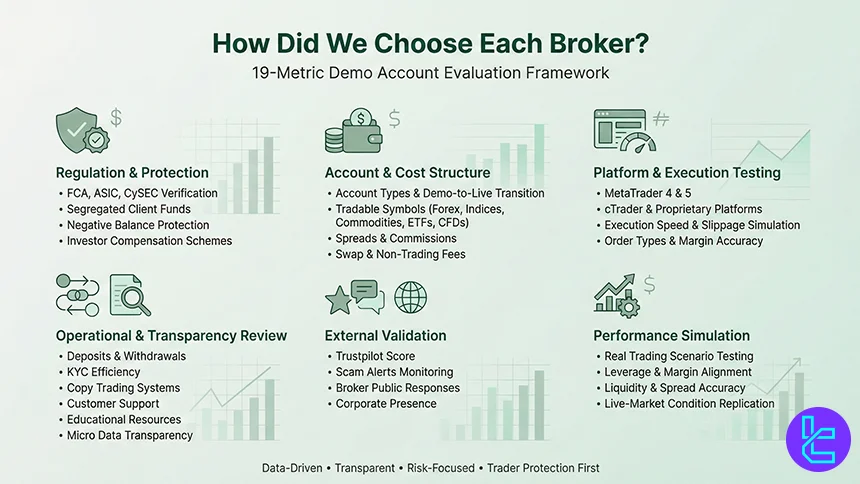
We also test MetaTrader 4, MetaTrader 5, cTrader, proprietary platforms, and mobile apps to evaluate execution speed, slippage simulation, and order types available within demo environments.
Operational factors carry equal weight. We examine deposit and withdrawal systems, KYC verification efficiency, copy trading functionality, customer support responsiveness, educational materials, and platform micro data transparency.
External validation sources like Trustpilot score, scam alerts, broker responses, and corporate presence further refine our assessment.
Our analysts, who are experienced market professionals, apply real trading scenarios to each demo account, ensuring that spreads, leverage structures, margin calculations, and liquidity conditions align with live market standards.
By combining regulatory verification, performance testing, and user-experience analysis, TradingFinder delivers objective, data-driven rankings tailored to traders seeking realistic and risk-free demo trading environments.
What is a Demo Account?
A demo account is a simulated trading environment offered by forex brokers that allows traders to practice trading financial instruments without risking real capital.
It mirrors live market conditions using real-time price feeds for assets such as Forex currency pairs, indices, commodities, stocks, ETFs, and CFDs, but all trades are executed with virtual funds.
Most regulated brokers provide demo accounts on platforms like MetaTrader 4 (MT4), MetaTrader 5 (MT5), and cTrader, replicating core trading functions including order types (market, limit, stop), leverage settings, margin calculations, and technical indicators.
This enables traders to test strategies, evaluate spreads, analyze execution speed, and understand platform mechanics before opening a live account.
Demo accounts are widely used by beginner traders to learn order execution, risk management, and chart analysis, while experienced traders rely on them to forward-test automated systems (Expert Advisors), refine algorithmic models, or evaluate new brokers’ trading conditions.
However, since demo trading does not involve psychological pressure or real capital exposure, slippage and liquidity conditions may differ from live environments.
In essence, a demo account functions as a risk-free training and testing tool, helping traders assess broker infrastructure, pricing transparency, and platform stability before committing real funds to the Forex market.
What are the Pros and Cons of a Demo Account?
A Demo Account provides a risk-free environment to practice Forex trading using virtual funds while accessing real-time market data through platforms such as MetaTrader 4 (MT4), MetaTrader 5 (MT5), and cTrader.
It allows traders to test strategies, evaluate spreads, and understand leverage and margin mechanics. However, execution quality and psychological pressure often differ from live trading conditions.
Pros | Cons |
No financial risk - trades are executed with virtual capital | No real emotional pressure, leading to unrealistic performance expectations |
Access to real-time market prices and full platform features | Slippage and liquidity conditions may differ from live accounts |
Suitable for testing strategies, EAs, and algorithmic systems | Overconfidence may develop due to absence of real capital risk |
Helps evaluate broker spreads, execution speed, and tools | Demo spreads or execution speed may not fully replicate live conditions |
How Does a Demo Account Work?
A Demo Account operates as a simulated trading environment that mirrors real-market conditions using virtual funds. When a trader opens a demo profile with a Forex broker, the platform connects to a demo server that streams real-time bid and ask prices for instruments such as Forex pairs, indices, commodities, stocks, and CFDs.
The trading interface, whether MetaTrader 4 (MT4), MetaTrader 5 (MT5), or cTrader, functions identically to a live account. Traders can place market orders, pending orders (limit and stop), set stop-loss and take-profit levels, adjust leverage, and monitor margin requirements.
All profit and loss calculations are based on real-time price movements, but no actual capital is involved.
Behind the scenes, demo accounts simulate trade execution without routing orders to real liquidity providers. This means trades are processed internally by the broker’s system rather than executed in the live interbank or ECN market. As a result, slippage, requotes, and liquidity constraints may be reduced compared to live accounts.
Swap rates (overnight financing), spreads, and commissions are typically displayed to replicate live trading costs, allowing traders to evaluate cost structures and performance metrics. In essence, a demo account works as a real-time market simulator designed for strategy testing, platform familiarization, and broker condition analysis before transitioning to live trading.
How to Set Up a Demo Account in a Forex Broker
Setting up a Demo Account with a Forex broker is a straightforward process designed to give traders access to real-time market simulation without financial risk. Most regulated brokers offer demo registration directly from their website or trading platform interface.
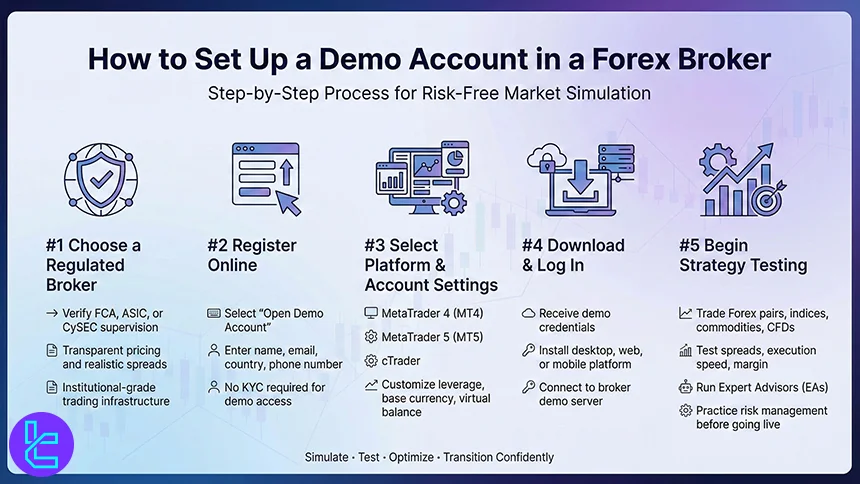
#1 Choose a Regulated Broker
Select a broker supervised by reputable authorities such as the FCA, ASIC, or CySEC. Regulation ensures that the demo environment reflects transparent pricing, realistic spreads, and institutional-grade infrastructure.
#2 Register Online
Navigate to the broker’s website and select “Open Demo Account”. Typically, you will provide basic details such as name, email address, country of residence, and phone number. Unlike live accounts, KYC verification is usually not required for demo access.
#3 Select Platform and Account Settings
Choose your preferred trading platform, such as MetaTrader 4 (MT4), MetaTrader 5 (MT5), or cTrader. You can usually customize leverage levels, account currency, and initial virtual balance to simulate your intended trading conditions.
#4 Download and Log In
After registration, the broker provides login credentials. Download the trading platform (desktop, web, or mobile), enter your demo account details, and connect to the broker’s demo server.
#5 Begin Testing Strategies
Once logged in, you can trade Forex pairs, indices, commodities, or CFDs using virtual funds. Traders commonly use demo accounts to test execution speed, spreads, margin requirements, Expert Advisors (EAs), and risk management strategies before transitioning to a live account.
What are the Spreads in Demo Accounts?
Spreads in a demo account typically mirror the pricing structure of a broker’s live trading environment. Most regulated Forex brokers stream real-time bid and ask prices to demo servers, meaning spreads on major currency pairs like EUR/USD, GBP/USD, and USD/JPY usually reflect the same floating or fixed spread model applied to live accounts.
In brokers operating under ECN or Raw Spread models, demo spreads can start from 0.0-0.2 pips on major pairs during high-liquidity sessions (London and New York overlap). Standard accounts may show wider spreads, often ranging between 0.6 to 1.5 pips depending on market volatility and liquidity conditions.
However, while pricing data is generally identical, execution conditions may differ. Demo environments often simulate instant fills without real market depth constraints, meaning slippage and order rejection rates are usually lower compared to live trading. This can result in slightly more favorable execution metrics in demo testing.
Traders should therefore use demo spreads to evaluate broker pricing transparency, average spread stability, and cost structure (including commissions in ECN accounts), but remain aware that real-market liquidity and execution speed in live accounts may vary.
Do Demo Accounts Come with Non-Trading Fees?
In most cases, demذolve non-trading fees because no real capital is deposited or withdrawn. Since demo trading uses virtual funds, brokers typically do not charge deposit fees, withdrawal fees, inactivity fees, or currency conversion costs on simulated accounts.
Non-trading fees are primarily associated with live trading accounts, where real transactions occur through payment providers, banks, or e-wallet services.
For example, brokers may apply inactivity charges after a defined dormant period or impose withdrawal processing fees depending on the funding method and regulatory jurisdiction (e.g., under FCA or ASIC-regulated entities).
However, demo accounts may have indirect limitations rather than fees. Some brokers restrict demo access to a specific time period (e.g., 30 days) or deactivate accounts after inactivity. In such cases, traders can usually request a new demo profile without financial cost.
It is also important to note that swap rates (overnight financing costs) and commissions displayed in demo accounts are simulated to replicate live account conditions.
While these costs appear in trade history, they are not real charges. Therefore, demo accounts are generally free of non-trading fees, making them a cost-efficient tool for strategy testing and broker evaluation.
Who Should Use Demo Accounts?
A Demo Account is suitable for a wide range of market participants, from beginners learning platform mechanics to experienced traders testing advanced strategies.
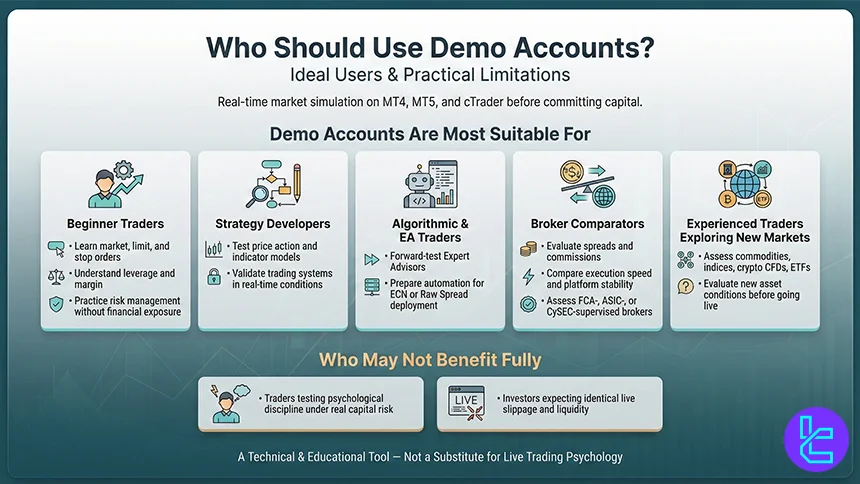
Since demo environments replicate real-time pricing on platforms such as MetaTrader 4 (MT4), MetaTrader 5 (MT5), and cTrader, they serve as a practical testing ground before committing real capital.
Demo Accounts Are Most Suitable For:
- Beginner Traders: Individuals learning order types (market, limit, stop), leverage mechanics, margin requirements, and risk management fundamentals without financial exposure;
- Strategy Developers: Traders testing new trading systems, price action models, indicator-based strategies, or algorithmic systems (Expert Advisors) under real-time market conditions;
- Algorithmic & EA Traders: Developers forward-testing automated strategies before deploying them on live ECN or Raw Spread accounts;
- Broker Comparators: Traders evaluating spreads, commissions, execution speed, and platform stability across multiple regulated brokers (e.g., FCA-, ASIC-, or CySEC-supervised entities);
- Experienced Traders Exploring New Markets: Professionals assessing new asset classes such as commodities, indices, crypto CFDs, or ETFs offered by a broker.
Who May Not Benefit Fully:
- Traders seeking to test psychological discipline under real capital risk;
- Investors expecting demo results to perfectly replicate live slippage and liquidity conditions.
In essence, demo accounts are best used as an educational and technical evaluation tool rather than a full substitute for live trading experience.
What Tradable Instruments Are Available in Demo Accounts?
Most Demo Accounts provide access to the same range of tradable instruments available in a broker’s live trading environment. Since demo platforms stream real-time market data, traders can analyze pricing behavior, spreads, and volatility across multiple asset classes without financial risk.
The most common instruments available include:
- Forex Currency Pairs: Major pairs (EUR/USD, GBP/USD, USD/JPY), minor pairs, and selected exotic pairs are typically accessible, reflecting interbank market pricing conditions;
- Indices CFDs: Popular global benchmarks such as the S&P 500, NASDAQ 100, DAX 40, and FTSE 100 are often included for volatility and macro-driven strategy testing;
- Commodities: Gold (XAU/USD), Silver (XAG/USD), crude oil (WTI, Brent), and natural gas are widely offered due to their liquidity and macroeconomic sensitivity;
- Stock CFDs: Shares of large-cap companies listed on US, European, or Asian exchanges, depending on the broker’s regulatory jurisdiction;
- Cryptocurrency CFDs: Major digital assets such as Bitcoin (BTC/USD) and Ethereum (ETH/USD), subject to regulatory restrictions;
- ETFs and Bonds (Where Available): Some brokers extend demo access to ETF CFDs and government bond instruments.
Availability may vary depending on the broker’s license (e.g., FCA, ASIC, CySEC) and liquidity partnerships. However, in most regulated environments, demo accounts are structured to replicate the broker’s full product offering, enabling comprehensive multi-asset strategy testing.
Demo Accounts vs. Common Real Account Types
Demo accounts simulate real-market conditions using virtual funds, allowing traders to test platforms, execution speed, spreads, and strategies without financial risk. Unlike Standard, ECN, or Pro accounts, demo accounts do not involve real capital, commissions, or emotional pressure.
However, pricing feeds, leverage settings, and order execution logic often mirror live conditions. While Standard accounts target retail traders, ECN and Pro accounts focus on tighter spreads and commission-based pricing for active participants. The comparison below outlines structural and cost differences.
Parameters | Demo Account | Standard Account | ECN Account | Pro Account |
Balance Denomination | Virtual funds (simulated base currency) | Base currency (USD, EUR, etc.) | Base currency | Base currency |
Typical Minimum Deposit | $0 (no real deposit required) | $50 - $200 | $100 - $500 | $200 - $1,000+ |
Lot Size Structure | Micro to standard lots (platform-simulated) | Mini & standard lots (0.01-1.0) | Raw lot sizes with direct liquidity | Standard lots with optimized execution |
Spreads (Major Pairs) | Simulated live spreads (floating) | 0.8 - 1.5 pips (floating) | 0.0 - 0.3 pips (raw) | 0.1 - 0.8 pips (floating) |
Commission Model | No real commission charged | Usually spread-only | Commission per lot ($3–$7 RT typical) | Low or zero commission (broker-dependent) |
Execution Model | Simulated market conditions | Market Maker / STP | True ECN / NDD | STP / Hybrid |
Max Leverage (Offshore) | Same as live account setting (virtual) | 1:500 - 1:1000 | 1:200 - 1:500 | 1:200 - 1:500 |
Max Leverage (Tier-1 Reg.) | Typically mirrors retail cap (e.g., 1:30) | 1:30 | 1:30 | 1:30 |
Instrument Availability | Usually full platform offering | Full retail offering | Full offering with deeper liquidity | Full offering |
Target Trader Profile | Beginners, strategy testers, EA backtesting | Retail traders | Scalpers, high-volume traders | Experienced discretionary traders |
Typical Stop-Out Level | Simulated (varies by broker setting) | 20% - 50% | 20% - 30% | 20% - 30% |
Slippage Sensitivity | No real financial impact | Moderate | Lower (direct liquidity access) | Lower |
Conclusion
Demo accounts are virtual environments for trading with artificial funds based on real, practical strategies. Although mostly recommended for beginners, but they can also be used for improving trading skills and approaches.
According to our examinations of trading conditions, account types, and other factors, AMarkets, Fusion Markets, FXCM, and Moneta Markets are some of the best brokers for this purpose.
To get familiar with the way we curated these brokers, check out our Forex methodology.






