












TradingView, launched in 2011, has evolved into one of the world’s most influential trading platforms, trusted by 60+ million users across global markets. Its advanced charting engine, custom scripting via Pine Script, multi-device access, and integrated social trading ecosystem make it a core tool for modern technical analysts.
Selecting the best TradingView broker requires comparing regulation strength, execution quality, spreads, supported assets, and seamless platform connectivity for optimal performance.
 | Pepperstone | |||
 | IC Markets | |||
 | FP Markets | |||
| 4 |  | Fusion Markets | ||
| 5 |  | eightcap | ||
| 6 |  | BlackBull Markets | ||
| 7 |  | ActivTrades |
TradingView Forex Brokers Ranked by Trustpilot
Client feedback highlights reliability among leading TradingView-compatible brokers, with IC Markets, FP Markets, and BlackBull Markets each holding 4.8/5 Trustpilot scores, backed by tens of thousands of verified reviews.
These ratings reflect strong execution quality, transparent pricing, and consistent platform performance across global trading environments.
Broker Name | Trustpilot Rating | Number of Reviews |
IC Markets | 49,951 | |
FP Markets | 9,726 | |
Fusion Markets | 5,620 | |
2,916 | ||
Pepperstone | 3,197 | |
Eightcap | 3,365 | |
1,252 |
Lowest Spreads Among TradingView Brokers
Several top TradingView brokers now provide minimum spreads starting from 0.0 pips, creating highly competitive trading conditions.
These ultra-low pricing models significantly reduce transaction costs, making them especially attractive for scalping strategies, algorithmic trading, and high-volume market participants who depend on precision execution and tight bid-ask differentials.
Broker Name | Min. Spread |
Fusion Markets | 0.0 Pips |
BlackBull Markets | 0.0 Pips |
FOREX.com | 0.0 Pips |
0.0 Pips | |
Eightcap | 0.0 Pips |
Tastytrade | 0.0 Pips |
0.0 Pips |
TradingView Brokers Ranked by Non-Trading Fees
Non-trading costs can materially impact long-term profitability for active and occasional traders alike.
Several leading TradingView-supported brokers offer zero deposit, withdrawal, and inactivity fees, while others apply minimal charges such as £1 deposits, $5 withdrawals, or inactivity fees near $18 per month.
Broker | Deposit Fee | Withdrawal Fee | Inactivity Fee |
FP Markets | No | No | No |
IC Markets | No | No | No |
No | No | No | |
Spreadex | Up to £1 | No | No |
BlackBull Markets | No | $5 | No |
Saxo | No | Up to AUD 30 | No |
IG | Up to 1% | No | $18/month |
TradingView Forex Brokers’ Trading Instruments
TradingView brokers deliver extensive market coverage, with the largest platforms providing access to over 26,000 tradable instruments.
This exceptional depth of products allows traders to diversify efficiently across the forex market, indices, commodities, equities, and digital assets using a single, advanced TradingView trading interface.
Broker Name | Tradable Instruments |
BlackBull Markets | 26,000+ |
IG | 17,000+ |
FOREX.com | 5,500+ |
IC Markets | 2,200+ |
FP Markets | 1,000+ |
800+ | |
250+ |
Top 5 TradingView Brokers
The global forex market exceeds $7 trillion daily turnover, and professional traders increasingly rely on TradingView-integrated brokers for advanced execution and analytics.
Based on platform depth, regulation strength, pricing structure, execution quality, and available instruments, the following five brokers represent the strongest TradingView-compatible choices.
Eightcap
Eightcap is a global Forex and CFD broker founded in 2009 in Melbourne, Australia, delivering access to 800+ tradable instruments across Forex, crypto, indices, commodities, metals, and shares.
The Eightcap registration process provides access to Standard, Raw, TradingView, and Demo accounts with spreads starting from 0.0 pips and leverage up to 1:500.
The company operates under strong multi-jurisdiction regulation including ASIC, FCA, CySEC, and SCB, ensuring strict compliance standards, segregated client funds, and negative balance protection. Eightcap was awarded Global Broker of the Year 2023, highlighting its continued focus on platform innovation, service quality, and professional trading infrastructure.
Eightcap provides advanced trading platforms, including MetaTrader 4, MetaTrader 5, and TradingView, along with professional-grade tools such as Capitalise.ai, FlashTrader, and an AI-powered economic calendar. Traders benefit from market execution, deep liquidity, and flexible funding via cards, banks, e-wallets, and cryptocurrencies.
With a minimum deposit of $100, 24/5 customer support, cashbacks of up to $3.6 via the Eightcap rebate program, and extensive educational resources through Eightcap Labs, the broker serves both beginner and advanced traders.
The CEO, Tim, brings over 15 years of industry experience, strengthening Eightcap’s long-term strategic development and operational stability.
Account Types | Standard, Raw, TradingView, Demo |
Regulating Authorities | ASIC, FCA, CySEC, SCB |
Minimum Deposit | $100 |
Deposit Methods | Crypto, e-wallets, credit/debit card, bank transfer, Online Payment Systems |
Withdrawal Methods | Crypto, e-wallets, credit/debit card, bank transfer, Online Payment Systems |
Maximum Leverage | 1:500 |
Trading Platforms & Apps | MT4, MT5, TradingView |
Eightcap Pros and Cons
As shown in the following table, Eightcap’s strengths and limitations provide traders with a balanced perspective when evaluating whether this broker aligns with their trading objectives and risk profile.
Pros | Cons |
Strong regulation across multiple top-tier authorities | Limited advanced education filtering tools |
Access to MT4, MT5, and TradingView platforms | No built-in copy trading or PAMM services |
Competitive spreads and professional trading tools | The inactivity fee applies after three months |
Wide range of instruments, including 200+ crypto CFDs | Customer support unavailable on weekends |
BlackBull Markets
BlackBull Markets is a global multi-asset brokerage founded in 2014 in New Zealand, delivering access to 26,000+ tradable instruments across forex, stocks, indices, commodities, energies, metals, and cryptocurrencies.

The broker operates an ECN trading environment with spreads from 0.0 pips and leverage up to 1:500.
Completing the BlackBull Markets registration provides access to three professional account types: ECN Standard, ECN Prime, and ECN Institutional.
The broker supports trading on MT4, MetaTrader 5, cTrader, TradingView, plus its proprietary ecosystems BlackBull CopyTrader and BlackBull Invest. Minimum deposits start from $0, making the platform accessible to all experience levels.
BlackBull Markets is regulated by the New Zealand FMA and the Seychelles FSA, maintains segregated client funds, provides negative balance protection, and partners with tier-1 banking institutions. Its infrastructure includes Equinix NY4/LD5 servers for ultra-fast execution and low-latency trading.
The broker supports copy trading, PAMM services, API trading, and Islamic swap-free accounts, while offering over 3,000 educational videos, advanced analytics tools, and 24/7 multilingual customer support.
BlackBull has received multiple global awards for execution speed, platform performance, and investment range.
Account Types | ECN Standard, ECN Prime, ECN Institutional |
Regulating Authorities | FSA, FMA |
Minimum Deposit | $0 |
Deposit Methods | Visa, MasterCard, Apple Pay, Google Pay, Bank Wire, Crypto, Neteller, Skrill, SEPA, FasaPay |
Withdrawal Methods | Visa, MasterCard, Apple Pay, Google Pay, Bank Wire, Crypto, Neteller, Skrill, SEPA, FasaPay |
Maximum Leverage | 1:500 |
Trading Platforms & Apps | MT4, MT5, TradingView, cTrader, BlackBull CopyTrader, BlackBull Invest |
BlackBull Markets Pros & Cons
BlackBull Markets combines deep liquidity, high-performance execution, and one of the largest product selections in the retail trading industry. The following overview summarizes the broker’s main strengths and potential limitations for traders evaluating its suitability.
Pros | Cons |
Over 26,000 tradable instruments across multiple asset classes | Some regional restrictions apply |
ECN execution with spreads from 0.0 pips | ECN Prime account requires higher initial funding |
Strong platform offering including MT4, MT5, cTrader, TradingView | Wide feature set may feel complex for new traders |
Advanced copy trading, API access, and global liquidity | Not available to U.S. residents |
Fusion Markets
Fusion Markets is a multi-regulated global forex and CFD broker founded by Phil Horner, operating under ASIC and VFSC oversight with operations spanning Australia and Vanuatu.
By completing the Fusion Markets verification procedure, traders get access to over 250+ markets across forex, indices, commodities, cryptocurrencies, metals, and share CFDs with institutional liquidity support.
With 0.0-pip spreads on major pairs, $0 minimum deposit, and commission models starting from $0.0, Fusion Markets positions itself as a low-cost trading environment.
Client funds are held in segregated accounts at top-tier banks, including HSBC and National Australia Bank, supporting strong capital protection standards.
Fusion Markets dashboard supports a full professional platform stack including MetaTrader 4, MetaTrader 5, cTrader, and TradingView, across desktop, web, and mobile. Execution speeds average 0.02ms, supported by VPS hosting, copy trading infrastructure, MAM/PAMM services, and advanced risk management tools.
The broker’s infrastructure includes 55 currency pairs, 1000+ US share CFDs, crypto leverage up to 1:10 (Pro), and energy, metals, and index trading with leverage up to 1:500. Multiple account types, including Zero, Classic, and Swap-Free, allow tailored pricing and strategy flexibility.
Account Types | Zero, Classic, Swap-Free |
Regulating Authorities | ASIC, VFSC |
Minimum Deposit | $0 |
Deposit Methods | VISA, MasterCard, PayPal, Perfect Money, PayID, Bank Wire, Crypto, Skrill, Neteller, etc. |
Withdrawal Methods | PayPal, Perfect Money, Bank Wire, Crypto, Skrill, Neteller, etc. |
Maximum Leverage | 1:500 |
Trading Platforms & Apps | MetaTrader 4, MetaTrader 5, TradingView, cTrader |
Fusion Markets Pros and Cons
The following table outlines the broker’s key strengths and limitations to support informed decision-making.
Pros | Cons |
Ultra-low spreads from 0.0 pips | Limited proprietary educational content |
No minimum deposit requirement | No investor compensation fund |
Supports MT4, MT5, cTrader, TradingView | Not available in the United States |
Advanced copy trading & VPS services | Relatively new brand (established 2019) |
FP Markets
FP Markets, founded in 2005, is a global multi-asset forex and CFD broker operating under multiple regulatory authorities, including top-tier supervision from ASIC and CySEC, delivering institutional-grade trading conditions, strong capital oversight, and a transparent trading environment for retail and professional traders worldwide.
By completing the FP Markets registration, traders get access to two core account types, Standard and RAW, both with a low minimum deposit of $50 and spreads starting from 0.0 pips.
It supports advanced platforms including MT4, MT5, and cTrader, making FP Markets suitable for scalpers, algorithmic traders, and long-term investors.
FP Markets provides access to over 10,000 trading instruments covering Forex, indices, commodities, ETFs, metals, cryptocurrencies, and global shares. Traders benefit from deep liquidity, negative balance protection, segregated client funds, copy trading, and professional-grade execution infrastructure.
With operations across Australia, Europe, Africa, and offshore regions, FP Markets combines fast execution, multi-currency funding, comprehensive platform tools, and 24/7 customer support, positioning itself as a technology-driven broker focused on pricing efficiency and execution quality.
FP Markets deposit and withdrawal methods include cards, bank transfers, Skrill, Neteller, etc.
Account Types | Standard, RAW |
Regulating Authorities | ASIC, CySEC, FSC, FSCA, FSA |
Minimum Deposit | $50 |
Deposit Methods | Visa and Master card, Skrill, PayPal, Neteller, Bank Transfer |
Withdrawal Methods | Visa and Master card, Skrill, PayPal, Neteller, Bank Transfer |
Maximum Leverage | 1:500 |
Trading Platforms & Apps | MT4, MT5, cTrader |
FP Markets Pros and Cons
The following summary outlines the broker’s key advantages and potential drawbacks for active forex and CFD traders.
Pros | Cons |
Multi-regulated with strong global oversight | Not available for U.S. clients |
Ultra-low spreads starting from 0.0 pips | No proprietary trading platform |
10,000+ tradable instruments | Educational content could be expanded |
FP Markets rebate program with cashbacks up to $3 per lot | Regional service restrictions may apply |
ActivTrades
ActivTrades is a London-based forex and CFD broker founded in 2001, serving 100,000+ clients across 170 countries. With over two decades of industry presence, the company has built a reputation for stability, innovation, and client-focused trading solutions within highly regulated financial environments.
The broker operates under multiple regulatory authorities, including the FCA (UK) and other international supervisors, while offering client fund protection up to £85,000 through FSCS plus additional insurance up to £1,000,000 per client.
This multi-layered protection framework places ActivTrades among the most secure global brokers.
ActivTrades registration provides access to 1,000+ CFD instruments covering forex, indices, commodities, stocks, ETFs, bonds, and cryptocurrencies, with trading platforms including MT4, MT5, TradingView, and its proprietary ActivTrader.
Execution speeds average 4 milliseconds, supporting fast, conflict-free trading through a no-dealing-desk model.
The broker offers Professional, Individual, Demo, and Islamic accounts, 0.01 lot minimums, leverage up to 1:400, and floating spreads from 0.5 pips.
With $0 minimum deposit, multi-currency funding, advanced analytics, and 24/5 multilingual support, ActivTrades delivers institutional-grade infrastructure to retail and professional traders alike.
Account Types | Professional, Individual, Demo, Islamic |
Regulating Authorities | FCA, SCB, CMVM, BACEN, CVM |
Minimum Deposit | $0 |
Deposit Methods | Bank Wire, Credit/Debit Cards (Visa, MasterCard), E-Wallets (Skrill, Neteller), Local Payment Methods |
Withdrawal Methods | Bank Wire, Credit/Debit Cards (Visa, MasterCard), E-Wallets (Skrill, Neteller), Local Payment Methods |
Maximum Leverage | 1:400 |
Trading Platforms & Apps | MT4, MT5, ActivTrader, TradingView |
ActivTrades Pros and Cons
The following overview summarizes the broker’s key strengths and limitations to help traders evaluate its suitability for their trading objectives.
Pros | Cons |
Multi-regulated with strong capital protection | Not available for U.S. clients |
Over 1,000 CFD instruments across global markets | No built-in copy trading services |
Proprietary ActivTrader plus MT4, MT5, TradingView | Limited promotional bonuses |
Fast execution with no dealing desk model | Some regions have restricted access |
What Factors Should I Consider to Select the Best TradingView Broker?
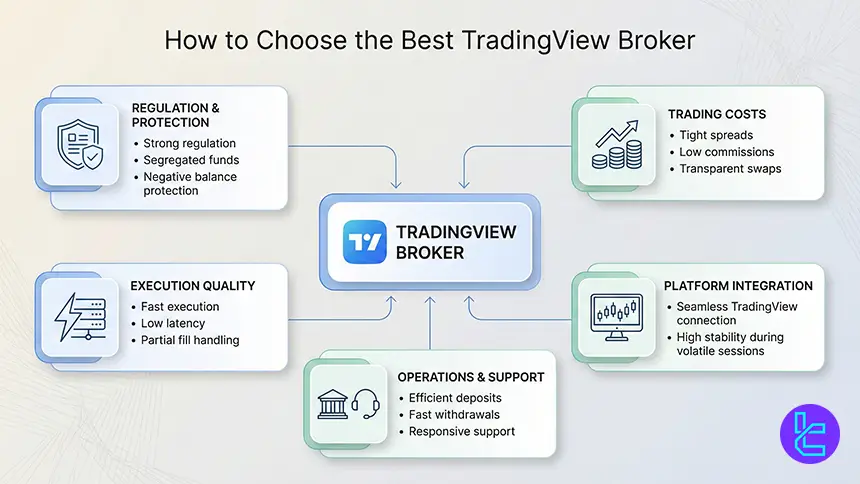
Selecting the best TradingView broker begins with execution quality and pricing efficiency. Since TradingView allows direct order placement from charts, traders should prioritize tight spreads, transparent commissions, fast execution, and deep liquidity pools.
These factors directly affect slippage control, order accuracy, and long-term trading costs. Security and operational strength are equally important. Strong regulation, segregated client funds, negative balance protection, and a stable regulatory record reduce counterparty risk.
Beyond compliance, the platform experience matters: seamless TradingView integration, reliable connectivity during volatile sessions, and efficient funding systems all shape overall trading performance.
- Regulatory strength and investor protection mechanisms
- All-in trading costs, including spreads, commissions, and swaps
- Execution speed, latency control, and partial fill handling
- Platform stability with full TradingView feature compatibility
- Deposit, withdrawal, and customer support efficiency
What Is TradingView?
Founded in 2011, TradingView has evolved from a charting platform into a full market analysis and execution environment used by over 60 million traders worldwide. It combines real-time price data, advanced technical tools, social networking, and broker connectivity into a single browser-based interface.
Today, traders can analyze markets, backtest strategies, exchange ideas, and execute trades directly from TradingView charts without switching platforms. Its global reach, continuous innovation, and deep integration with leading brokers make TradingView one of the most influential trading platforms in modern financial markets.
Is TradingView Free?
TradingView offers a free Basic plan with essential charting and analysis tools, suitable for casual traders and beginners. Advanced users can choose paid plans, including Essential, Plus, Premium, and Ultimate, unlocking higher indicator limits, multi-chart layouts, extended history, and professional features.
Subscription pricing ranges from approximately €/$12.95 per month for Essential up to €/$199.95 per month for Ultimate. All paid plans include free trial periods, allowing traders to evaluate features before committing.
Plan detail | Essential | Plus | Premium | Ultimate |
Free trial length | 30 days | 30 days | 30 days | 7 days |
Charts per tab | 2 | 4 | 8 | 16 |
Indicators per chart | 5 | 10 | 25 | 50 |
Historical bars | 10K | 10K | 20K | 40K |
Parallel chart connections | 10 | 20 | 50 | 200 |
Price alerts | 20 | 100 | 400 | 1,000 |
Technical alerts | 20 | 100 | 400 | 1,000 |
Price | $12.95 | $24.95 | $59.95 | $250.95 |
Key Benefits of TradingView
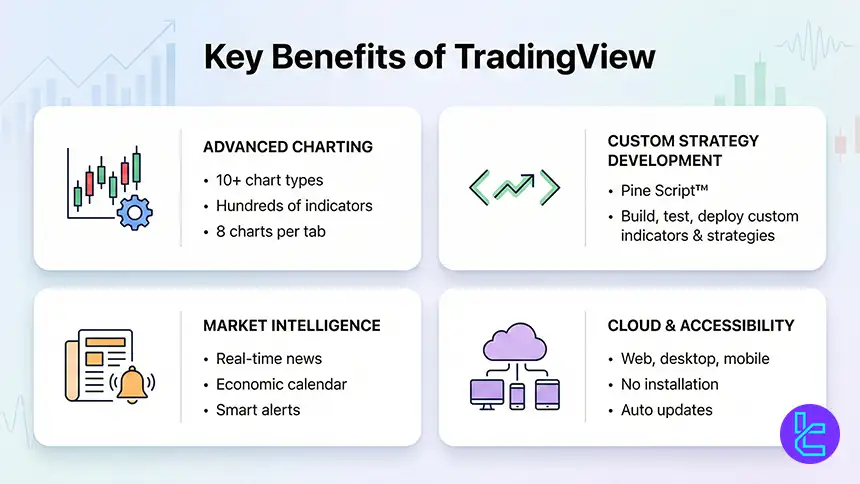
TradingView delivers professional-grade charting with 10+ chart types, hundreds of indicators, and 8-chart layouts per tab. Its proprietary Pine Script™ allows traders to design, test, and deploy custom indicators and strategies with precision. This flexibility supports both discretionary traders and advanced quantitative strategies.
Beyond analytics, TradingView integrates real-time news, economic calendars, alerts, and community insights directly into the interface. The cloud-based architecture ensures constant access across devices without installation, while automatic updates keep tools current with evolving market needs.
- Powerful charting with extensive customization
- Pine Script for custom indicators and strategies
- Real-time news, alerts, and economic data
- Cloud-based multi-device accessibility
Does TradingView Support Custom Indicators?
TradingView fully supports custom indicators and strategies through its proprietary programming language Pine Script™. Traders can create unique indicators, automate signals, and test strategies directly on charts using historical and real-time market data.
The platform hosts over 8 million community scripts, allowing traders to explore and modify proven tools. This open development ecosystem accelerates innovation and provides traders with limitless analytical flexibility across all supported markets.
Devices and Operating Systems Supporting TradingView
TradingView operates entirely in the cloud, requiring no software installation for core functionality. The platform runs seamlessly on Windows, macOS, Linux, ChromeOS, and all modern browsers, providing full analytical and execution capability.
Dedicated mobile applications for iOS and Android replicate desktop functionality with responsive design and synchronized workspaces. Traders can monitor positions, manage alerts, and analyze charts from any device without sacrificing performance.
Here are the download links:
Does TradingView Support VPS Trading and Auto Trading?
TradingView supports automated trading primarily through custom scripts, alerts, and broker-side execution tools. While TradingView itself does not host expert advisors, traders can integrate automated strategies with connected brokers that support algorithmic trading and VPS hosting.
Many active traders deploy broker-based automation on VPS servers to ensure continuous connectivity, reduced latency, and uninterrupted execution during high-volatility sessions. This setup enhances reliability for systematic strategies and high-frequency execution models.
Connecting TradingView to Your Broker
Linking a broker account to TradingView enables full trade execution directly from charts. The process is simple: select the broker from the Trading Panel, authorize login, and confirm the connection. Once linked, traders can place, manage, and monitor positions without leaving the TradingView interface.
TradingView supports both live and demo accounts, allowing traders to test strategies before committing capital. Multiple broker accounts can be connected, enabling flexible switching between liquidity providers, asset classes, and pricing structures.
Back-Testing Strategies on TradingView
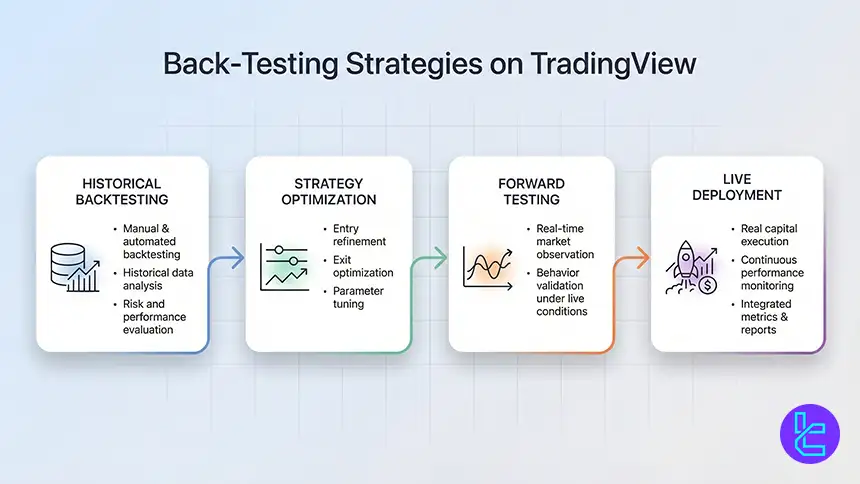
TradingView offers both manual and automated backtesting tools, allowing traders to evaluate strategy performance using historical market data. This process helps quantify risk, refine entries, optimize exits, and validate trading assumptions before deploying real capital.
The platform also supports forward testing, enabling traders to observe strategy behavior under live market conditions. While backtesting provides valuable insights, traders must account for data quality and evolving market dynamics when interpreting results.
- Manual and automated backtesting tools
- Historical data analysis for strategy validation
- Forward testing for real-time evaluation
- Integrated performance metrics and reports
TradingView Brokers' Regulations
High-tier regulation strengthens trader protection, transparency, and capital security when using TradingView brokers.
- Financial Conduct Authority (FCA): Strong consumer protection and capital requirements
- Australian Securities and Investments Commission (ASIC): Strict conduct, disclosure, and compliance framework
- Cyprus Securities and Exchange Commission(CySEC): EU regulatory standards and investor safeguards
- Commodity Futures Trading Commission (CFTC): Robust oversight and market integrity enforcement
- Monetary Authority of Singapore (MAS): Comprehensive financial supervision and stability
Non-Trading Services on TradingView Brokers
TradingView-connected brokers provide extensive non-trading services that enhance user experience. These include account management portals, performance analytics, trade reporting, notifications, and customer support systems integrated with TradingView’s interface.
Additional services often include educational content, market research, risk management tools, and portfolio tracking dashboards. These auxiliary services improve decision-making efficiency and overall trading discipline beyond pure execution functionality.
What Trading Markets Do TradingView Brokers Support?
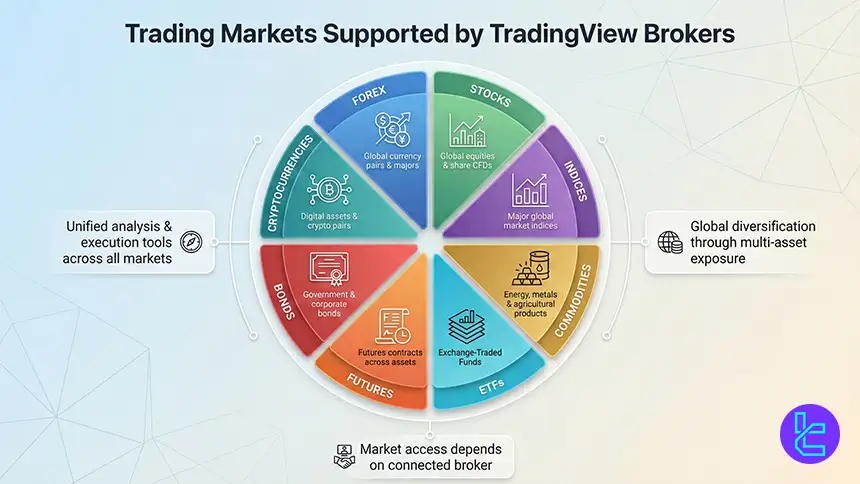
TradingView brokers provide access to a wide range of asset classes, including forex, stocks, indices, commodities, ETFs, futures, bonds, and cryptocurrencies. This multi-asset coverage allows traders to diversify strategies and manage risk across global financial markets.
Market availability depends on the connected broker, but TradingView’s universal interface ensures consistent analysis and execution tools regardless of the underlying asset class.
Do TradingView Brokers Offer Proprietary Platforms, too?
Most TradingView brokers also provide proprietary platforms alongside TradingView integration. These platforms often include advanced risk controls, algorithmic tools, and broker-specific features tailored to different trading styles and regulatory environments.
Traders benefit from the ability to switch between proprietary systems and TradingView, selecting the interface that best fits their workflow, strategy execution, and research preferences.
TradingView Copy Trading and Social Features
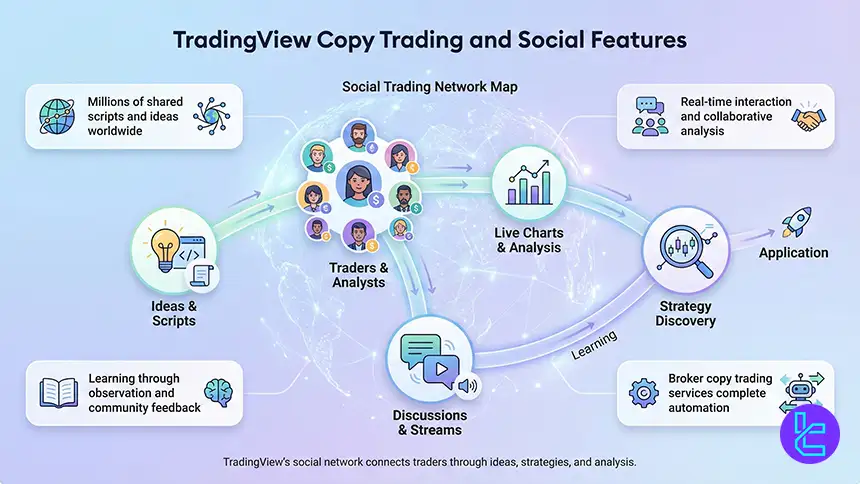
TradingView hosts one of the largest financial communities globally, with millions of traders sharing ideas, scripts, strategies, and market insights. Users can follow top analysts, comment on charts, and exchange real-time market perspectives.
While TradingView does not offer built-in copy trading execution, its social network enables informal strategy replication and learning. Traders combine this with broker-based copy trading services for full automation.
- Global community of traders and analysts
- Millions of shared scripts and ideas
- Interactive discussions and live streams
- Strategy discovery and collaborative learning
TradingView vs Other Trading Platforms
TradingView offers unmatched charting, scripting, and social features compared to traditional platforms like MT4, MT5, and cTrader. With Pine Script, cloud access, and massive community resources, it excels in technical analysis and strategy development.
Comparison Parameter | TradingView | cTrader | ||
Primary Use Case | Charting & market analysis | ECN Forex & CFD trading | Multi-asset trading | Forex & CFD trading |
Tradable Assets | Forex, stocks, crypto, futures | Forex, indices, commodities, crypto (CFDs) | Forex, stocks, indices, commodities, crypto | Mainly Forex, CFDs |
Order Types | Market & Limit (broker-dependent), alerts-based execution | Market, Limit, Stop, Stop Limit, Market Range, Trailing Stop | Market, Buy/Sell Limit, Buy/Sell Stop, Buy/Sell Stop Limit, Trailing Stop | Market, Buy/Sell Limit, Buy/Sell Stop, Trailing Stop |
Algorithmic Trading | Limited (via Pine Script strategies) | Yes (cAlgo / C#) | Yes (MQL5 EAs) | Yes (MQL4 EAs) |
Chart Types | Candlestick, Heikin Ashi, Renko, Kagi, Line Break, Point & Figure | Candlestick, Bar, Line, Heikin Ashi, Renko | Candlestick, Bar, Line | Candlestick, Bar, Line |
Strategy Backtesting | Bar Replay (manual) | Tick-accurate backtesting | Multi-threaded | Single-threaded |
Social / Community Features | Yes (ideas, streams, chat) | Limited (copy trading via cTrader Copy) | No | No |
Platform Access | Web, Desktop, Mobile | Desktop, Web, Mobile | Desktop, Web, Mobile | Desktop, Web, Mobile |
Typical User Profile | Analysts & discretionary traders | ECN-focused & professional traders | Advanced multi-asset traders | Algorithmic & retail Forex traders |
Price | Free plan + paid subscriptions | Free platform (broker-provided) | Free platform (broker-provided) | Free platform (broker-provided) |
Conclusion and Expert Suggestions
TradingView has evolved since 2011 into a full-scale trading and execution ecosystem used by 60+ million traders worldwide, combining advanced charting, Pine Script automation, multi-device access, and broker connectivity.
The leading TradingView brokers deliver spreads from 0.0 pips, over 26,000 tradable instruments, fast execution, and strong regulatory oversight. With direct chart-based execution, multi-asset access, and professional trading infrastructure, these brokers now serve as the backbone of modern technical trading strategies across global markets
Broker rankings and performance in this guide are assessed using the TradingFinder Forex methodology, which systematically measures regulation strength, execution quality, pricing transparency, platform integration, and client service standards.






