












MetaTrader 4, launched in July 2005, is one of the most popular and reputable trading platforms for brokers. The software is free of charge and available on Windows, MacOS, Linux, Android, and iOS.
Some of the best Forex brokers for trading via MT4 are mentioned considering spreads, account types, commissions, and other factors.
 | eightcap | |||
 | BlackBull Markets | |||
 | FxPro | |||
| 4 |  | FXCM | ||
| 5 |  | GO Markets | ||
| 6 |  | Fusion Markets | ||
| 7 |  | OQtima | ||
| 8 |  | FP Markets |
MT4 Brokers Ranked by Trustpilot Scores
Trustpilot ratings give us insight into how users see a Forex broker based on their experience. Here’s a summary table.
Broker Name | Trustpilot Rating | Number of Reviews |
Fusion Markets | 4.8⭐ | 5,544 |
FP Markets | 4.8⭐ | 9,726 |
4.8⭐ | 2,916 | |
FXCM | 4.6⭐ | 817 |
OQtima | 4.6⭐ | 214 |
GO Markets | 4.5⭐ | 703 |
4.1⭐ | 3,357 | |
FxPro | 3.8⭐ | 862 |
Lowest Spreads in MT4 Brokers
Trading on a Forex broker with low spreads ensures maximum profits. This section ranks the best brokers for trading via MT4 with lowest spreads.
Broker Name | Min. Spread |
0 Pips | |
BlackBull Markets | 0 Pips |
OQtima | 0 Pips |
Admirals | 0 Pips |
Pepperstone | 0 Pips |
Eightcap | 0 Pips |
TMGM | 0 Pips |
0.2 Pips |
MT4 Brokers Non-Trading Fees Ranking
Some Forex brokers charge clients with commissions for deposits and withdrawals. Also, some of them put fees on inactive accounts. A brokerage without any of them can be the better choice.
Broker Name | Deposit Fee | Withdrawal Fee | Inactivity Fee |
Fusion Markets | None | None | None |
FP Markets | None | None | None |
None | None | $20 | |
TMGM | None | None | $10 |
FXCM | None | None | 50 Units |
None | None | From $15 | |
FISG | None | None | Not Specified |
Admirals | None | Varies | 10 EUR |
Number of Trading Instruments in MT4 Brokers
Some people might find a low number of instruments enough for their trading needs; however, having more tradable symbols is always an advantage.
Broker Name | Tradable Instruments |
BlackBull Markets | 26,000+ |
IC Markets | 2,200+ |
FxPro | 2,100+ |
1,000+ | |
1,000+ | |
Fusion Markets | 250+ |
Axi | 220+ |
FISG | 70+ |
Top 6 Brokers for MetaTrader 4
Each of the following sections will dive into the features and details of aforementioned B.
Fusion Markets
Fusion Markets is an Australia-linked Forex broker founded by Phil Horner and operating under ASIC and VFSC oversight, offering a cost-focused trading environment tailored to MetaTrader 4 users.
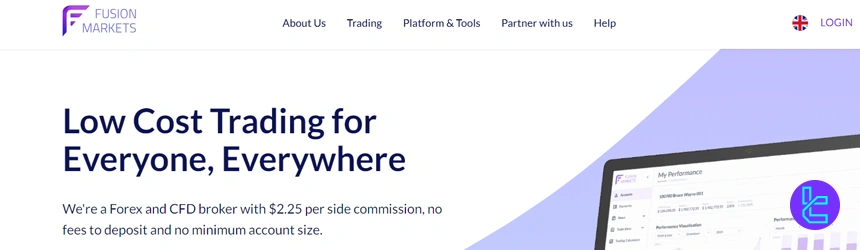
Client funds are held in segregated accounts with tier-one banks, including HSBC and National Australia Bank, reinforcing operational transparency. The broker provides access to major and minor currency pairs with leverage up to 1:30 under ASIC and up to 1:500 via its offshore entity, aligning with different regulatory profiles.
Fusion Markets stands out for its ultra-low pricing structure, with Zero accounts offering raw spreads from 0.0 pips and a fixed commission, while Classic accounts combine wider spreads with zero commission.
There is no minimum deposit requirement, making account access flexible for different trading scales. MetaTrader 4 is supported alongside fast market execution and optional VPS services, which suits high-frequency and algorithmic Forex strategies.
Additional features such as copy trading and MAM solutions complement its core offering, positioning Fusion Markets as a streamlined MT4 broker focused on execution quality and cost efficiency rather than promotional incentives.
Fusion Markets Specifics
Account Types | Zero, Classic, Swap-Free |
Regulating Authorities | ASIC, VFSC |
Minimum Deposit | $0 |
Deposit Methods | VISA, MasterCard, PayPal, Perfect Money, PayID, Bank Wire, Crypto, Skrill, Neteller, etc. |
Withdrawal Methods | PayPal, Perfect Money, Bank Wire, Crypto, Skrill, Neteller, etc. |
Maximum Leverage | 1:500 |
Trading Platforms & Apps | MetaTrader 4, MetaTrader 5, TradingView, cTrader |
Fusion Markets Pros and Cons
Before going through the Fusion Markets registration stages, be aware of the broker’s upsides and downsides.
Pros | Cons |
Ultra-low trading costs | Limited range of educational resources |
No minimum Deposit | No proprietary trading platform |
Zero deposit fees | Relatively new broker (launched in 2019) |
Regulated by VFSC and ASIC | Limited financial instruments |
Copy trading capabilities through Fusion+ | Lack of investor protection fund |
Sponsored VPS program | - |
A full package of trading platforms (MT4, MT5, cTrader, TradingView) | - |
FP Markets
FP Markets is an Australia-founded Forex broker established in 2005 and regulated by multiple authorities, including ASIC and CySEC, providing a solid regulatory framework for global traders.
The broker operates under strict compliance standards, with client funds held in segregated accounts and negative balance protection applied across its regulated entities.
FP Markets supports retail leverage up to 1:30 under top-tier regulators, with higher leverage available through offshore entities for eligible clients.
For MetaTrader 4 traders, FP Markets delivers institutional-style trading conditions through its Standard and RAW accounts. RAW accounts feature spreads from 0.0 pips with a fixed commission, while Standard accounts combine commission-free trading with wider spreads. The minimum deposit is $50, keeping entry requirements practical.
For a discount on spreads and trading fees, you can participate in the FP Markets rebate program.
MT4 is complemented by fast execution, algorithmic trading support, and access to a broad Forex offering alongside indices, commodities, and CFDs. Overall, FP Markets positions itself as a well-established MT4 broker focused on pricing transparency, platform reliability, and regulatory depth rather than promotional incentives.
FP Markets Specifics
Account Types | Standard, RAW |
Regulating Authorities | ASIC, CySEC, FSC, FSCA, FSA |
Minimum Deposit | $50 |
Deposit Methods | Visa and Master card, Skrill, PayPal, Neteller, Bank Transfer |
Withdrawal Methods | Visa and Master card, Skrill, PayPal, Neteller, Bank Transfer |
Maximum Leverage | 1:500 |
Trading Platforms & Apps | MT4, MT5, cTrader |
FP Markets Pros and Cons
Here’s an overview of the broker’s benefits and drawbacks that are essential to know before going through the FP Markets registration.
Pros | Cons |
Regulated by top-tier authorities | No proprietary trading platform |
Tight spreads | Not available to US clients |
Wide range of trading instruments | - |
Various trading platforms | - |
A diverse range of educational content | - |
BlackBull Markets
BlackBull Markets is a New Zealand-based Forex broker founded in 2014 and regulated by the New Zealand FMA and the Seychelles FSA, offering a dual regulatory structure that supports both local and international traders.

Client funds are held in segregated accounts with tier-one banking partners, and negative balance protection is available across its entities. The broker provides access to Forex and CFDs across multiple asset classes, with leverage reaching up to 1:500 depending on jurisdiction.
BlackBull Markets operates on a pure ECN model through its ECN Standard, ECN Prime, and ECN Institutional accounts, which could appeal to MT4 users. Spreads can start from 0.0 pips, with commission structures varying by account tier.
There is no minimum deposit on the ECN Standard account, while higher-tier accounts target active and professional traders. MT4 is supported alongside fast execution via Equinix servers, API trading, and copy trading solutions.
Overall, BlackBull Markets positions itself as a performance-driven MT4 broker focused on execution speed, deep liquidity, and broad market access rather than simplified beginner offerings.
Summary of Specifications
Account Types | ECN Standard, ECN Prime, ECN Institutional |
Regulating Authorities | FSA, FMA |
Minimum Deposit | $0 |
Deposit Methods | Visa, MasterCard, Apple Pay, Google Pay, Bank Wire, Crypto, Neteller, Skrill, SEPA, FasaPay |
Withdrawal Methods | Visa, MasterCard, Apple Pay, Google Pay, Bank Wire, Crypto, Neteller, Skrill, SEPA, FasaPay |
Maximum Leverage | 1:500 |
Trading Platforms & Apps | MT4, MT5, TradingView, cTrader, BlackBull CopyTrader, BlackBull Invest |
BlackBull Markets Pros and Cons
Before getting into BlackBull Markets registration, here are some of the noteworthy benefits and drawbacks of the broker.
Pros | Cons |
Extremely fast execution speeds | A $2,000 minimum deposit for the ECN Prime account |
Tight spreads starting from 0 pips and leverage up to 1:500 | Limited availability in some regions |
Wide selection of over 26,000 tradable instruments | Potential complexity for beginner traders due to the wide range of offerings |
Multi-jurisdictional regulation (New Zealand and Seychelles) | - |
Integration with popular trading platforms (MT4/5, cTrader, TradingView) | - |
FXCM
FXCM is a long-established Forex broker founded in 1999 and operating under multiple top-tier regulators, including the FCA, ASIC, and CySEC. This regulatory coverage enforces strict client protection standards such as segregated accounts, negative balance protection, and investor compensation schemes in eligible jurisdictions.
FXCM maintains a strong global presence despite its exit from the US market, positioning itself as a compliance-driven broker with institutional oversight.
For MetaTrader 4 trading, FXCM offers a commission-free pricing model with floating spreads starting from around 0.2 pips on major currency pairs.
The broker supports market execution, a minimum deposit of $50, and leverage that varies by regulatory entity, capped at 1:30 under FCA and CySEC rules and higher through offshore branches. MT4 is complemented by support for automated trading, custom indicators, and risk management tools.
Overall, FXCM suits traders seeking a regulated MT4 broker with a long operating history, transparent pricing, and access to multiple asset classes rather than ultra-low spread ECN conditions.
If you are considering getting started with the introduced broker, go through our FXCM registration guide.
Summary of Details
Account Types | CFD account, Active Trader account, Corporate account |
Regulating Authorities | FCA, ASIC, CySEC, ISA, FSCA |
Minimum Deposit | $50 |
Deposit Methods | Visa/MasterCard, Bank wired, Neteller, Skrill |
Withdrawal Methods | Visa/MasterCard, Bank wired, Neteller, Skrill |
Maximum Leverage | 1:1000 |
Trading Platforms & Apps | MT4, TradingView, Trading Station |
FXCM Pros and Cons
You should be aware of these advantages and disadvantages before making any investments.
Pros | Cons |
Over 20 years of experience in the forex industry | Bankruptcy record |
Diverse product range | $50 per year inactivity fee |
Regulated by top-tier authorities (FCA, ASIC, CySEC) | $40 withdrawal fee on bank transfers |
Multiple advanced trading platforms (Trading Station, MT4, TradingView) | - |
Active Trader discounts for frequent traders | - |
OQtima
OQtima is a Cyprus-founded Forex broker launched in 2023, operating under CySEC for EU clients and the Seychelles FSA for international traders. This dual-entity structure allows OQtima to combine Tier-1 regulatory protection in Europe with flexible trading conditions globally.
Client funds are kept in segregated accounts, and negative balance protection applies across both entities, while leverage is capped at 1:30 under CySEC and extends up to 1:1000 via the offshore branch.
OQtima focuses on MetaTrader 4 trading through a streamlined ECN model, offering two account types. The ONE account provides commission-free trading with spreads from around 1.0 pip, while the ECN+ account delivers raw spreads from 0.0 pips with a fixed commission.
If you are confused with opening an account in the broker, check out our detailed OQtima registration guide.
The minimum deposit is set at $100, and eight base currencies are supported. MT4 access is paired with fast execution, support for Expert Advisors, and optional VPS services, making OQtima more suitable for active Forex, crypto, and algorithmic traders rather than beginners seeking extensive educational content.
It’s worth noting that there’s an OQtima rebate program available offering discounts on trading costs.
Specifics and Features
Account Types | ECN+, ONE |
Regulating Authorities | FSA, CySEC |
Minimum Deposit | $100 |
Deposit Methods | Credit/Debit Cards, Crypto, International Bank Wire, UK Bank Wire, Local Banking, STICPAY, PIX, E-Wallets |
Withdrawal Methods | Credit/Debit Cards, Crypto, International Bank Wire, UK Bank Wire, Local Banking, STICPAY, PIX, E-Wallets |
Maximum Leverage | 1:1000 |
Trading Platforms & Apps | MT4, MT5 |
OQtima Pros and Cons
The table below demonstrates some of the essential advantages and disadvantages in the broker’s services.
Pros | Cons |
Ultra-low spreads from 0.0 pips | Limited history as a new broker (founded in 2023) |
Commission-free account | No copy trading services |
8 base currencies | Limited range of account types compared to some competitors |
No fees on deposits or withdrawals | Lack of transparency about the founders |
GO Markets
GO Markets is an Australia-based Forex and CFD broker established in 2006 and regulated by several authorities, including ASIC and CySEC. This regulatory structure enforces client fund segregation and negative balance protection, while leverage is limited to 1:30 under Tier-1 entities and extended up to 1:500 through offshore branches.
The broker has built its reputation around transparent pricing, stable execution, and broad market access rather than promotional incentives.
For MetaTrader 4 traders, GO Markets offers two core account types. The Standard account provides commission-free trading with variable spreads, while the GO Plus+ account targets active and algorithmic traders with raw spreads from 0.0 pips and a fixed commission per round lot.
The minimum deposit starts at 100 EUR, and MT4 is supported alongside automated trading, scalping, and Expert Advisors.
Overall, GO Markets positions itself as a regulation-focused MT4 broker with competitive cost structures, multi-asset CFD coverage, and reliable platform performance, making it suitable for systematic and experienced traders rather than bonus-driven accounts. The table below mentions some of the specifics and features at a glance.
Account Types | ECN+, ONE |
Regulating Authorities | Standard, GO Plus+ |
Minimum Deposit | 100 EUR |
Deposit Methods | Credit/Debit Cards, Bank Transfers, E-wallets |
Withdrawal Methods | Credit/Debit Cards, Bank Transfers, E-wallets |
Maximum Leverage | 1:500 |
Trading Platforms & Apps | MT4, MT5, cTrader |
GO Markets Pros and Cons
Before filling out the GO Markets registration forms, know about the broker’s important strengths and weaknesses.
Pros | Cons |
Regulated By Reputable Authorities | Higher Minimum Deposit Compared to Some Competitors |
Multiple Advanced Trading Platforms | Limited Investment Options |
Comprehensive Educational Resources | - |
Negative Balance Protection | - |
Wide Range of Tradable Instruments | - |
How Were the Best MT4 Brokers Selected?
Choosing the Best MetaTrader 4 brokers requires more than surface-level comparisons. At TradingFinder, our broker reviews are built on a transparent, data-driven framework designed to reflect how brokers actually perform in real trading conditions.
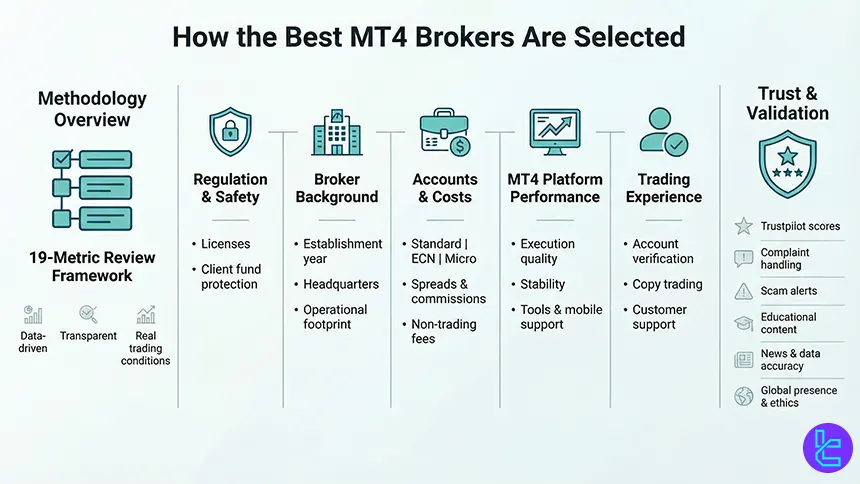
Each broker featured in this guide is evaluated using 19 independent metrics, ensuring objectivity, depth, and consistency across all reviews.
Our analysis begins with regulations and licenses, verifying that brokers operate under recognized authorities and apply client fund protection mechanisms.
We then examine broker background data, including establishment year, headquarters, and operational footprint. Account structure is another critical factor, with close attention to the availability of standard, ECN, micro, and managed accounts suitable for different trading styles on MetaTrader 4.
Cost efficiency plays a major role in our rankings. We assess spreads, commissions, deposit and withdrawal fees, and inactivity charges, based on documented data and hands-on testing. Equally important is platform performance, where we evaluate MT4 execution quality, stability, supported tools, and mobile compatibility.
Beyond trading conditions, our methodology covers account opening and verification, copy trading and investment features, and customer support responsiveness across live chat, help centers, and social channels. We also analyze educational resources, infographics, and the accuracy of micro-level data published by brokers.
To validate user experience, we incorporate Trustpilot scores, broker responses to complaints, scam alerts, and ongoing news updates. Finally, global office presence and ethical initiatives such as sponsorships or charities are considered as supporting trust indicators.
What is MetaTrader 4?
MetaTrader 4 (MT4) is a professional electronic trading platform developed by MetaQuotes, designed primarily for Forex and CFD trading. Since its launch, MT4 has become the industry standard for retail forex trading due to its stability, flexibility, and deep analytical capabilities.
At its core, MetaTrader 4 provides advanced charting tools, supporting multiple timeframes, dozens of built-in technical indicators, and fully customizable layouts. Traders can analyze price behavior with precision using trendlines, oscillators, and volume-based tools directly on live charts.
The platform also supports Expert Advisors (EAs), enabling automated trading strategies coded in the MQL4 language, which is a major reason MT4 remains popular among algorithmic and high-frequency traders.
Another defining feature of MetaTrader 4 is its fast order execution and support for different order types, including market, pending, stop-loss, and take-profit orders. Combined with low system requirements and broad broker adoption, MT4 runs smoothly on Windows, macOS, web terminals, and mobile devices.
Because of its reliability, extensibility, and massive ecosystem of custom indicators and EAs, MetaTrader 4 continues to be the preferred platform offered by many top-tier forex brokers worldwide.
What Are the Benefits of Using MetaTrader 4?
One of the key benefits of MetaTrader 4 is its advanced technical analysis environment. The platform supports multiple chart types, 9 timeframes, and a wide range of built-in indicators, allowing traders to perform detailed market analysis directly on price charts.
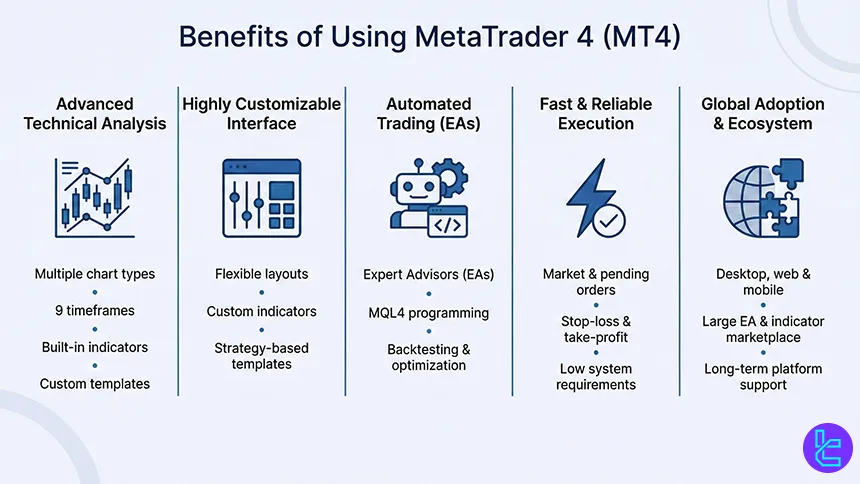
In addition, MT4’s highly customizable interface enables traders to tailor layouts, indicators, and templates to match their trading strategies.
Another major advantage is automated trading through Expert Advisors (EAs). MT4 allows traders to develop, test, and deploy algorithmic strategies using the MQL4 programming language, supporting backtesting and optimization under historical market conditions.
This feature is particularly valuable for systematic traders and those focused on consistency and execution speed.
MetaTrader 4 also delivers fast and precise order execution, supporting market orders, pending orders, stop-loss, and take-profit levels. Combined with low hardware requirements and broad compatibility across desktop, web, and mobile devices, MT4 offers a stable trading environment even under volatile market conditions.
Finally, the platform’s global broker adoption and extensive ecosystem of indicators, scripts, and EAs ensure long-term usability and continuous access to third-party trading tools.
Should I Pay Fees for Using MetaTrader 4?
MetaTrader 4 itself is free to use for traders. The platform is licensed to brokers by MetaQuotes, and retail users are not charged any direct software, installation, or subscription fees for accessing MT4 on desktop, web, or mobile devices.
However, while MetaTrader 4 does not impose platform fees, costs may arise indirectly through the broker offering MT4. These costs are tied to trading conditions and services rather than the platform itself.
The most common expenses include spreads, commissions, and swap (overnight) fees, which vary depending on account type, instrument, and regulatory environment. ECN or raw-spread accounts, for example, often feature lower spreads combined with a fixed commission per lot.
Additional charges can also apply outside of active trading. Some MT4 brokers may apply deposit and withdrawal fees, currency conversion costs, or inactivity fees if an account remains unused for a defined period. These fees are broker-specific and are disclosed in the broker’s legal documents rather than within MetaTrader 4.
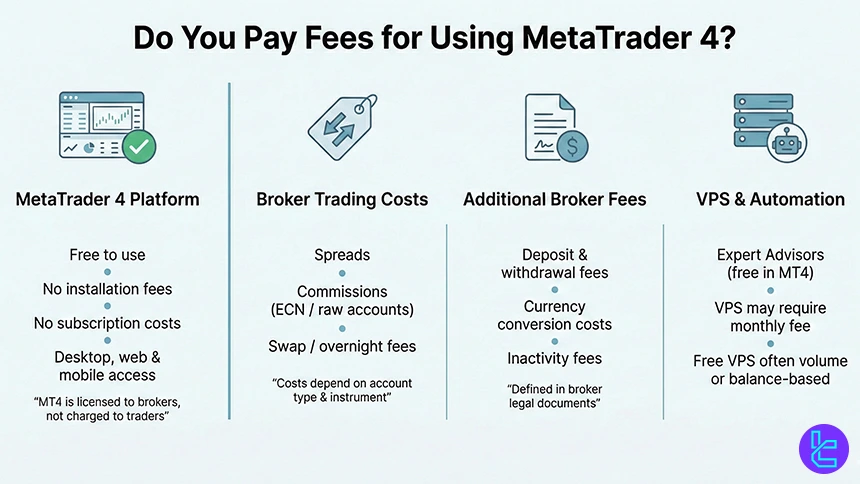
For traders using automation, VPS services can be another potential cost. While MT4 supports Expert Advisors natively at no charge, VPS hosting may be offered for free only after meeting certain balance or volume requirements. Otherwise, traders may need to pay a monthly VPS fee, either to the broker or a third-party provider.
Using Custom Indicators on MetaTrader 4
This popular platform enables users to add technical indicators that are developed by entities other than MetaQuotes. Traders can download the indicator’s file, then put it in the designated folder to install it.
There’s a comprehensive guide for MetaTrader 4 indicators installation that will take you through the process step by step.
Which Devices and Operating Systems Host MetaTrader 4?
MetaTrader 4 is designed as a cross-platform trading solution, allowing traders to access the Forex market from multiple devices and operating systems without compromising functionality or performance. The platform is officially supported on the following devices and operating systems:
- Windows (Desktop): The most widely used MT4 version, offering full functionality including Expert Advisors (EAs), custom indicators, scripts, and advanced charting tools;
- macOS (Desktop): Accessible via broker-provided installers or emulation solutions, allowing Mac users to run MT4 with near-complete feature parity;
- Web-Based Platform (WebTrader): Browser-based access to MT4 without installation, suitable for quick trading and market monitoring directly from Chrome, Firefox, Safari, or Edge;
- Android Devices: The MT4 Android app supports real-time quotes, interactive charts, technical indicators, and full trade execution from smartphones and tablets;
- iOS Devices (iPhone & iPad): Optimized for Apple’s ecosystem, the iOS version of MT4 provides secure trading, account management, and responsive charting on the go.
Are There VPS Trading and Other Auto-Trade Features in MetaTrader 4?
MetaTrader 4 brokers widely support VPS trading and automated trading features, making MT4 one of the most automation-friendly platforms in the retail Forex industry. These capabilities are a core reason why MetaTrader 4 remains dominant among algorithmic and systematic traders.
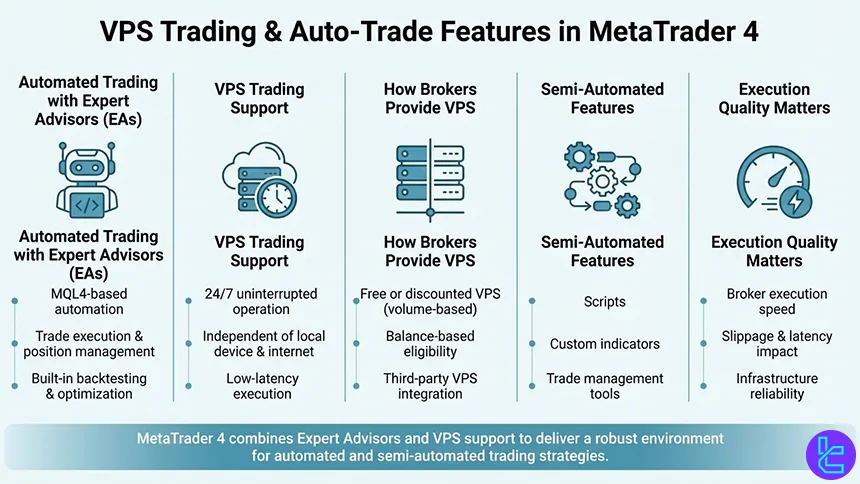
The foundation of auto-trading in MT4 is Expert Advisors (EAs), which are automated trading programs written in the MQL4 language. EAs can execute trades, manage positions, apply risk rules, and react to market conditions without manual intervention.
Traders can run EAs continuously, backtest them on historical data, and optimize parameters directly within the MT4 platform.
To ensure uninterrupted execution, many MT4 brokers offer VPS (Virtual Private Server) services. A VPS allows MetaTrader 4 to run 24/7 on a remote server, independent of the trader’s local device or internet connection. This is especially critical for strategies that rely on low latency, precise execution timing, or constant market monitoring.
Some brokers provide free or discounted VPS access once certain trading volume or balance thresholds are met, while others integrate third-party VPS solutions.
In addition to EAs, MT4 supports automated scripts, custom indicators, and trade management tools that enhance semi-automated workflows. These features are platform-native and not controlled by the brokers directly, though broker execution quality plays a major role in overall performance.
How Can I Connect a Broker to MetaTrader 4?
Connecting a broker to MetaTrader 4 is simple and handled through broker-specific servers. Each MT4 broker provides unique login credentials that link your account directly to its trading infrastructure.
To connect a broker to MetaTrader 4, follow these steps:
- Open a trading account with an MT4-supported broker and receive your account number, password, and server name;
- Install MetaTrader 4 on desktop, web, or mobile and go to the “Login to Trade Account” section;
- Select the broker’s server, enter your credentials, and confirm the connection.
Many brokers offer preconfigured MT4 installers for Windows, which automatically connect you to their servers.
Keep in mind that MT4 accounts are broker-specific and cannot be shared across different brokers, as defined by MetaQuotes. For a comprehensive tutorial on downloading and installing the platform, check out our MetaTrader 4 installation guide.
Can I Backtest Trading Strategies on MT4?
MetaTrader 4 includes a built-in Strategy Tester that allows traders to backtest trading strategies using historical market data. This feature is especially valuable for evaluating automated and rule-based systems before deploying them in live market conditions.
MT4 backtesting is primarily designed for Expert Advisors (EAs) written in the MQL4 programming language. Through the Strategy Tester, traders can simulate how an EA would have performed over a selected historical period, using specific instruments, timeframes, spreads, and execution models.
The tool provides detailed performance metrics such as profit factor, drawdown, win rate, and trade distribution, enabling objective strategy evaluation.
In addition to single-run testing, MetaTrader 4 supports optimization, allowing traders to test multiple parameter combinations automatically. This helps identify more efficient settings for indicators, risk rules, and trade management logic.
While optimization improves strategy tuning, professional traders typically combine it with forward testing to avoid curve fitting.
The accuracy of MT4 backtesting depends heavily on historical data quality and broker-specific pricing feeds. Since MT4 brokers supply their own data, backtest results may vary between brokers due to differences in spreads, liquidity, and execution conditions.
For this reason, serious strategy developers often backtest on the same broker they intend to trade with.
MT4 Brokers’ Regulatory Authorities
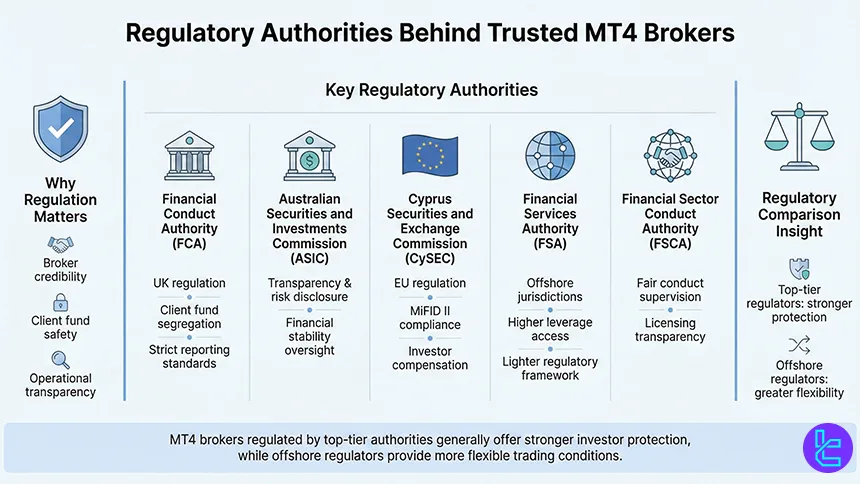
When evaluating MetaTrader 4 brokers, regulatory oversight is one of the most critical factors in determining broker credibility, fund safety, and operational transparency.
Reputable MT4 brokers operate under the supervision of well-established financial authorities that enforce strict compliance standards, capital requirements, and client-protection rules.
Below are the key regulatory authorities commonly associated with trusted MT4 brokers:
- Financial Conduct Authority (FCA): Oversees brokers operating in the UK, enforcing segregation of client funds, leverage caps, and strict reporting obligations;
- Australian Securities and Investments Commission (ASIC): Regulates Australian brokers with a focus on transparency, risk disclosure, and financial stability;
- Cyprus Securities and Exchange Commission (CySEC): Supervises many EU-based MT4 brokers, ensuring compliance with MiFID II regulations and investor compensation schemes;
- Financial Services Authority (FSA Seychelles): Often used by international brokers offering higher leverage and broader global access, with lighter regulatory frameworks;
- Financial Sector Conduct Authority (FSCA): Regulates brokers serving African and international markets, focusing on fair conduct and licensing transparency.
MT4 brokers regulated by top-tier authorities generally offer stronger client protections, while offshore regulators may provide more flexible trading conditions.
What Non-Trading Services Are Offered by MetaTrader 4 Brokers?
Beyond order execution and charting, MetaTrader 4 brokers differentiate themselves through a range of non-trading services that significantly shape the overall trading experience. These services are designed to support traders before, during, and aftermarket participation, adding value beyond the MT4 platform itself.
Educational infrastructure is one of the most common offerings. Many MT4 brokers provide structured learning materials such as market analysis articles, trading guides, webinars, and video tutorials that help traders understand market mechanics, platform functionality, and risk management.
These resources are often integrated directly into the broker’s ecosystem rather than the platform developed by MetaQuotes.
Another important area is copy trading and investment solutions. Some MetaTrader 4 brokers enable social or copy trading services that allow users to follow and replicate the strategies of experienced traders, often with transparent performance statistics and risk controls.
This service is typically managed at the broker level and complements MT4’s trade execution capabilities.
Operational services also play a critical role. Account management features such as multi-currency wallets, internal fund transfers, and automated deposit and withdrawal systems streamline capital flow.
Additionally, many MT4 brokers offer proprietary analytics, market sentiment tools, economic calendars, and performance reports.
Tradable Instruments Available at MT4 Brokers
MetaTrader 4 brokers offer access to a broad range of financial instruments, allowing traders to diversify strategies while operating within a single trading platform.
Although MT4 was originally designed for currency trading, its infrastructure has evolved to support multiple asset classes through CFDs (Contracts for Difference), depending on the broker’s product offering.
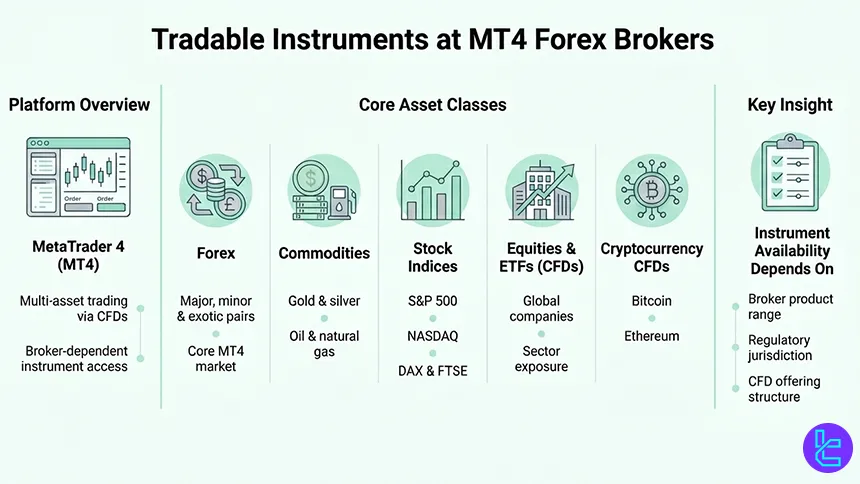
The core market available on MT4 is Forex, covering major, minor, and exotic currency pairs with real-time pricing and leveraged trading. These instruments benefit most from MT4’s execution speed, advanced charting, and automated trading capabilities, which is why Forex remains the platform’s primary focus.
Beyond currencies, many MT4 brokers provide access to commodities, including gold, silver, crude oil, and natural gas. These assets are commonly used for hedging, macro-driven strategies, and volatility-based setups.
Stock indices such as the S&P 500, NASDAQ, DAX, and FTSE are also widely available, enabling traders to speculate on broader market performance without owning underlying shares.
Some brokers extend MT4 functionality to equities and ETFs via CFD structures, offering exposure to leading global companies and sectors.
In recent years, cryptocurrency CFDs have also become available on MT4 through select brokers, allowing price speculation on assets like Bitcoin and Ethereum without direct custody.
The exact range of tradable instruments varies by broker and regulatory jurisdiction, making instrument diversity a key factor when selecting a MetaTrader 4 broker.
Do MetaTrader 4 Brokers Also Offer Proprietary Platforms?
Many MetaTrader 4 brokers complement MT4 with their own proprietary trading platforms, designed to address specific user needs that go beyond the standard MetaTrader environment.
While MetaTrader 4 remains the primary platform for advanced technical analysis and algorithmic trading, proprietary platforms are often developed to improve accessibility, usability, and service integration.
Among the introduced brokers, two of them offer proprietary platforms beside the access to MT4:
- BlackBull Markets: Offers BlackBull Invest, specialized for trading underlying assets of shares, options, ETFs, bonds, and more;

- FXCM: Provides access to Trading Station, a platform available on mobile and PC with automated strategies, a demo account option, and customizability.

Broker-developed platforms typically focus on simplified interfaces, making them suitable for beginners or traders who prefer faster navigation and reduced technical complexity. These platforms are commonly web-based or mobile-first, allowing instant access without installation and seamless synchronization with trading accounts.
Another key reason brokers offer proprietary platforms is ecosystem integration. Unlike MT4, proprietary platforms can be directly connected to internal services such as account management dashboards, copy trading systems, analytics tools, education hubs, and payment solutions.
This creates a unified environment where trading and non-trading services coexist within a single interface.
From a functional perspective, proprietary platforms usually support core features such as real-time quotes, market and pending orders, basic charting, and risk controls. However, they often lack MT4’s extensive customization, Expert Advisors, and third-party indicator ecosystem.
As a result, many traders use both platforms in parallel with proprietary platforms for monitoring, account operations, or quick trades and MetaTrader 4 for in-depth analysis and strategy execution.
How Does MetaTrader 4 Compare to Other Trading Platforms?
MetaTrader 4 remains one of the most widely supported retail trading platforms, particularly among Forex brokers. However, traders today often compare it with more modern or specialized solutions such as MetaTrader 5, TradingView, and cTrader.
Each platform targets a slightly different trading profile. MT4 prioritizes execution stability, low system requirements, and algorithmic trading through Expert Advisors, while MT5 expands asset coverage and analytical depth.
TradingView focuses on advanced charting and social analysis, and cTrader emphasizes ECN execution transparency and professional-grade order management.
The comparison below highlights the most important functional differences to help identify which platform best aligns with different trading styles and technical requirements.
Comparison Parameter | MetaTrader 4 | cTrader | ||
Primary Use Case | Forex & CFD trading | Multi-asset trading | Charting & market analysis | ECN Forex & CFD trading |
Tradable Assets | Mainly Forex, CFDs | Forex, stocks, indices, commodities, crypto | Forex, stocks, crypto, futures | Forex, indices, commodities, crypto (CFDs) |
Order Types | Market, Buy/Sell Limit, Buy/Sell Stop, Trailing Stop | Market, Buy/Sell Limit, Buy/Sell Stop, Buy/Sell Stop Limit, Trailing Stop | Market & Limit (broker-dependent), alerts-based execution | Market, Limit, Stop, Stop Limit, Market Range, Trailing Stop |
Algorithmic Trading | Yes (MQL4 EAs) | Yes (MQL5 EAs) | Limited (via Pine Script strategies) | Yes (cAlgo / C#) |
Chart Types | Candlestick, Bar, Line | Candlestick, Bar, Line | Candlestick, Heikin Ashi, Renko, Kagi, Line Break, Point & Figure | Candlestick, Bar, Line, Heikin Ashi, Renko |
Strategy Backtesting | Single-threaded | Multi-threaded | Bar Replay (manual) | Tick-accurate backtesting |
Social / Community Features | No | No | Yes (ideas, streams, chat) | Limited (copy trading via cTrader Copy) |
Platform Access | Desktop, Web, Mobile | Desktop, Web, Mobile | Web, Desktop, Mobile | Desktop, Web, Mobile |
Typical User Profile | Algorithmic & retail Forex traders | Advanced multi-asset traders | Analysts & discretionary traders | ECN-focused & professional traders |
Price | Free platform (broker-provided) | Free platform (broker-provided) | Free plan + paid subscriptions | Free platform (broker-provided) |
Conclusion
Most traders in the world are familiar with the MetaTrader 4 platform, considering it a solid option with useful assistant tools and a user-friendly interface. They access the platform through mobile, PC, and web.
Also, many brokers support the platform for their services, with some of the best options including Fusion Markets, FP Markets, FXCM, and OQtima.
It's worth noting that the brokers in the list were curated based on a structured and characterized Forex methodology.






